


TAP Twisted's Addon Platform
TAP_LOGO.png
Description
Twisteds Addon Platform
Website: https://tap.soldercode.dev/
One hub. One command. Pick the tools you want.
Twisteds Addon Platform (TAP) bundles a set of small, focused combat helpers and trackers under a
single clean UI. No pile of mismatched add-ons, no ten separate config panels - just type /tap,
switch on the tools you use, and leave the rest off. Everything shares one theme (set your accent
color, skin, and font once and it all matches), and it all arrives in one download.
Type
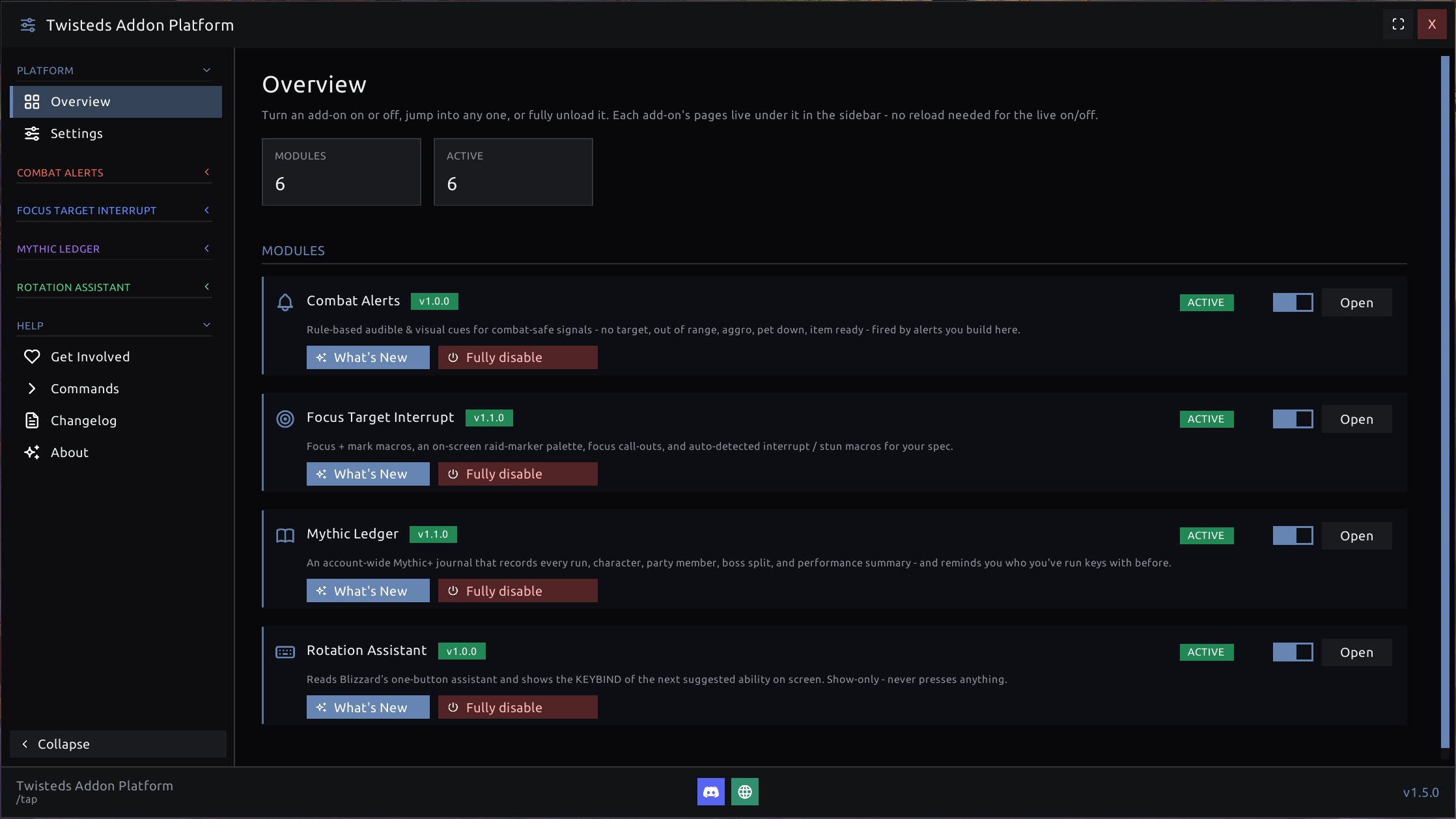
/tapto open the manager. Every module has a live on/off switch - flip one off and it unloads and gets out of the way. No reload needed.
✨ Modules
🔔 Combat Alerts
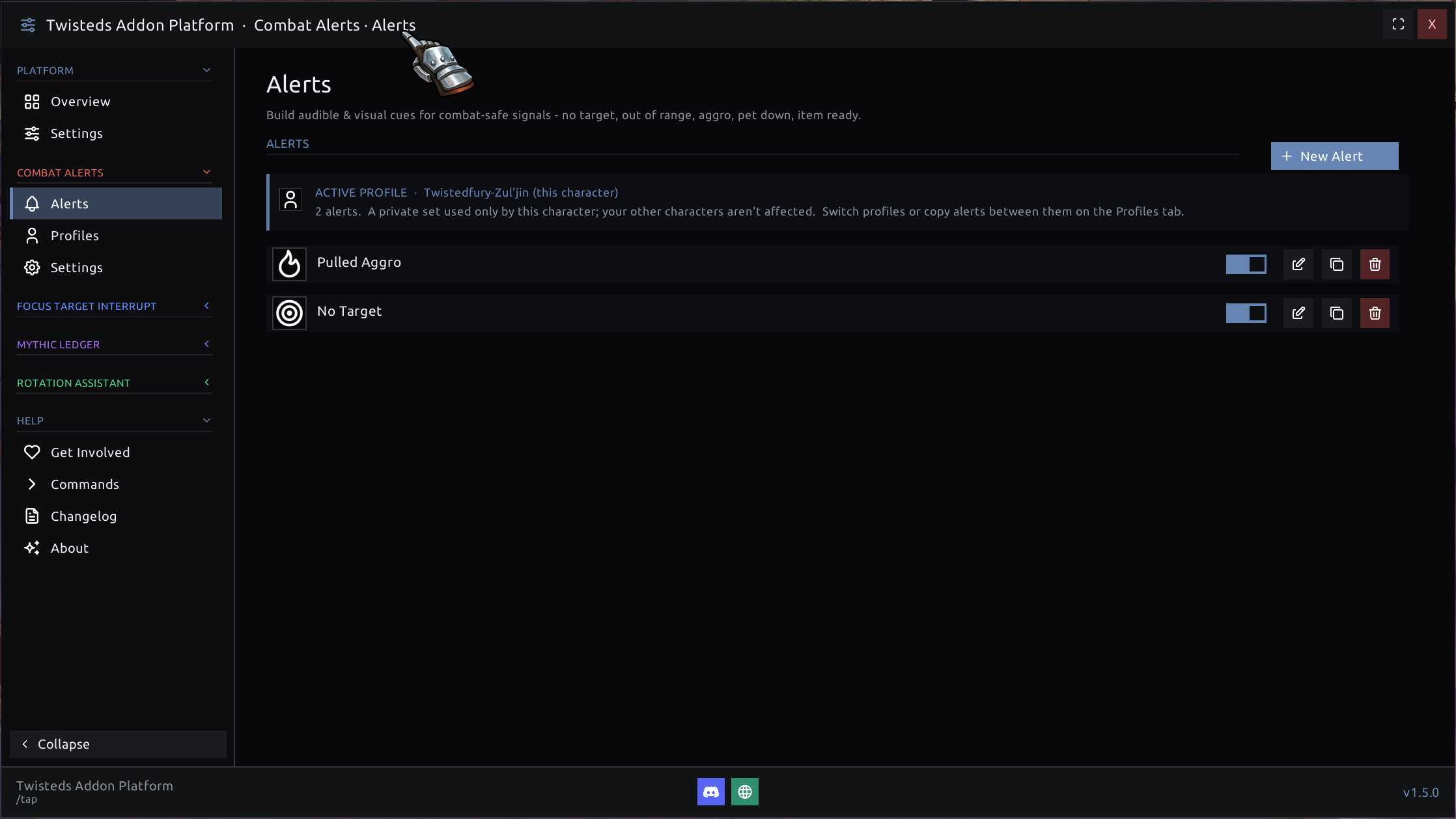
Never miss the moment that matters. Build your own audible & visual cues for no target, out of range, pulled aggro, pet down, low health, trinket/ability ready - and anything else - with sounds, big on-screen text, and icons you place yourself. Start from simple "typed" alerts for the common cases, or open the advanced AND/OR builder for fully custom conditions, and point any alert at a specific ability or item with the built-in spell/item search. Alerts can be scoped to just the specs that need them, and saved per-character or shared account-wide.
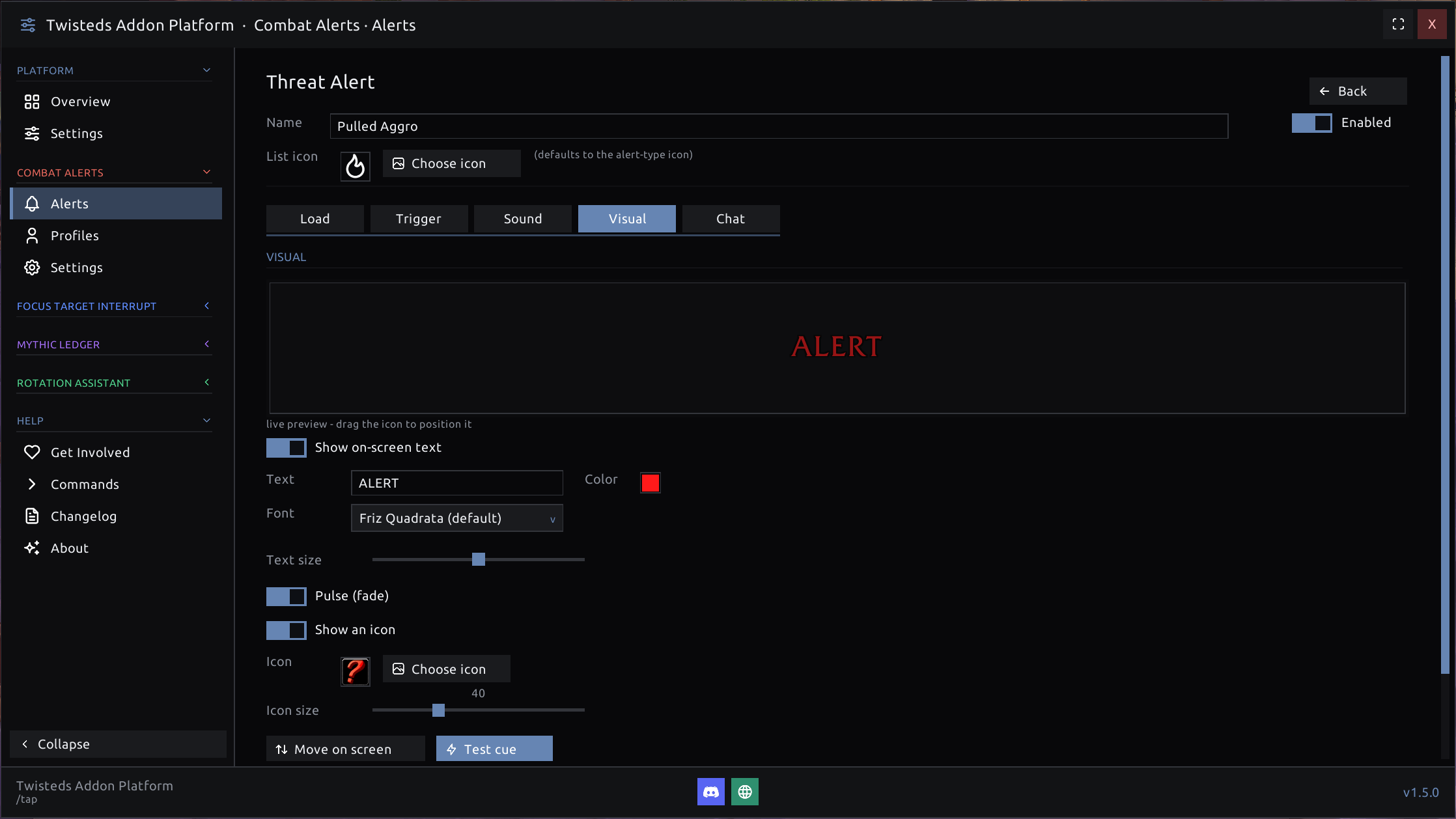
Every alert has a full editor split into Load, Trigger, Sound, Visual, and Chat tabs. Drag the on-screen text or icon in a live preview, pick the font, size, and color, toggle a pulse/fade, and hit Test cue to see exactly what it will look like mid-fight before you ever pull.
🎯 Focus Target Interrupt
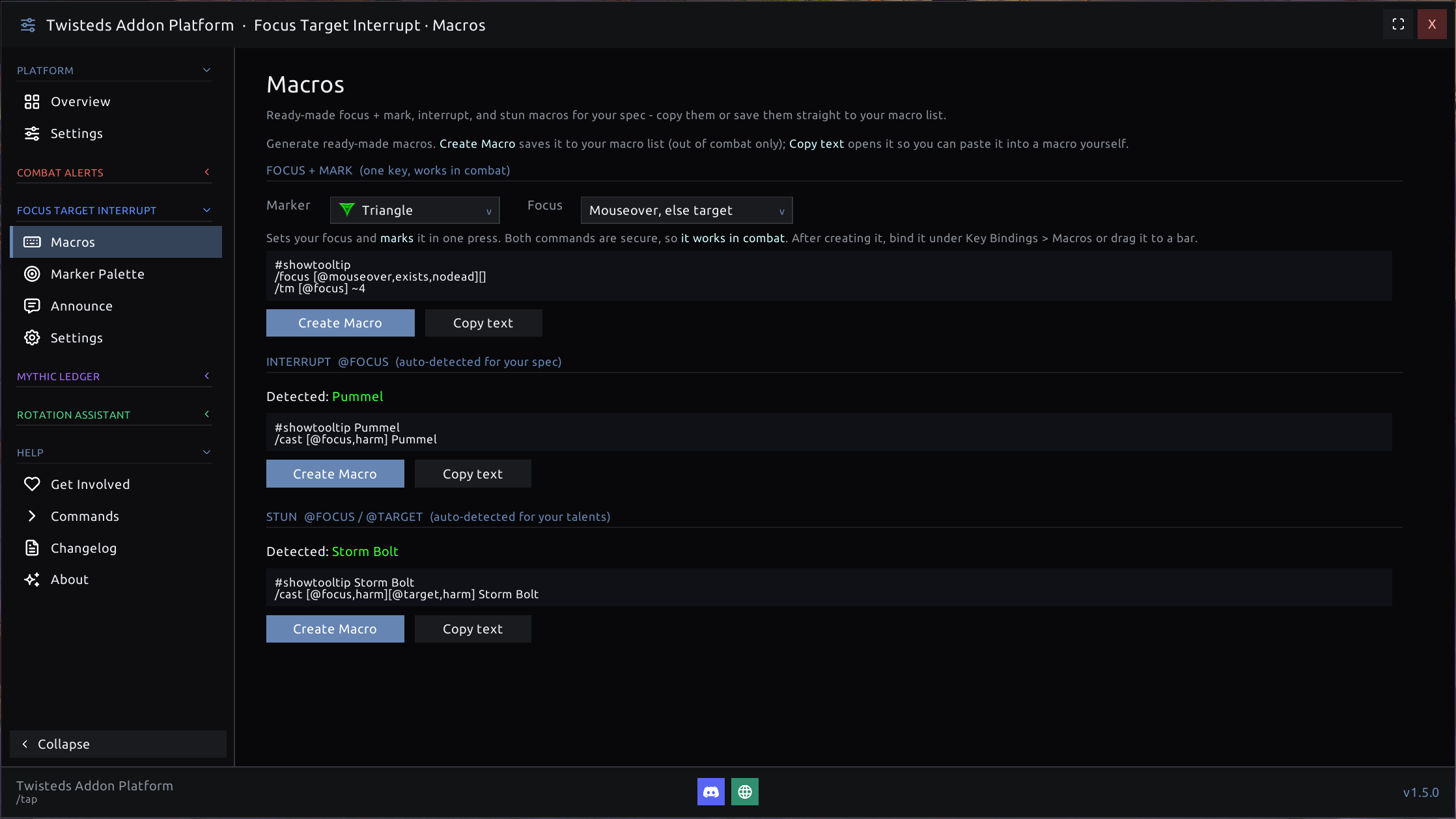
Interrupt like a pro. A one-key Focus + Mark macro (fully combat-safe), an on-screen raid-marker palette you can click to focus + mark a target live (movable, resizable, row or column, your colors), and auto-detected Interrupt & Stun macros built for your exact spec and talents - just click Create Macro and drag it to a bar. Optional party call-outs announce your focus or interrupt target when a ready check starts, so the whole group knows who's got the kick.
⌨️ Rotation Assistant
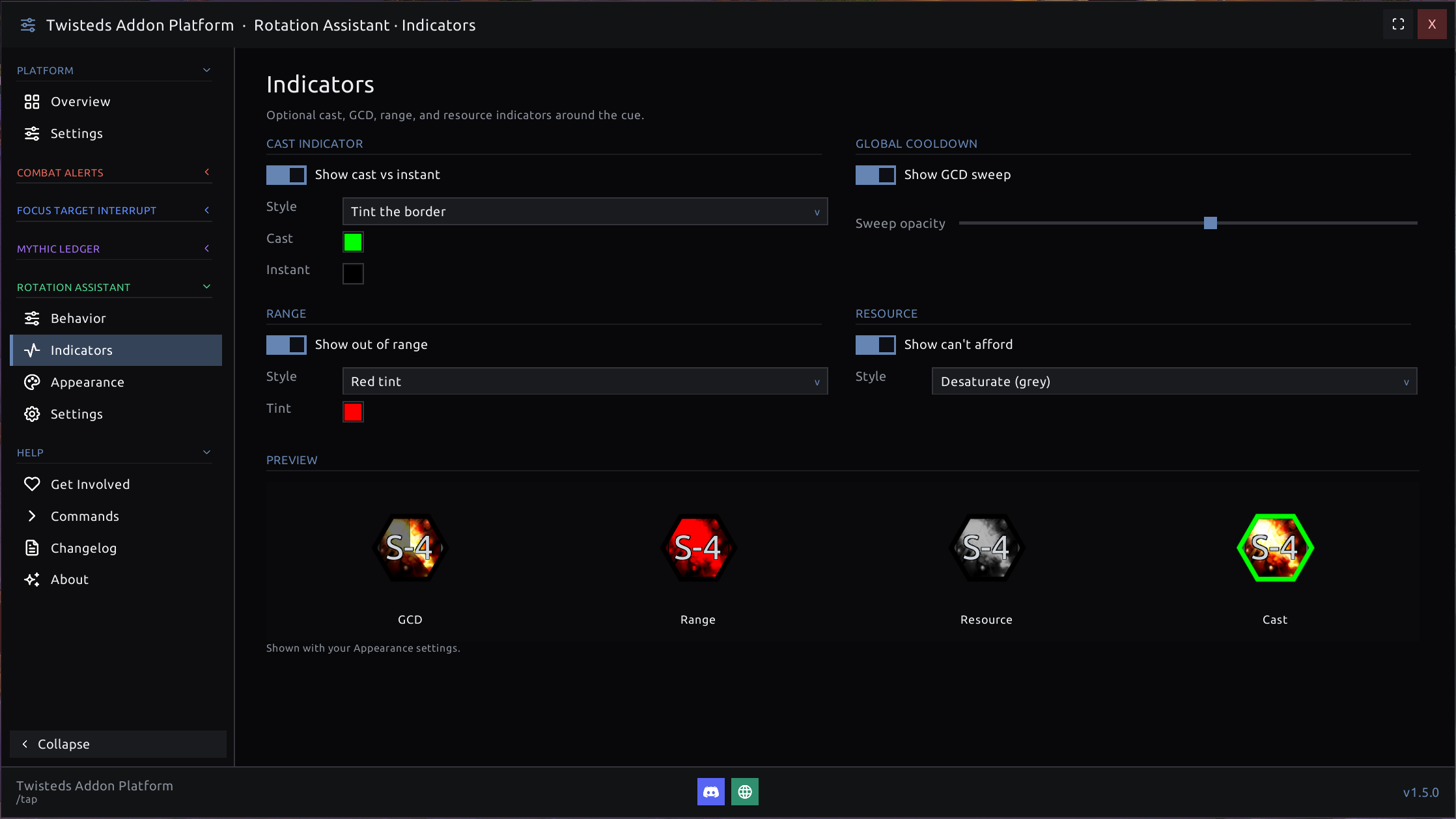
Learning a rotation, or a new spec? TAP reads Blizzard's built-in one-button assistant and draws the keybind of your next suggested ability right on screen. It's show-only - it never presses anything for you, so it's completely allowed. Switch on optional extras: a cast-vs-instant tint, a GCD sweep, an out-of-range tint, and an out-of-resource tint - each with a live preview so you can see the state at a glance.
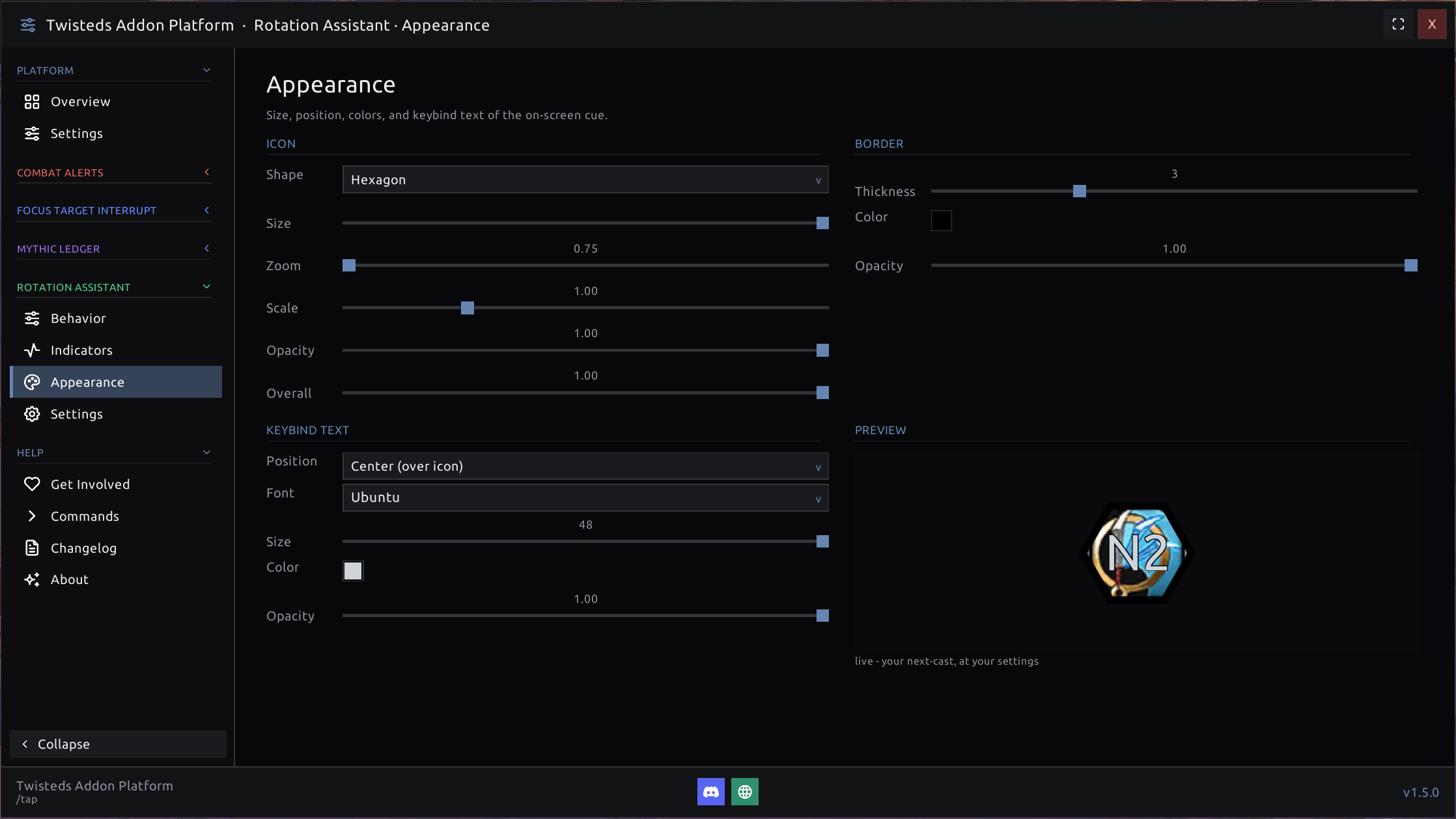
Shape the cue to your UI down to the pixel: icon shape, size, zoom, scale, and opacity, border thickness and color, and keybind-text font, size, position, and color - all previewed live as you drag the sliders.
🗝️ Mythic Ledger
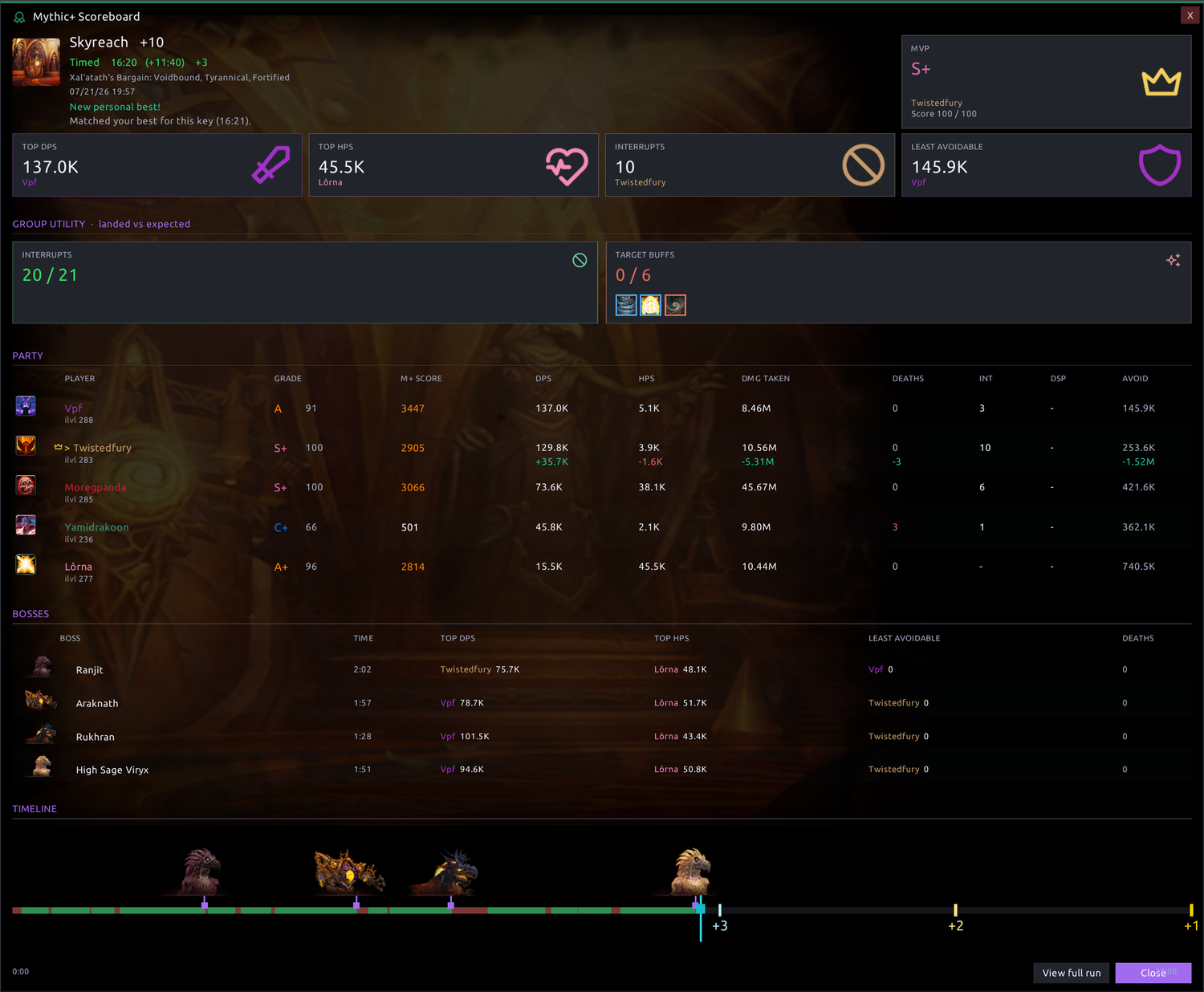
Your own private, account-wide Mythic+ journal. Every key is recorded automatically - dungeon, level, affixes, timer result and the keystone upgrade you earned (+1 / +2 / +3) - organized by character. At the end of a run it pops a full scoreboard: party DPS/HPS, damage taken, interrupts, dispels, deaths, boss splits, an in-combat timeline, and how your time stacks up against your best for that exact key. An at-a-glance Group Utility panel breaks the party's interrupts, enemy buffs purged, and debuffs cleansed down as landed vs expected.
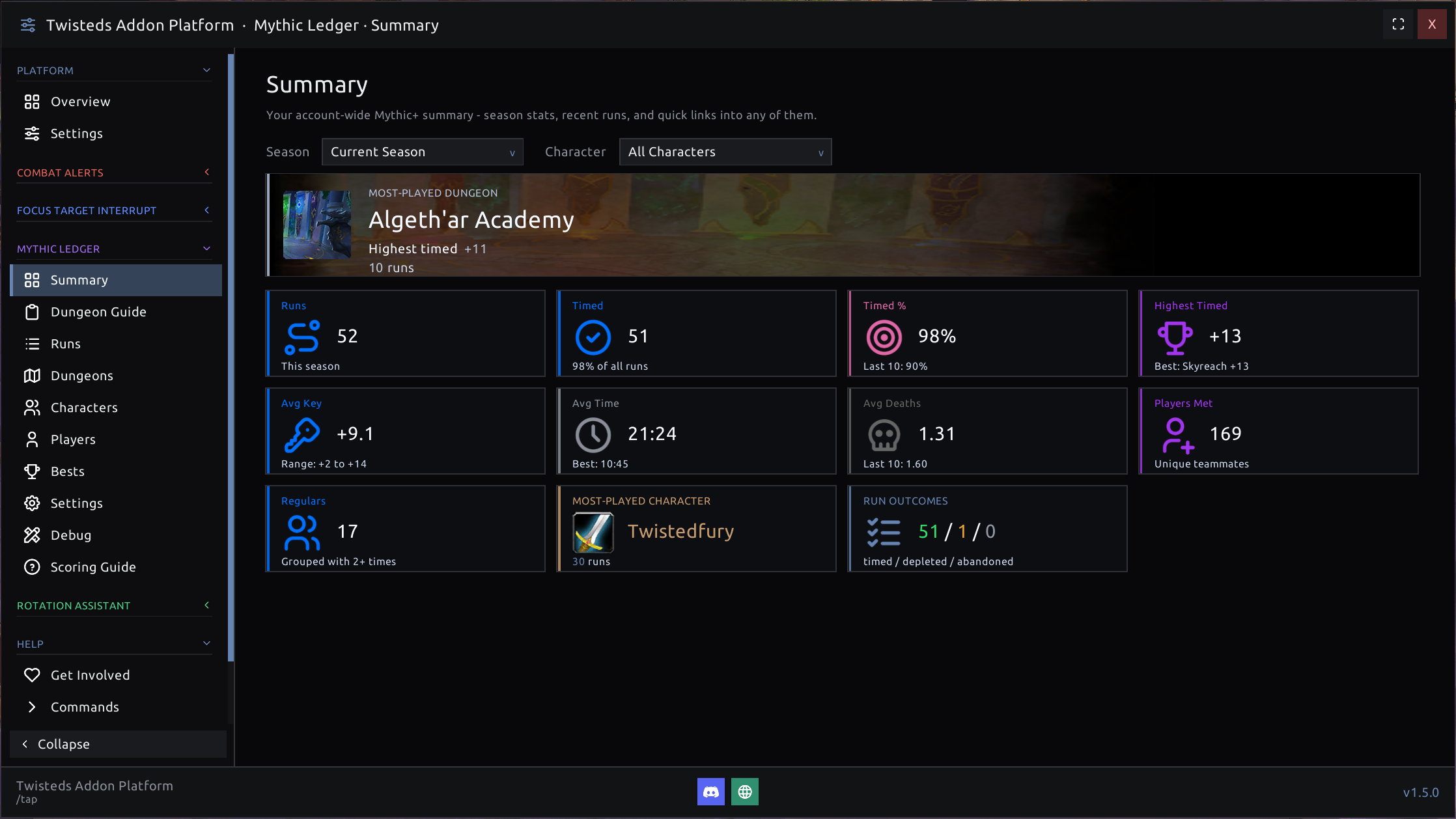
An account-wide Summary rolls your whole season into one glance: total runs, timed %, highest timed key, average key/time/deaths, unique teammates met, most-played dungeon and character, and your timed / depleted / abandoned split.
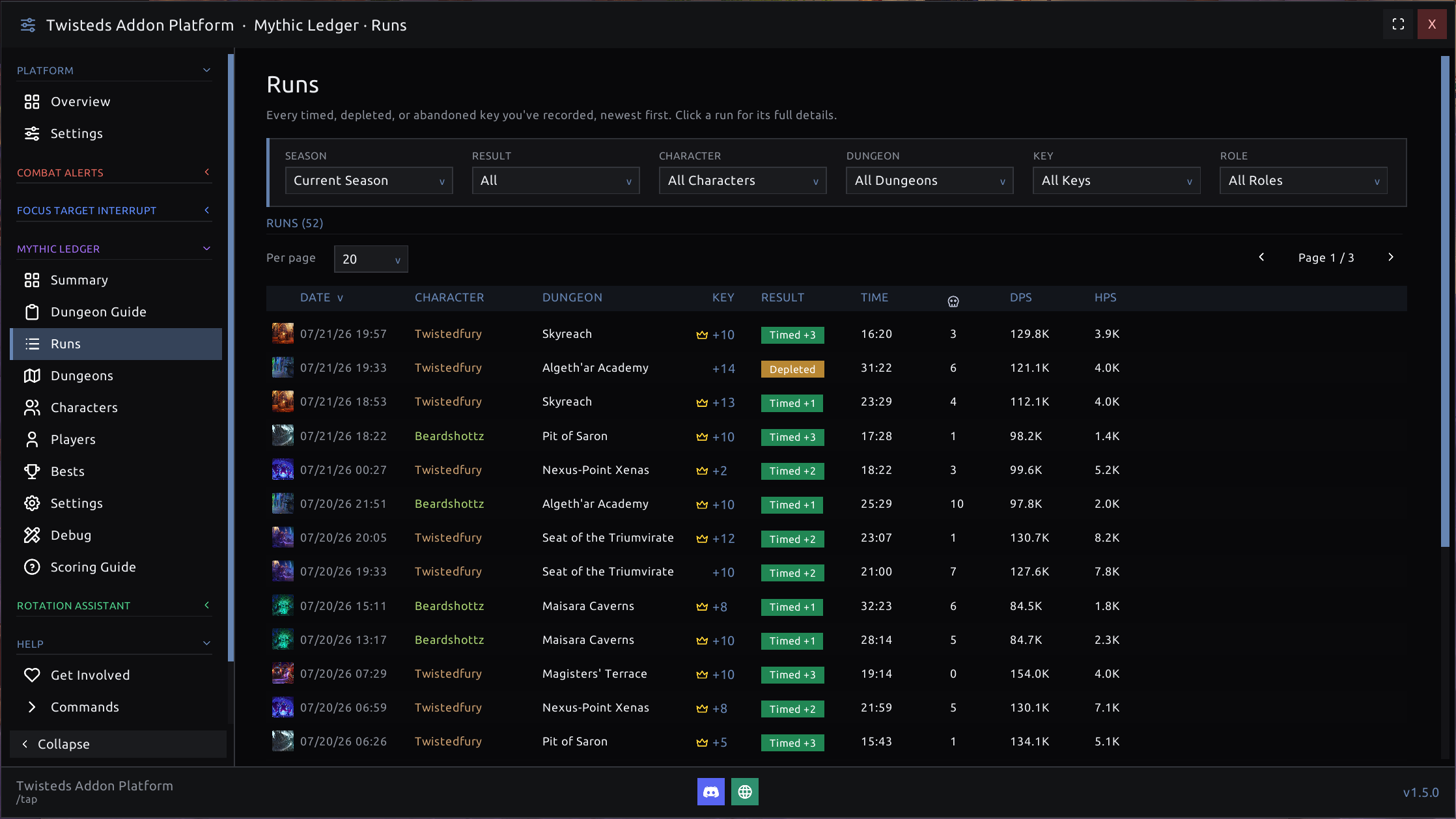
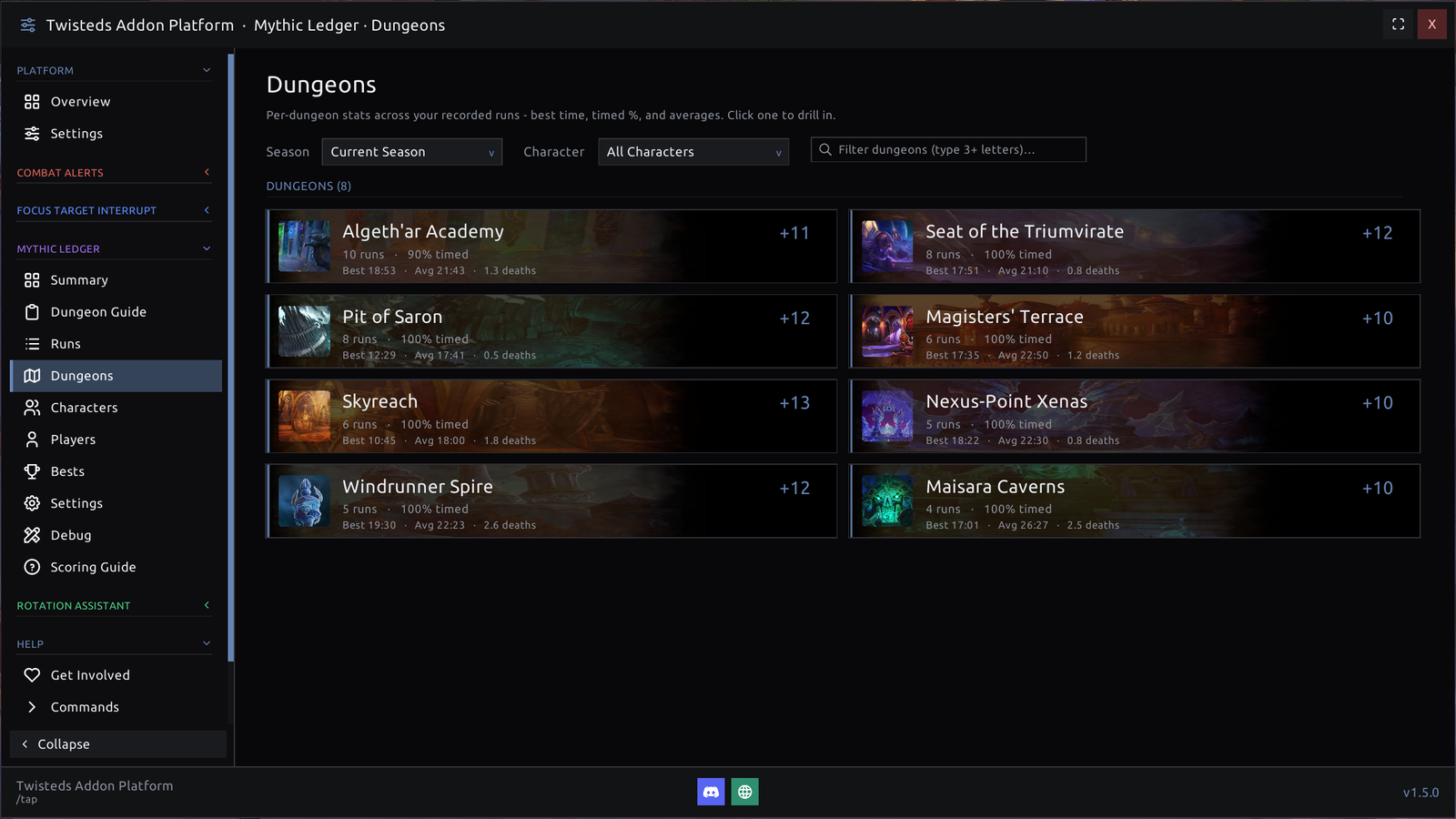
Drill into everything you've logged. The Runs list is a filterable, sortable history of every timed, depleted, or abandoned key (by season, result, character, dungeon, key level, and role), and the Dungeons view rolls each dungeon up into a card - best time, timed %, average deaths, and your highest key - so you can see at a glance where you're sharp and where you're leaking time.
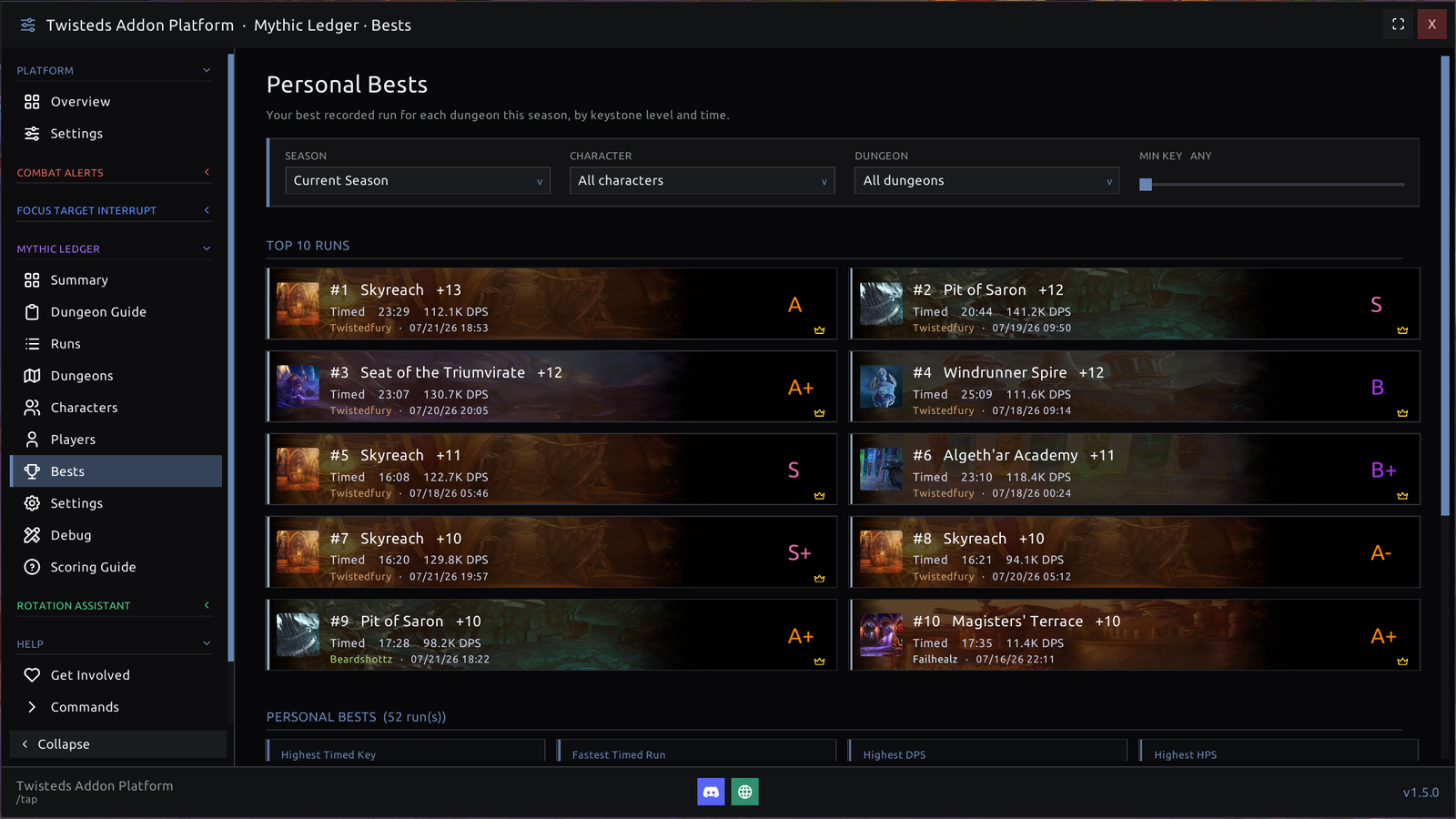
A Personal Bests board ranks your top runs of the season and assigns each a letter grade, from a perfect S+ on down, so your cleanest keys rise to the top.
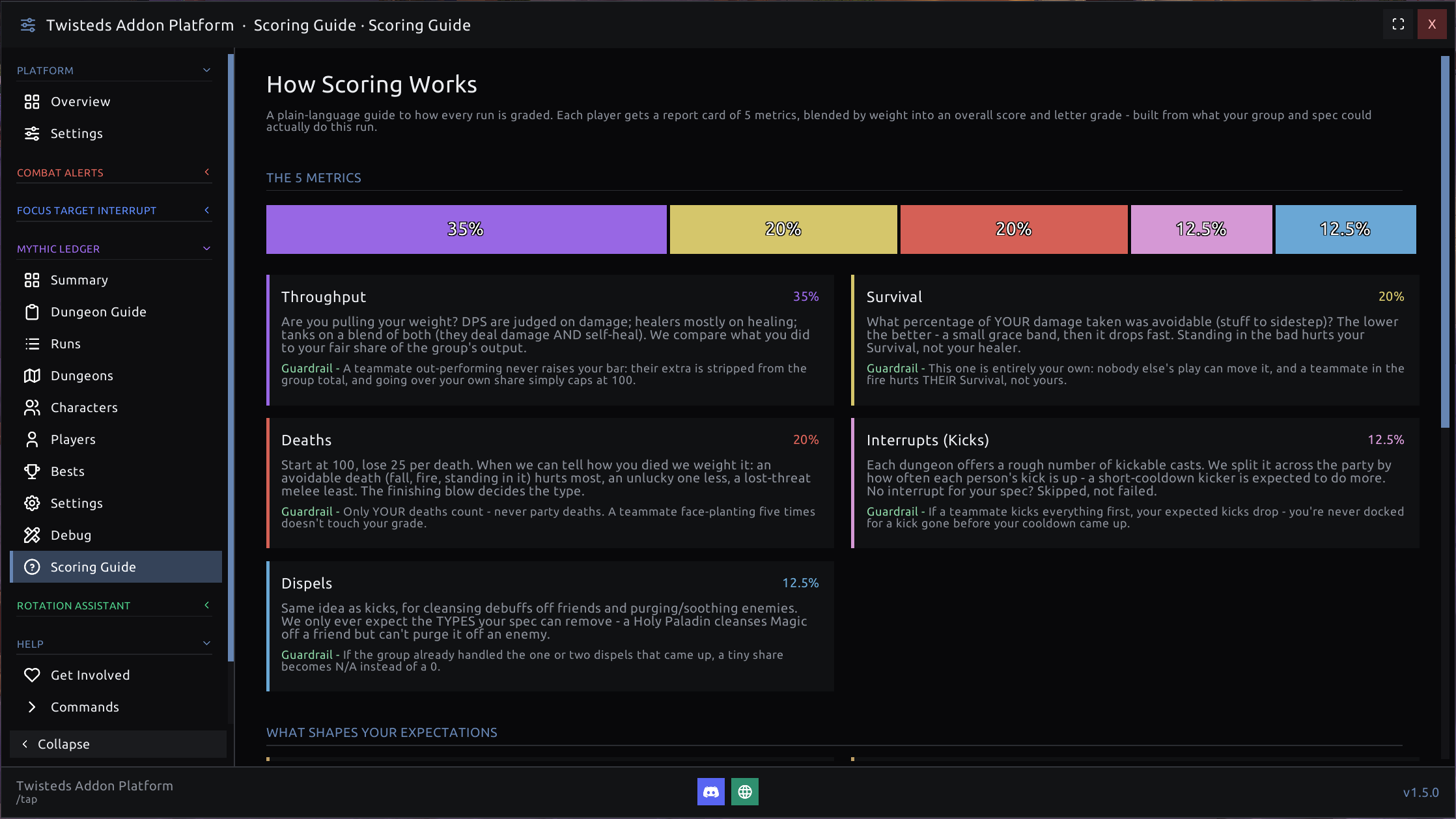
Each player also gets a deterministic performance grade - a transparent, group-relative rating across Throughput, Survival, Deaths, Interrupts, and Dispels (talent-aware, so a spec is never docked for a tool it doesn't have). Healers and tanks are graded on the damage the group actually took, not a raw HPS number. Nothing about it is a black box: a built-in Scoring Guide lays out exactly how every metric is weighted and the guardrails that keep you from being penalized for a teammate going above and beyond.
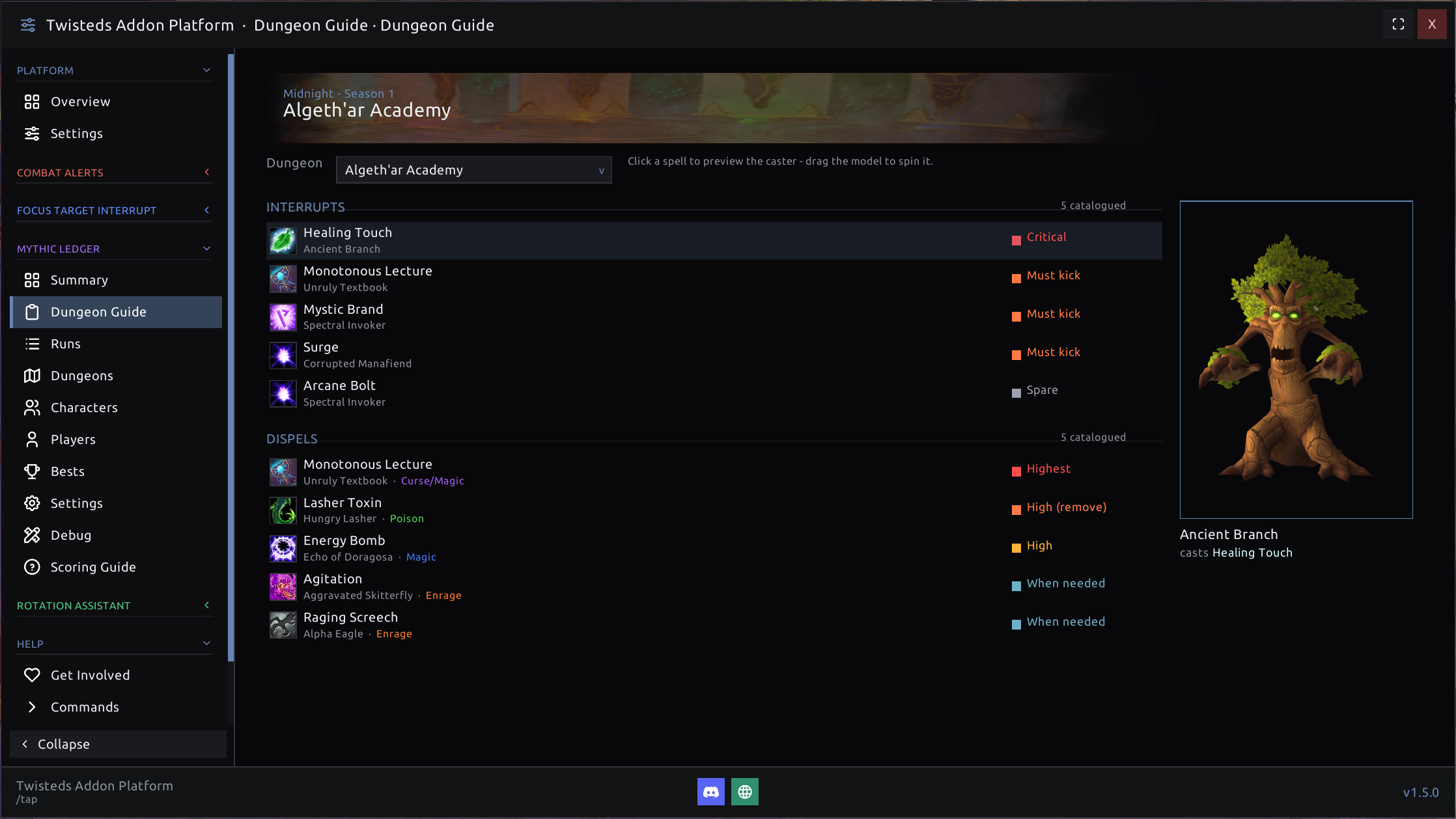
A new Dungeon Guide lists every dungeon's interrupt and dispel priorities - which casts to kick, which auras to remove, and how urgent each one is - with the caster shown as a live 3D model so you know exactly who to watch for.
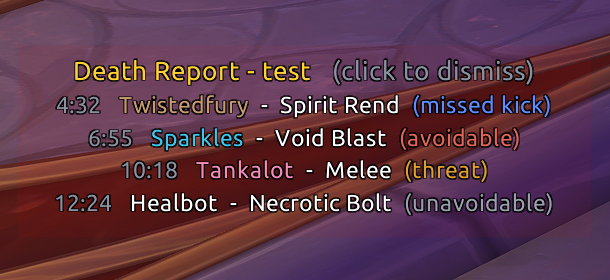
When someone falls, Mythic Ledger tells you why - a concise death report that classifies each death as a missed kick, avoidable, threat, or unavoidable hit, so the group learns from the wipe instead of guessing.
And it remembers who you've run keys with: a searchable Players browser, per-player pages (runs together, timed %, highest key, averages, notes, tags, favorites), and a quiet returning-player recap - printed to your chat only - when you regroup with someone. Your shared history rides on their Blizzard tooltip too - hover anyone you've keyed with (unit frames, group finder, /who, guild, friends) to see keys together, timed %, and their average grade, right alongside RaiderIO. Everything stays local and private: no data is uploaded, and there are no ratings, blacklists, or judgements of other players.
Why a platform?
- One look, one window. A shared, self-skinned theme - set the accent color, skin, and font once and everything matches.
- Only what you want. Toggle any module on or off, live - right from its own page. Off means unloaded and out of the way.
- "What's New" built in. Every module explains its updates in plain language, right in the window.
- Combat-safe & lightweight. No external UI libraries; careful around the game's new protected values, and nothing that presses your buttons for you.
📥 Getting started
- Install and log in.
- Type
/tap. - Flip on the modules you want in Overview or Installed, then open each one to set it up.
💬 Community
Come help shape it. Twisteds Addon Platform is actively in development, and the best ideas come from the people actually running keys. Right now we're especially looking for hands to help dial in the Mythic Ledger scoring - real runs, real feedback on where a grade feels right or wrong - plus feature suggestions, bug reports, and testing to push the whole platform forward.
Whether you're here to fine-tune the numbers, pitch an idea, squash a bug, or just say hi - you're welcome. Join the Discord » and jump in.
⚖️ License & credits
Source and original art are GPL v2. Bundled fonts, icons, sounds, and game data remain under
their own licenses (see the in-package THIRD_PARTY_NOTICES.md). World of Warcraft and all Blizzard
assets belong to Blizzard Entertainment, Inc. - this project is not affiliated with or endorsed by
Blizzard.
TAP Twisted's Addon Platform Team
