Tank Target
- By
Tank Target gives WoW Forever players one secure keybind to target the tank’s target, fall back to DPS or party targets, and tab target cycle enemies while solo.
Screenshot 2026-11-15 061854.png
ss2.png
Description
Tank Target
Tank Target gives players one permanent keybind for selecting the tank’s current target.
Features
- Automatically detects the party member assigned the Tank role.
- Provides one permanent Assist Tank keybind.
- Automatically updates when the group roster or assigned roles change.
- Falls back to a role-assigned DPS when no Tank is assigned (optional).
- Skips missing, friendly, and dead targets.
- Tries other party members’ living enemy targets when necessary.
- Cycles enemy targets like regular Tab targeting while solo.
- Does not require a focus target or user-created macro.
Setup
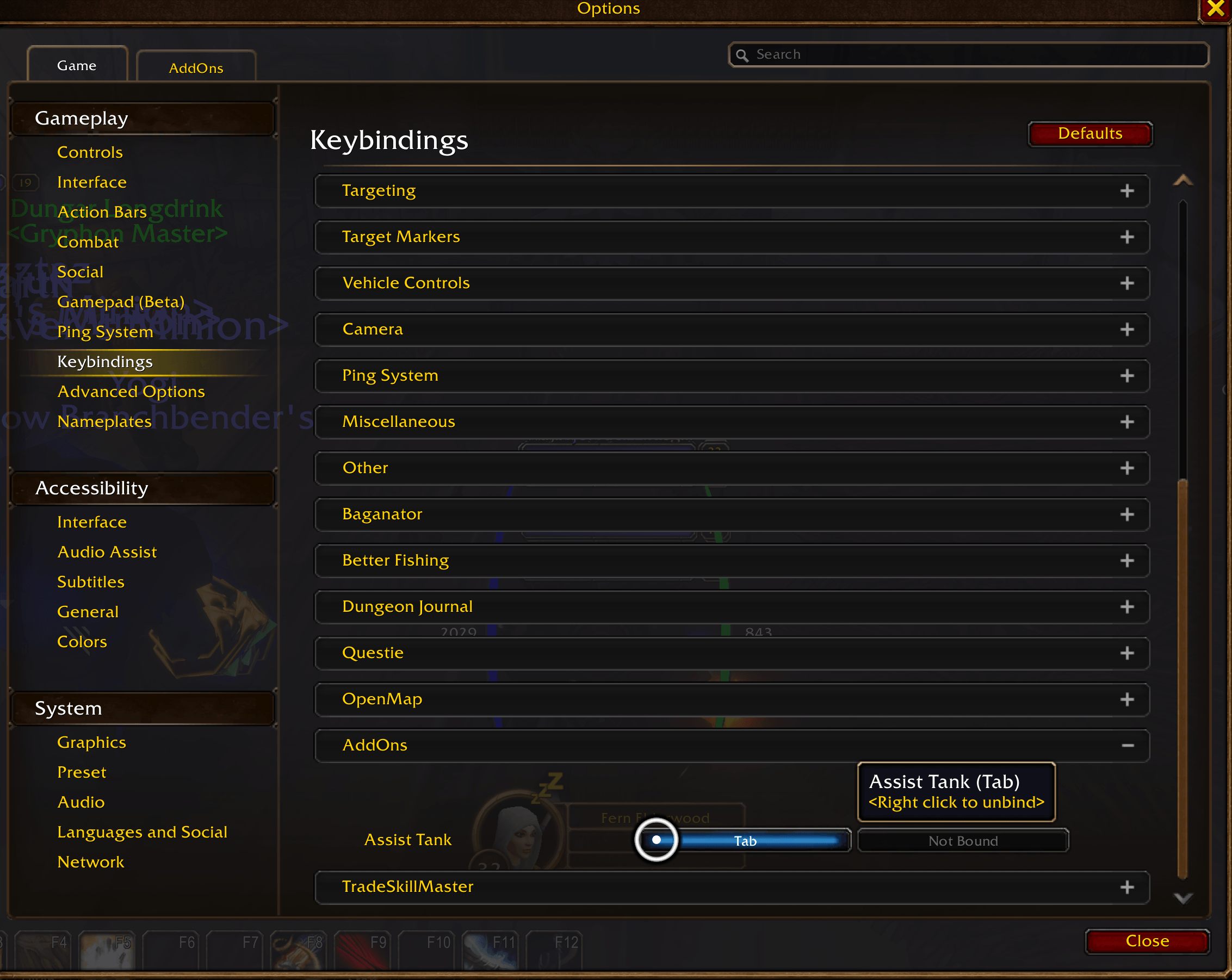
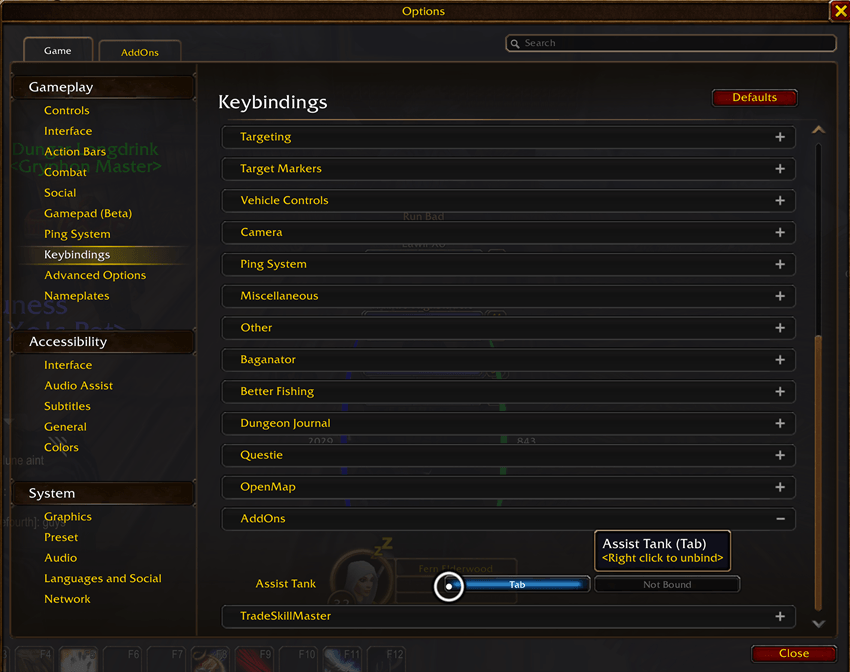
- Open Options → Keybindings.
- Navigate to AddOns → Tank Target.
- Assign a key to Assist Tank.
- Join a party and ensure the intended tank has the Tank role assigned.
- Press the hotkey to select the tank’s current target.
The same key continues working when the tank or party composition changes.
Target Priority
While grouped, Tank Target checks targets in this order:
- The assigned Tank’s living enemy target.
- If no Tank is assigned, the selected DPS fallback’s target.
- Targets held by other role-assigned DPS members.
- Living enemy targets held by remaining party members.
- Your current living enemy target.
- The configured final fallback action.
By default, the addon uses Target Nearest Enemy when no living group target is available.
Solo Targeting
When you are not in a group, the Assist Tank key becomes a secure enemy-target cycling key.
Repeated presses cycle forward through available enemies, similar to regular Tab targeting. It only changes your target.
Settings
Open:
Options → AddOns → Tank Target
Available settings include:
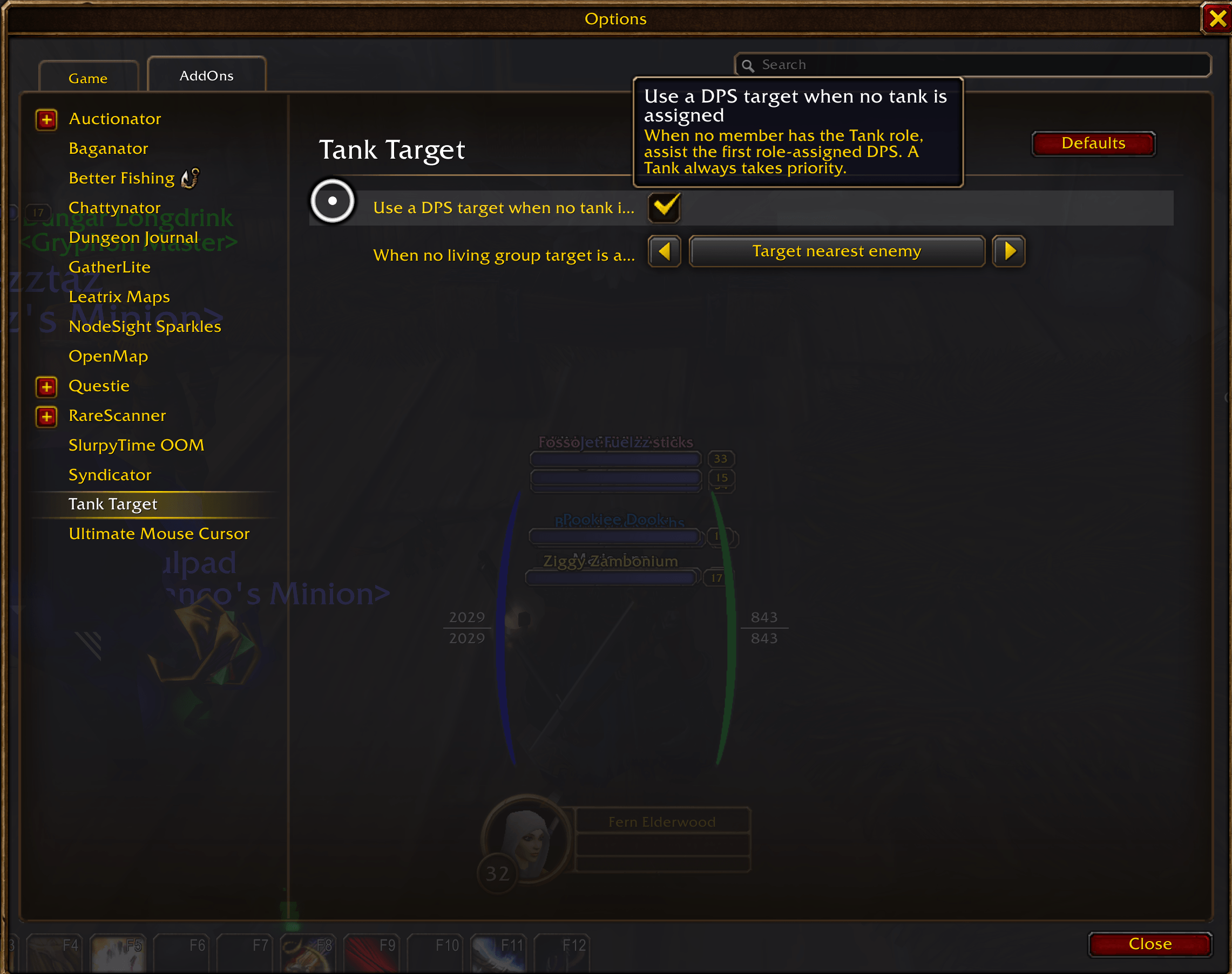
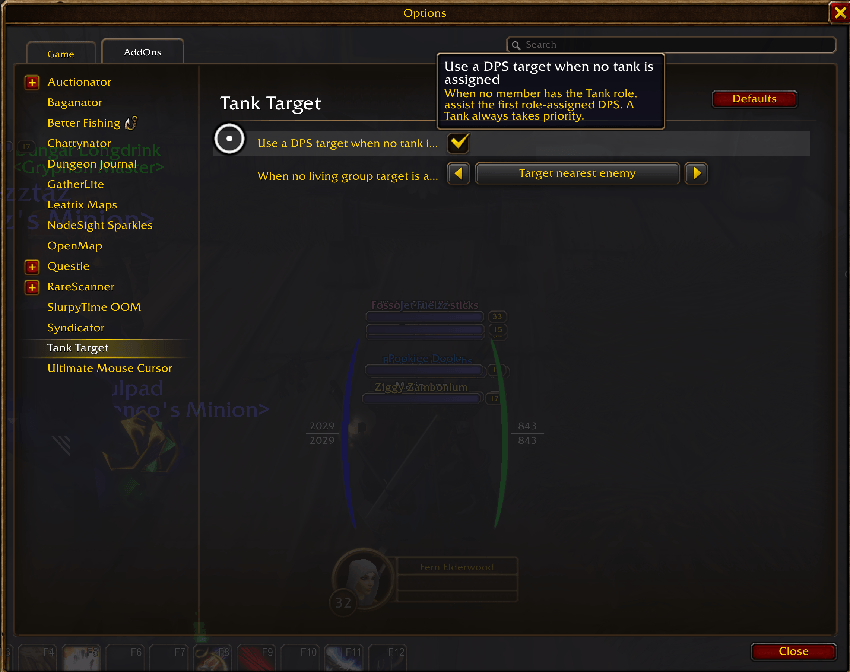
Use a DPS target when no tank is assigned
Enabled by default.
When no party member has the Tank role, Tank Target uses the first role-assigned DPS as the primary assist member.
When no living group target is available
Choose one of the following:
- Target nearest enemy — Default behavior.
- Show red error — Displays a message without changing to a nearby enemy.
- Do nothing — Leaves your target unchanged.
Slash Commands
/tt— Display the current addon status./tt status— Display detailed status information./tt settings— Open the Tank Target settings./tanktarget— Alternate command.
Status information includes:
- Detected tank name and unit token.
- Whether DPS fallback is enabled.
- Active assist member and source.
- Current final fallback behavior.
- Whether the secure action is ready.
- Whether an update is waiting for combat to end.
- Whether solo target cycling is active.
Combat Safety
Target selection is performed through a hidden SecureActionButtonTemplate and secure macro conditions.
Tank Target does not call protected targeting functions from ordinary addon code. Secure button attributes are changed only outside combat.
If the roster, assigned Tank, DPS fallback, or settings change during combat, the addon queues the update and applies it after combat ends.
Compatibility
Designed specifically for:
- World of Warcraft: Forever
- Interface version 16001
Important Notes
- Party unit tokens do not necessarily match the visual order of Blizzard’s party frames.
- Tank Target uses the actual assigned role rather than assuming
party1is the tank. - If roles change during combat, the previous secure configuration remains active until combat ends.
- Tank Target assists with target selection only. It never attacks, casts, shoots, or performs automatic combat actions.
Settings and Keybindings
Tank Target Team