


11.jpg
22.jpg
33.jpg
Description
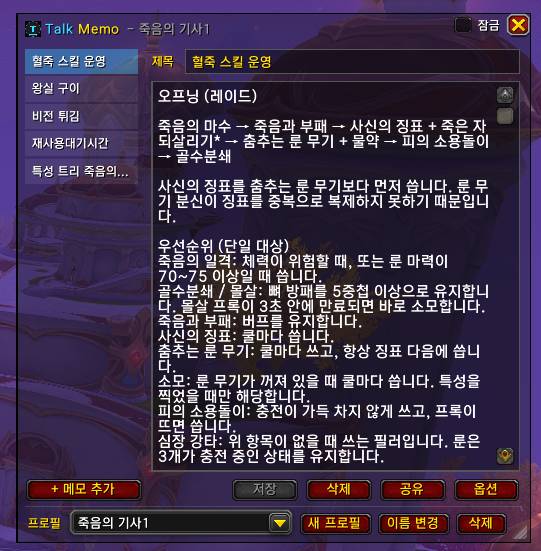
Talk Memo is a lightweight notepad for World of Warcraft. Keep notes in titled tabs, pin a note on screen while you play, share notes with friends, and buy items from vendors and the auction house with hotkeys written right in your note.
Designed to stay light: no OnUpdate loops, no timers running in the background, and every optional feature that is turned off registers no events at all.
Features
Notes
- Titled tabs shown in a scrollable list on the left (5 to start, add as many as you like).
- Notes are saved only when you press Save. The Save button lights up only when something has changed.
- Resizable, movable window. Close it with ESC.
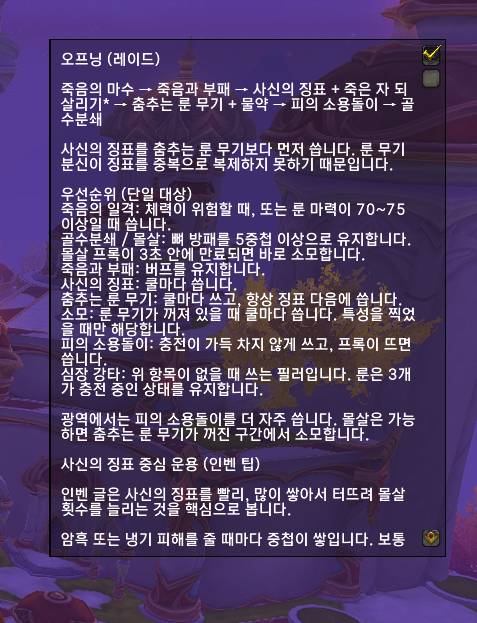
Lock mode (on-screen note)
- Tick Lock to hide everything except the body of the current note.
- Mouse clicks pass through to the game world. Mouse wheel scrolling also passes through while in combat, so camera zoom keeps working.
- The locked note stays on screen after relogging.
Profiles
- A Default profile is created automatically and is used by every new character.
- Create, rename, delete and switch profiles from the dropdown at the bottom of the window.
- Profiles are account-wide; each character remembers which profile it uses.
Memo sharing
- Send the current note to your target, party, raid, guild or any player by name.
- The receiver gets an Accept / Decline / Preview prompt. Nothing is saved without their consent.
- Only players who have Talk Memo installed and have Receive shared memos enabled will receive notes. This option is off by default.
Quick-buy hotkeys
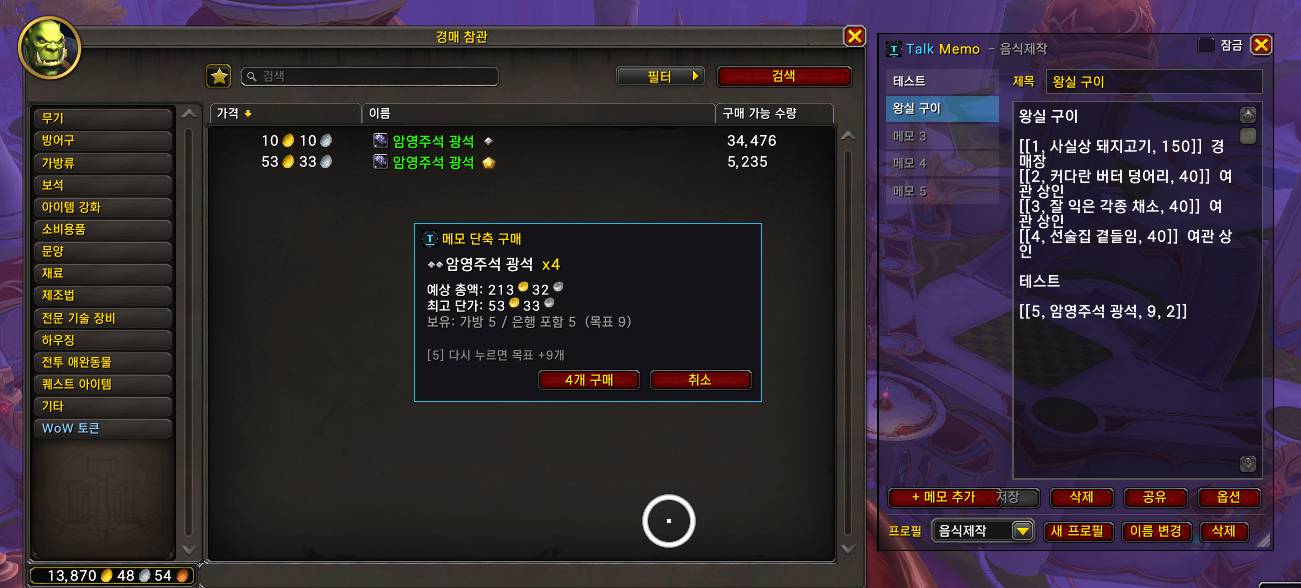
Write lines like these anywhere in a note:
[[a, Item Name, 20]]
[[1, Item Name, 5, 2]]
Format: [[key, item name, target amount, quality rank
(optional)]]
- While the note is shown and a vendor or the auction house is open, pressing the key opens a purchase window for that item.
- The amount is a target: items already in your bags, bank and warband bank are subtracted, and only the missing amount is bought. If you already have enough, it just prints a message.
- Press the same key again to raise the target (5 → 10 → 15).
- Auction house (stackable commodities only): the price list is checked first and the expected total and highest unit price are shown. The purchase is confirmed only if the auction house quote does not exceed the expected total. If cheaper listings sell out in the meantime, nothing is bought, and you can recalculate using only listings at or below the original highest unit price.
- Optional quality rank (for example
2for gold quality reagents). - Keys are bound only while a vendor or the auction house is open and the note is visible. They return to normal afterwards and never interfere while you type in chat.
Commands
/Talk_Memo: open or close the notepad/Talk_Memo option: options (font size, opacity, minimap icon, memo sharing, quick-buy)/Talk_Memo buy: quick-buy status check
Notes
- The interface is available in English and Korean, chosen automatically from your game client language.
- Write item names in quick-buy lines exactly as your client shows them.
- Each feature is isolated: an error in one feature does not affect the others, and any feature can be turned off in the options.
Talk Memo Team
