


TalentWise
- By
Empty talent tree.png
Instructions.png
saved.png
Description
Know where every talent point goes, and which spells to learn, from level 10 to 60
Talentwise lets you plan your talents in-game, in the order you want to level. While you level, it shows exactly where your next point goes and can learn it for you with one click. It also shows which spells you can learn at your trainer, what they cost, and where the nearest trainer is.
Works for every class on WoW: Forever, Classic Era and Hardcore.
Features
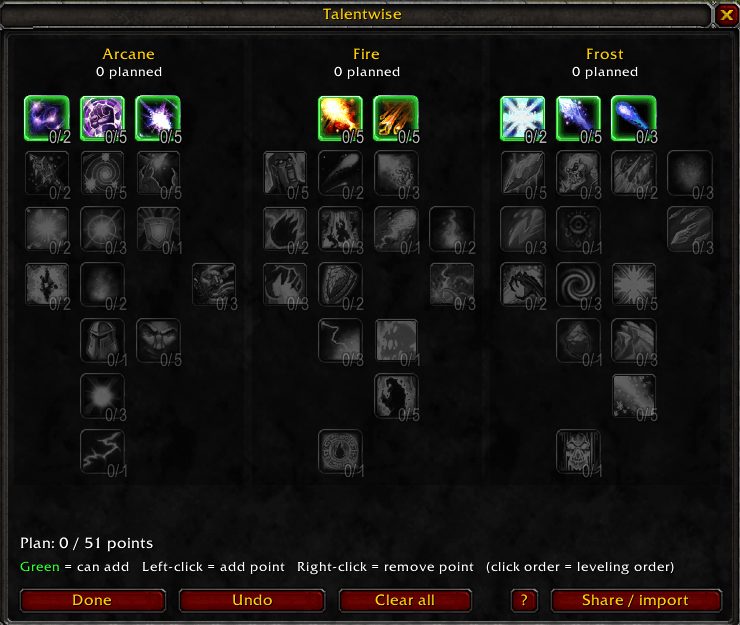
- Plan in-game, at any level. Make your plan on a level 1 character if you like. The order you click in is your leveling order: your first click is level 10, the second level 11, and so on.
- See what you plan. Hover a talent to read its description.
- Learn next talent. A glowing button appears when you have an unspent point. One click learns the next talent in your plan. You can also use a key binding or a one-click macro.
- Auto-learn (optional). Turn it on and your planned talents are learned automatically when you level up.
- Clear highlights. In the plan window and in the default talent window: gold = next point, green = available now, blue = later, red = a point that isn't in your plan.
- Spells to learn. See which spells you can learn now, the cost of each one and the total, and what comes at your next level. You get a chat message when new spells are available.
- Go to nearest trainer. One click puts a pin on your map at the closest class trainer.
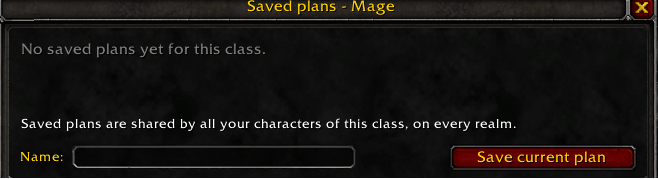
- Saved plans, account-wide. Save a plan once and load it on every character of that class, on every realm.
- Stay on track. If you learn a talent that isn't in your plan, Talentwise tells you, and "Match my talents" rewrites the plan around what you have.
- Share plans. Copy a short code for a friend, or import a Wowhead talent-calculator number code.
- Follows the rules. Talentwise only lets you plan what the game allows: 5 points per row, prerequisites and the 51-point limit.
- Minimap button and options page. Everything is one click away, and every feature can be turned on or off in Esc > Options > AddOns > Talentwise.
How to use
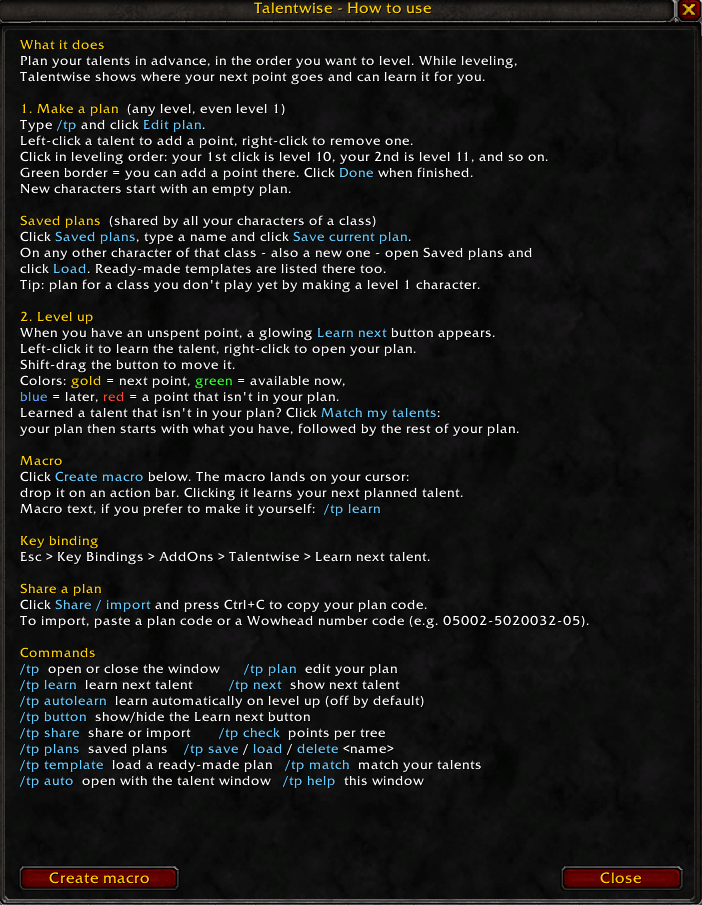
- Type /tp (or click the minimap button) and click Edit plan. Left-click talents to add points in your leveling order, right-click to remove one. Click Done.
- Level up. When you get a talent point, click the glowing Learn next button (or your macro or key binding).
- Visit your class trainer once. From then on, Spells to learn shows what you can learn and what it costs.
- Optional: click Saved plans to keep the plan for your other characters of that class.
WoW: Forever: open the default talent window (N) and click each tree once, so Talentwise can show the talent descriptions.
Commands
| Command | What it does |
|---|---|
/tp |
Open or close the window |
/tp plan |
Create or edit your plan |
/tp learn |
Learn the next talent in your plan |
/tp spells |
Spells to learn, with costs |
/tp trainer |
Map pin to the nearest class trainer |
/tp options |
Open the options page |
/tp minimap |
Show or hide the minimap button |
/tp autolearn |
Learn automatically on level up (off by default) |
/tp plans |
Open your saved plans |
/tp save <name> / /tp load <name> |
Save or load a plan |
/tp share |
Share or import a plan |
/tp match |
Adjust your plan to the talents you already have |
/tp help |
How to use, with a macro button |
FAQ
Does it work on Hardcore? Yes, Hardcore runs on the Classic Era client.
Why is Spells to learn empty? Talentwise reads your class's spells at the trainer. Visit your class trainer once and the list fills in, also for your other characters of that class.
Why doesn't Go to nearest trainer know a trainer? Talentwise remembers every class trainer you visit. The more trainers you visit, the better it knows the nearest one.
Can I plan for a class I don't play yet? The game only shows talent trees for your own class. Make a level 1 character of that class, build the plan and save it.
Are plans shared between Classic Era and Forever? No, they're separate game installs. Use Share / import to move a plan.
Does it learn talents I didn't plan? Never. It only learns the next talent in your plan, and only when you click the button or turn on auto-learn.
Feedback
Found a bug or have an idea? Leave a comment on this page. Screenshots of any Lua error help a lot.
TalentWise Team
