TalentGear
- By
Screenshot 2026-10-03 093124.png
Screenshot 2026-10-03 092952.png
Screenshot 2026-10-03 093027.png
Screenshot 2026-10-03 093042.png
Screenshot 2026-10-03 093020.png
Description
TalentGear
The right talent build and gear for your next dungeon or raid.
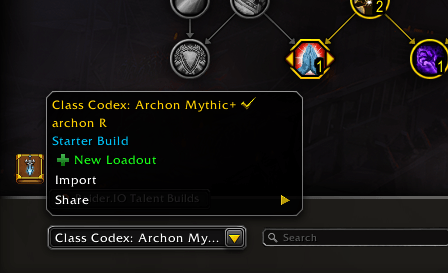
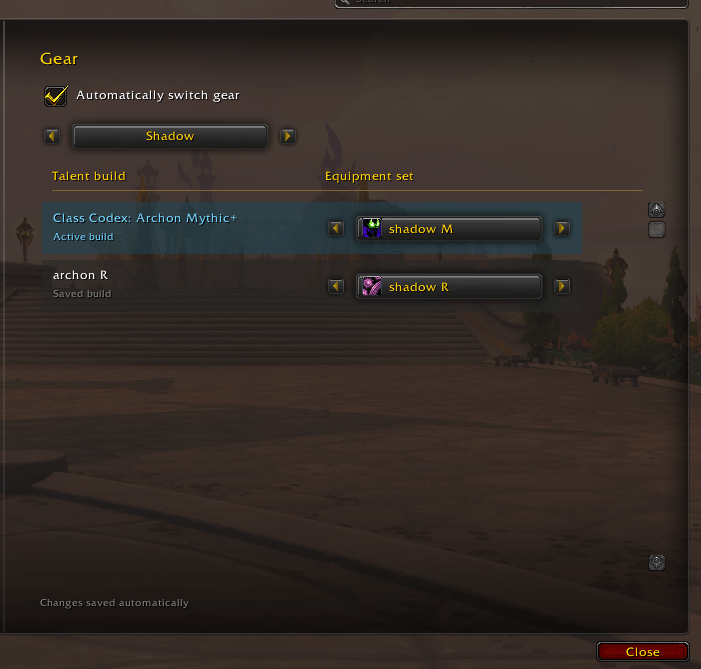
TalentGear links your saved talent loadouts to equipment sets and automatically equips the mapped set when you switch builds. Give your raid and dungeon builds different gear, even when they share the same specialization.
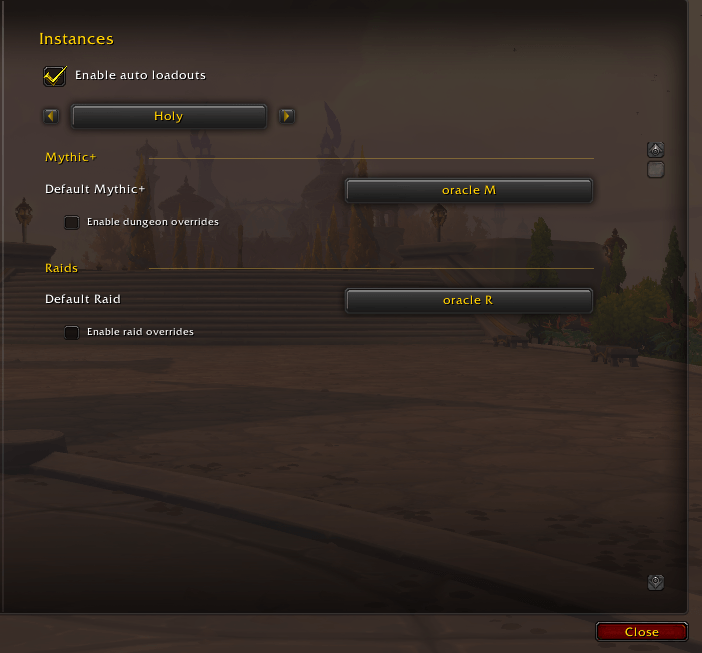
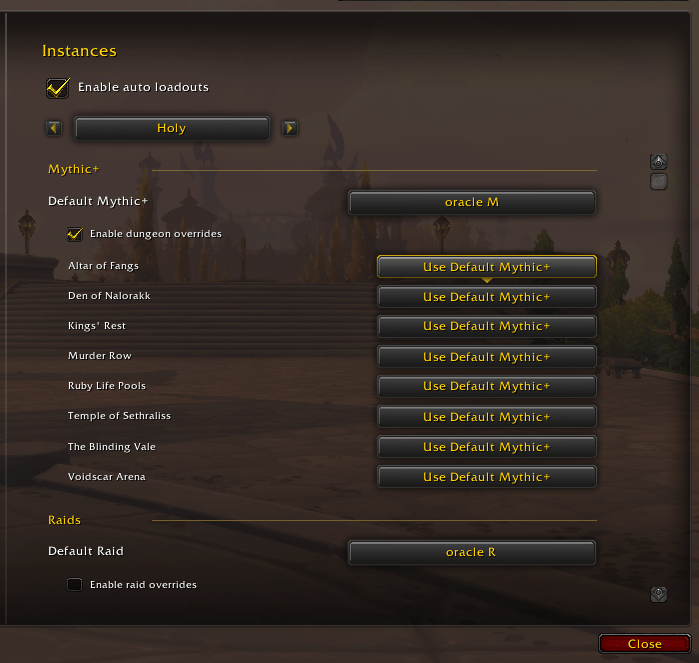
Enable automatic loadouts to select your assigned talent build when entering a Mythic dungeon or raid. Configure defaults for each specialization and optional overrides for individual dungeons and raids. After the talent change is confirmed, your linked equipment set follows when automatic gear switching is enabled.
Features
- Automatically select saved talent builds on entry to Mythic dungeons and raids, when game restrictions allow.
- Set separate Default Mythic+ and Default Raid builds for each specialization.
- Enable optional overrides for individual seasonal Mythic+ dungeons and raids.
- Link saved talent builds to existing equipment sets.
- Configure builds across all your character's specializations without switching specs.
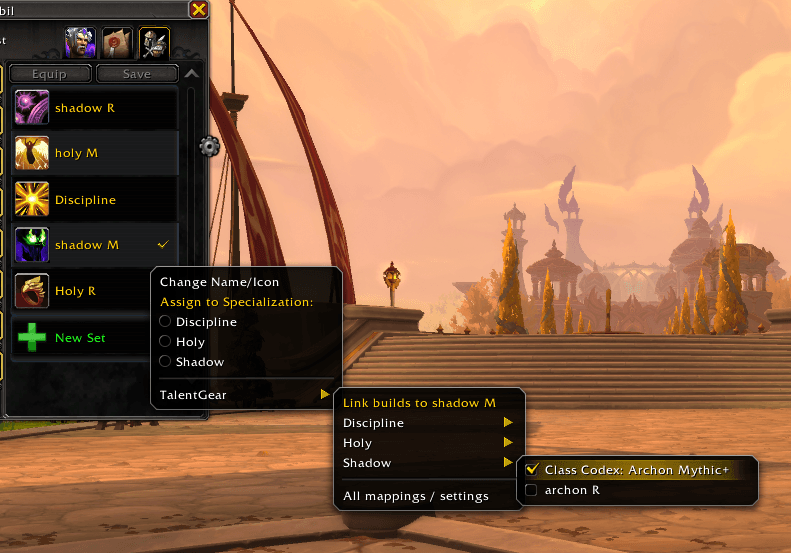
- Assign builds directly from an equipment set's edit menu: TalentGear > specialization > build.
- Open /tg or /talentgear for the Gear settings page, or /tg auto for Instances, within Blizzard's Options panel.
- Browse with specialization dropdowns, equipment-set icons and previous/next arrows.
- Save mappings separately for each character.
- Pause automatic switching or retry the current mapping with Apply now.
- Defer gear changes during combat and avoid repeated equip requests.
- View and copy instance-switching diagnostics with /tg logs.
Getting started
- Save your talent builds in the Talents window.
- Create equipment sets in Blizzard's Equipment Manager.
- Open
/tg, select a specialization and choose gear for each build. Enable automatic gear switching. Alternatively, assign builds using a set's edit menu in Equipment Manager. - For automatic talent selection, open
/tg auto, choose your specialization, assign Mythic+ and raid defaults, and enable auto loadouts. Enable dungeon or raid overrides if you want more specific rules. - Enter a Mythic dungeon before the keystone starts, or enter a raid. TalentGear applies the assigned saved build when allowed, then follows its gear mapping. You can also switch saved builds manually as usual.
Changes save immediately. Choose None to leave gear unchanged for a build.
On fresh installs, automatic gear switching, auto loadouts and both override options start disabled. Enable the features you want. Updates preserve existing settings.
Compatibility and limitations
For World of Warcraft Retail 12.1.0 (Midnight). No external addon libraries are required.
TalentGear follows saved loadout selections. Unsaved custom talent changes can retain the last selected saved build's mapping; pause automation while experimenting if needed. Gear must be available to equip, and game restrictions still apply.
The Mythic+ rule also applies on Mythic dungeon entry before a key is inserted (including Mythic 0). Normal and Heroic dungeons are excluded. Automatic talent changes are blocked during active keystones and other restricted states. Apply or discard pending talent edits yourself; builds that need manual application are reported in the status message.
After an entry rule runs, you can choose another build manually without continuous automatic switching back. Re-entering or changing specialization evaluates the entry rules again.
If a switch fails, check missing items, bag space and item locks, then use Apply now. Avoid conflicting specialization-based gear assignments or other automatic gear-switch addons.
Reporting problems
Include your WoW version, TalentGear version, steps to reproduce the problem and any Lua error text. For an incorrect gear switch, include which saved talent build and equipment set were involved.
The TalentGear Team