TabTalk Forever
- By
TabTalk
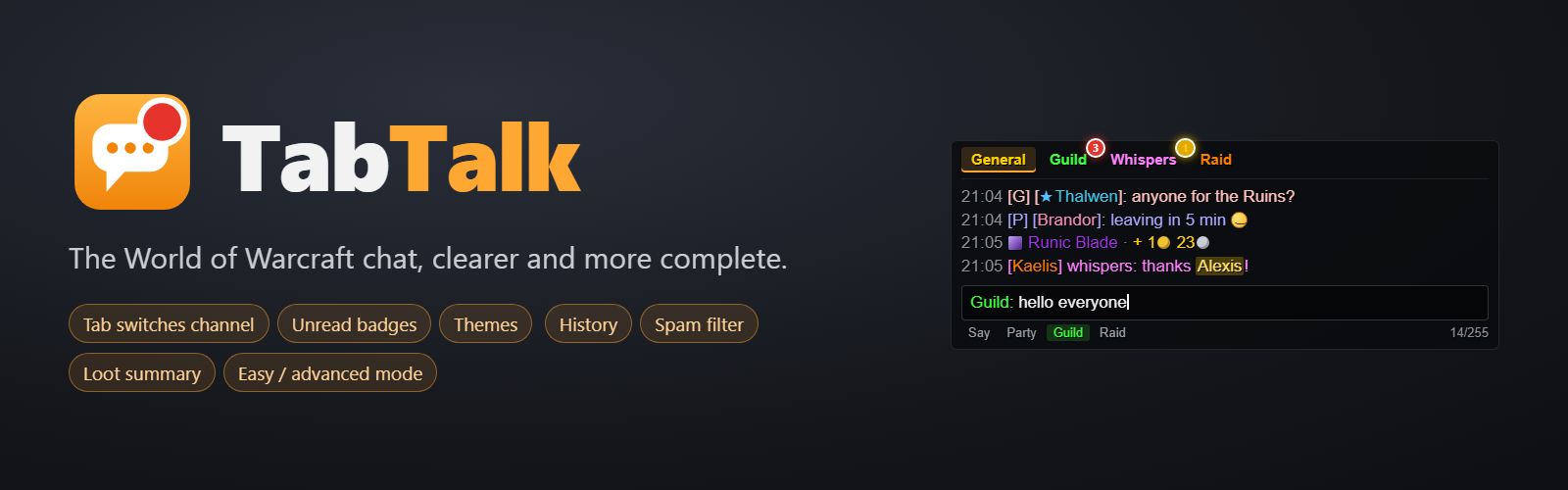
The World of Warcraft chat, more complete. TabTalk keeps the game's chat window and adds everything it was missing: switch channels with Tab, badges so you never miss a thing, themes, history, a spam filter, a loot summary… Everything is set up in easy mode or advanced mode.
For World of Warcraft: Forever (interface 16001). In English and French.
⌨️ Type faster
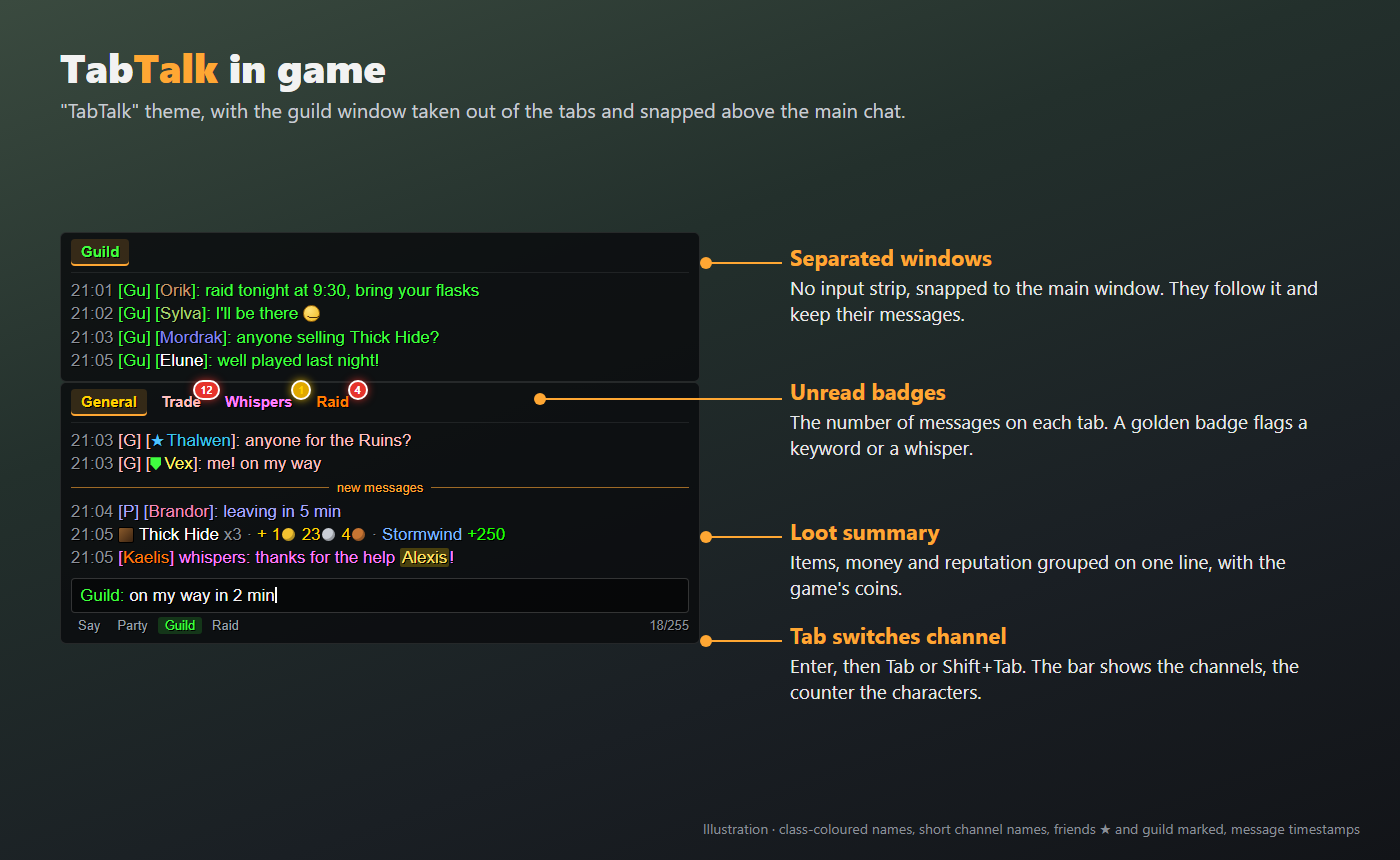
- Tab switches channel: open the chat with Enter, then Tab for the next channel, Shift+Tab for the previous one. A small bar shows the available channels.
- Draft kept when the input closes (never for
/commands). - Character counter under the input (255 at most).
- Up/Down arrows to bring back what you typed.
- Key bindings (Options > Keybindings > TabTalk): next tab, previous tab, copy, search, enlarge the chat.
🔴 Never miss a thing
- Unread badges on the tabs, with the number of messages. Several shapes: disc, dot, pill, square, glowing line.
- Keyword alerts: a sound, the word highlighted, a golden badge.
- One tab per whisper conversation.
- Missed whispers recap after being away, a fight or a loading screen.
- Banner at the top of the screen for whispers, flashing taskbar, a sound per message type.
- "New messages" line in each tab.
🎨 A chat to your taste
- One-click themes: Blizzard original, Modern dark, Minimal, and your own themes. Outside the Blizzard theme, tabs, messages and input fit in a single frame.
- Background, font, size, position and accent colour on the same page.
- Coloured tab names, still readable when the chat fades out.
- Quiet chat: everything but the text fades away when the chat is not in use, and comes back on hover or as soon as you type.
- Message display time, line spacing, a key to enlarge the chat.
🪟 Separated windows
Take a tab out (the guild, for example) to keep it in sight:
- no input strip: you type from the main window;
- it snaps to the main window or to another separated window, then follows it when it moves (Shift to place it freely);
- its messages stay on screen.
🧹 A readable chat
- Spam filter: banned words and repeated announcements.
- TabTalk blacklist, with no limit on players.
- Class-coloured names, short channel names (
[1. General]becomes[G]). - Friends and guild members marked before their names in public channels.
- Emoticons as pictures and icons before item links (without brackets).
- Clickable web addresses, ready to copy.
💰 Loot summary
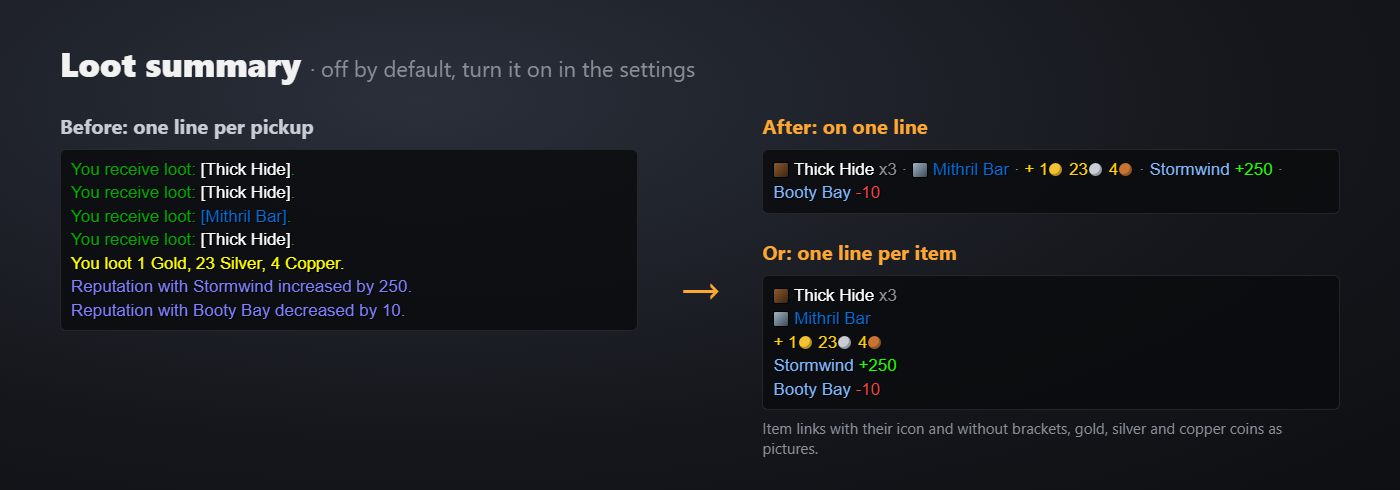
Bursts of loot, money and reputation become a single line, with gold, silver and copper coins as pictures. Your choice: everything on one line, or one line per item. Off by default.
🔎 Find it again
- History of each tab (up to one day), kept across a
/reloador a reconnection, with a day separator. - Copy the chat's text and search in it (one tab or all of them).
- Message timestamps.
- Personal notes on players, shown in their name's tooltip (class, race, level, guild).
🗂️ Situations
- Saved tab layouts: brought back in one click, or on their own when entering a dungeon.
- Combat mode: a quieter chat during fights.
- Profile: all settings exported as text, to import on another character or to share.
⚙️ Easy mode and advanced mode
/tabtalk opens in easy mode: a single page with the essentials (theme, main features, key bindings). F7 switches to advanced mode, with every setting page by page, like in a BIOS. The last mode used is remembered.
Commands
| Command | Effect |
|---|---|
/tabtalk or /ttk |
Opens the settings |
/tabtalk test |
Shows the badges for 6 seconds |
/tabtalk copy |
Opens the chat's text, ready to copy |
/tabtalk search word |
Searches the chat |
/tabtalk note Name text |
Adds a note on a player (no text: deletes it) |
/tabtalk block Name / unblock Name |
Adds or removes a player from the blacklist |
Installation
- Install TabTalk with the CurseForge app, or copy the
TabTalkfolder intoInterface\AddOns. - Start the game and check that TabTalk is ticked in the addon list.
- Type
/tabtalk.
If you use another chat addon, turn it off: two addons changing the chat at the same time get in each other's way.
🤖 Made with the help of AI
TabTalk was developed with the help of artificial intelligence (Claude, by Anthropic). I chose the features, decided how they behave and tested every version in game; the AI helped me write the code. The pictures on this page are illustrations; the screenshots in the Images tab come from the game.
Feedback
A bug, an idea? Leave a comment or open a ticket. For a bug, first type /console scriptErrors 1 and copy the error message: it helps a lot.
TabTalk Forever Team