
Synapse rotation learner
- By
Layout and config v1.0.1
Description

Know issues Some addons that modify the action bars may prevent Synapse from being able to click an action bar slot to mirror. If you encounter this issue, you need to temporarily disable the addon that may be causing the problem, configure Synapse, and then enable the addon again. I would appreciate it if you could report which addon you encountered problems with, so this workaround can be fixed. Thanks, and enjoy the learning curve you'll be topping the meters in no time!
Cheers, KernelPanic22
Synapse — Assisted Combat HUD
A lightweight movable HUD for WoW Midnight that sits on top of your Assisted Combat button and displays the next recommended rotation spell in real time — so you always know what's coming without cluttering your UI.
Features
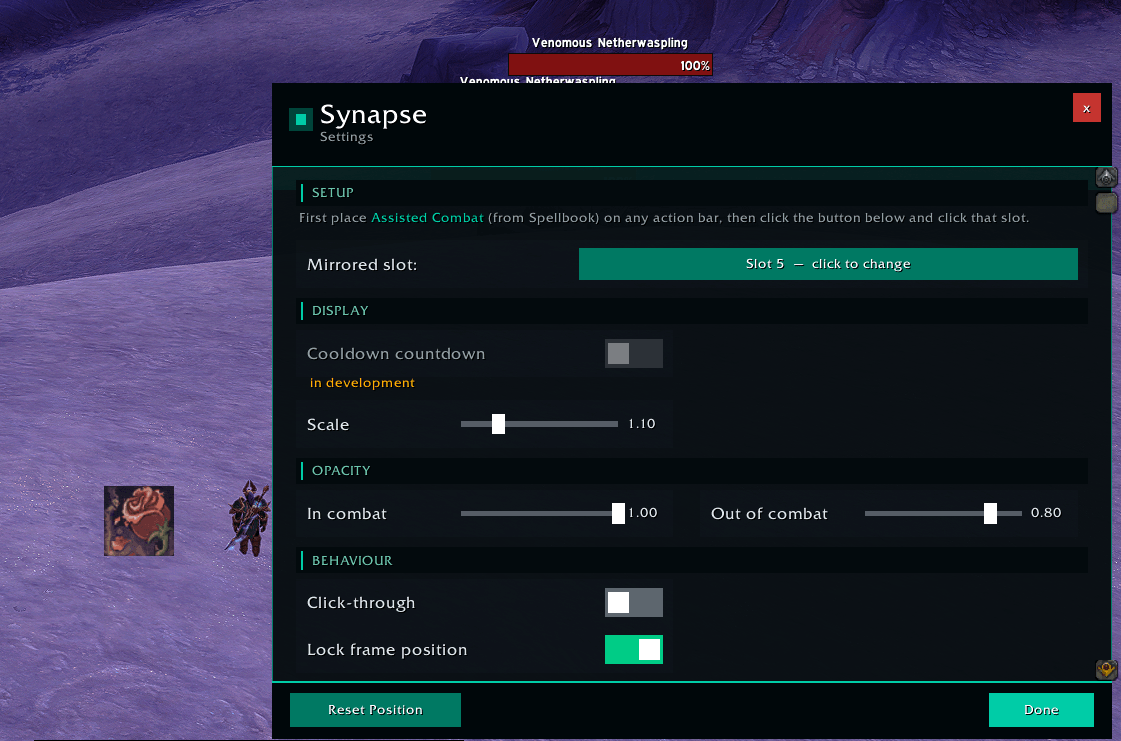
- Mirror mode — creates a transparent SecureActionButtonTemplate overlay of your Assisted Combat slot, so clicking Synapse casts exactly like clicking your bar button (full GCD, range, and resource checking built in)
- Combat opacity — separate alpha values for in-combat and out-of-combat
- Draggable & lockable — place it anywhere; lock to prevent accidental movement
- Click-through mode — stop the frame blocking mouse interaction behind it
- In-game config window —
/syn configopens a full settings panel; also accessible via ESC > Settings > AddOns > Synapse
Setup (one time)
- Open your Spellbook and drag Assisted Combat onto a free action bar slot
- Type
/syn config, then click Sync Slot and click your Assisted Combat button on the action bar - Done — the HUD tracks automatically from that point on
Next releases
- Record, edit and multiple rotations. now in testing refeer to Alpha 2.0.2 version
Slash commands: /syn · /synapse , /syn help, /syn config
Synapse rotation learner Team
