Screenshot 2026-10-11 105327.png
Screenshot 2026-10-12 202432.png
Description
A World of Warcraft: Forever addon for Restoration Druids. It shows you at a glance who can be Swiftmended, meaning who currently has Rejuvenation or Regrowth on them.
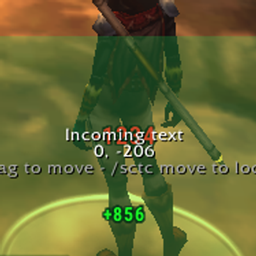
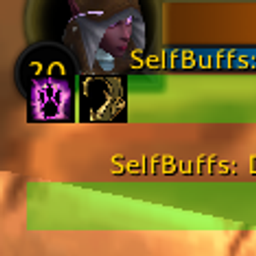
- Raid frame markers: a Swiftmend icon on every group member who can be Swiftmended. The icon has its own border (black, 1px by default), and the whole raid frame gets a border too (green, 2px). Each border can be turned off and has its own thickness and colour. The icon can show a spiral and a countdown for the HoT's remaining duration; each can be turned off.
- Blizzard raid and party frames (
CompactRaidFrame…,CompactPartyFrame…,CompactRaidGroup…) - Buzzard Frames (frames named
Buzzard…/BF_…)
- Blizzard raid and party frames (
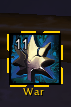
- Draggable alert icon: tracks your target only. It lights up when your friendly target (including yourself, when you target yourself) can be Swiftmended, showing their name and how long the HoT has left.
- Behaves like an action button:
- HoT time left in the corner (can be hidden; the spirals still show).
- Cooldown spiral while Swiftmend is on cooldown (the global cooldown is ignored), and the icon fades.
- Red tint when the target is out of Swiftmend range.
- Blue tint when you don't have the mana.
- Greyed out (desaturated) when Swiftmend can't be used. Each can be turned off in the settings window.
- Optional border around the icon, with adjustable thickness and colour.
- When your target has no Rejuvenation or Regrowth (or you have no target), the icon shows greyed out. Untick "Show greyed icon when target has no HoT" to hide it instead.
- Behaves like an action button:
- Works in combat. WoW Forever uses the Midnight addon rules, which hide buffs from addons during combat, encounters, M+ and PvP. Swiftmender doesn't try to read them. It gives Blizzard's own aura display (
Blizzard_AuraContainer) a slot that matches only Rejuvenation and Regrowth. The game then shows and hides the marker, spiral and timer itself. All ranks are matched, plus any spell ID the addon sees on a Rejuvenation or Regrowth out of combat.- Settings you change during combat take effect when combat ends.
/sm statusshows "combat tracking: native" when this is active. On a client without the native aura display, it falls back to out-of-combat-only tracking.
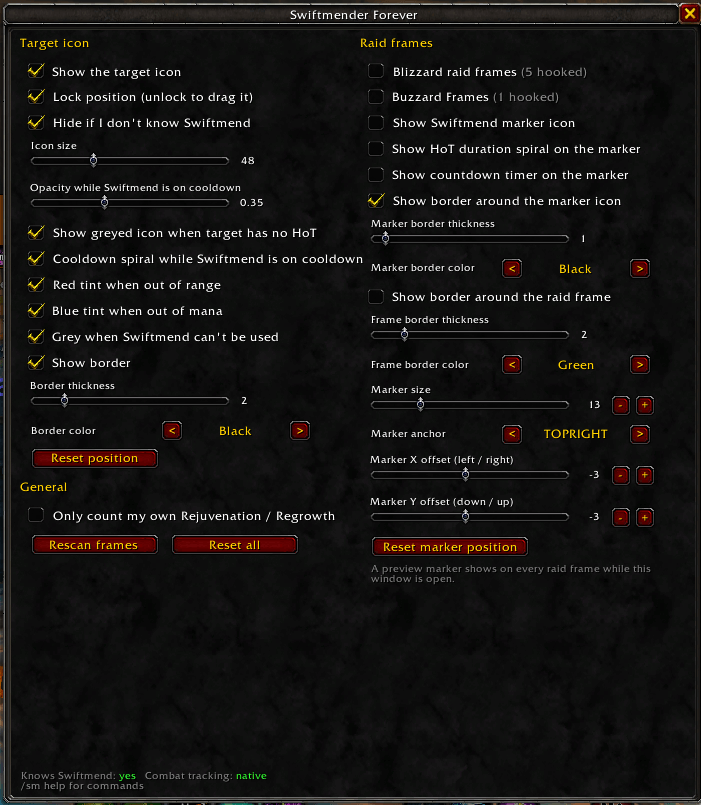
Type /sm (or /swiftmender) to open the settings window. You can also reach it from Esc > Options > AddOns > Swiftmender Forever. The window covers the target icon (show, lock, size, cooldown spiral and fade, range/mana/usable colouring, border thickness and colour, reset position), the raid frame markers (Blizzard and Buzzard on/off, marker icon, HoT spiral, countdown timer, marker border and frame border with thickness and colour, size, anchor, X/Y offset with -/+ nudge buttons) and whether to count only your own HoTs.
While the window is open, every raid frame shows a preview marker, so you can see where the marker lands as you change its size, anchor and offsets, even when nobody has a HoT.
The target icon starts unlocked. Drag it where you want it, then right-click it or tick "Lock position".
| Command | What it does |
|---|---|
/sm lock / /sm unlock |
Lock the target icon, or unlock it so you can move it |
/sm icon |
Turn the target icon on or off |
/sm iconsize <n> |
Set the target icon size (default 48) |
/sm fade <0-1> |
Set how faded the icon is while Swiftmend is on cooldown (default 0.35) |
/sm mine |
Only count Rejuvenation and Regrowth that you cast |
/sm blizzard / /sm buzzard |
Turn markers on or off for each raid frame addon |
/sm size <n> |
Set the raid frame marker size (default 14) |
/sm anchor <point> [x y] |
Move the marker, e.g. /sm anchor TOPRIGHT -2 -2 |
/sm offset <x> <y> |
Set the marker's offset in pixels from its anchor, e.g. /sm offset 4 -6 |
/sm marker / /sm border |
Turn the marker icon or the raid frame border on or off |
/sm markerborder [1-10] |
Turn the marker icon's border on or off, or set its thickness |
/sm bordersize <1-10> |
Set the raid frame border thickness (default 2) |
/sm icontimer |
Show or hide the HoT time left on the target icon |
/sm iconborder [1-10] |
Turn the target icon border on or off, or set its thickness |
/sm spiral / /sm timer |
Turn the marker's HoT duration spiral or countdown timer on or off |
/sm pattern add|remove|list <blizzard|buzzard> <lua pattern> |
Change which frame names get markers |
/sm frames |
List unit frames that don't have a marker yet, to help find their names |
/sm legacy |
Switch to the old out-of-combat-only tracking, or back (reloads the UI) |
/sm scan, /sm status, /sm reset |
Rescan for frames, show the current settings, or reset to defaults |
SwiftmenderForever Team