image12.png
Description
Swiftly Block gives you one checkbox for incoming party invites in World of Warcraft: Forever.
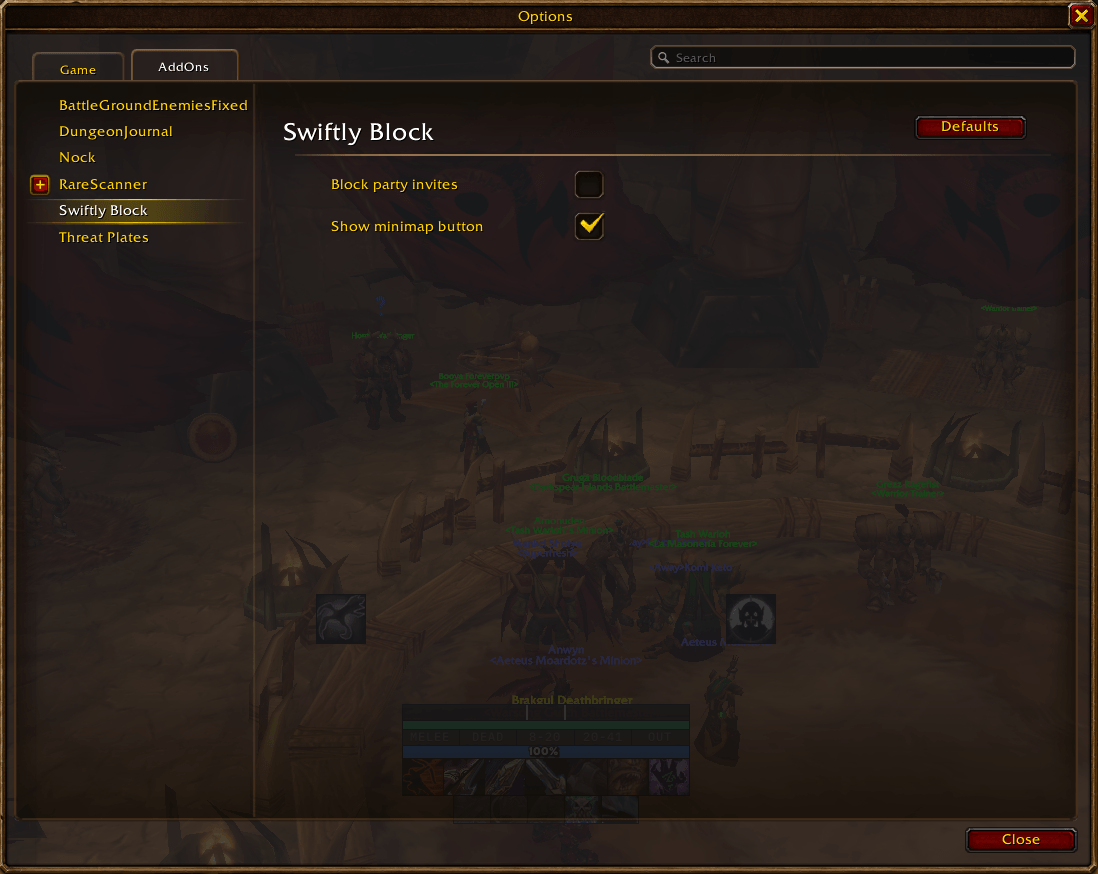
Open Options > AddOns > Swiftly Block and enable Block party invites to automatically decline standard party invitations without showing the standard popup or playing its click. The setting is off by default and shared across your characters on the account. Turn it off to restore normal invitation behavior.
Click the minimap button to open these settings. Drag it to reposition it, or hide it with Show minimap button on the same settings page.
This is client-side automatic declining, not server-side blocking. It does not change guild invitations, duels, trades, whispers, ready checks, summons, battleground queues, or matchmaking.
It helps streamers and other players deal with repeated party-invite spam from griefers. Each invite is declined locally; the sender can still attempt another invite.
Forever reuses the click sound when closing the game menu, so that menu click is also muted while the option is on.
Install: Extract the ZIP so the SwiftlyBlock folder sits directly in World of Warcraft/_classic_beta_/Interface/AddOns/, then restart the game or use /reload.
Privacy: Swiftly Block does not collect data, send messages, use networking, or include third-party libraries. Its settings are saved locally in the account-wide SwiftlyBlockDB variable.
A fan-made nod to Swifty and the entire PvP community.
Swiftly Block Team