Screenshot 2026-10-21 at 01.34.56.png
Screenshot 2026-10-21 at 01.35.27.png
Screenshot 2026-10-21 at 01.36.06.png
Screenshot 2026-10-21 at 01.36.20.png
Screenshot 2026-10-21 at 01.36.36.png
Description
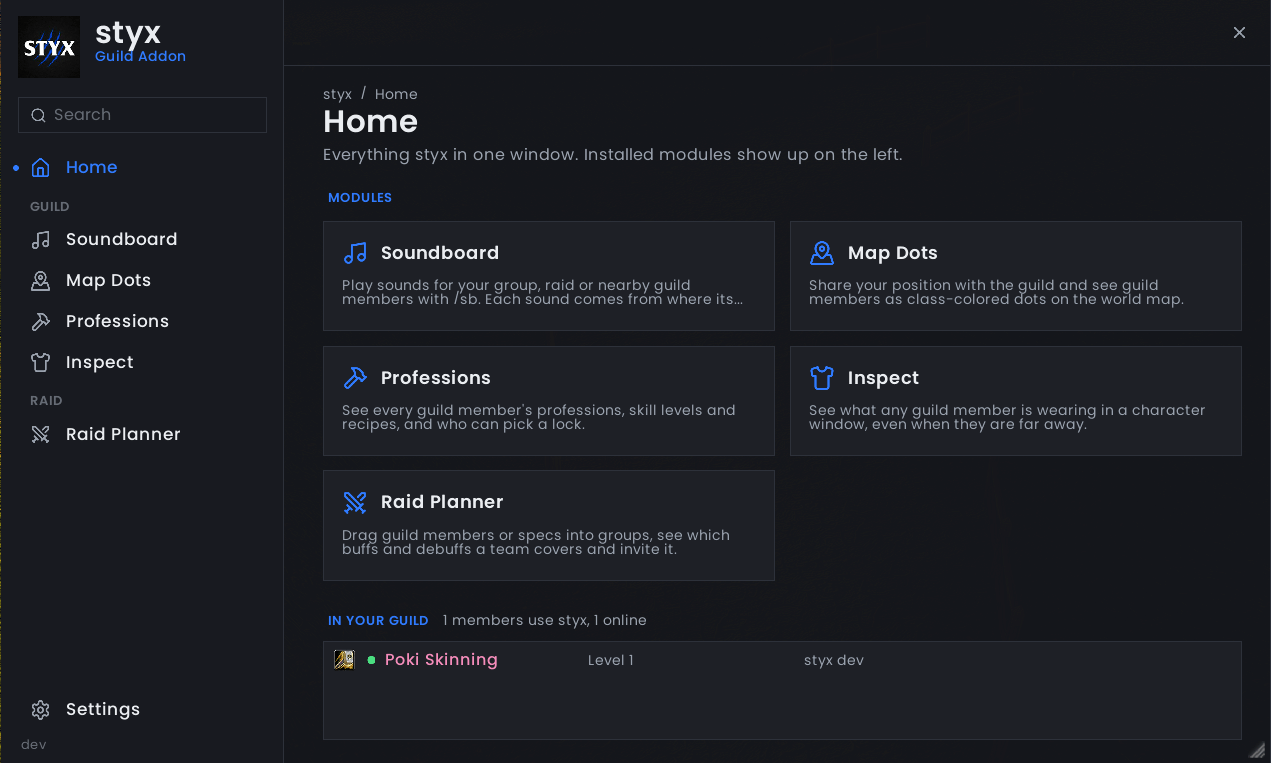
The guild addon for WoW Forever. One window for your whole guild: a soundboard, guild members on the map, professions and recipes, gear inspect and a raid planner.
Take everything or only the modules you want. Every module also works on its own.
Modules
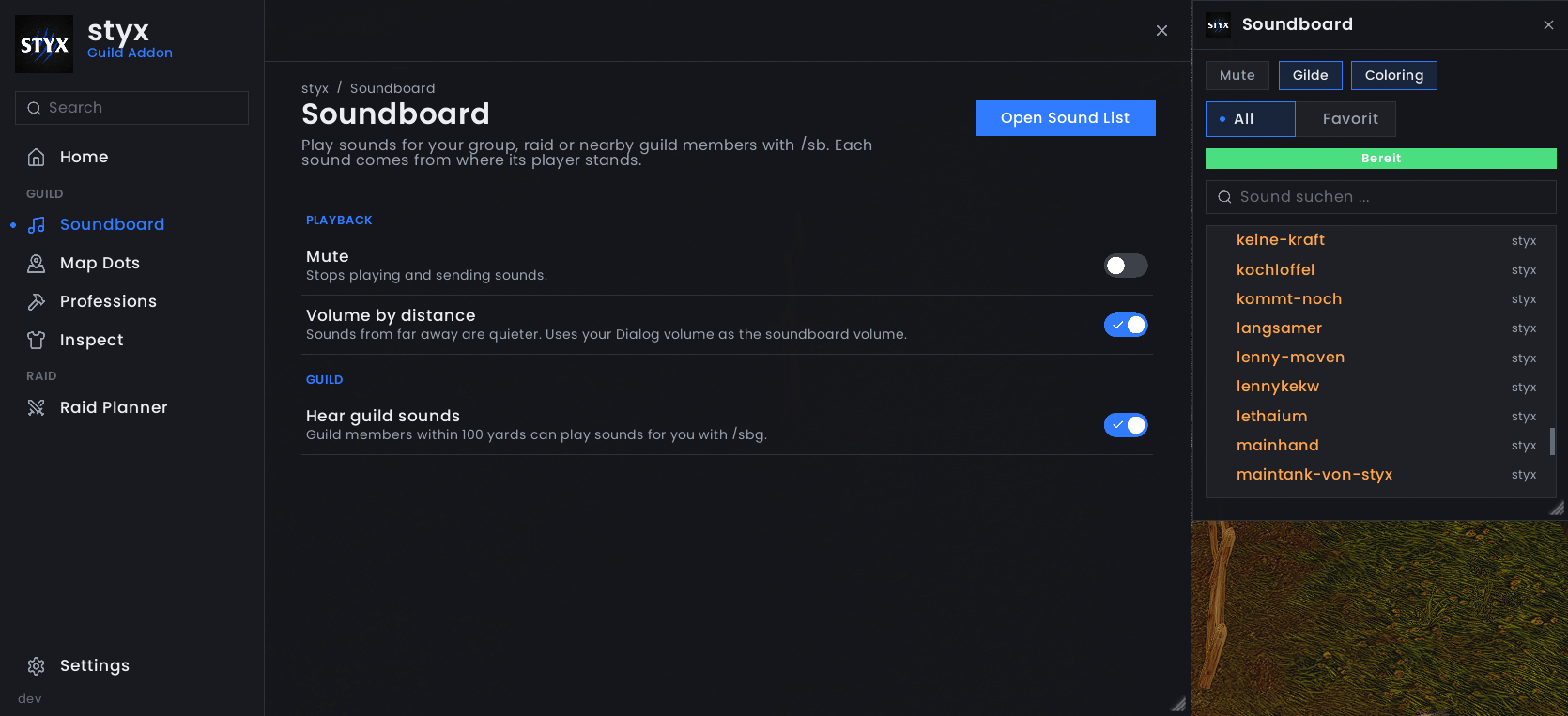
styx Soundboard
- 260+ sounds for your group or raid with
/sb <sound> /sbg <sound>plays for guild members within 100 yards. They hear it quieter the farther away you are, and from the direction you're standing in- Sound list with search, favorites and cooldowns:
/sb show - Sound names autocomplete while you type
/sbor/sbgin chat - Mute, distance volume and guild sounds can be switched off any time
styx Map Dots
- Guild members as class-colored dots on the world map
- Share your position with the guild or keep it to yourself, and pick your dot size
- Party and raid members are left out, the game already shows them
styx Professions
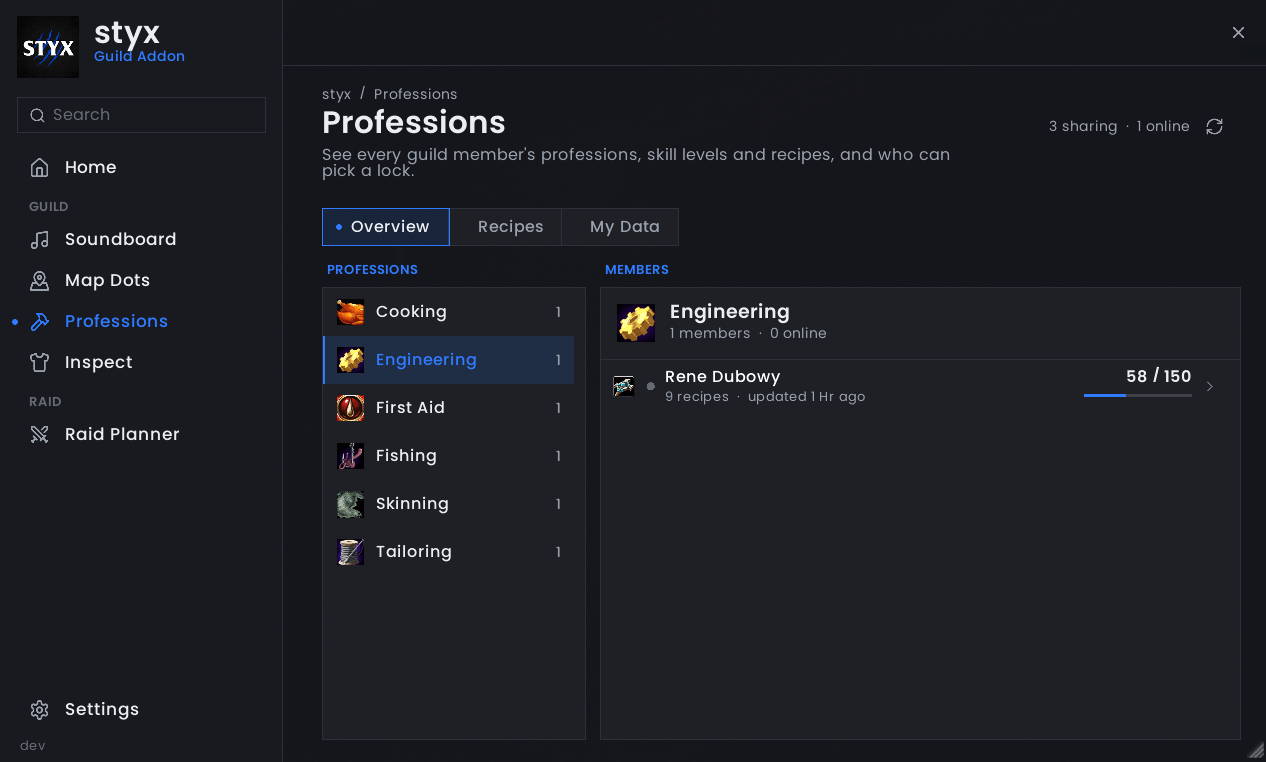
- Every guild member's professions and skill levels in one overview
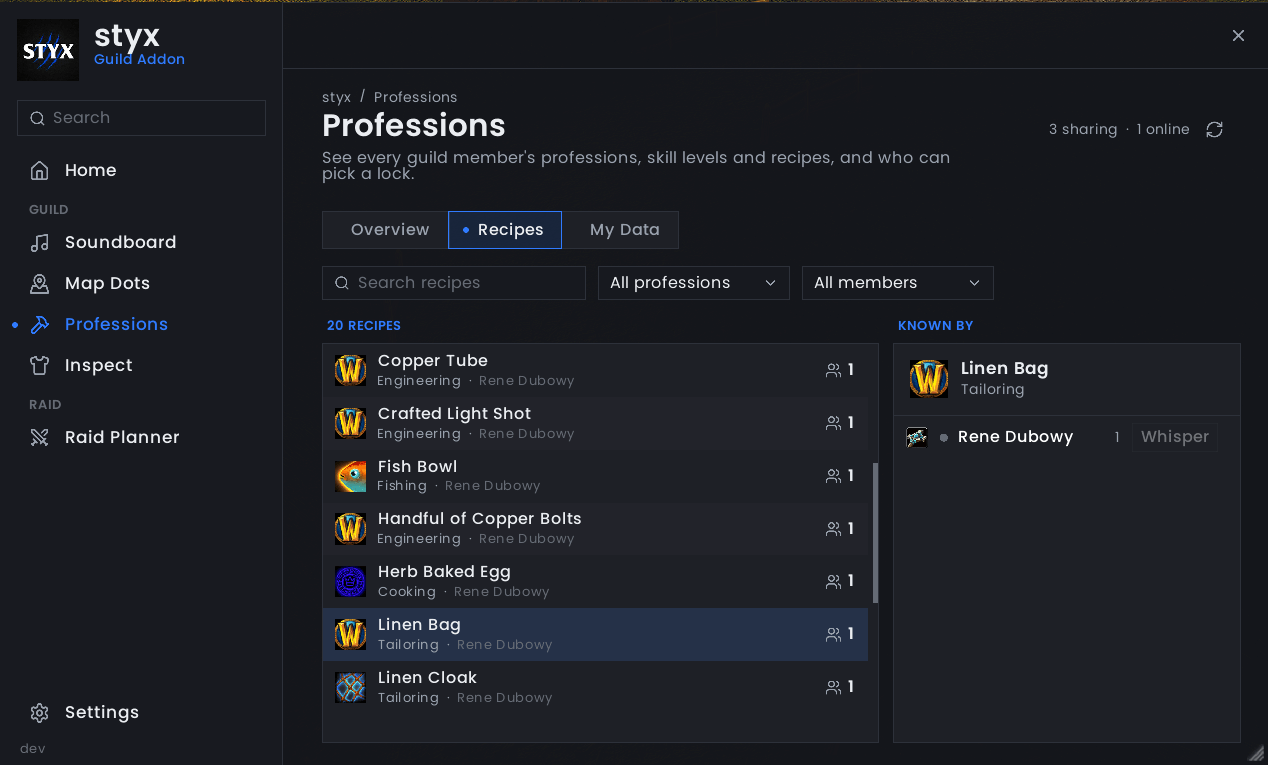
- Search every recipe in the guild, see who knows it and whisper them with one click
- See who can pick a lock and at what skill
- Sharing runs on its own: open each profession window once and styx keeps it up to date
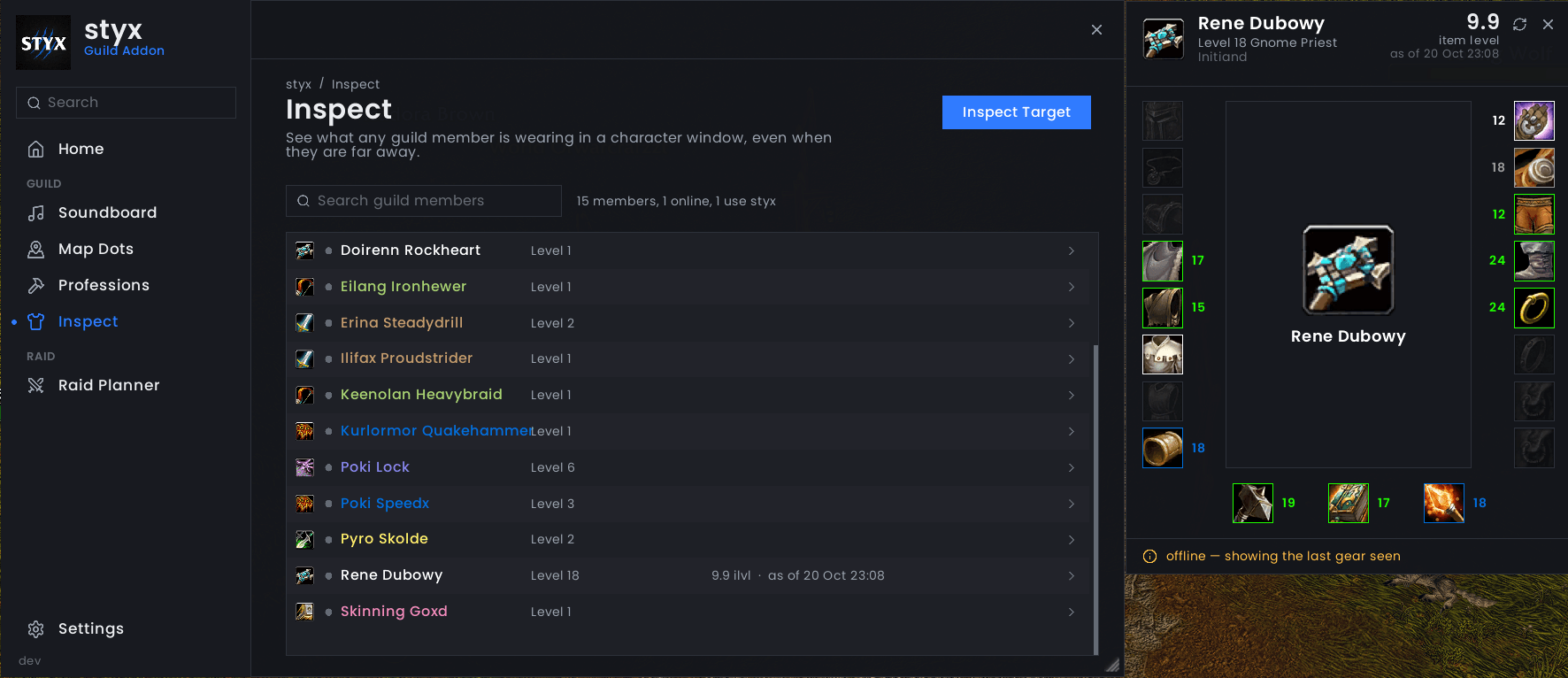
styx Inspect
- See what any guild member is wearing in a character window, with item levels
- Works even when they're far away, as long as they run styx. Offline members show the last gear seen
- Inspect from the guild list, your target, the right-click menu or
/styx inspect <name> - Shift-click an item to link it in chat
styx Raid Planner
- 10-man: Team 1 and Team 2 with two groups each. 20-man: four groups in one team
- Drag guild members or specs into groups, with placeholders for open spots
- See which buffs and debuffs each team covers and what's missing
- Invite Team invites the whole team, Sort Groups moves everyone into their planned group
- Officers and the guild leader edit, everyone else can look. The newest plan reaches every styx user in the guild, even when no officer is online
The styx window
- Open it with
/styxor the minimap button (works inside minimap button collections) - Home shows your modules and who in your guild runs styx
- Settings: window scale, minimap button and which modules are turned on
Download
- All-in-one: the main file, with every module. This is what the CurseForge app installs
- Single modules: under Additional files of each release, each with the styx core included
- Installed everything? Turn off the modules you don't need in styx → Settings
Good to know
- Made for WoW Forever
- styx shows guild data from members who run styx too. Everything travels as in-game addon messages to your guild or group, nothing leaves the game
- Coming from xSoundboard or GuildMapDots? styx replaces them and offers to turn the old ones off. Your soundboard favorites and settings carry over, and Map Dots still sees GuildMapDots users
styx forever Team