StyMount
- By
Automatically links your saved transmog outfits with your favorite mounts, switching the assigned mount whenever your active outfit changes.
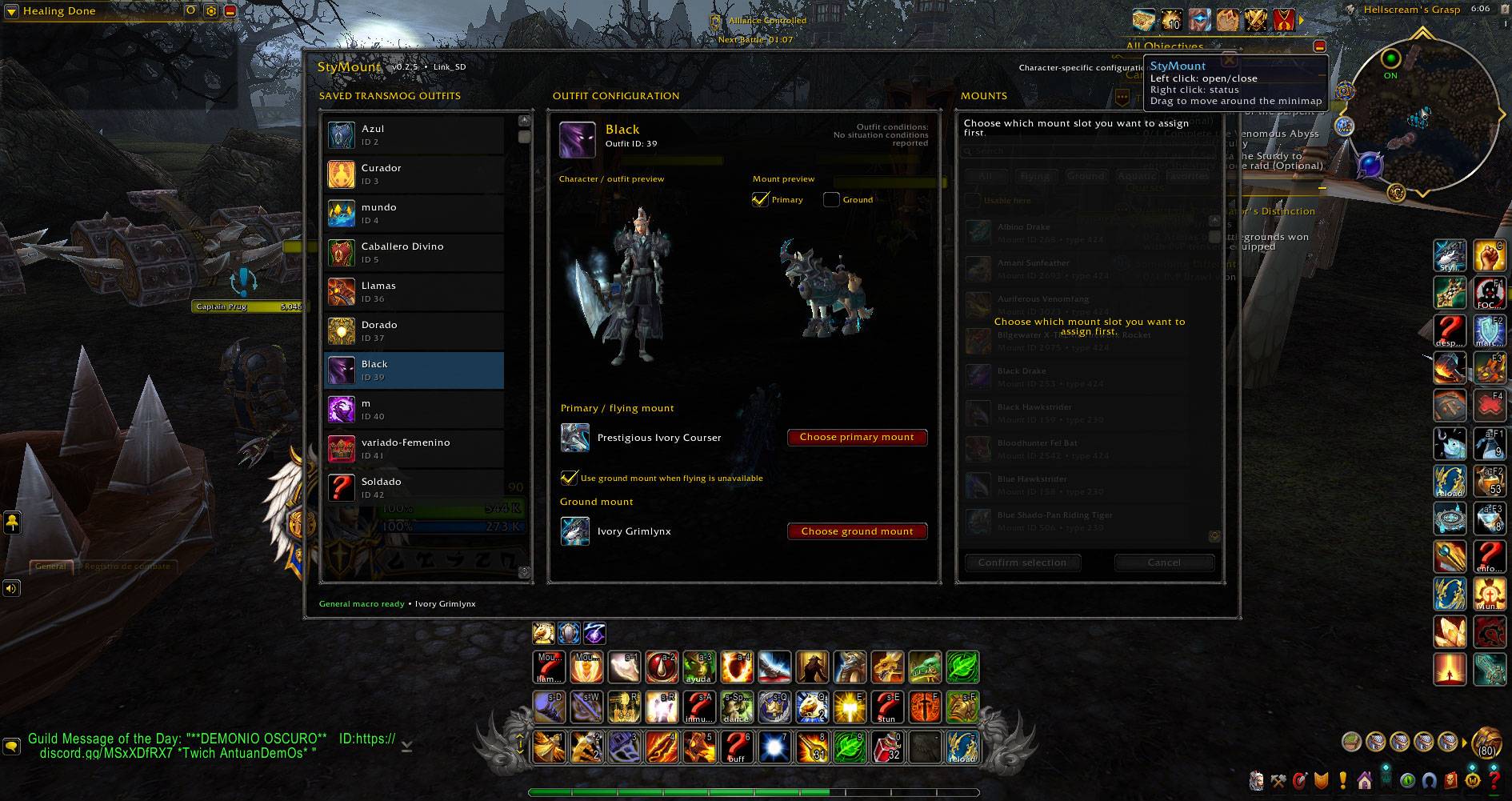
WoWScrnShot_090926_180628.jpg
Description
StyMount links your saved transmog outfits with your mount collection, allowing your mount choice to automatically follow your character's active appearance.
Assign a primary mount to each saved transmog outfit and, optionally, a ground mount for areas where flying is unavailable. Once configured, StyMount automatically detects your active outfit and keeps a single StyMount macro updated with the appropriate mount.
Features
- Link a different mount to each saved transmog outfit.
- Assign both a primary and an optional ground mount.
- Automatically use the ground mount when flying is unavailable.
- Automatically detects changes to your active transmog outfit.
- Uses a single account-wide StyMount macro — place it on your action bar once and you're ready.
- Browse your collected mounts with filters for flying, ground, aquatic and favorites.
- 3D previews for both your saved outfits and mounts.
- Character-specific mount assignments.
- Minimap button for quick access.
- English and Spanish interface.
How to use
- Open StyMount from the minimap button.
- Select one of your saved transmog outfits.
- Choose a primary mount.
- Optionally choose a ground mount and enable its use when flying is unavailable.
- Find the StyMount macro under World of Warcraft's General Macros and place it on your action bar.
From then on, simply use the StyMount macro. When your active outfit changes, StyMount updates the assigned mount automatically.
Important: StyMount does not mount your character automatically. Mounting still requires you to press the StyMount macro, in accordance with World of Warcraft's protected-action system.
StyMount Team