Stryk's Emote Wheel
- By
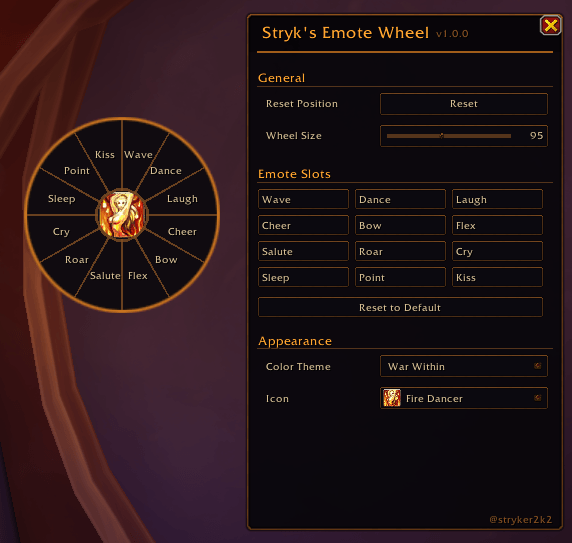
A World of Warcraft addon that gives you a draggable 12-slice radial emote menu, triggered by a small interactive button you can place anywhere on screen.
screenshot_001a.png
screenshot_002.png
screenshot_003.png
screenshot_004.png
Description
Stryk's Emote Wheel
A World of Warcraft addon that gives you a draggable 12-slice radial emote menu, triggered by a small interactive button you can place anywhere on screen.
Features
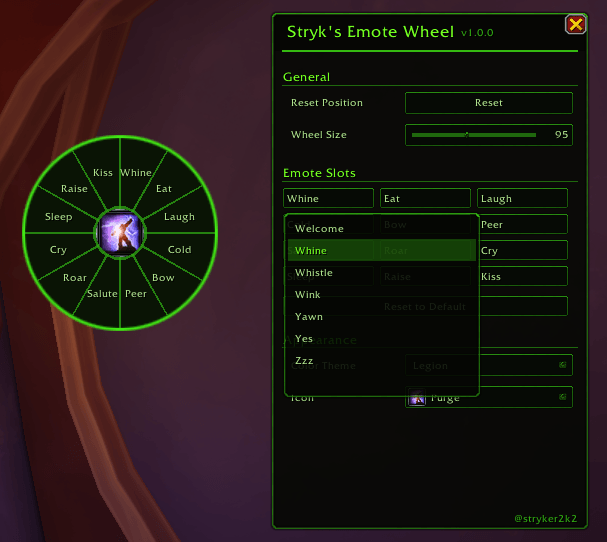
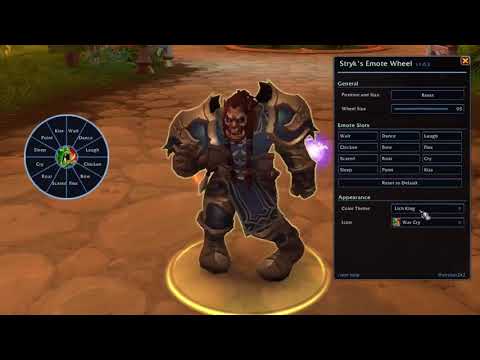
- Radial wheel — 12 emote slices arranged in a clock-face layout, activated on hover
- Customisable slots — assign any of 145+ WoW emotes to any slot via the Settings panel
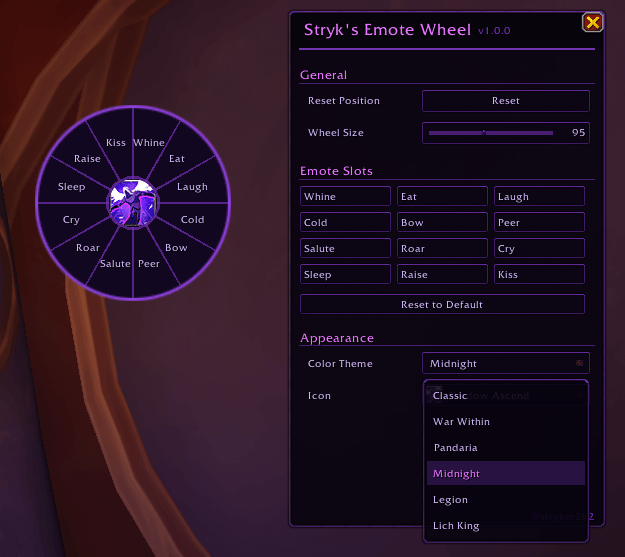
- 13 colour themes — 12 expansion palettes (Classic through Midnight) plus Class Color, which automatically applies your character's class color on login
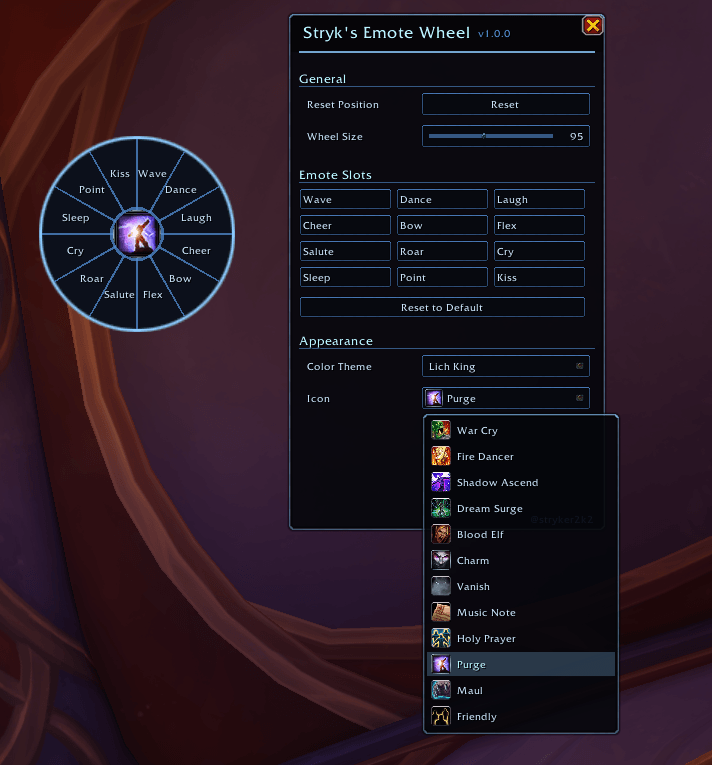
- 13 hub icons — choose any icon, including Class Icon which uses your character's class icon automatically
- Adjustable wheel size — slider from 60 to 140 (default 95)
- Hold-to-drag — hold left-click on the trigger or open wheel for 0.3s to enter drag mode; position is saved across sessions
- Key binding — assign any key or modifier+key combo to open the wheel; holding opens it, releasing fires the highlighted emote
- Controller binding — assign any gamepad button (face buttons, LB, LT, LS, RS, RT, and modifier combos) to open the wheel; holding opens it, releasing fires
- Snap to Cursor — when enabled, the wheel snaps to your cursor position on open; mouse direction or analog stick angle selects a slice; releasing fires the emote and snaps back
- Blocked-state protection — the wheel cannot be opened while dead, in ghost form, or during a boss encounter; the trigger icon desaturates as a visual indicator
- Hide on fullscreen map — trigger, wheel, and Settings panel all hide when the world map opens
- Scrollable dropdowns — emote picker, theme list, and icon picker all cap at 5 visible rows with mousewheel scroll and a themed scrollbar
- Persistent settings — all choices saved to
StryksEmoteWheelDBand restored on login
Usage
| Action | Result |
|---|---|
| Left-click trigger | Open / close the emote wheel |
| Hover a slice | Highlight that emote |
| Left-click a slice | Perform the emote (closes wheel if opened by click) |
| Hold left-click on trigger or wheel | Enter drag mode — reposition |
| Right-click trigger | Open Settings |
| Hold assigned key or button | Open wheel; release to fire highlighted emote |
Settings Panel
Open with a right-click on the trigger button. The panel has three tabs: Wheel, Controls, and Debug.
Wheel Tab
General
- Wheel Size — adjusts the radius of the wheel (60–140)
- Position and Size [Reset] — snaps the trigger to screen centre and resets wheel size
Emote Slots
- A 3×4 grid shows the emote currently assigned to each of the 12 slots
- Hovering a slot highlights the corresponding wheel slice as a live preview
- Click any slot to open a scrollable picker with all available emotes
- Mouse-wheel scrolls the picker list; it auto-scrolls to the current emote when opened
- Reset to Default — restores all 12 slots to the original loadout
Default Loadout
| Slot | Emote | Slot | Emote | Slot | Emote | ||
|---|---|---|---|---|---|---|---|
| 1 | Wave | 5 | Bow | 9 | Cry | ||
| 2 | Dance | 6 | Flex | 10 | Sleep | ||
| 3 | Laugh | 7 | Salute | 11 | Point | ||
| 4 | Cheer | 8 | Roar | 12 | Kiss |
Appearance
- Color Theme — choose from 13 palettes (12 expansion themes + Class Color)
- Icon — choose from 13 hub icons (12 options + Class Icon)
Controls Tab
- Keyboard — click Bind and press any key or modifier+key combo (Ctrl, Alt, Shift supported)
- Controller — click Bind and press any gamepad button or modifier+button combo (LB/LT as modifiers)
- Stick — choose which analog stick (Left or Right) drives slice selection while the wheel is open
- Snap to Cursor — when checked, the wheel snaps to the cursor on open and releases back on close; mouse or stick angle selects the emote
Debug Tab
Visible only when /sew debug is enabled. Houses diagnostic tools including Test All Emotes and Preview Class Colors.
Slash Commands
| Command | Action |
|---|---|
/sew show |
Open or close the Settings panel |
/sew reset |
Restore all defaults (position, theme, icon, size, slots, binds) |
/sew info |
Print version, position, and frame info |
/sew debug |
Toggle verbose debug messages |
/sew help |
Show command list |
Compatibility
| Client | Interface |
|---|---|
| Retail (Midnight) | 12.0.5 |
| Classic Era | 1.15.x |
| TBC Anniversary | 2.5.x |
| Mists of Pandaria Classic | 5.5.x |
Author
stryker2k2
The Stryk's Emote Wheel Team