Streemrz Login Alarm
- By
A character-login alarm for World of Warcraft Retail and Forever. Waiting for that Login Queue to pop? Now you have an alarm to tell you its popped!
Login_2.png
Login_1.png
Description
Streemrz Login Alarm 1.1.0
A character-login alarm for World of Warcraft Retail and Forever.
Install
Close WoW. Extract the StreemrzLoginAlarm folder into your chosen client's Interface/AddOns folder. The result must be Interface/AddOns/StreemrzLoginAlarm/Core.lua (no extra nested folder). Install separately for each client. Enable it in the character-selection AddOns list. If listed as out of date, enable Load out of date AddOns and report your interface number: /dump select(4, GetBuildInfo()). Retail TOCs cover 12.0.x/12.1.x; Forever TOC targets 16001. Client compatibility requires in-game verification.
Behaviour
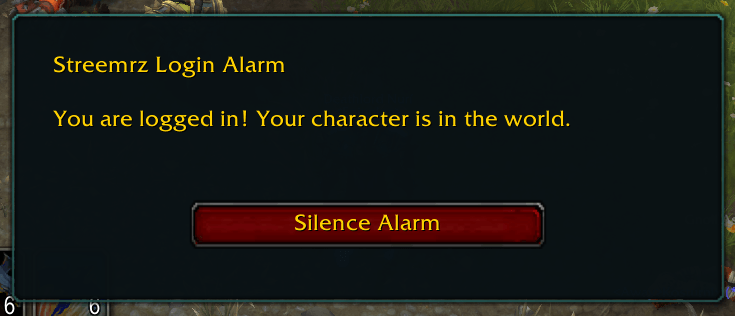
Enabled by default. On initial character entry into the world, the bundled four-second alarm plays every five seconds until Silence Alarm is clicked. The popup has no Escape dismissal. Silence suppresses automatic alarms for that UI session. The next character login rearms it automatically. Zoning, portals, instances and /reload do not trigger the alarm. There is no queue-length detector: the addon cannot execute at realm login or character selection. You must select a character and enter the world. For an alert before character selection, a separate desktop application would be required.
Audio
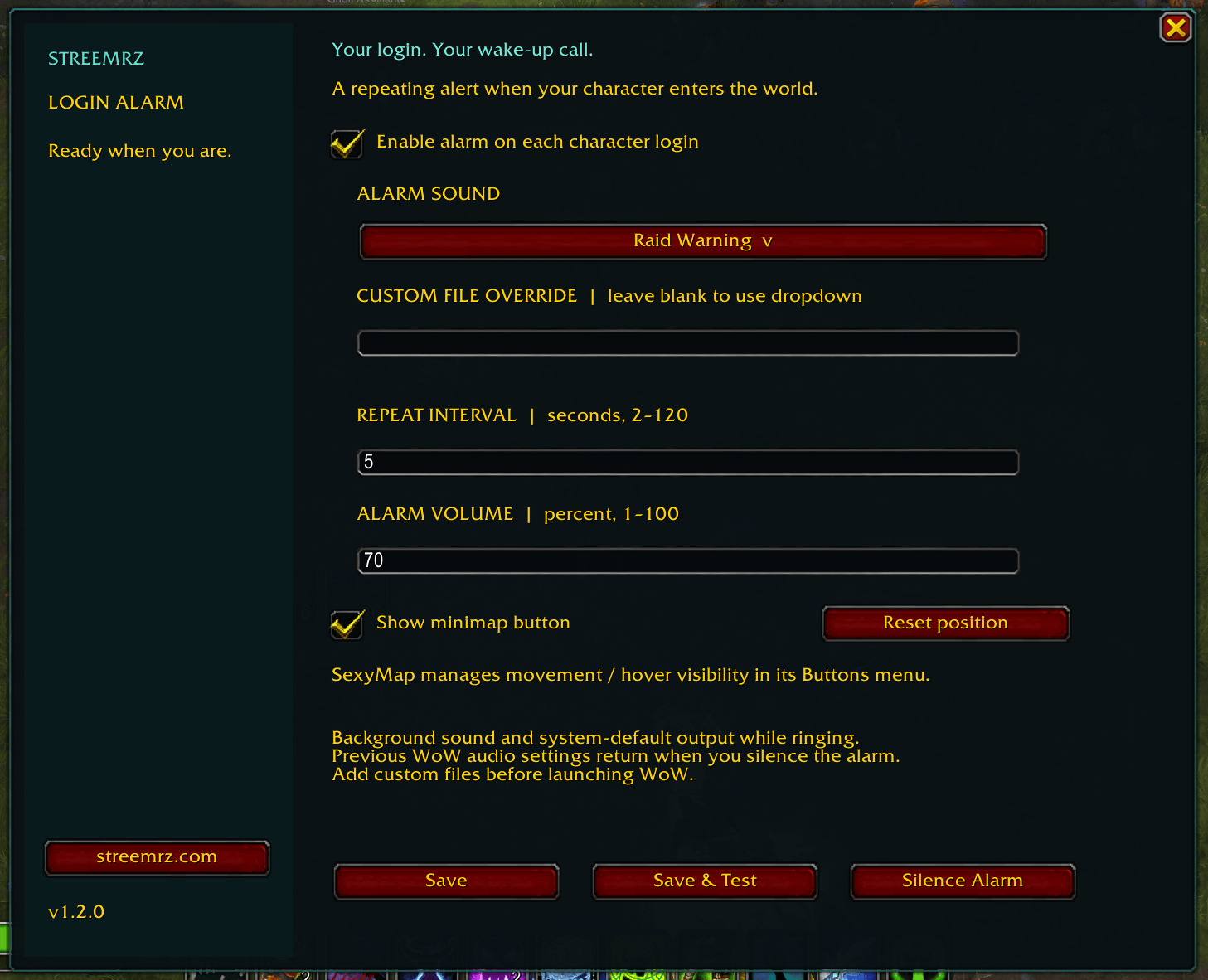
While ringing the addon enables WoW audio and background sound, sets master volume to 70% by default and requests the system-default output (driver index 0). It restarts WoW's sound system when switching devices. These are game-wide audio settings, not a separate addon output device. Silence, leaving the world, or logout restores previous values. A saved backup allows restoration after an interrupted session if WoW saved it. A hard crash can prevent SavedVariables being written. OS mute, app mixer levels and disconnected devices cannot be overridden. Test your setup before leaving the game unattended. Device switching and background audio need actual-client testing on both versions.
Settings
Click the pocket-watch minimap button, or use /sla. Set enabled, sound, repeat interval, and volume; then Save or Save & Test. Right-click the minimap button to silence. /sla test starts a test; /sla stop silences it. Settings are account-wide within each client installation. The config window is movable. Drag the minimap button to reposition it; its position is saved. The settings panel includes Show minimap button and Reset position. SexyMap can manage movement and Always / On Hover / Never visibility under Buttons > Addon Buttons > Streemrz Login Alarm. Leave Show minimap button enabled when using SexyMap visibility. When SexyMap adopts the button, use its controls to reset positioning. /sla remains available if the button is hidden.
Custom sounds
Copy an MP3 or OGG into Sounds before launching WoW, e.g. MyAlarm.ogg. In Settings enter: Interface\AddOns\StreemrzLoginAlarm\Sounds\MyAlarm.ogg A numeric WoW FileDataID is also accepted. Absolute Windows paths and streaming URLs are not supported. No desktop file picker is available to addons. Restart WoW after installing a new file. Set repeat interval longer than the sound; each repeat stops the previous playback. Invalid sounds fall back to the bundled alarm when PlaySoundFile reports failure. The included Alarm.ogg is an original synthesized tone, freely reusable.
Validation and UAT
Lua syntax checks passed: first login, repeat, silence, audio restoration, zoning suppression, config creation, manual test, logout cleanup, /reload suppression, and next-login rearm. No live WoW client was available. Test on both clients: login, alt-tab and confirm audio; silence and confirm prior output/volume return; zone and /reload without an alarm; logout/login to confirm rearm; save/test a custom file. This is a first test release, not a claim of live-client certification.
License
Copyright 2026 Streemrz. MIT License: permission is granted, free of charge, to use, copy, modify, distribute, sublicense and sell this software provided this notice is included. THE SOFTWARE IS PROVIDED AS IS, WITHOUT WARRANTY OF ANY KIND. AUTHORS ARE NOT LIABLE FOR ANY CLAIM, DAMAGES OR OTHER LIABILITY ARISING FROM ITS USE.
Changes in 1.1.0
- LibDataBroker / LibDBIcon minimap launcher with saved position and drag support.
- SexyMap discovery through standard LibDBIcon registration; no forced positioning after adoption.
- Drag clicks are suppressed to prevent accidentally opening settings.
- Teal Streemrz settings and alarm windows, sidebar branding, and screen-aware scaling.
- streemrz.com opens a selectable URL dialog (Ctrl+C to copy; WoW does not open an external browser).
- Show/hide and position reset controls.
Bundled libraries
LibStub, CallbackHandler-1.0, LibDataBroker-1.1 and LibDBIcon-1.0 are bundled unchanged from the supplied Guild Aide package. Third-party library authors retain their rights; the addon MIT notice applies to the addon-specific code and original alarm, not a relicensing of bundled libraries. Upstream projects: https://www.wowace.com/projects/libstub , https://www.wowace.com/projects/callbackhandler , https://github.com/tekkub/libdatabroker-1-1 , https://github.com/tekkub/libdbicon-1-0 .
Streemrz Login Alarm Team