
StormxUI Forever
- By
Screenshot_2026-10-15_051332.jpg
Screenshot_2026-10-15_051157.jpg
Screenshot_2026-10-15_051755.jpg
Screenshot_2026-10-15_054608.jpg
Description
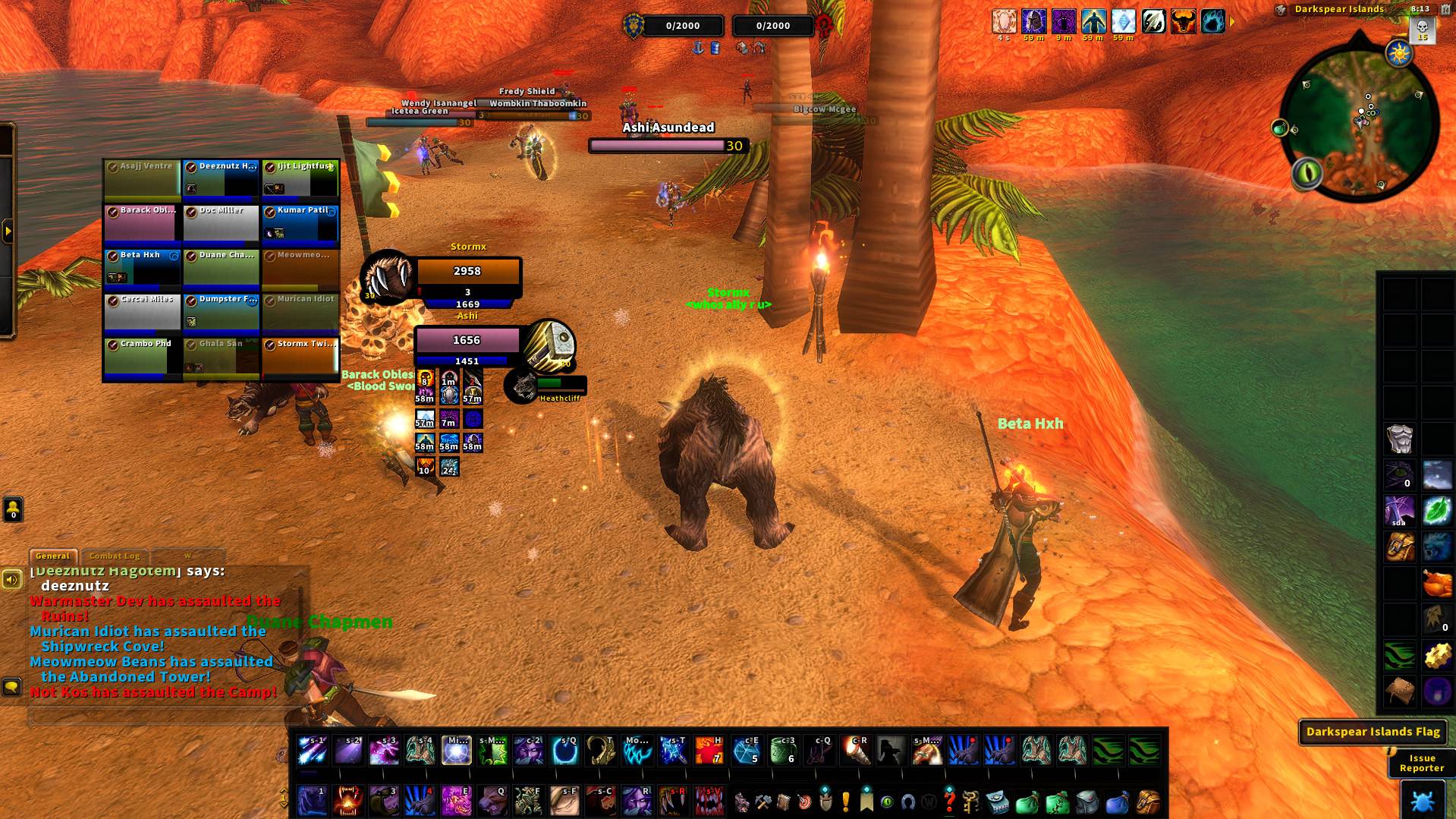
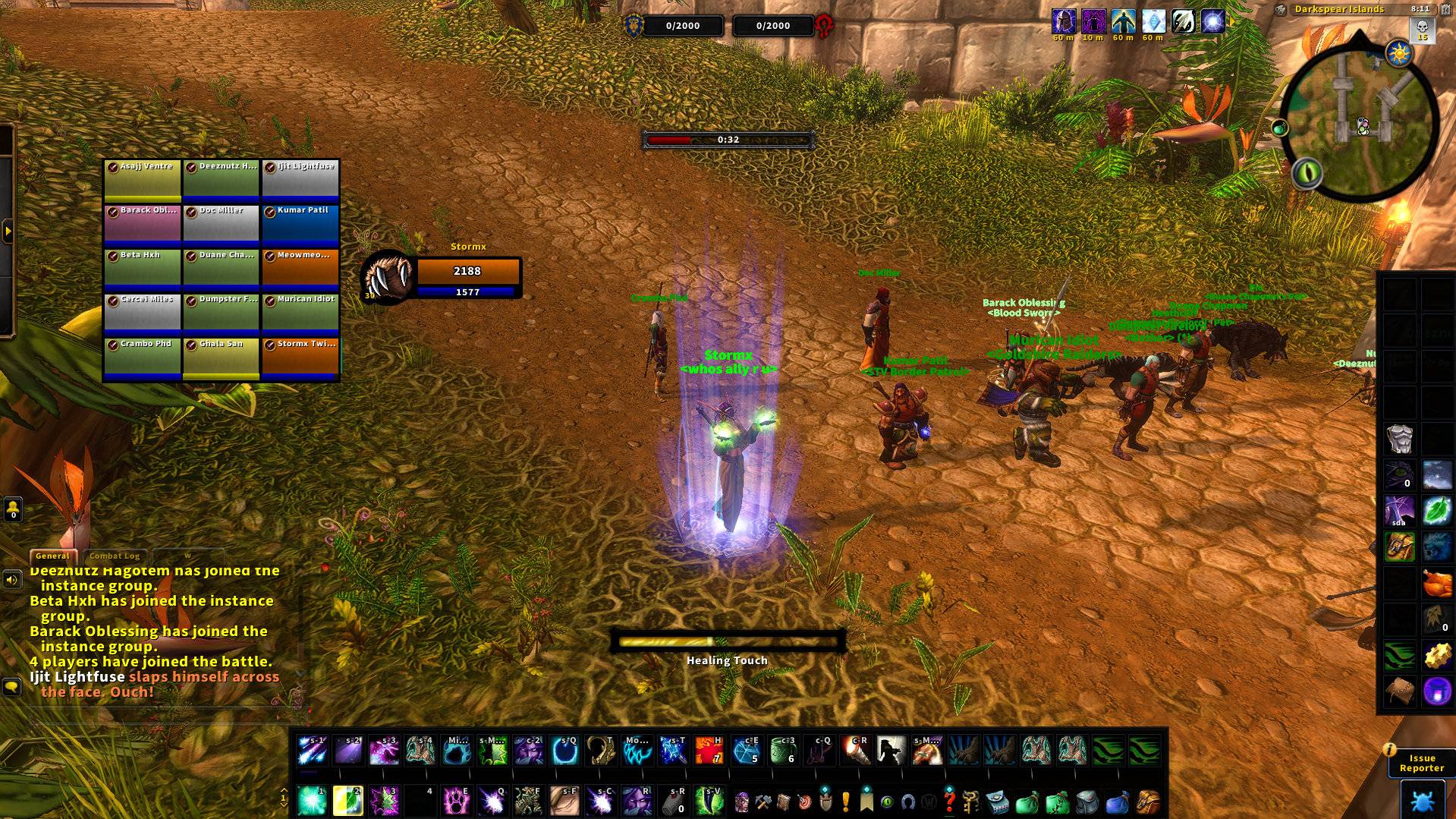
StormxUI Forever gives WoW Forever a Classic-inspired interface with dark
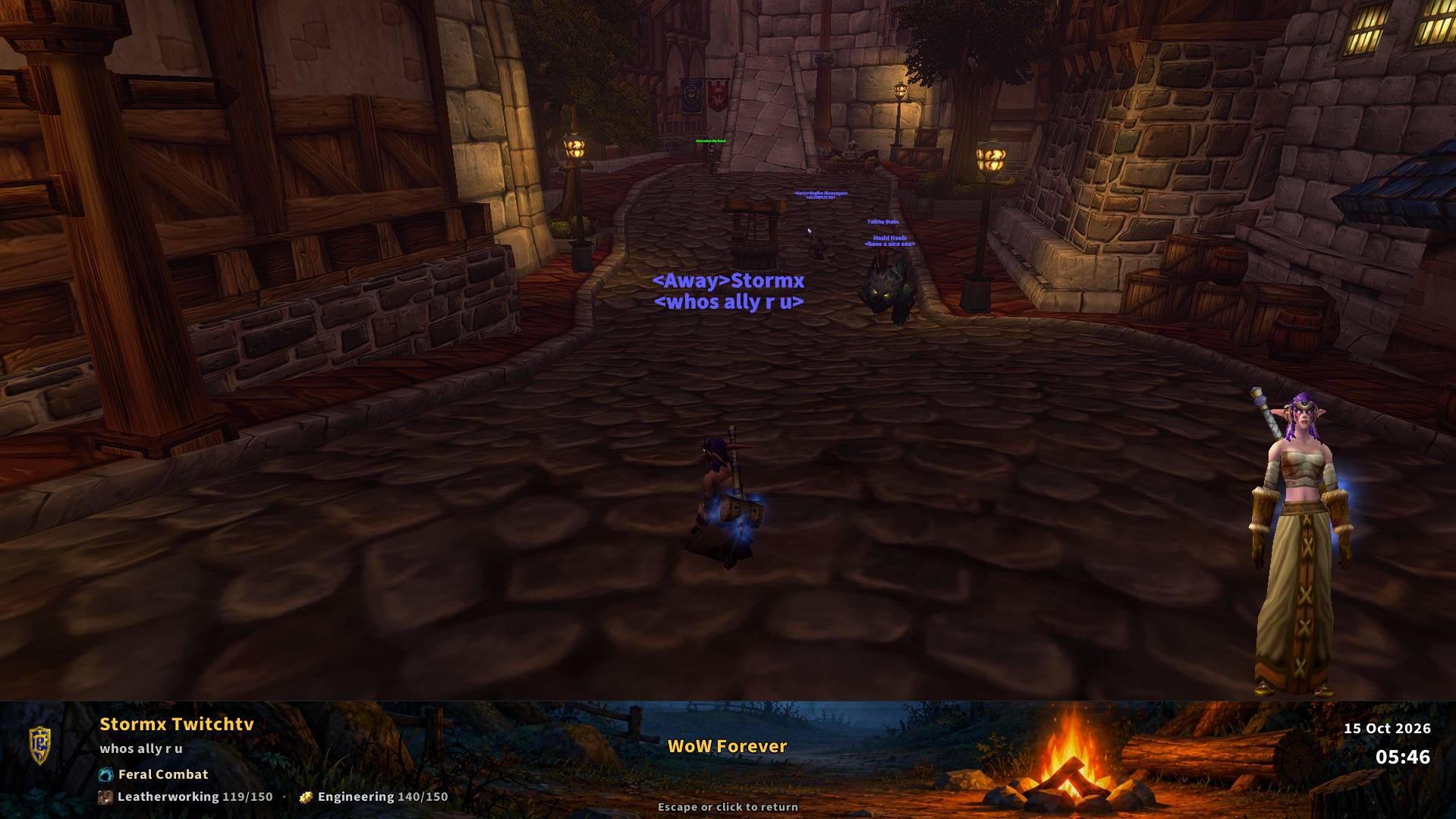
window styling, round combo points and a cozy Duskwood campfire AFK screen.
Built for WoW Forever 1.60.1 (Interface 16001).
Features
- Player, target, target-of-target, focus, pet, party and raid styling.
- Four round combo-point looks with a color picker, soft halo, pulse and
gain glint: Old Stormx, Classic Ruby, Polished Glass and Copper Bezel.
- Blizzard Edit Mode action bars with configurable icon borders and finishes.
- Six bar-area materials, including Obsidian, with independent border and
background toggles. Move and arrange the bars through native Edit Mode.
- Classic nameplate artwork, target auras and timers, castbars, druid mana,
shaman totems and PvP flag alerts for WSG and Darkspear Islands.
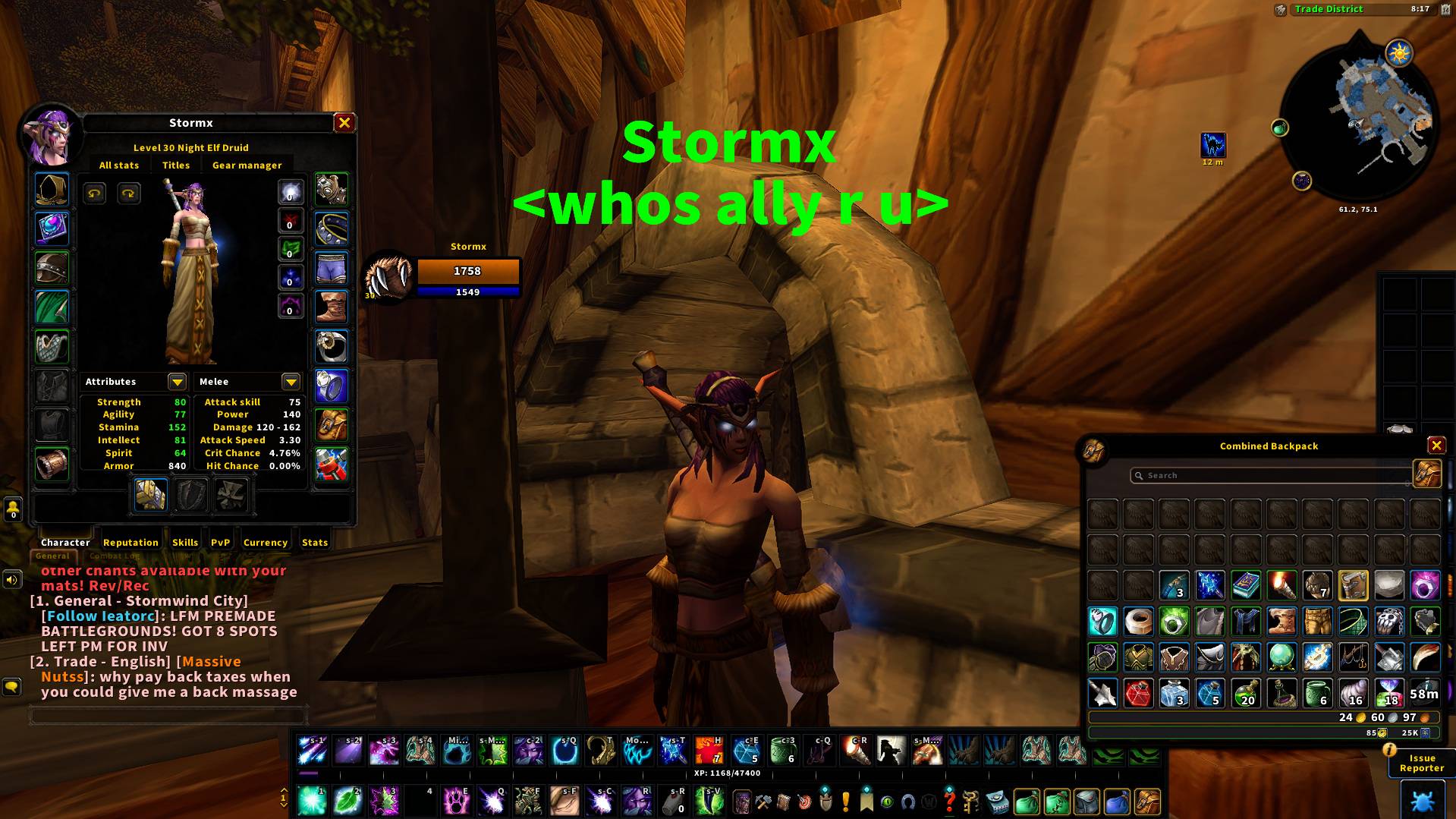
- A Classic-inspired character window with gear tabs and selectable stats.
- An AFK screen with campfire artwork, character display, specialization,
professions and optional camera orbit, without an AFK countdown timer.
- Unit portraits, painted class portraits and Stormx's own Busan photo.
- Font choices, UI darkness, error-text controls and a built-in support report.
Getting started
Install the addon in your WoW Forever Interface/AddOns folder, then restart
the game. On a new profile, click Install & Reload to apply the Stormx look,
the supplied native Edit Mode layout, 80% UI scale and Large (3) nameplates.
The setup click reloads the UI after the settings have been saved.
The supplied raid-style party/raid settings enable native class colors,
incoming heals and power bars. Party/raid health text is set to None.
The default bar-area material is Obsidian, with Dark icon borders and the
Inner shadow finish.
Later keeps your current layout, UI scale and native raid/nameplate settings.
Existing profiles retain their saved preferences on upgrade. You can apply
the full preset from /sui > Help & support > Apply Stormx default layout.
A modified Stormx Default layout is kept under a unique backup name before
the original layout is restored.
Options and support
Open /sui or /stormxui, or click the cat minimap icon. Drag the minimap icon
to move it. Nameplate stacking remains a Blizzard Options setting.
For a bug report, include the addon version, what you were doing, any Lua
error and a screenshot. Use /suireport, or Help & support > Copy support
report, then press Ctrl+C to copy the report into your support message.
License and asset credits are included in the addon. The project license is
All Rights Reserved, with third-party components governed by their own
licenses and notices. This addon is not endorsed by Blizzard Entertainment.
Stormx
Twitch: https://www.twitch.tv/stormx
YouTube: https://www.youtube.com/stormx9
X: https://x.com/Stormxlol
Discord: https://discord.com/invite/puEyzTJFfV
StormxUI Forever Team
