StormLoot
- By
Preview potential mob drops on mouseover, including green, blue, purple, and profession recipes of every quality, with searchable loot lists and customizable filters.
StormLoot settings with blurred addon names.png
StormLoot settings with blurred addons.png
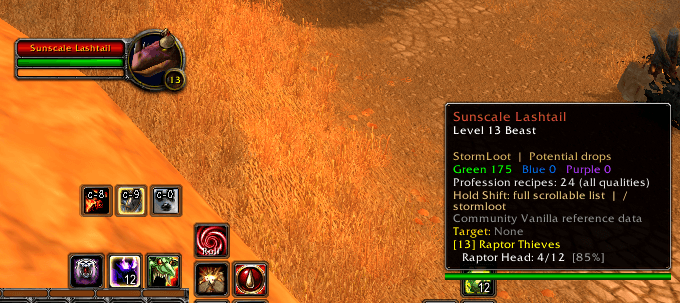
image (6).png
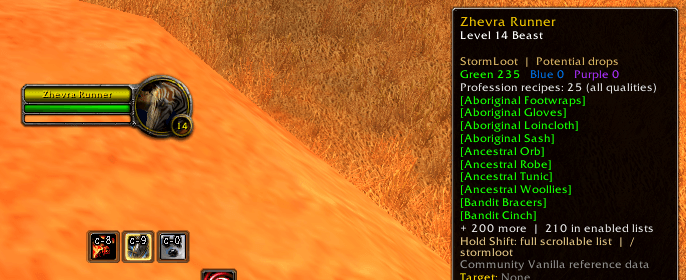
image (3).png
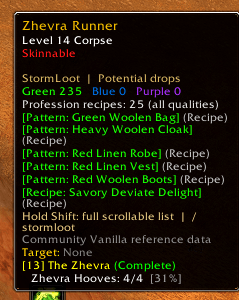
image.png
Description
StormLoot
A Stormeon Entertainment AddOn for World of Warcraft Classic Era
See what a mob could drop before you start farming.
StormLoot adds recorded potential loot information directly to creature tooltips. Mouse over a mob to check its green, blue, and purple drops, along with profession recipes of every quality. Open the full loot window when you want to browse, search, or inspect individual items.
Whether you’re hunting a weapon, farming valuable world drops, or searching for a profession pattern, StormLoot keeps the reference information available in game.
Features include:
-
Compact mouseover summaries: See counts of recorded green, blue, purple, and profession recipe drops without filling your tooltip with item names.
-
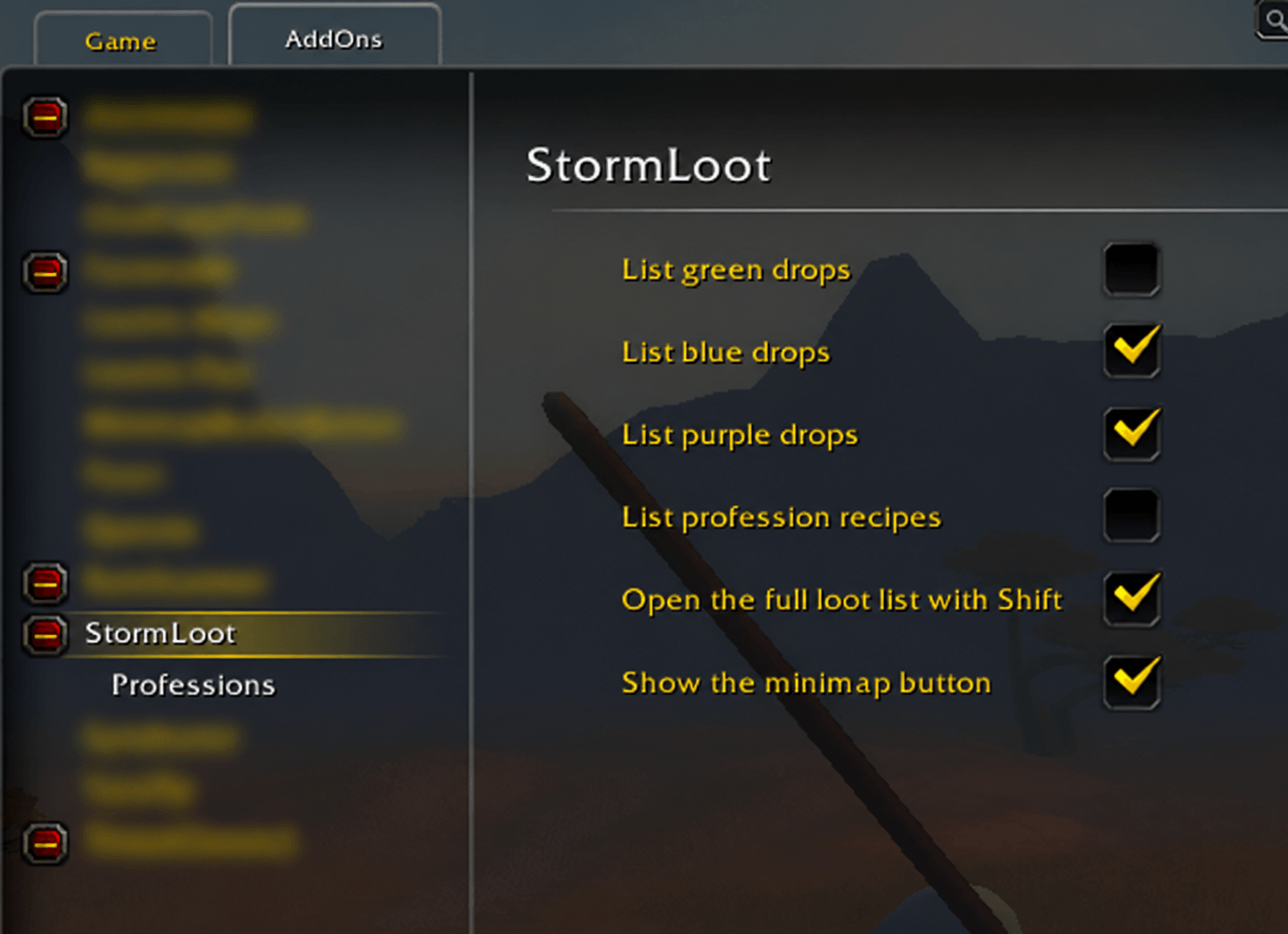
Independent item lists: Choose separately whether green, blue, purple, or profession recipe names appear in the mouseover.
-
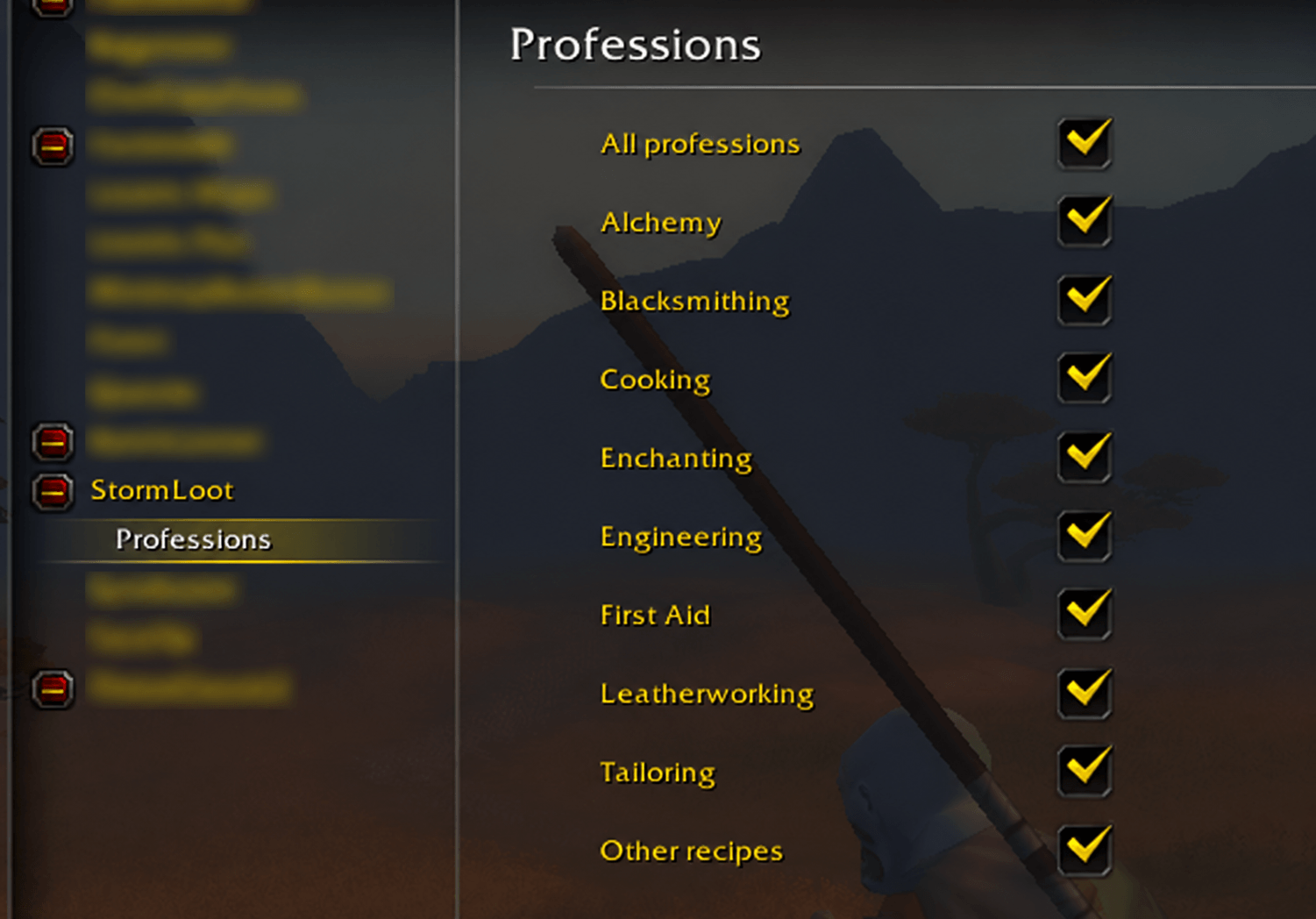
Profession filters: Show recipes for one profession or any combination.
-
A searchable loot browser: Browse the complete recorded list for a mob, search by item name or item ID, and filter by rarity or recipes.
-
Item tooltips and chat links: Hover over items for details or Shift-click to insert a link into an open chat box.
-
Blizzard settings integration: Configure StormLoot through Options → AddOns → StormLoot.
-
A movable minimap button: Access settings and the loot browser through the custom Lightning Loot Bag icon.
-
Saved preferences: Display choices, profession selections, window position, and minimap position are saved between sessions.
-
Login help and update notices: Useful commands appear in chat at login. A welcome or update window appears once per version across your account.
The mouseover starts with counts only. Enable whichever item-name lists suit your farming goal. For example, show blue drops while keeping green item names hidden. All four summary counts remain visible regardless of which lists you enable.
Profession recipes use their own display switch at every quality, including white. Patterns, plans, schematics, formulas, blueprints, and other recorded dropped profession instructions are included.
Individual recipe filters are available for:
-
Alchemy
-
Blacksmithing
-
Cooking
-
Enchanting
-
Engineering
-
First Aid
-
Leatherworking
-
Tailoring
-
Other or unclassified recipes
To farm tailoring patterns, enable List profession recipes, open StormLoot → Professions, clear All professions, and select Tailoring.
Your profession choices filter recipe names in both the mouseover and the full window’s Recipes view. Summary counts still cover every recorded profession. The browser’s All and rarity views retain their complete reference lists.
A colored recipe can contribute to both its rarity count and the recipe total. Recipe lists include entries regardless of whether your character knows the recipe or has the profession.
Hold Shift while hovering over a mob to open the full loot window. It stays open when you move your mouse away, allowing you to scroll through the results, search, inspect items, and switch filters. Drag the window to reposition it.
The minimap button supports:
-
Left-click: Open settings.
-
Right-click: Open the last hovered mob’s full loot list.
-
Shift-drag: Move the button around the minimap.
Useful commands:
-
/stormloot — Open the full loot window.
-
/stormloot settings — Open settings.
-
/stormloot professions — Open profession filters.
-
/stormloot minimap — Show or hide the minimap button.
-
/stormloot id — Display the mob’s NPC ID for reporting missing or incorrect entries.
-
/stormloot updates — Manually reopen the welcome/update window.
-
/stormloot help — Display command help.
The bundled database currently contains 3,855 creature types, 5,367 distinct items, and 388 profession recipe items. It combines recorded direct creature drops with shared loot tables and removes duplicate item entries.
StormLoot uses community Vanilla reference data, which may be incomplete or differ from Blizzard’s current Classic Era loot tables. Entries represent potential drops, not guaranteed loot or the contents of a particular corpse. Drop percentages, separate chest loot, pickpocket loot, and skinning loot are not included in this release. Quest, reputation, seasonal, and other eligibility conditions are not evaluated.
Installation:
-
Exit World of Warcraft.
-
Extract the ZIP and place the StormLoot folder in:
World of Warcraft\_classic_era_\Interface\AddOns\ -
Restart the game and enable StormLoot in the AddOns list.
For updates, replace the existing StormLoot folder with the new one.
Designed for World of Warcraft Classic Era 1.15.9, build 70003. No additional add-ons are required.
StormLoot Team