


Description
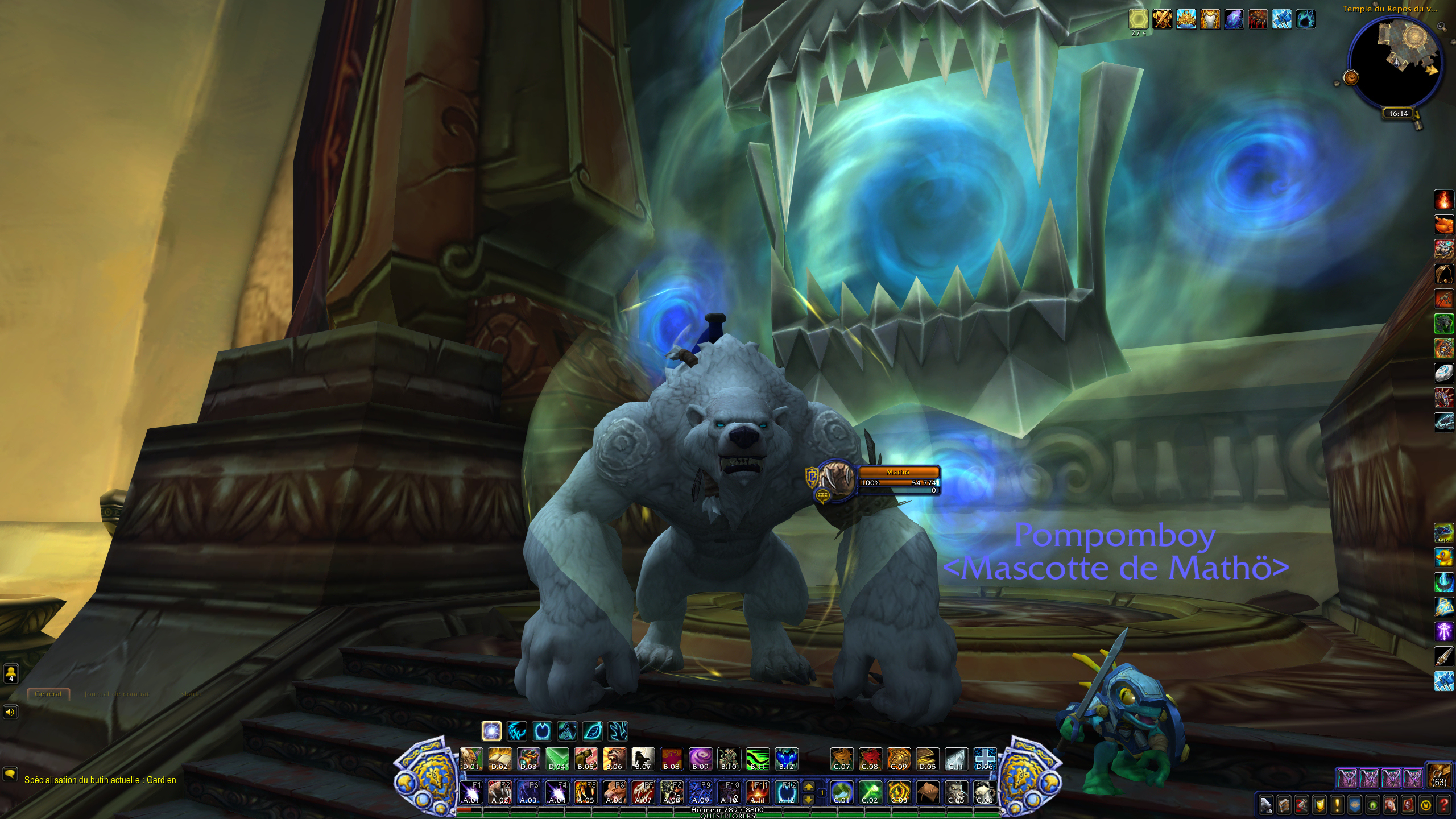
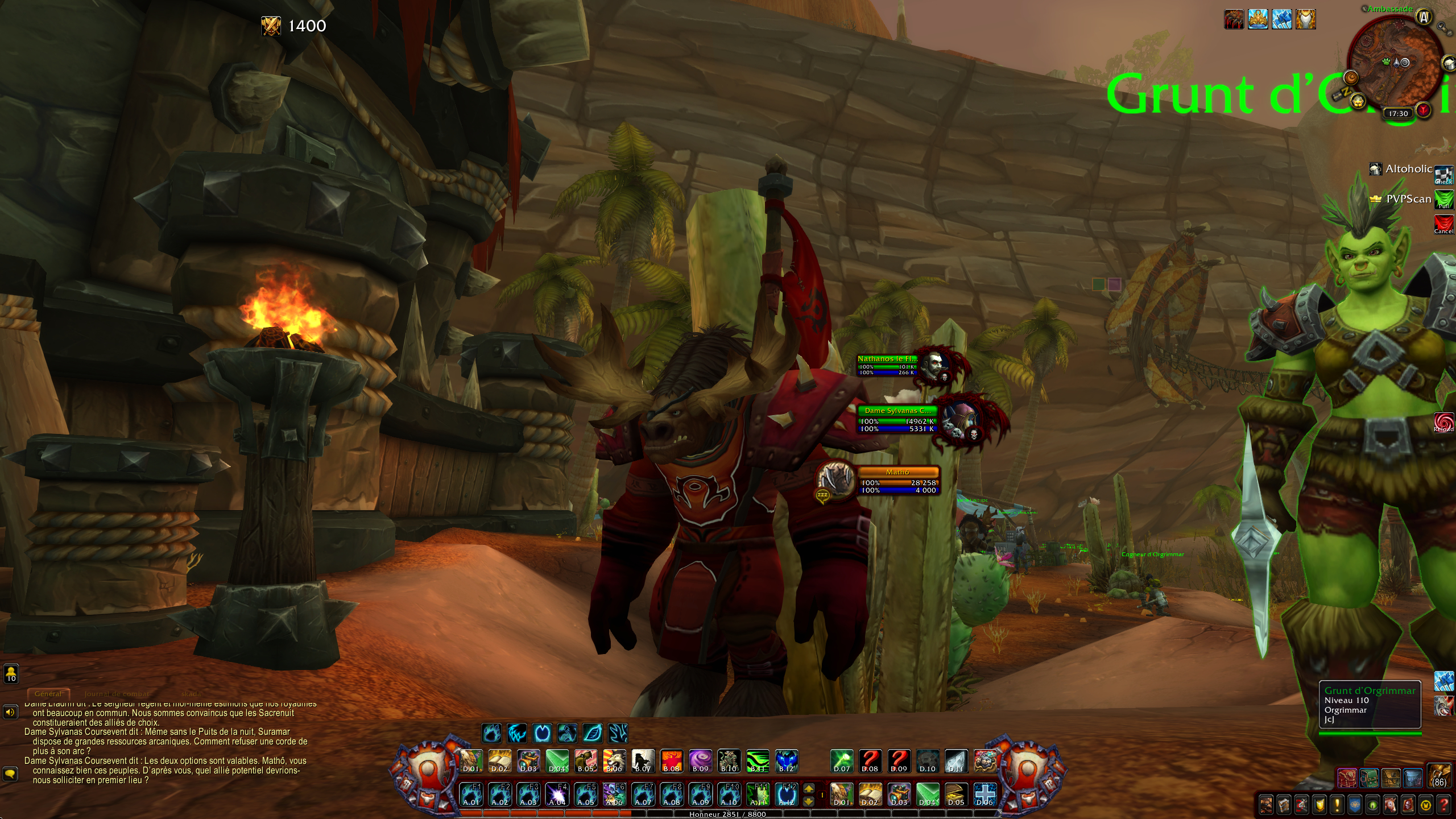
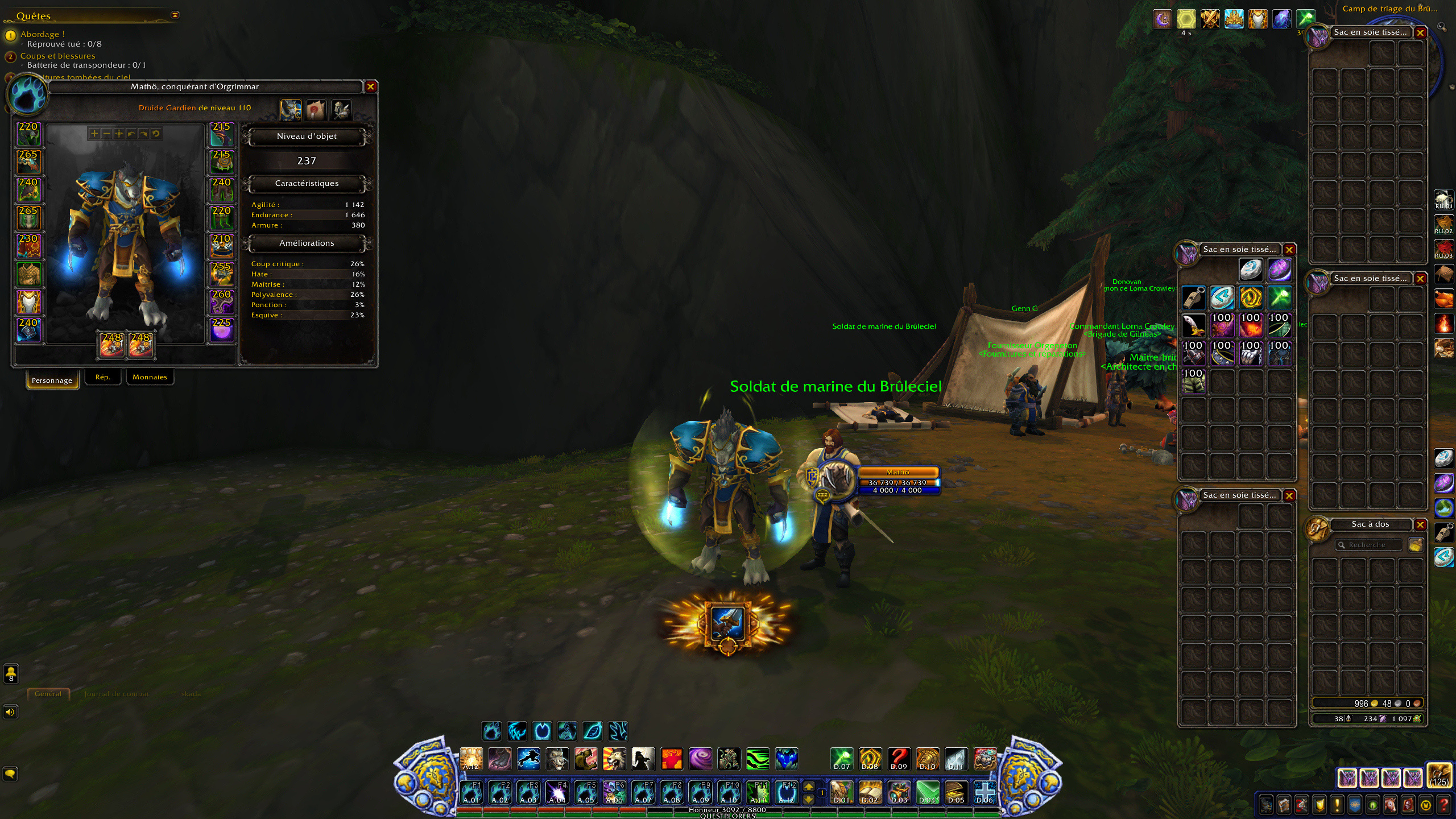
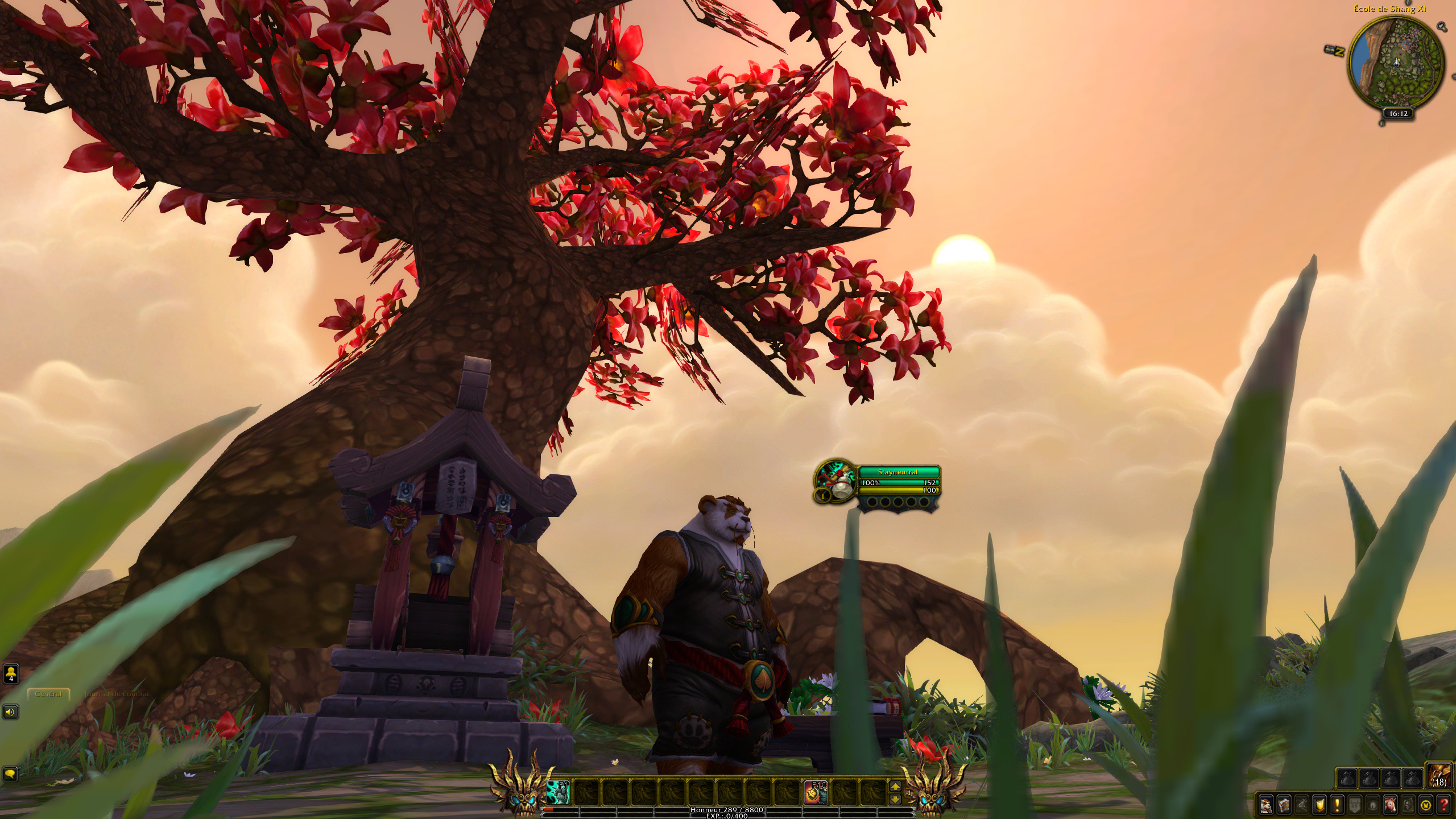
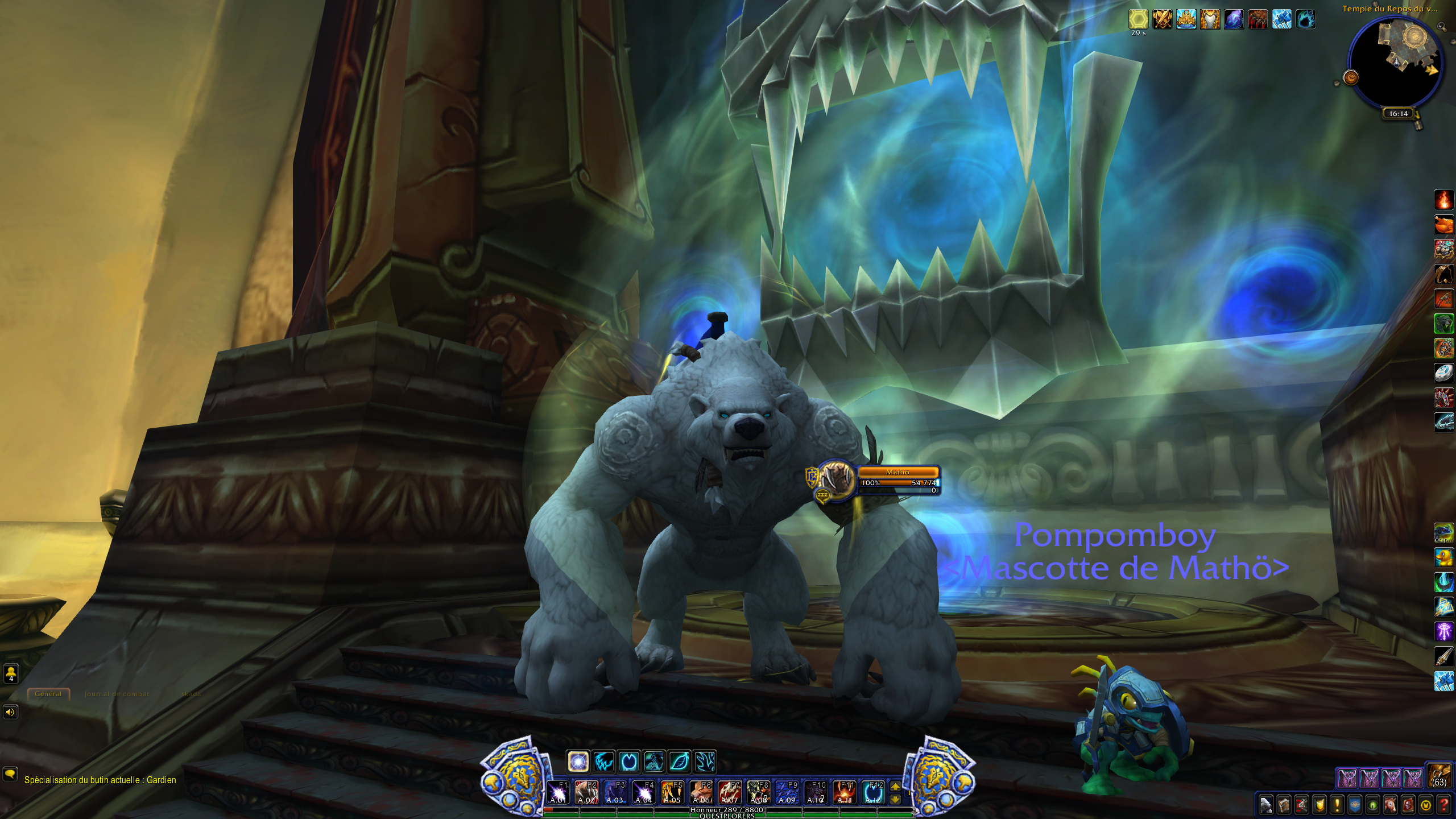
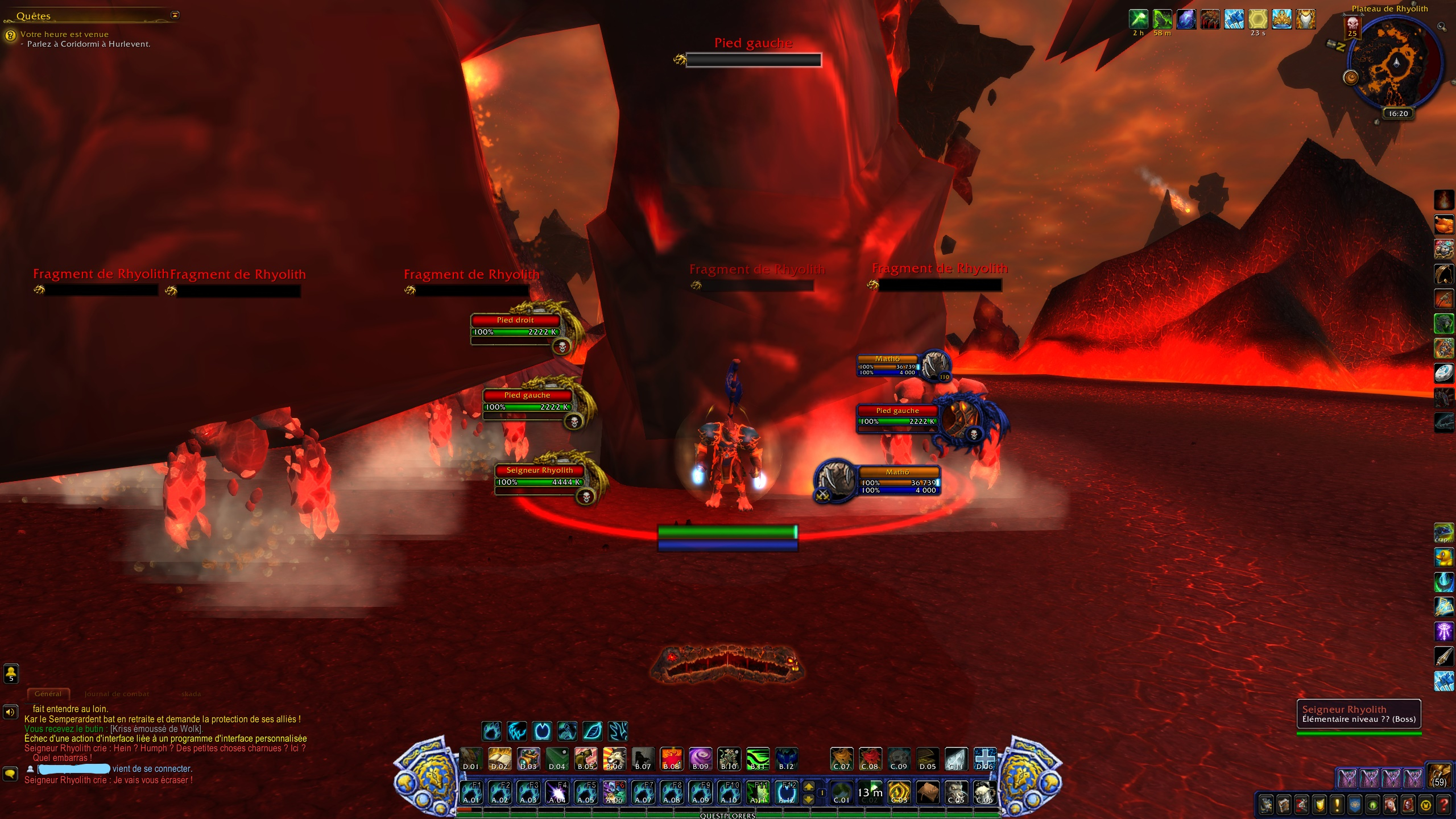
Minimalistic UI replacement for PvE and PvP.
UI modifications :
- Move FPS frame on bottom left corner
- Merge minimap's calendar button and minimap's tracking button
- Adjust hall and garrison scales
- Hide UIErrorFrame, unwanted bar elements and unwanted minimap elements
- Move objective tracker on upper left corner
- Set objective tracker max height at 75% screen
- Clean chat frame and messages
- Move chat frame to lower left corner
- Move player, target and focus frames on right side closer to center
- Move, adjust scales and clean cast bars (player, target and focus)
- Replace portraits by class icons (player, target and focus)
- Colorize unit frames background with class color (player, focus and target)
- Colorize unit frames health bar with class color (player, target and focus)
- Hide player and pet hit indicator
- Hide target buff and debuff
- Move boss frames on left side closer to center
- Move arena enemies frames on left side closer to center
- Hide boss banner
- Hide talking head
- Colorize action bar, units, minimap with faction color (horde, alliance and neutral)
- Replace end caps with customized ones (horde, alliance and neutral)
- Show paper doll item level
- Show weapons and armors item level in bags
- Colorize item level when greater than 90% of equipped item level
- Collapse objectives in pvp
- Colorize PvE nameplates by threat for all roles (green : threat status corresponding to your role, red not corresponding, orange for status warning, blue for offtank) and resize nameplates while tanking
Preferences :
- Set game variables (raid frames, advanced combat logging, floating combat text, sound, camera, threat, screenshot ...)
Functions :
- Enable mousewheel zoom on minimap
- Auto quests module (accept, complet, skip details) when multiple quest available, stand by for player choice, stop automation when shift key pressed
- Send chat messages in raid warning with specific sound (guild, guild officer, instance, instance leader, party, party leader, raid, raid leader, whisper and battle net and targeticons)
- Confirm disenchant roll
- Confirm loot roll
- Confirm bind on pickup loot
- Speed up looting
- Open mails except GM's mails and ones with cash on delivery
- Repair equipment and sell junk when visiting a merchant
- Learn available recipes when visiting a trainer
- Release corpse in pvp
- Announce minimap : rares, treasures except garrison cache (raid waning and sound)
- Confirm summon
- Announce spell interruption when player in party or raid
- Enable double click fishing with or without fishing pole equipped
- Enable double click survey
Slash commands :
- /sf rl to reload ui
- /sf debugon to enable LUA warnings and LUA errors
- /sf debugon to hide LUA warnings and LUA errors
- /sf fps to enable and disable FPS frame
- /sf gridoff to hide screen grid frame
- /sf gridon to show screen grid frame
- /sf rc to perform ready check
- /sf pull to start boss pull countdown
- /sf stop to stop boss pul countdown
First time install :
Download or install with the curse client, delete the file "layout-local.txt" in each WTF character folder (World of Warcraft\WTF\Account\AccountName\CharacterName\).
Update :
For people who had changed CVars in previous versions, remember to repeat your changes on new version.
Follow progress via github : http://github.com/stayfocusedongame/StayFocusedOnGame/projects/1
Contact via email : stayfocusedongame@protonmail.com
The StayFocusedUI Team
