StatusPanels: ClassMarks
- By
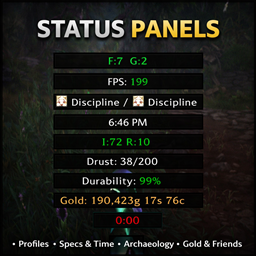
Class icons above friendly players in place of their nameplate, for WoW Forever. Choose style, shape, size and border, show raid markers, grey out the dead and highlight your target. A StatusPanels companion that works on its own too.
StatusPanels: ClassMarks
Class icons above friendly players, in place of their nameplate.
See at a glance who's a priest, who's a warrior and who's a druid in a crowd or a battleground, without a wall of health bars. Enemies and NPCs keep their normal nameplates.
Made for WoW Forever. A companion to StatusPanels, and works fully on its own without it.
1.0 is the first release. If anything looks off, leave a comment (a BugSack error helps a lot) and I'll get a fix out quickly.
Settings at a Glance
Show On
- Party and Raid Only: just your group gets icons, everyone else keeps their normal nameplate
- Hide in Cities and Inns: no icons while you're resting in a town or inn. Resting by a sleeping bag doesn't count
Look
- Style: Classic or Modern class icons
- Shape: Square or Circle
- Size: 12 to 80
Position
- Above, below, left or right of the name
- Distance From Name, so the icon always clears it
Border
- Border Size, or none at all
- Class Color, or any color you like
Extras
- Raid Markers: a player's star, skull and so on show on the corner of their icon
- Grey Out Dead Players: spot who needs a resurrect
- Highlight Your Target: your target's icon gets bigger, with a crimson ring
A live preview beside the settings shows your own name and icon, redrawn as you change anything, so you can set it up without other players around.
Getting Started
- Install and log in. Friendly players get class icons straight away.
- Make sure friendly nameplates are on (Shift + V, or the game's nameplate options). ClassMarks draws its icons on them.
- Type
/cmto open the settings.
Commands:
/cm: open the settings (also/classmarksand/fci)/cm on,/cm off,/cm toggle: turn the icons on or off
With StatusPanels
With StatusPanels installed, ClassMarks' settings are inside the StatusPanels window, under Companions in the sidebar, drawn with the same switches and sliders and findable with its search. Without StatusPanels, they open in ClassMarks' own window, which looks the same. Your settings are kept either way.
Good to Know
- Dungeons and raids: the game doesn't let any addon change friendly nameplates inside dungeons and raids, so there you get the normal friendly nameplates. Battlegrounds and the open world aren't affected by this.
- Combat safe: ClassMarks never moves or hides the game's nameplates themselves, only fades them and draws its own icon, so it works the same in and out of combat.
- Other nameplate addons: ClassMarks works with the game's own friendly nameplates. If another addon draws your friendly nameplates, its name or bars may still show next to the icon. If an addon you use has its own friendly class icons, turn those off so you don't get two.
Feedback
Found a bug or have an idea? Leave a comment below, I read every one. Bug reports with a BugSack error are especially helpful.
ClassMarks is written from scratch. It isn't based on BetterBlizzPlates or any other addon, and it's open source under the MIT license, so feel free to look through the code.
Thanks for trying it out!
- Vukodlak
StatusPanels: ClassMarks Team