
Stats trimmer
- By
control_modifier.webp
config.png
spellPower.png
og.png
Description
Stats Trimmer
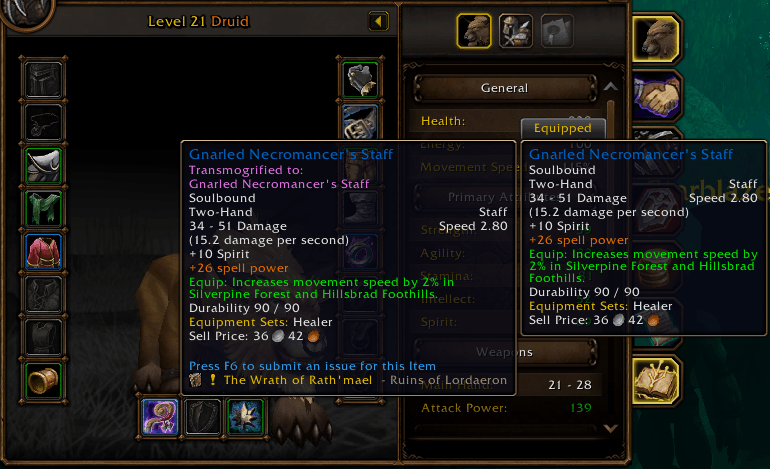
Item tooltips spell out their bonuses as full sentences. Stats Trimmer trims those green Equip: lines down to short stat lines, so you can compare gear at a glance.
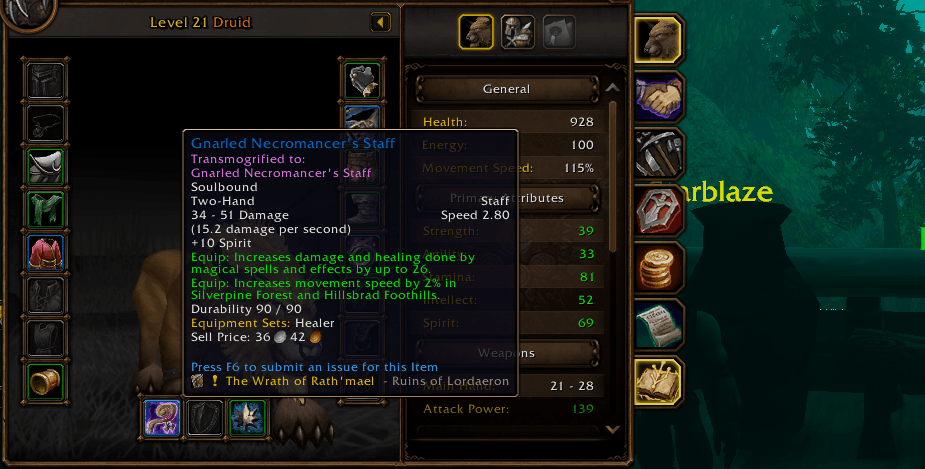
Equip: Increases damage and healing done by magical spells and effects by up to 2.becomes
+2 spell powerEach line shows what the item adds, as in the game's own item comparison. The original "up to" is about how much of that bonus each spell gets, not the bonus itself.
Features
- Compact stat lines in item tooltips: bags, character pane, chat links and comparison tooltips.
- Any client language. Lines are recognized through the game's own data, not English text. The compact lines use the game's own stat names, in your client's language or another one you pick.
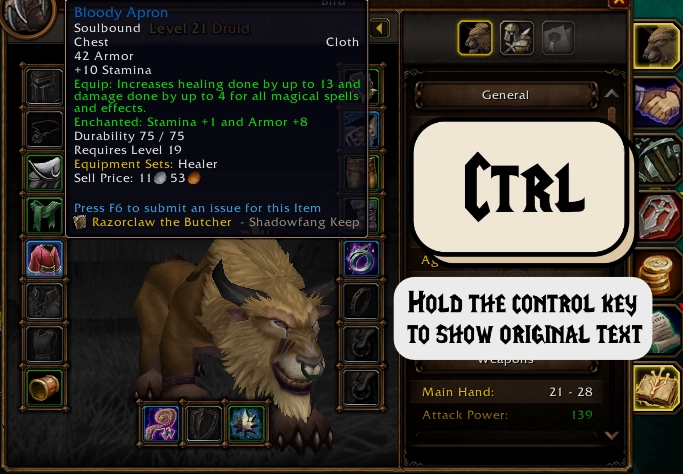
- Original text on demand. Hold Ctrl over an item to see the original lines. You can switch the key to Alt or Shift.
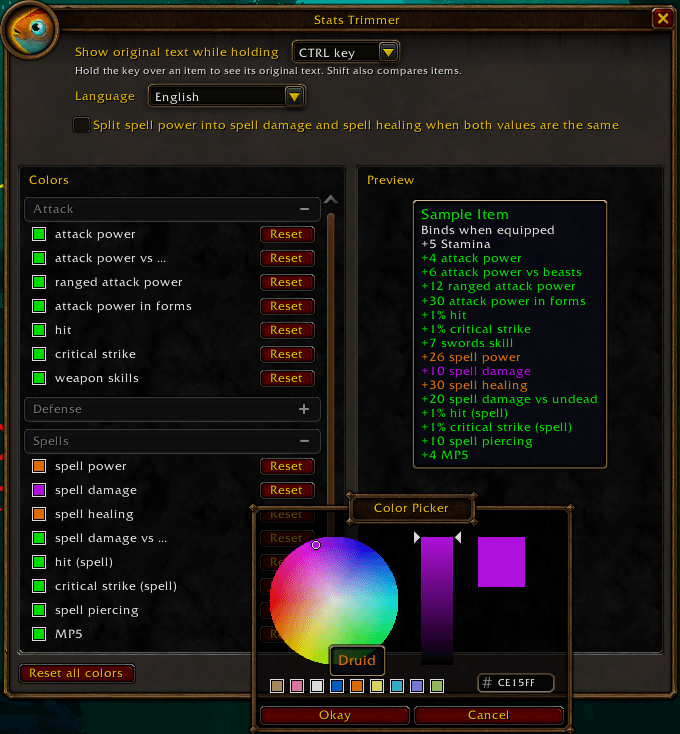
- Your colors. Pick a color for each kind of line and see it live in a preview tooltip. Everything starts in the usual equip green, so nothing changes until you want it to.
- Minimap button that you can drag around the minimap. MinimapButtonButton collects it automatically.
- Lightweight. No libraries and nothing to set up.
What it rewrites
In English (the game's own names; other languages use the game's names in that language):
- Spell power:
+26 spell power, or+26 spell damageand+26 spell healingif you split it in the settings - Spell damage and healing:
+10 spell damage,+30 spell healing - Single-school spell damage:
+32 frost damage(arcane, fire, frost, holy, nature and shadow) - Spell damage against a creature type:
+20 spell damage vs undead - Mana and health regeneration:
+4 MP5,+5 HP5 - Attack power:
+4 attack power, and against a creature type:+6 attack power vs beasts - Ranged attack power, feral attack power, block value and spell penetration
- Defense:
+3 defense - Weapon skills:
+7 swords skill - Percentage bonuses:
+1% block,+1% hit, plus crit, spell hit, spell crit, dodge and parry
Settings
Click the minimap button, or go to Options > AddOns > Stats Trimmer.
- Show original text while holding: Ctrl (default), Alt or Shift. Keep in mind that Shift also compares items.
- Language: your client's language (default), or English, German, Spanish, Mexican Spanish, French, Italian or Portuguese, without restarting the game. Russian, Korean and Chinese clients offer only English besides their own, since their fonts may lack accented letters. It changes the compact lines (
+10 spell damage,+10 daño con hechizos…) and the game's texts in this window. MP5 and HP5 read the same in every language. - Split spell power into spell damage and spell healing: off by default. Spell power that adds damage and healing shows as one line,
+26 spell power, like the game's item comparison; with this on, it shows as+26 spell damageand+26 spell healing. - Colors: a color swatch for each kind of line, a Reset button on each row and a "Reset all colors" button. Lines without a color setting yet (weapon skills, crit, dodge and a few others) keep the equip green.
- Preview: a sample tooltip that updates as you pick colors.
When in doubt, it leaves the line alone
Stats Trimmer only rewrites a line when its numbers match one of the item's real stat values and no other stat could own that line. When two stats could, it keeps the original text instead of guessing. For example, an item with the same amount of attack power and ranged attack power, or with two percentage bonuses (say, hit and crit), keeps those lines as they are. So does a line whose number also shows up in another equip effect of the item.
Hold Ctrl to check the original text at any time.
Languages
Built and tested on a Spanish (esES) client. Line detection uses the game's own localized text and item data, so other languages should work too. If a line isn't rewritten on your client, please report it.
The settings window uses the game's own texts where it has them (key names, buttons, stat names), so most of it follows your client's language. The rest is in English.
Reporting a problem
Please include:
- your client language;
- the item name, or a link to it;
- the exact tooltip line (hold Ctrl to see the original text);
- for Lua errors, the BugSack stack trace.
Compatibility
Made for WoW: Forever. Other game versions are not supported.
Stats trimmer Team
