
StatMarks
- By
Screenshot 2026-07-13 010558.png
Screenshot 2026-07-13 010617.png
Screenshot 2026-07-13 010629.png
Screenshot 2026-07-13 010702.png
Screenshot 2026-07-13 010712.png
Screenshot 2026-07-13 010650.png
Screenshot 2026-07-13 010951.png
Screenshot 2026-07-13 010802.png
Screenshot 2026-07-13 010753.png
Screenshot 2026-07-13 010637.png
Description
StatMarks
Live, color-coded secondary-stat tracking right on your Character panel — thresholds, soft caps, upgrade scanning, and talent-build sharing, built in.
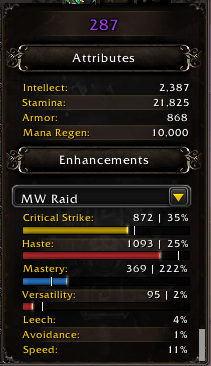
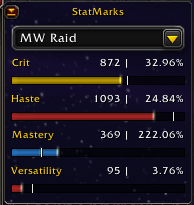
StatMarks adds slim bars under Crit, Haste, Mastery, and Versatility on the default Character panel so you always know how close you are to the numbers that matter. Prefer it off the character sheet entirely? Switch to an optional docked or free-floating panel instead.
Quick Start
- Open your Character panel — StatMarks adds a thin colored bar under each of your four secondary stats.
- On a character's first-ever login, a Setup Wizard walks you through thresholds, soft caps, colors, and display mode in a few clicks (every choice applies immediately — nothing to confirm at the end).
- Adjust your targets any time from Settings → Profiles, or re-run the Wizard from the About tab.
- That's it. Bars fill and recolor live as your gear changes.
Features
Overview Dashboard
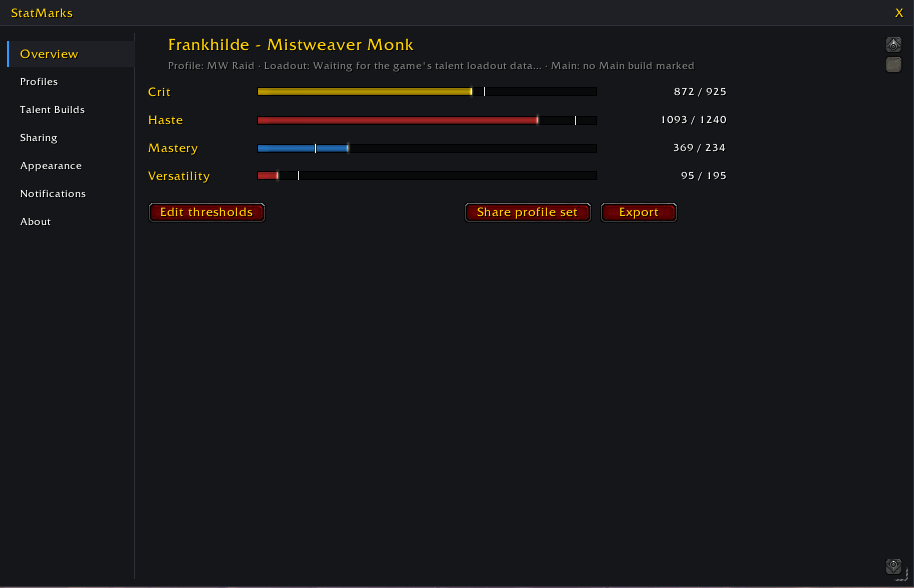
- The first tab you'll see: a quick-glance summary of your active profile, loadout, and reference talent build.
- One-click shortcuts to the actions you'll reach for most: Edit thresholds, Create missing builds, Share profile set, Export, and Scan bags for upgrades — the same actions as their full tabs, without the detour.
Inline Threshold Bars
- A slim, color-coded bar under each of the four tracked secondary stats (Crit, Haste, Mastery, Versatility) in the default Character panel, with a tick mark showing exactly where your threshold sits.
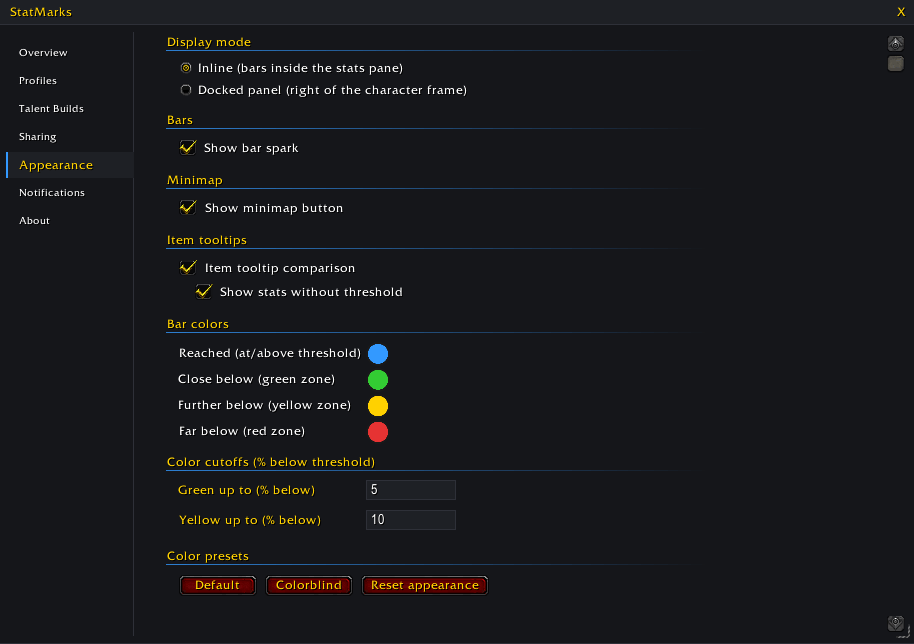
- Color tells the story at a glance: reached, close, getting there, or far off — cutoffs and colors are fully customizable, and a colorblind-friendly preset is one click away.
- Hover a bar for your current rating, your threshold, and the gap between them — or, in Priority Mode, which stat is currently driving the recommendation.
- Bars hold their last known values during combat instead of freezing or graying out, then refresh fully the instant combat ends.
- One-time prompts keep you current: a reminder to review thresholds after a game patch, and an offer to switch to precise min-max display the first time a character hits its level cap.
Optional Docked or Floating Panel
- Switch display mode to "Panel" for a StatMarks-owned frame docked to the right edge of the Character panel — same profile picker, one row per tracked stat, and a collapse arrow to tuck it to a slim edge handle.
- Check "Detached" to pull it free as its own draggable window anywhere on screen; its position is remembered.
- If another addon has hidden or replaced the default Character panel, StatMarks detects this and falls back to floating mode automatically, with a once-per-session notice.
Level / Min-max / Auto Display
- Choose how progress is shown: Level (scaled to your current stats — ideal while leveling), Min-max (classic fixed soft-cap thresholds), or Auto (starts as Level and switches itself to Min-max once you're close enough to your targets to need precision).
- Picking a mode explicitly locks it in so it survives your next level-up.
Profiles, Thresholds & Soft Caps
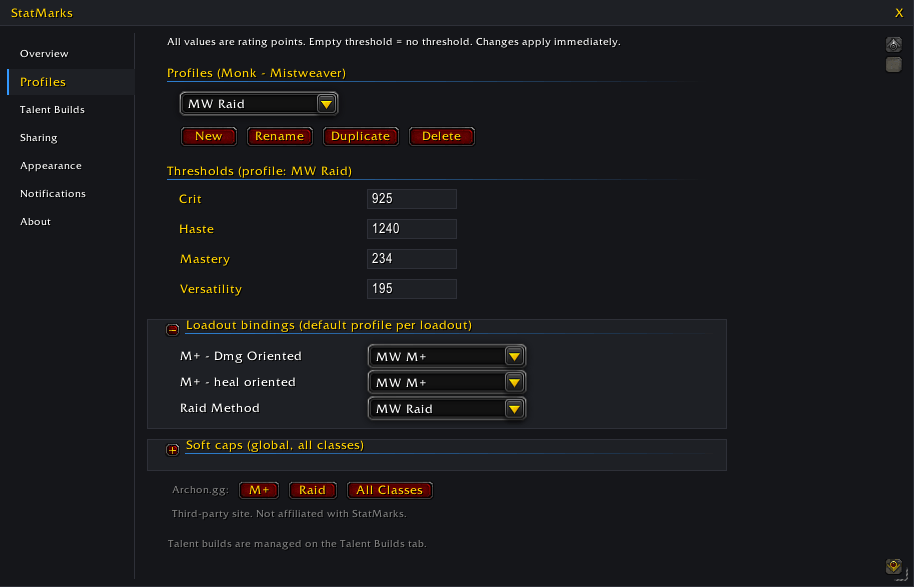
- A per class-and-spec profile manager (new, rename, duplicate, delete) holding your thresholds.
- Soft caps — official defaults or fully custom values — apply globally underneath every profile.
- Loadout bindings remember which profile belongs with which named talent loadout, so swapping loadouts swaps profiles automatically, portable across any character of the same class/spec.
- Quick-link buttons to Archon.gg's Mythic+, Raid, and All-Classes stat-priority pages for your class/spec.
Main Character (for players with alts)
- Designate one character per class+spec as the "Main" — its profile becomes the preferred reference for Priority Mode on your alts, and its talent builds can be imported to any alt in one click.
- An account-wide setting; other characters get a passive reminder of who the current Main is.
Talent Build Library
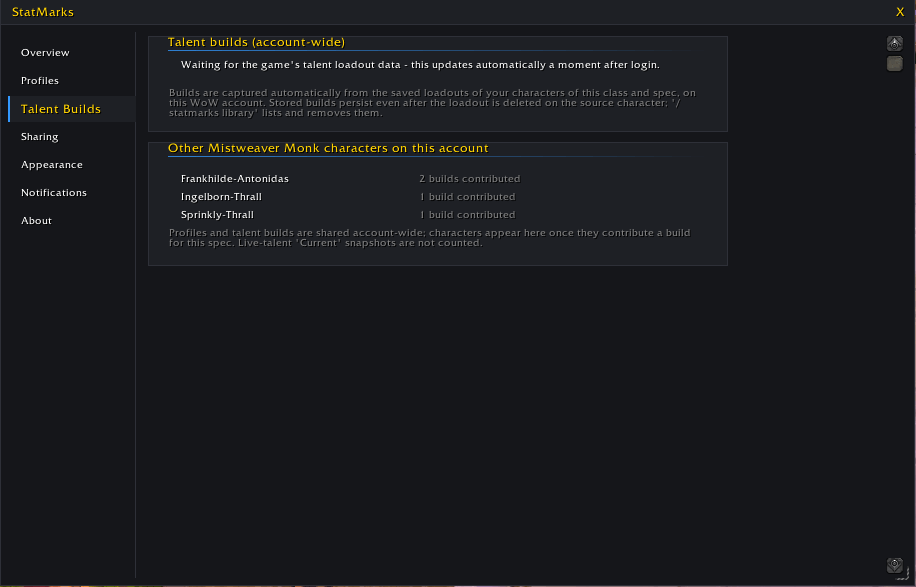
- A dedicated Talent Builds tab automatically collects every character's saved and active talent loadouts account-wide — no export or import step required to see them on your alts.
- Missing a build on the current character? Check it off and create it in a click. A gold star marks a "Main build" per class/spec as the reference for auto-filling alts.
- Opt out per character if you don't want that character's builds contributed.
Sharing & Import/Export
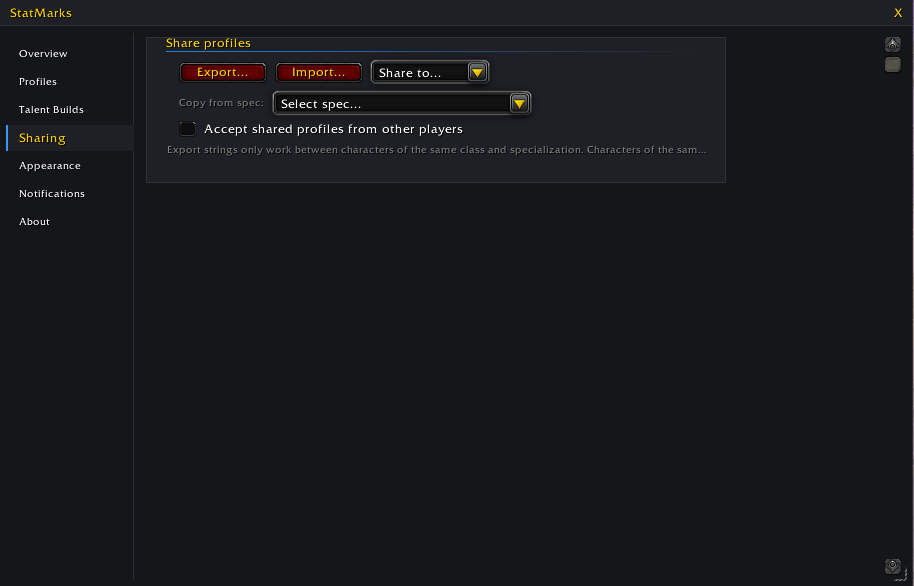
- Export a single string bundling your profiles, loadout bindings, and (optionally) your talent builds.
- Import validates the string's class/spec and checksum, and asks before overwriting any conflicting profile (overwrite, import as a copy, or cancel).
- Share directly to Party, Raid, Instance, Guild, or whisper chat — recipients get a clickable link that opens the same import dialog; nothing applies automatically on their end.
- Whisper shares get a lightweight delivery confirmation — you'll see whether it went through — and you can right-click an incoming offer to ignore that sender going forward.
- Copy profiles from another spec on the same character with a single dropdown — no string needed.
Bag Scan for Upgrades
- Run it via
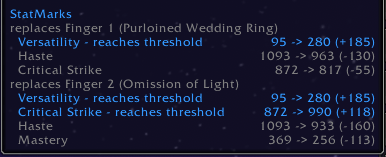
/statmarks scan, a button on the Profiles tab, or the minimap menu — it compares everything in your bags (reagent bag excluded) against your equipped gear and active profile. - Clear tiers per item — Upgrade, Minor upgrade, Sidegrade, Downgrade — with per-stat deltas and a loud warning on wrong-primary-stat items.
- Refuses to run in combat, so results always reflect your real equipped gear.
Loot Marks
- Small badges on quest-reward and group-loot roll icons: a warning badge for a primary-stat mismatch, or a "reached" badge if taking the item crosses a tracked threshold.
- Everything else is left unmarked on purpose — only loot worth a second look gets flagged.
Notifications
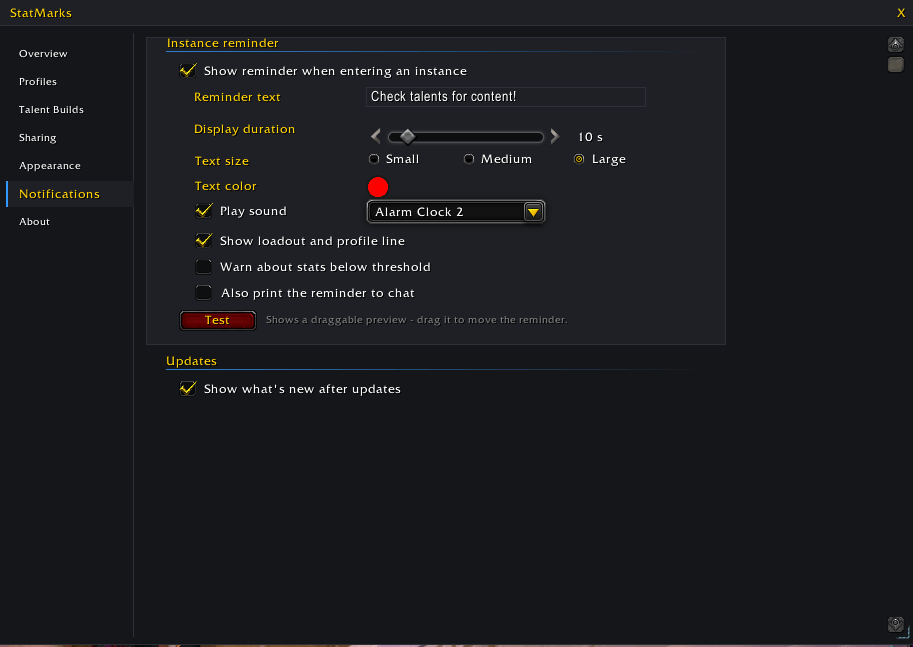
- An instance-entry reminder (party, raid, PvP, arena, Delves) with your own text, duration, font, color, and sound — plus optional threshold and loadout context lines.
- Gear-change notifications that tell you the moment a new item pushes a stat past its threshold, or drops it back below.
Appearance & Accessibility
- Full color customization for every bar state, with a colorblind-friendly preset and a one-click reset.
- Tooltip stat-delta comparisons on bag items, with configurable primary-stat inclusion.
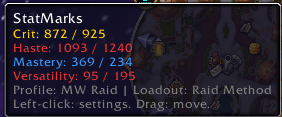
- Minimap button with a live stat-summary tooltip and an optional right-click menu for scanning bags, opening settings, or launching help.
Help, Glossary & Setup Wizard
- A built-in, searchable Glossary window explains StatMarks' own terms (Threshold, Priority Mode, Main Character, Soft Cap…) alongside general minmaxing vocabulary (Rating, Breakpoint, Sim, Stat Weight…), with copyable links out to Wowhead, Icy Veins, Murlok.io, Warcraft Logs, Archon.gg, Raidbots, and Questionably Epic.
- Re-run the Setup Wizard any time from the About tab — every change applies live as you make it.
Localization
- Full English and German translations throughout the addon — settings, glossary, wizard, tooltips, popups, and chat messages. Switch language instantly (Settings, or the Wizard's first page), no reload needed.
- German is a first-pass, machine-assisted translation; if something reads awkwardly, that feedback is very welcome.
What StatMarks does NOT do
- Doesn't equip gear or make roll/need-greed decisions for you — it only shows information; you decide.
- Doesn't run simulations itself — it links out to Raidbots, Archon.gg, and Questionably Epic (via a copy-the-URL popup, since addons can't open a browser) rather than sim'ing in-addon.
- Doesn't auto-apply anything you share or import — a shared or imported profile only opens a confirmation dialog; nothing changes until you accept it.
- Doesn't scan or refresh bars mid-combat — the bag scan refuses outright, and bars simply hold their last known values until combat ends.
- Doesn't send your data anywhere except when you explicitly export or share it — the Talent Build Library stays account-local; manual exports only include what you check, and sharing directly to chat always bundles your talent builds along with your profiles.
- Doesn't show a numeric "score" on scanned items — just clear upgrade/downgrade tiers.
Feedback
Bug reports and feature requests are welcome via the comments section or the issue tracker. Feel free to buy me a coffee or donate to show your appreciation for my work!
ko-fi
StatMarks Team
