
Stand and Fish (S&F)
- By

Cast and reel with one button or key in WoW Forever. Calibrate a splash audio range through Windows Stereo Mix, then keep pressing while the addon waits for a match. Every action stays manual.
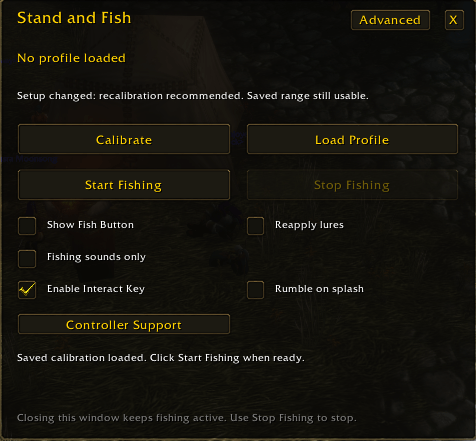
Calibrate or load a saved profile, then start or stop a fishing session. The simplified window also gives quick access to Fish Button visibility, lure reapplication, fishing sound options, and splash rumble.
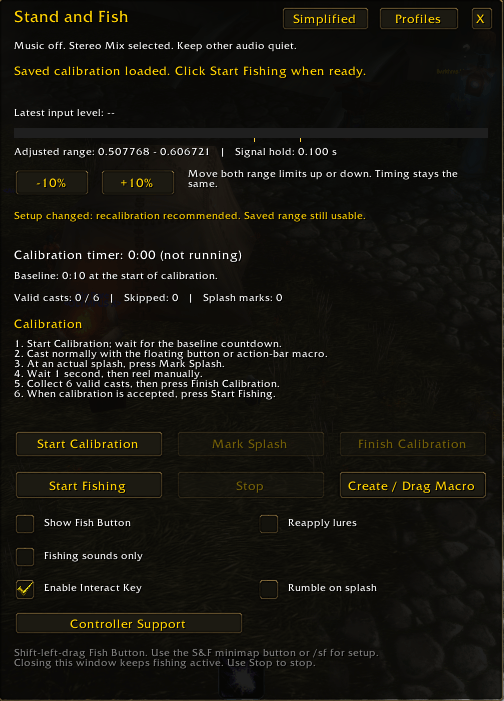
View the audio meter and splash range, adjust both range limits with the -10% and +10% buttons, and track calibration progress. Save or load profiles and create the Fish Button macro for a Blizzard action bar.

One-button fishing in WoW Forever with Fish Button or an action-bar keybind. Keep pressing while you wait; when the audio matches the splash range, your next press reels in. The demo explains WoW's microphone test and interference from other audio.

Stand and Fish Setup Guide