


Sszorak Map Arrow
sma_fig_01.png
sma_fig_02.png
sma_fig_03.png
sma_fig_04.png
Description
SSzorakMapArrow
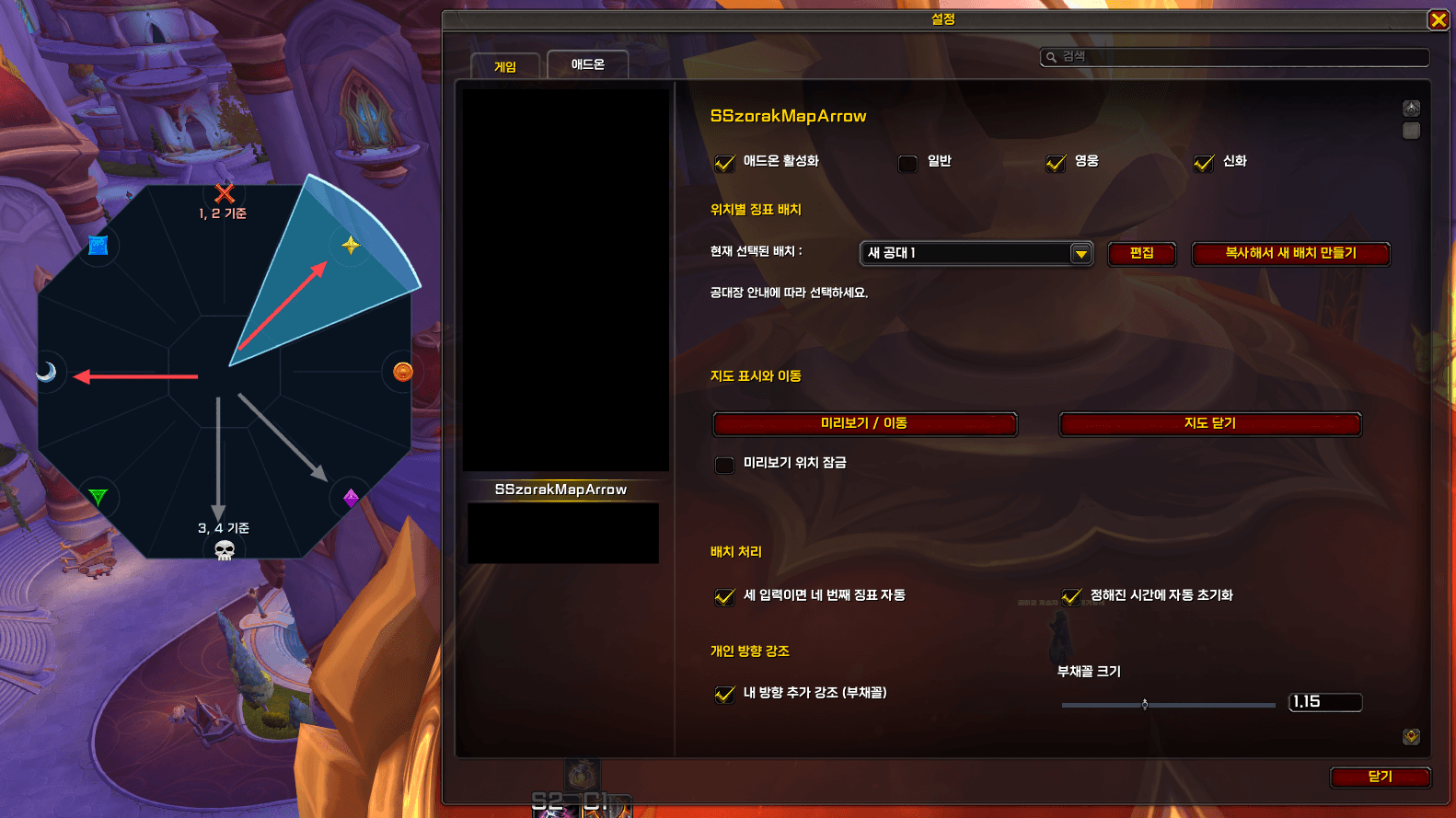
SSzorakMapArrow shows where to place orbs during the Sszorak encounter. It reads assignments sent in raid chat and displays them as arrows on an eight-position marker map.
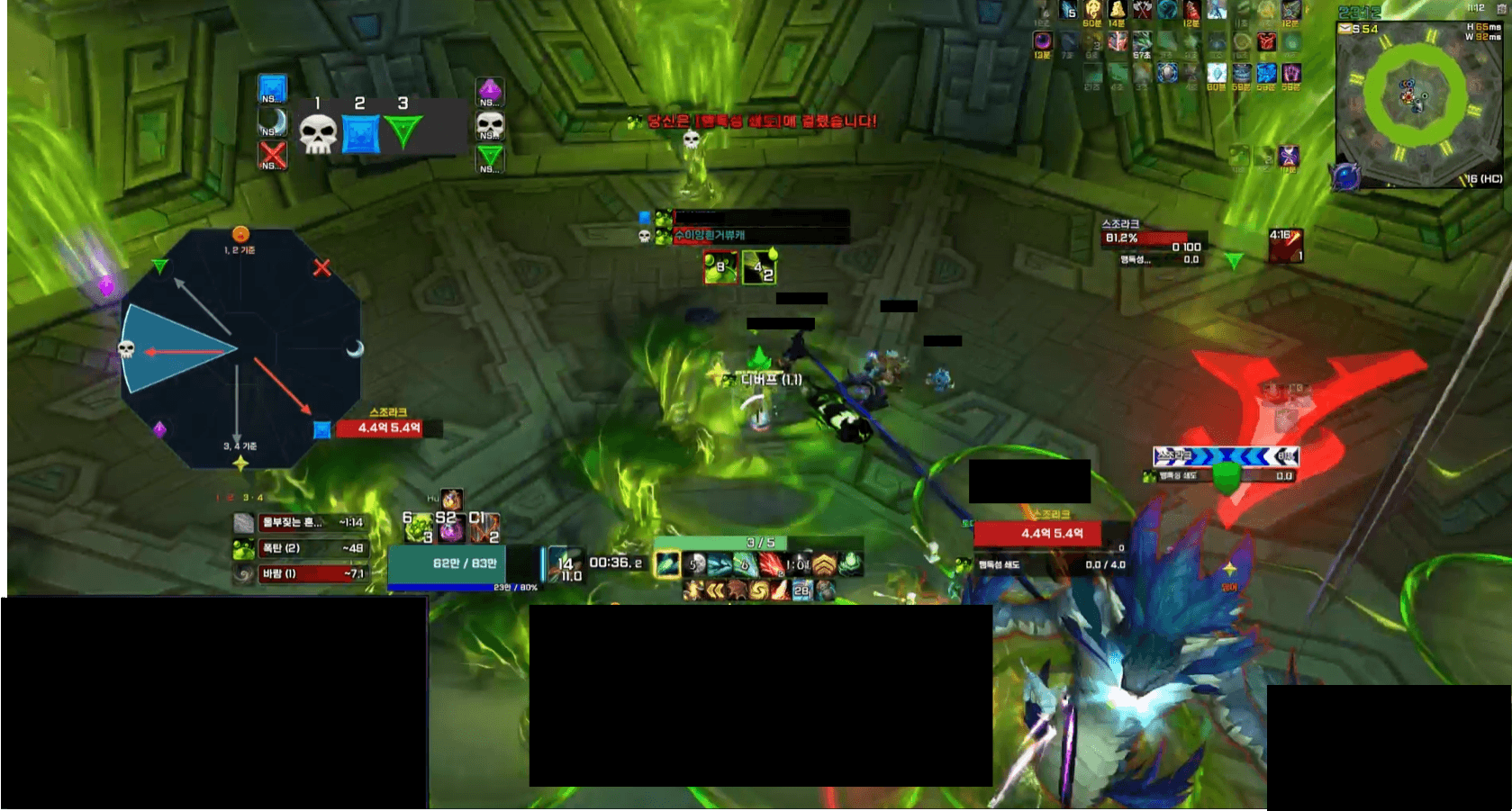
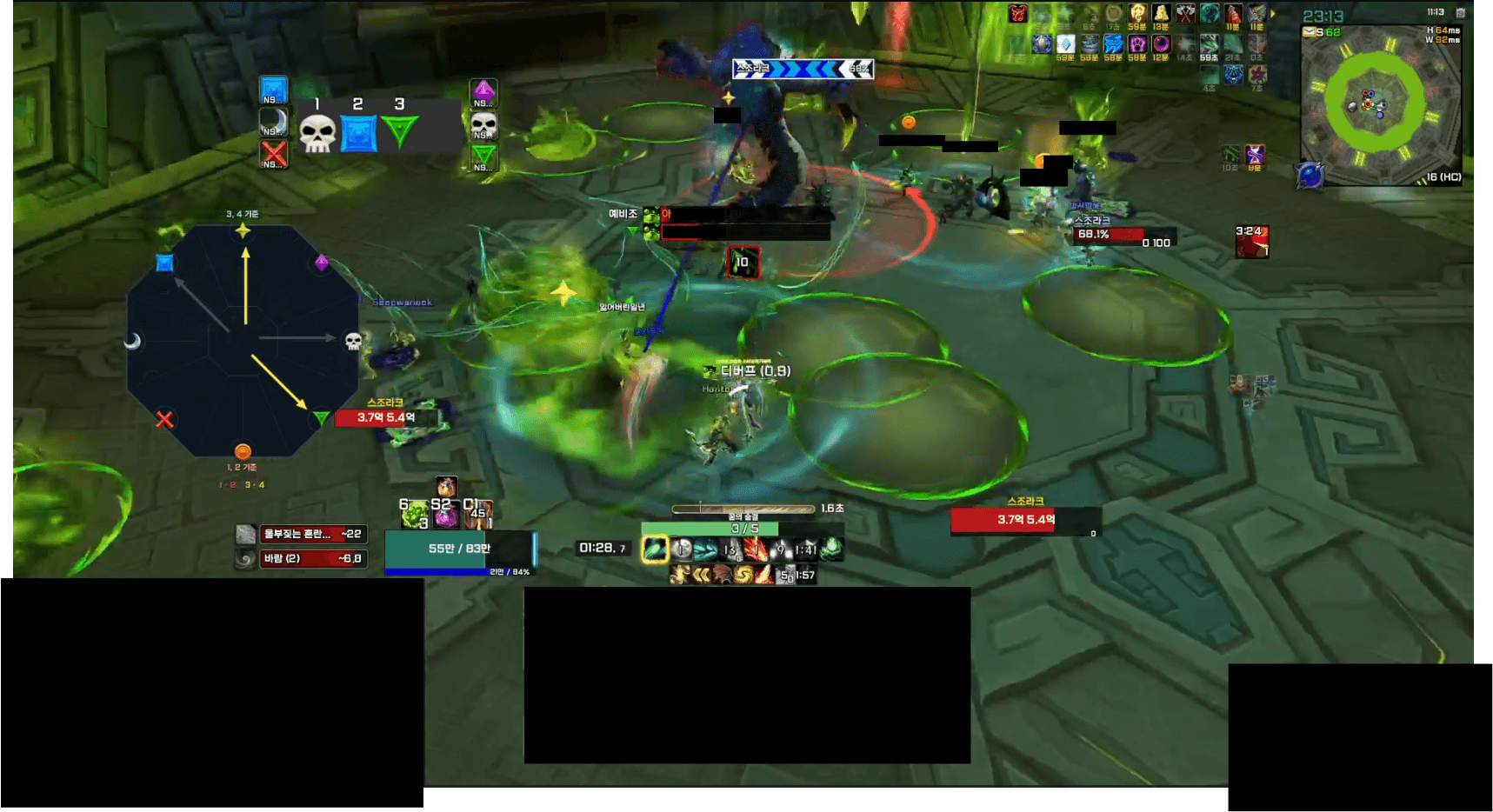
The display is designed for a strategy where the boss is first positioned at the entrance and then moved to the exit. For orb placements 1–2, the entrance marker is shown at 12 o’clock. For placements 3–4, the exit marker is shown at 12 o’clock. The arrows for the current pair are emphasized, while the other pair is dimmed. The map layout change and arrow emphasis can be configured separately.
Features
- Red arrows for placements 1–2 and yellow arrows for placements 3–4.
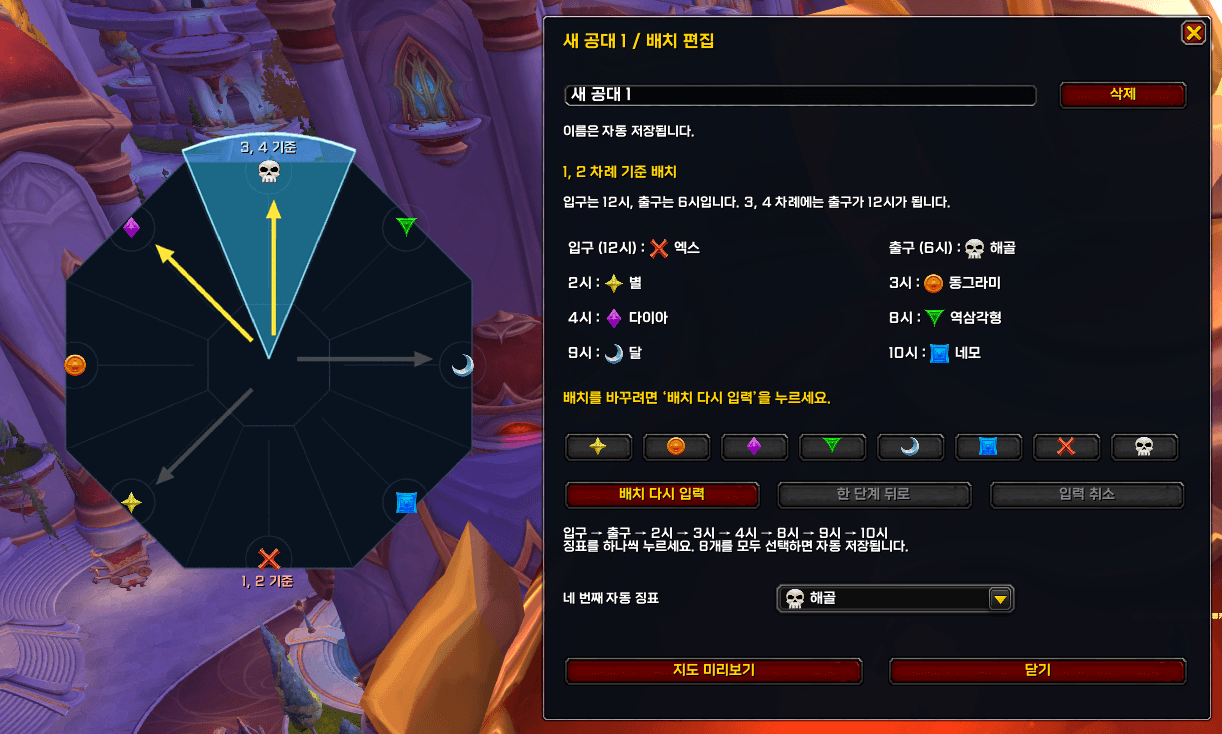
- Customizable marker positions for different raid teams. The built-in layout is Habirang Raid Team.
- An optional automatic fourth marker after three raid-chat assignments.
- An optional sector highlighting your own assigned direction.
- Map preview and test controls in the in-game settings.
Important details
Supports Normal, Heroic, and Mythic Sszorak. Raid Finder is not supported. Every raid or raid-leader chat message received during the encounter fills the next assignment slot, including messages unrelated to orb placement. Please coordinate raid-chat use with your raid leader.
Automatic resets happen at preset times after the encounter begins. The addon does not synchronize with NSRT in real time, so changes to encounter timing may require an update. The personal direction highlight during Mythic combat has not yet been verified in a live Mythic raid.
Open the settings through ESC → Options → AddOns → SSzorakMapArrow, or type /sma. The settings appear in Korean on Korean clients and in English on other clients.
Credits: The assignment workflow was informed by Northern Sky Raid Tools (NSRT) and NSRT Support HUD. SSzorakMapArrow was implemented independently with AI assistance. It does not include code or artwork from those addons, does not require NSRT to be installed, and is not affiliated with or endorsed by their creators.
Additional references: SternaWind by 슈씨 (Sterna) and the NSRT Support HUD post shared by 유리테이프. The second link credits the person who shared the post; it does not identify them as the original author of all its code.
한국어
SSzorakMapArrow는 스조라크 전투에서 구슬을 어디에 깔아야 하는지 팔각형 징표 지도 위의 화살표로 보여줍니다. 공격대 채팅으로 받은 배정을 순서대로 지도에 표시합니다.
네임드를 입구에 파킹한 뒤 출구로 옮기는 공략을 기준으로, 1·2번 구슬 차례에는 입구 징표가 12시에, 3·4번 구슬 차례에는 출구 징표가 12시에 오도록 지도 배치를 바꿉니다. 현재 차례의 화살표를 강조하고 다른 차례의 화살표는 흐리게 표시합니다. 지도 배치 전환과 화살표 강조는 각각 설정할 수 있습니다.
주요 기능
- 1·2번은 빨간 화살표, 3·4번은 노란 화살표로 표시합니다.
- 공격대별로 징표 위치를 설정할 수 있습니다. 기본 배치는 하비랑 공대입니다.
- 채팅 입력이 세 번 들어오면 네 번째 징표를 자동으로 표시할 수 있습니다.
- 본인의 배정 방향을 부채꼴로 추가 강조할 수 있습니다.
- 게임 내 설정창에서 지도 미리보기와 테스트 기능을 사용할 수 있습니다.
사용 전 확인
일반·영웅·신화를 지원하며 공격대 찾기는 지원하지 않습니다. 전투 중에는 구슬 배정과 관계없는 공격대 채팅도 입력 한 칸을 차지하므로 채팅 사용에 주의해 주세요.
자동 초기화는 애드온에 정해진 전투 시작 후 시각을 사용하며 NSRT와 실시간으로 동기화되지 않습니다. 전투 시간이 달라지면 애드온 업데이트가 필요할 수 있습니다. 신화 전투 중 개인 방향 강조는 아직 실전 확인이 필요합니다.
설정은 ESC → 설정 → 애드온 → SSzorakMapArrow에서 열거나 /sma를 입력하면 됩니다.
제작 및 참고 자료: 구슬 배정 흐름을 구현할 때 Northern Sky Raid Tools(NSRT)와 NSRT Support HUD를 참고했습니다. SSzorakMapArrow는 AI의 도움을 받아 별도로 구현했으며, 해당 애드온의 코드나 이미지를 포함하지 않습니다. NSRT 설치는 필수가 아니고, NSRT 제작진의 공식 애드온도 아닙니다.
추가 참고 자료: 슈씨(Sterna)의 SternaWind, 유리테이프가 공유한 NSRT Support HUD 게시글. 두 번째 링크는 공유 게시글의 출처이며, 게시자를 애드온 원저작자로 단정하는 의미는 아닙니다.
The Sszorak Map Arrow Team
