Sprint - Leveling Speedrun Timer
- By
Basic.png
Level Times.png
Everything.png
Settings.png
Description
Sprint - Leveling Speedrun Timer
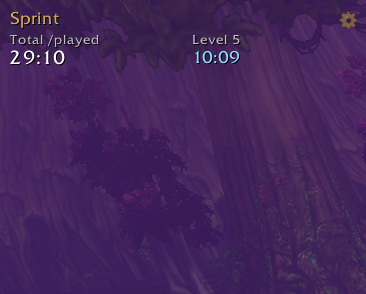
Sprint is a leveling speedrun timer that races you against your own best runs. It tracks your /played, how long every level and quest takes, and any custom splits you set, then colour-codes each one against your personal best from any character on your account.
Features
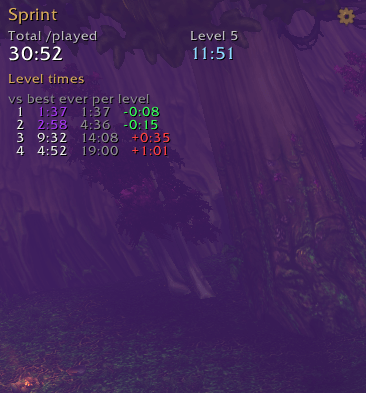
- Level splits: time spent on each level and your total /played at every ding, compared with your PB.
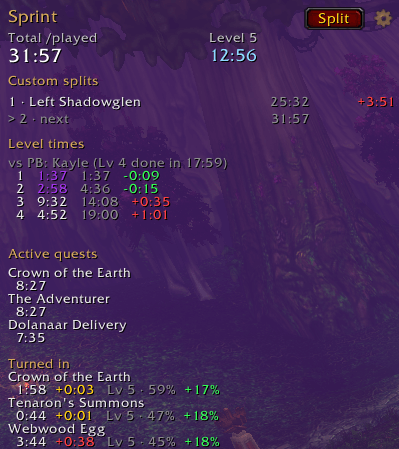
- Quest timers: every quest in your log is timed from accept to turn-in, and compared with your fastest time on that quest.
- Custom splits: press the Split button (or a key binding) at any moment to record a split, such as leaving your starting zone. Splits are named after the area you're in, and you can rename them. Names carry over to every new character.
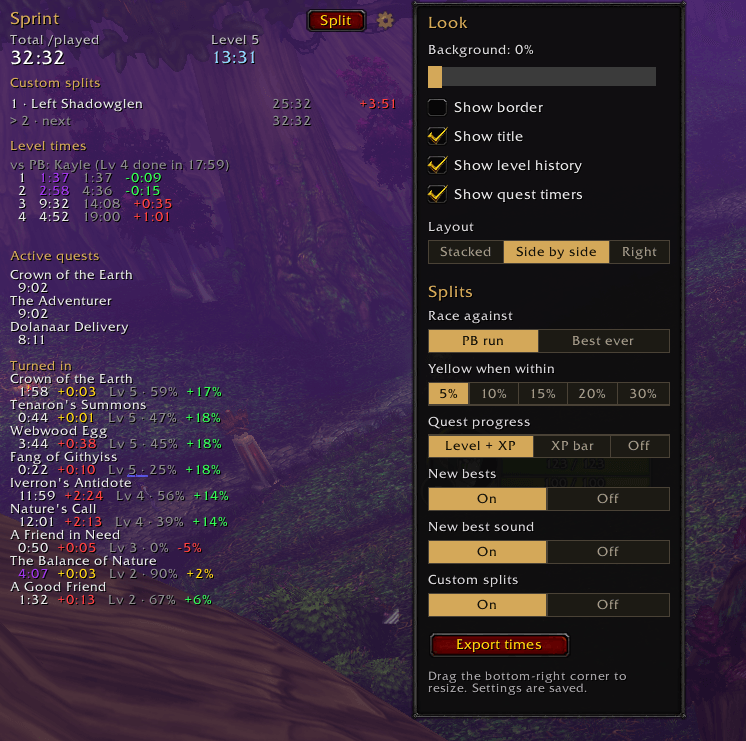
- Colour-coded results: green when you're ahead, yellow when you're about even, red when you're behind. The yellow window is adjustable.
- New bests in epic purple: beat your fastest time on a level, quest or split and it turns purple, with a chat message. New best levels and splits also play the legendary loot sound.
- Level and XP at turn-in: see how far through the run you were when you handed each quest in, as numbers or a small XP bar, so a slow quest on a faster run is shown fairly.
- Race your PB or your best splits: compare against your best complete run, or your best-ever time at each level.
- Every character counts: runs are saved account-wide, so each new character races your previous ones, even after you delete them.
- Run Stats page: see every run side by side in your browser (details below).
- Make it yours: resizable, movable window with adjustable background, optional border and three layouts. Everything can be switched on or off.
Run Stats page
See all your characters side by side at judgedoom.github.io/Sprint: a chart of where each run gained or lost time, level and custom split tables, and a search box to look up how fast you did any quest.
- In game, open the settings (the cog) and click Export times, or type
/sprint export. - Press Ctrl+C to copy.
- Open judgedoom.github.io/Sprint and paste with Ctrl+V. The page remembers your last paste, so you only need to do it again after new runs.
Your runs stay in your own browser and are never uploaded. No internet? Open SprintStats.html in your Interface\AddOns\Sprint folder instead. It's the same page.
Commands
/sprint(or/ft) - show or hide the window/sprint options- open the settings/sprint split [name]- record a custom split, optionally naming it/sprint undo- undo your last split/sprint runs- list every saved character/sprint export- export your runs for the Run Stats page
Type /sprint help in game for the full list.
Tips
- Bind a key to Record a split under Options, Keybindings, AddOns, Sprint for quick splits mid-run.
- WoW only saves addon data when you log out or
/reload. After a great level, a quick/reloadlocks it in. - Your first character sets the times to beat. Comparisons and new bests start from your second run.
Source
Source code and the Run Stats page are on GitHub: github.com/JuDgeDoom/Sprint
Sprint - Leveling Speedrun Timer Team