Splatter Combat Text
- By
Recording2026-03-13191209-ezgif.com-optimize (1).gif

Screenshot 2026-03-13 192007.png
Description
Splatter Combat Text
**WoW Forever players, please read the information in the section below**
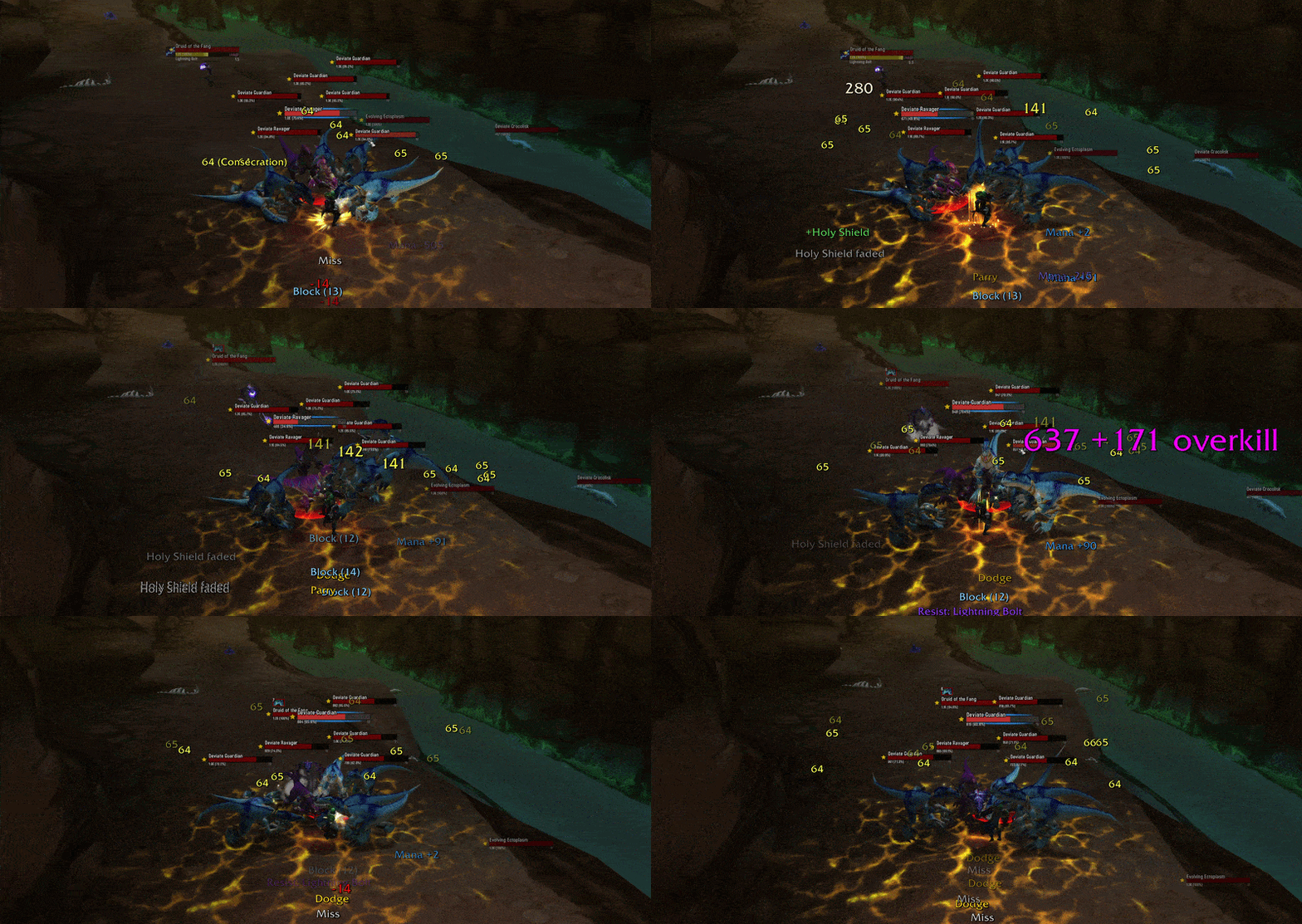
"THE NUMBERS, MASON! WHAT DO THEY MEAN?" They mean you're crushing it. Splatter Combat Text throws every hit, crit and heal onto your screen in its own spot, so nothing piles up and nothing gets lost. Your damage splatters out above your character, and you can make it look however you like: colors, sizes, themes, and now sounds.
New in 1.2.0: custom sounds! Give your crits, killing blows, interrupts and more their own sound. This update also fixes current Classic clients (Era 1.15.9, TBC 2.5.6, MoP 5.5.4) getting stuck in a reduced mode, and adds MoP class resources and honor gains on Classic.
Features
- Smart placement: outgoing damage splatters above your character and incoming damage shows below. Buffs, debuffs, power changes and rewards each get their own zone. Single target stays tight, and big AoE pulls spread out so every number stays readable.
- Colors: damage is colored by spell school, auto attacks get their own color, and incoming damage is red with a minus sign. Every event has a color swatch: left-click to pick, right-click to reset.
- Crits: bigger, with a shake, and they stay on screen a little longer. You choose how long.
- Sounds: pick a sound for 8 moments, like your crits, killing blows, interrupts and crits on you. Choose from 11 sounds made for SCT, Blizzard's own, SharedMedia sounds, or your own files.
- Combat detail: overkill amounts, DoT spell names, pet labels and bold resist alerts, each one optional.
- Numbers your way: short (2.1K) or full (2,100), and rapid hits can merge into one number with a count.
- Combat summary: one line in chat after each fight with your damage, DPS, healing, biggest hit and kills. Only you see it.
- 4 themes: Dark, Light, Vivid and Classic. Hover to preview, click to apply.
- Profiles: save different setups, and share them with friends as a short code.
Settings
Six tabs: General, Combat Events, Themes, Profiles, Tools and Sounds. Turn any of 40+ events on or off, resize each section of text on its own, and set font size, animation speed and how many numbers show at once. The Tools tab fires test events so you can see your setup without pulling a mob.
Supported versions
Classic Era, Anniversary and Hardcore (1.15), TBC Anniversary (2.5), MoP Classic (5.5), and WoW Forever.
Commands
/sct configopens settings/sct toggleturns SCT on or off/sct testfires test numbers/sctshows the full list
Installation
Extract to Interface/AddOns/SplatterCombatText/ and restart WoW. SCT turns off Blizzard's floating combat text for you. To use your own sounds, drop files named Custom1.ogg, Custom2.ogg or Custom3.ogg into the addon's Sounds folder, then restart the game.
**WoW Forever
Forever blocks addons from reading the combat log, so SCT works a little differently there:
- Solo: full SCT, showing only your hits, even when someone else is hitting your mob. You also get a small personal damage meter.
- In a group: your outgoing damage uses Blizzard's numbers, since addons can't tell your crits from your party's on Forever. SCT still handles everything else, and switches back and forth on its own.
- Damage meters like Details! only keep totals while you're grouped. Turn off "Exact Outgoing Damage" if you want them solo too.
- Not available on Forever: spell names on numbers, DoT details, outgoing heals, and interrupt or killing blow alerts.
Some Forever beta builds reset addon settings on reload. That's a Blizzard bug; use Profiles > Export to keep a backup.
Inspired by Better Combat Text by DarkAce.
Splatter Combat Text Team