Spicy Side Quests
- By
Your own side quests: an in-game todo list with categories, tags and waypoints, with optional sync to a local markdown file.
Description
🌶️ Spicy Side Quests
Your own side quests for WoW Forever. A lightweight in-game todo list: jot down the things you want to do, sorted by category, tagged, and pinned to the map.
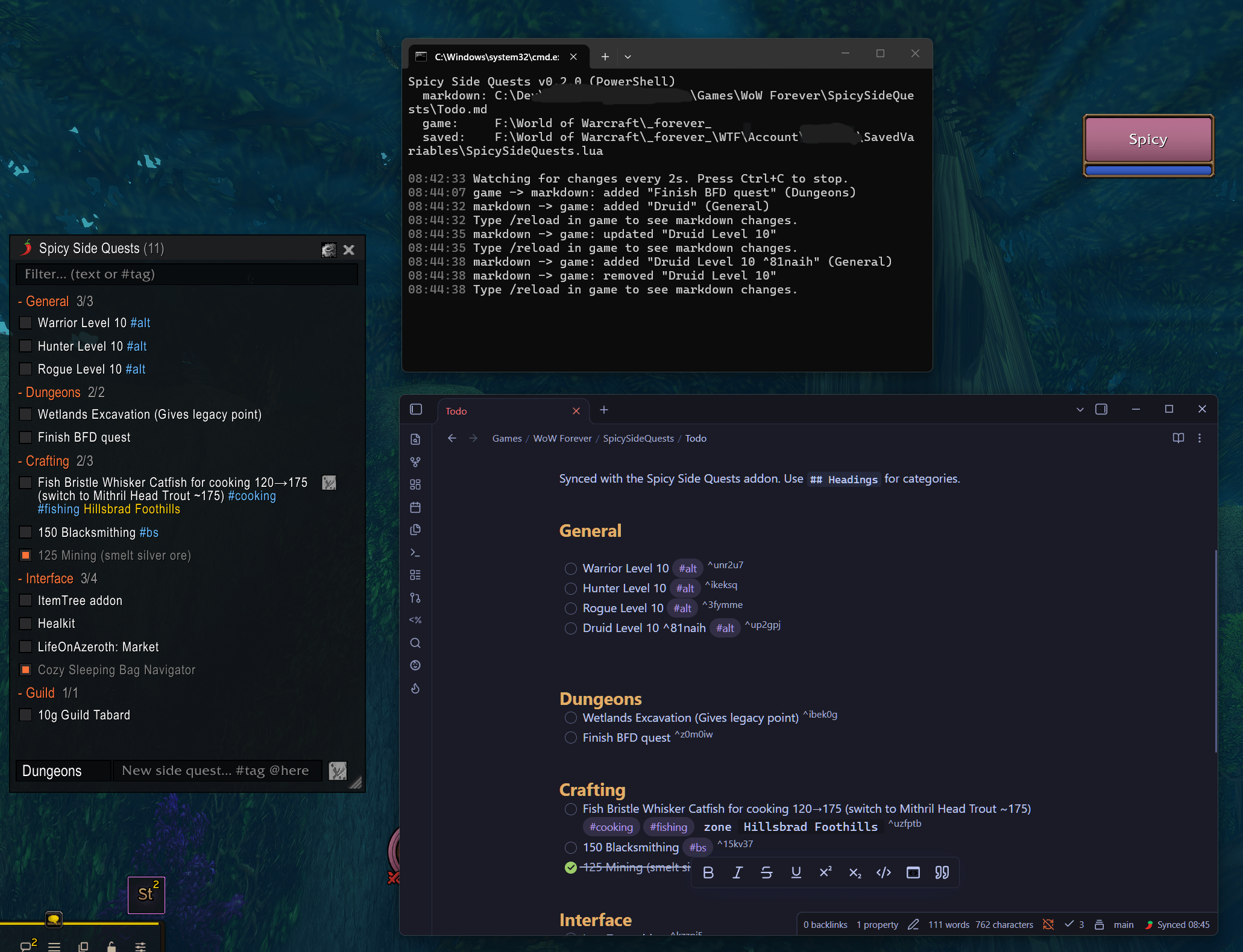
Works entirely in-game. If you like keeping notes outside the game, optional syncing keeps the list in a markdown file (great with Obsidian), using a small Windows app, an Obsidian plugin or a script, so you can plan your next session from your phone or desktop.
Features
- Categories: group side quests under headers like Professions, Dungeons or Gold. Click a header to collapse it.
- Tags: add
#farmingor#groupand filter the list by tag or text. - Locations and waypoints: attach your current position with one click, or type a zone and coordinates. Click the map icon to set a waypoint (uses TomTom if installed, otherwise the built-in map pin).
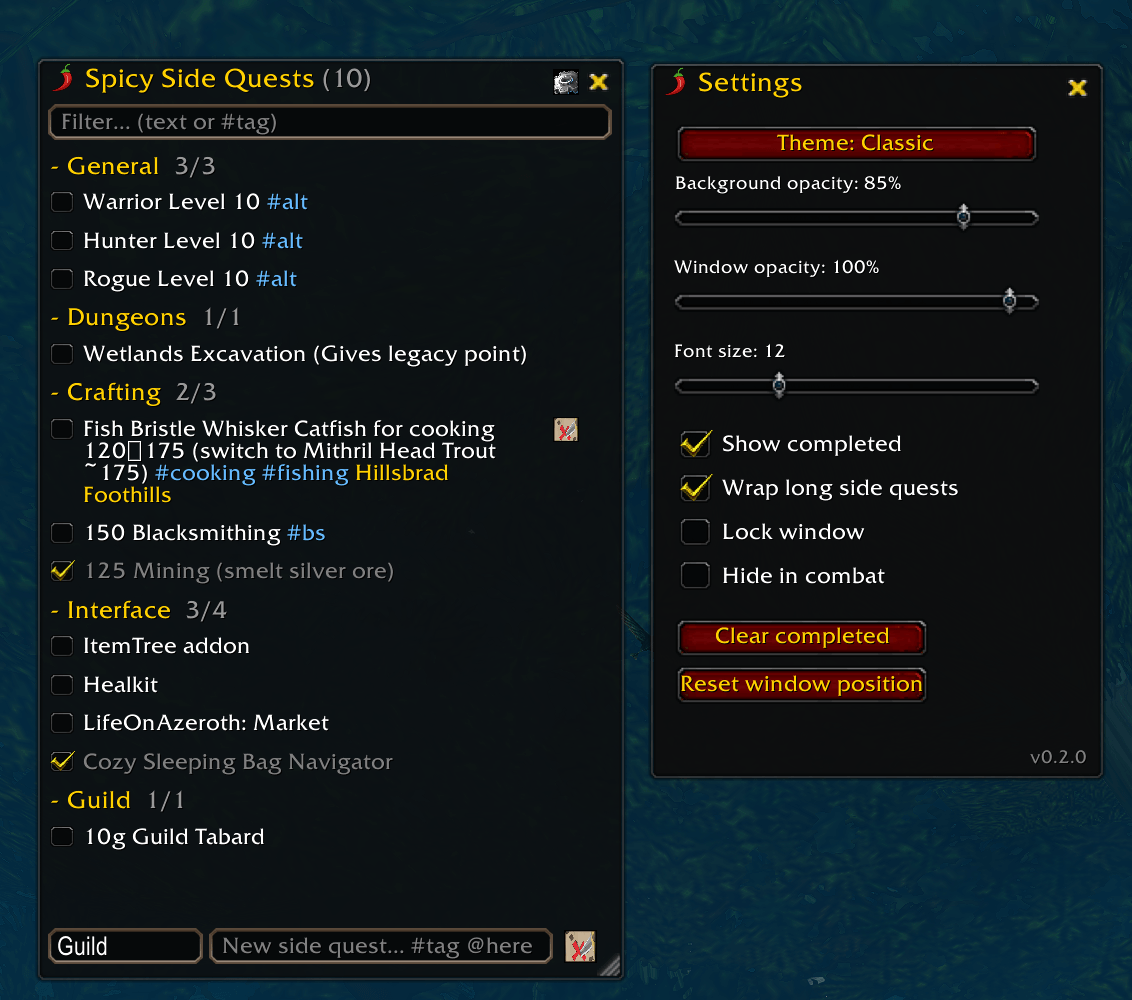
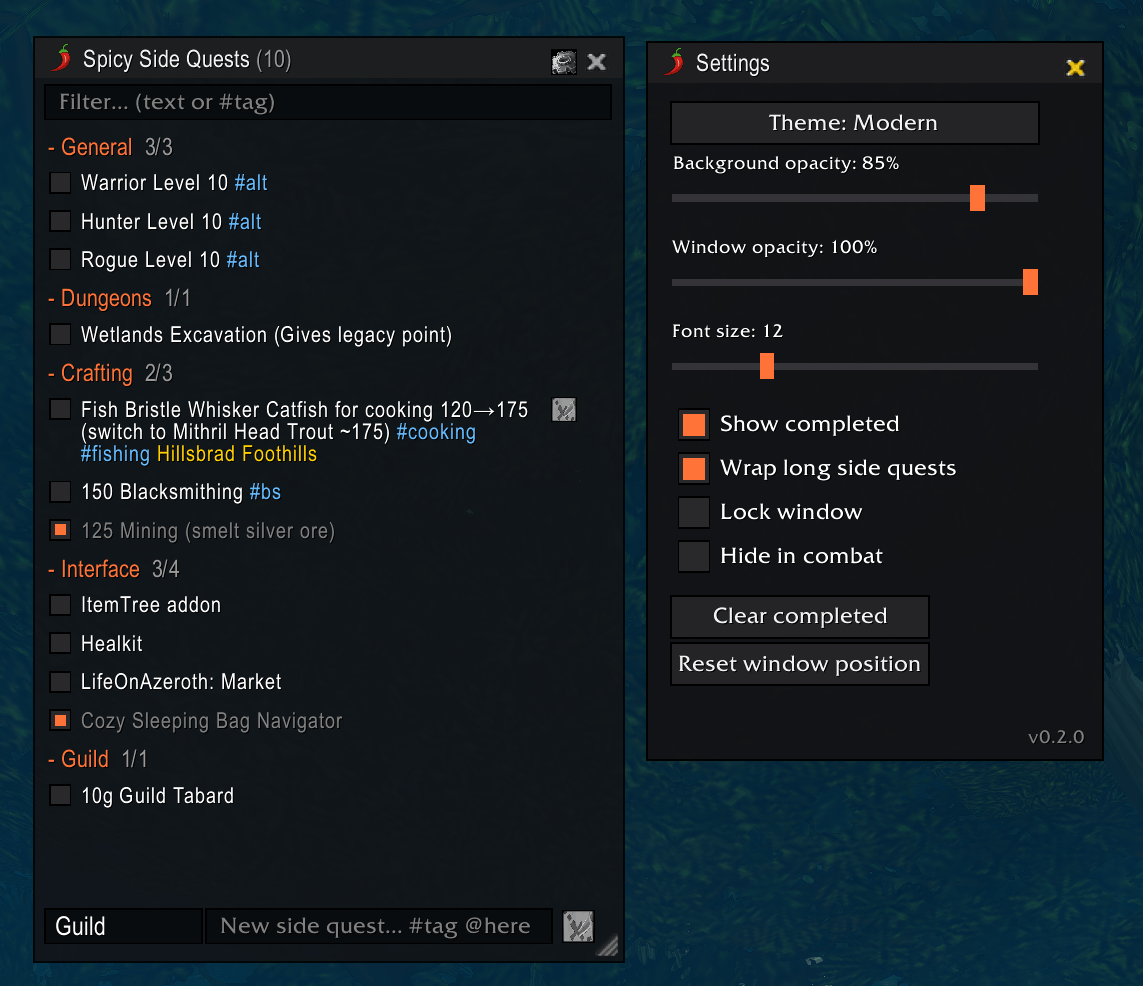
- Two themes:
- Classic: the familiar Blizzard look
- Modern: flat and minimal, fits UIs like Daylight or ElvUI
- Zone reminders: arrive in a zone or town with open side quests (e.g.
@Stormwind City) and they're listed in chat, with a sound you pick (built-in, any SharedMedia sound, or none). - Minimise: shrink the window to a small chilli icon; click it to open it again.
- Adjustable: background and window opacity, font size, wrap long side quests, lock position, hide completed, hide in combat.
- Lightweight: no libraries, no dependencies, no ads, nothing phoning home.
Commands
| Command | What it does |
|---|---|
/spicy or /ssq |
Show or hide the window |
/ssq add <text> |
Add a side quest |
/ssq config |
Settings |
/ssq reset |
Reset the window position |
Adding side quests
Type in the box at the bottom of the window and press Enter:
Farm Arcanite #farming #alchemy @here
Run SM Cathedral #group
Find the Un'Goro pylons @Un'Goro Crater 44.2, 11.8
Loot chest @52.1, 41.3#tag: add any number of tags@here: your current zone and coordinates (or click the map button next to the input)@Zone Name x, y: a specific zone and coordinates
Click to complete, right-click to edit, hover and click the X to delete. Press Tab in the category box to cycle through existing categories.
Zone reminders
Give a side quest a location (@Stormwind City, @Booty Bay or @here) and when you arrive there it's listed in chat with a sound. Pick the sound in /ssq config: a few built-in ones, any SharedMedia sound from your other addons, or none. Each side quest is reminded at most once every 5 minutes, and completed ones are skipped.
The – button in the title bar minimises the window to a small chilli icon. Click it (or type /ssq) to open it again.
Optional: sync with Obsidian / markdown
Want to add side quests when you're not playing? Keep the addon in sync with a markdown file:
## Professions
- [ ] Farm Arcanite #farming [zone:: Winterspring] [xy:: 63.2, 45.1] ^a1b2c3
- [x] Unlock Tanaris flight path #travel ^d4e5f6- Desktop app (Windows 10/11, easiest): one small
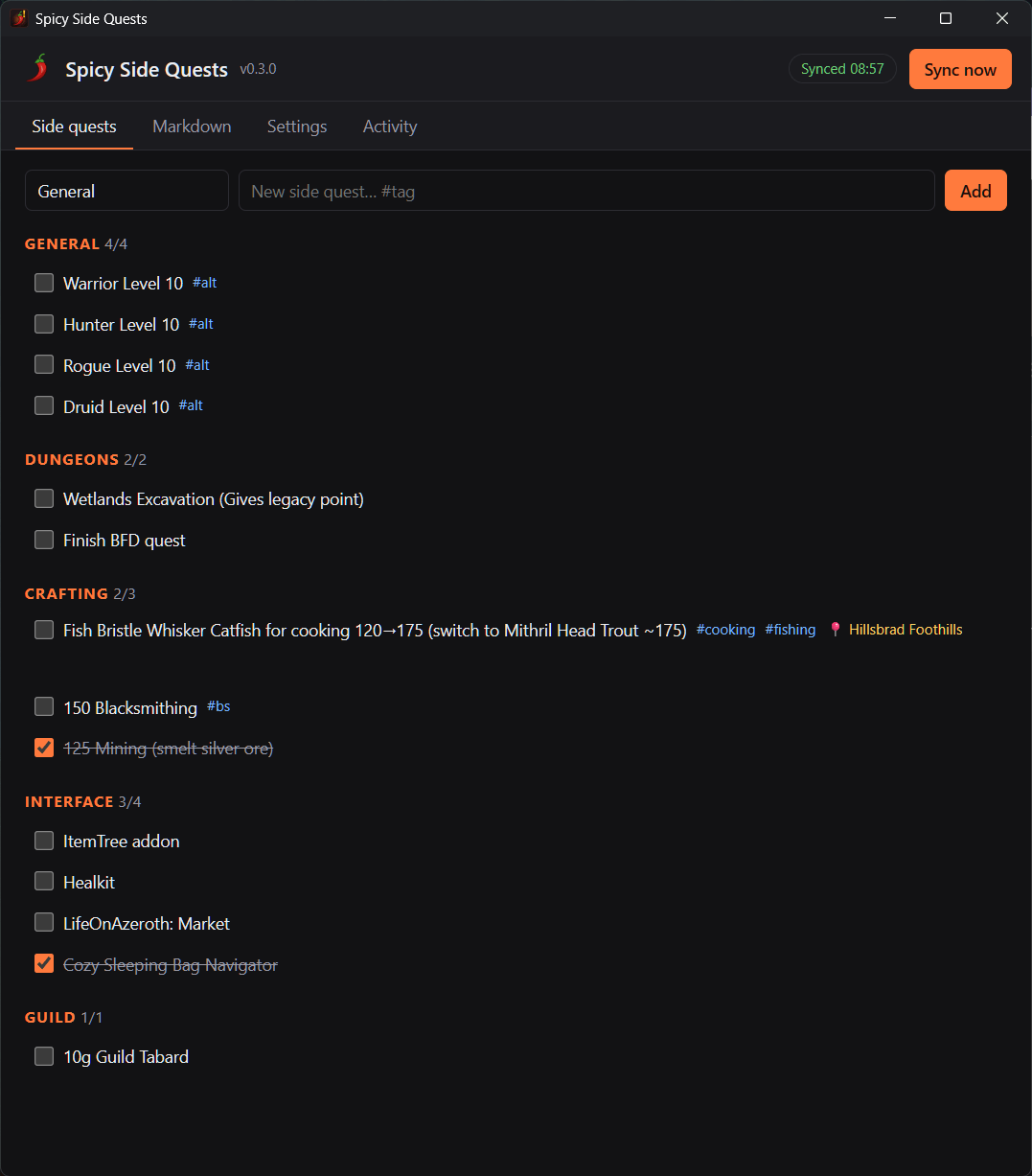
.exe, no installer. Add, tick and edit your side quests in a window, or edit the whole markdown file, and it syncs with the game while it's open. DownloadSpicySideQuests-vX.Y.Z.exefrom the GitHub Releases page. - Obsidian plugin (recommended for Obsidian users): installs inside Obsidian on desktop, with a settings page to pick your note and WoW folder. Nothing to download or run.
- Sync script, for any markdown file: uses the PowerShell built into Windows 10/11 (nothing to install), or Node.js on Linux and macOS. It's plain, readable source code running in a terminal window that shows every change.
Whichever you pick:
- Two-way: changes sync every time you
/reloador log out. - Leaves your notes alone: only todo lines are touched, never your other notes.
Addons can't access files or the internet, so syncing runs outside the game, and only reads and writes this addon's own files and your chosen note.
Setup instructions: see the GitHub page linked on this project.
Windows SmartScreen: the desktop app isn't code-signed yet, so Windows may say "Windows protected your PC" the first time. Click More info → Run anyway. It's built from the public source by GitHub Actions, and never goes online.
Feedback
Bugs and ideas are welcome on GitHub Issues. Happy questing! 🌶️
Disclaimer: This is a hobby project, 100% vibe coded with AI for my own use. I'm sharing it in case it's useful to someone else. It's provided as-is, with no guarantees, so back up anything important. Feedback and bug reports are welcome!
Spicy Side Quests Team