SpellQueue Tracker
- By
Screenshot 2026-10-04 023608.png
Screenshot 2026-10-04 023746.png
Screenshot 2026-10-04 023733.png
Screenshot 2026-10-04 023720.png
Description
QueueMiss – Spell Queue Tracker
Never lose a GCD again. QueueMiss watches your casts and plays a sound whenever a cast finishes and no follow-up spell was queued or cast in time, so you can feel (and fix) the gaps in your rotation.
How it works
When a cast with a cast time (or a channel) ends, QueueMiss waits for the global cooldown to finish plus a small tolerance. If you haven't started another spell by then, you hear the alert. Spells you queue inside the spell queue window cancel the check automatically, so a properly queued spell never triggers it.
QueueMiss is latency-aware: your network latency is added to the tolerance, so a spell that was queued in time but confirmed late by the server does not count as a miss.
Features
- Miss alert sound – instant audio feedback when a gap happens
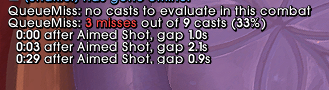
- End-of-combat recap – at the end of each fight you get a summary in chat: how many misses out of how many casts, when they happened, after which spell, and how long the gap actually lasted
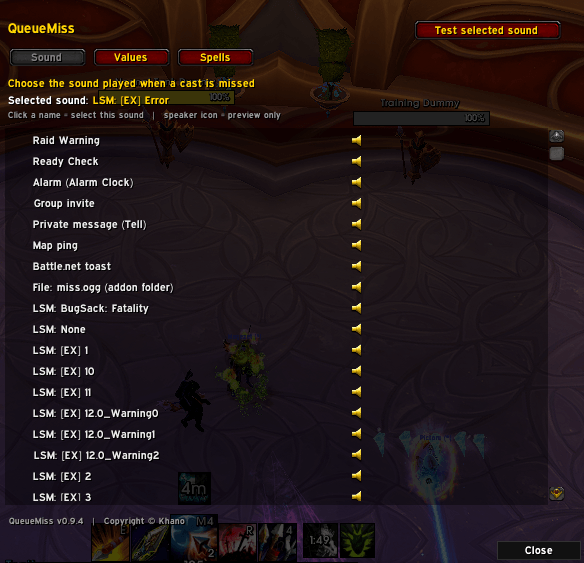
- Sound picker – choose from built-in game sounds, your own custom file (
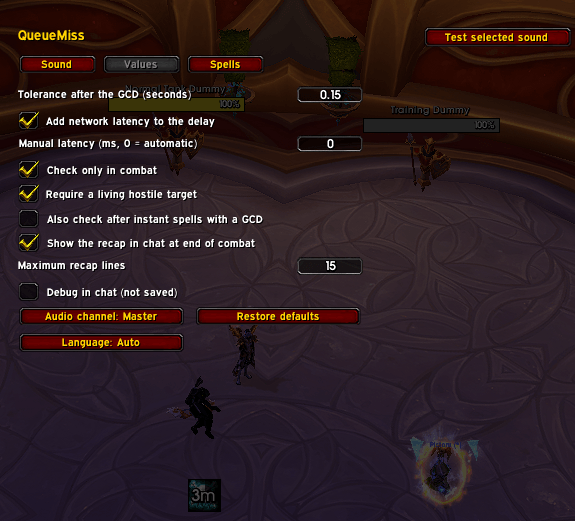
miss.ogg), or any sound from your LibSharedMedia library; preview each sound before selecting it - Fully configurable – tolerance after the GCD, latency handling (automatic or manual), combat-only checking, hostile target requirement, instant spells, recap length, audio channel and more
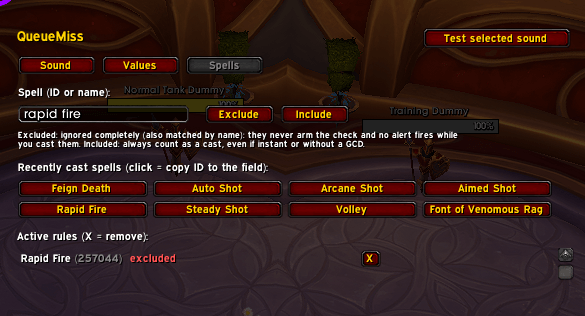
- Spell include / exclude lists – exclude procs, trinkets or any spell that causes false alerts, or force a spell to always count as a cast. The panel shows your most recently cast spells so you can add them with one click
- Smart defaults – only real casts that trigger the GCD are tracked; Auto Shot and Auto Attack are always ignored
Settings
Type /qm to open the options panel (Settings → AddOns → QueueMiss), with three tabs: Sound, Values and Spells.
Commands
| Command | Description |
|---|---|
/qm |
Open the settings panel |
/qm grace 0.25 |
Set the tolerance after the GCD (seconds) |
/qm recap |
Show the recap of the last combat |
/qm ignore <id or name> |
Exclude a spell from the check |
/qm include <id or name> |
Always count a spell as a cast |
/qm remove <id or name> |
Remove a spell rule |
/qm list |
List your spell rules |
/qm debug |
Toggle debug output in chat |
Tips
- If you get false alerts, raise the tolerance a little (for example 0.30–0.35 s). If the recap reports gaps of only 0.3–0.5 s, they are most likely false alarms; gaps of a second or more are real misses.
- To use your own sound, drop a file named
miss.ogginInterface/AddOns/QueueMiss/and select it in the Sound tab. - Found a spell that triggers the alert when it shouldn't? Add it to the exclude list from the Spells tab.
Installation
Extract the QueueMiss folder into World of Warcraft/_retail_/Interface/AddOns/ and restart the game.
Copyright © Khano
The SpellQueue Tracker Team