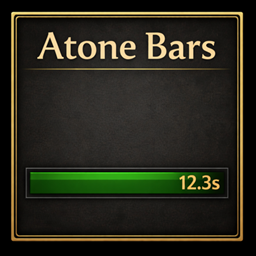
Note: in combat some buffs and auras becomes "secret" due to limitations on blizzard's UI. You can use show ID's in combat to see which currently applied buffs or auras on you can be tracked, so if you would like to see if some buff can be tracked, you should cast on you the buff and press the button.
SpellCooldownTrack is a lightweight overlay addon for WoW retail that tracks spell cooldowns and active buffs so you always know when your interrupts and key abilities are ready.
Cooldown Tracking
Monitor multiple spells at once. Each spell gets its own row in a movable overlay frame. Five display modes let you choose exactly what to show:
- Text + Timer (default) — label with remaining seconds
- Text Only — just the label
- Text + Icon + Timer — full readout with spell icon
- Icon Only — minimal icon display
- Icon + Timer — icon with countdown
The cooldown label is fully customizable. The default reads "No Kick" but you can set any template using <spellName> as a placeholder.
Buff Tracking
Track active buffs independently. Each buff gets its own movable frame with three display modes: icon, text (SpellName – ACTIVO), or both.
Settings Panel
Integrated into the native WoW Settings interface (Interface → AddOns → KickMonitor):
- Home screen with a quick-start guide and navigation buttons
- Cooldowns page — manage watched spells, font size, display mode, label template
- Buffs page — manage tracked buffs, display mode, size, alpha per buff