


Spell History Enhanced
- By
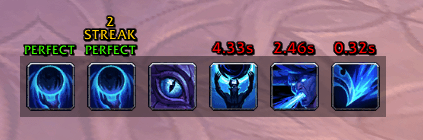
A movable cast-history bar that grades your GCD timing live: waste no time for a PERFECT and build combo streaks.
spell-history-enhanced-bar.png
Description
Spell History Enhanced
A lightweight, movable bar that shows your recent spell casts and grades how cleanly you chain them together. Every time you cast, it measures the gap between your global cooldowns: cast with no wasted time and you get a PERFECT — keep it going and you build a combo streak.
Great for practicing tight rotations and minimizing GCD downtime.
Features
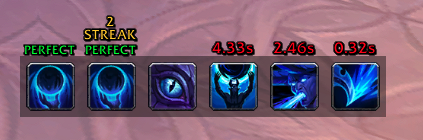
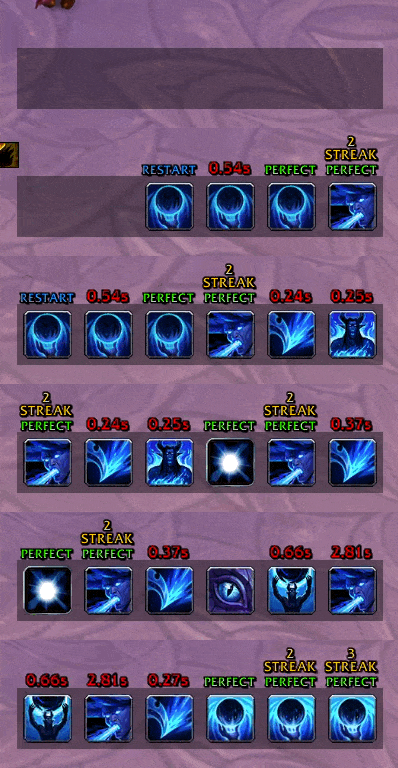
- Cast history bar — icons of your most recent casts, newest on the right, shifting left as you keep casting.
- GCD grading — shows the time wasted between globals (e.g.
0.12s) or PERFECT when you waste none (within your latency). - Combo streaks — consecutive PERFECT casts build tiers: STREAK, RAMPAGE, INSANE, GODLIKE, LEGEND.
- Animations — choose how icons enter/leave the bar (None, Fade, Slide, Bounce) and the speed.
- Trinket use — optionally shows equipped trinket on-use activations.
- Custom border — optional border with adjustable thickness and either your class color or a custom color.
- Stats panel — on-screen readout of the current fight: GCD uptime, PERFECT count and rate, best combo, average wasted time, casts, and session length.
- Ignore list — exclude spells you don't care about (procs, racials) by ID, name, link, or right-click.
- Per-spec profiles — every setting is saved separately per specialization and switches automatically.
- Shift-drag to move — hold Shift and drag the bar (or any icon); right-click for a quick menu.
- Pet battle aware — hides itself during pet battles.
Usage
- Move it: hold Shift and drag the bar — grab any icon, or the empty bar area when idle. Position is saved automatically.
- Right-click the bar for a menu: Ignore the spell, Hide cast list, Open options, or Clear list.
- The stats panel has a small gear button (top-right): Hide, Reset stats, Open options.
- Open settings via Esc → Options → AddOns → SpellHistoryEnhanced.
Slash commands
/she(or/spellhistory) — print the current/last fight's statistics./she reset— reset the statistics.
Feedback
Found a bug or have an idea? Open an issue on GitHub.
The Spell History Enhanced Team
