
Specialization Switch
- By
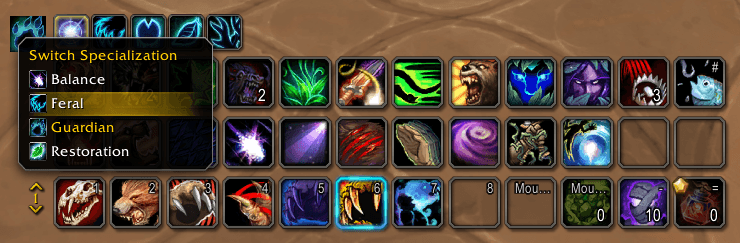
A single, movable icon to switch your specialization with one click — without opening the Talents window.
SpecSwitch_Selection_EN.png
SpecSwitch_Selection_DE.png
SpecSwitch_Options_EN.png
Description
Specialization Switch adds a single, movable icon that shows your current specialization. Left-click it to switch specs from a small menu — no need to open the Talents & Spellbook window.
Features:
- One clean icon showing your active spec; left-click for a menu of all your specs (the current one highlighted).
- Movement mirrors your action bars: when your action bars are unlocked you can drag it freely; when they're locked, hold your pick-up modifier (e.g. SHIFT) and drag. Whatever modifier you set in Blizzard's action-bar options is used automatically.
- Remembers a separate position and size for each specialization.
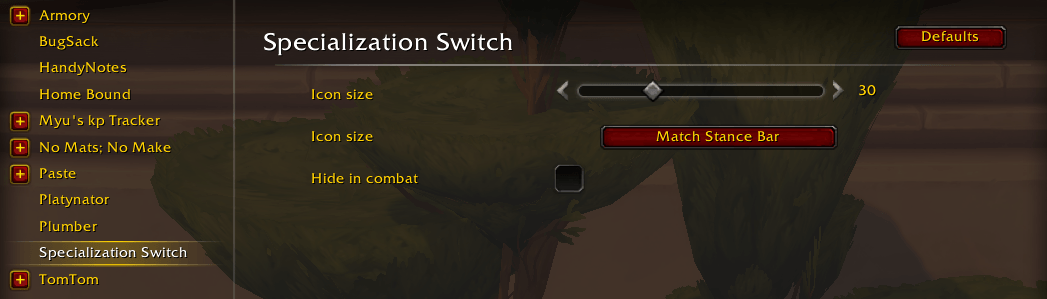
- Options panel (Settings → AddOns): icon-size slider, a "Match Stance Bar" button, and a "Hide in combat" toggle.
- Disabled safely in combat and below level 10.
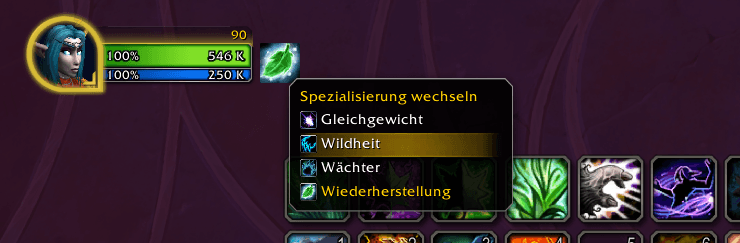
- English and German localization.
Slash commands:
/specswitch config — open the options/specswitch lock — lock the icon in place/specswitch unlock — free the icon for moving/specswitch reset — move the icon back to screen center
No dependencies. Retail (Midnight) only.
Specialization Switch Team
