


SpeakStone Gossip & Book Voices – Part 2
- By

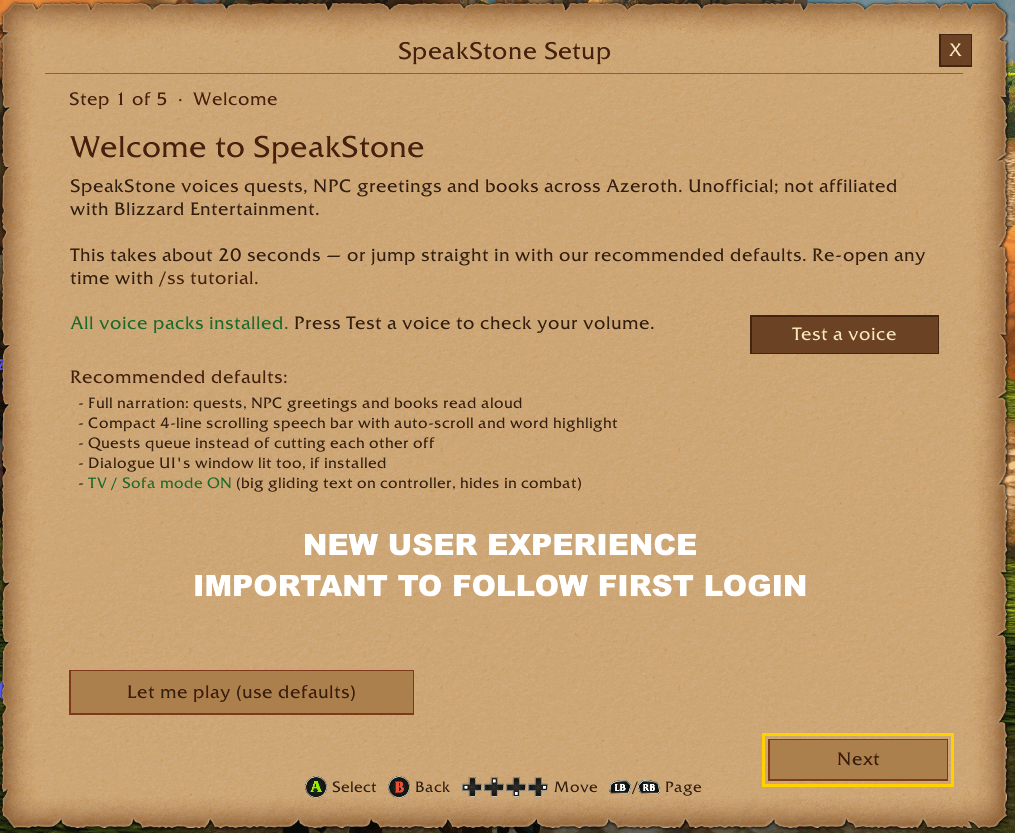
A five-step setup the first time you log in. Take the recommended defaults or tune each step; reopen it any time with /ss tutorial.
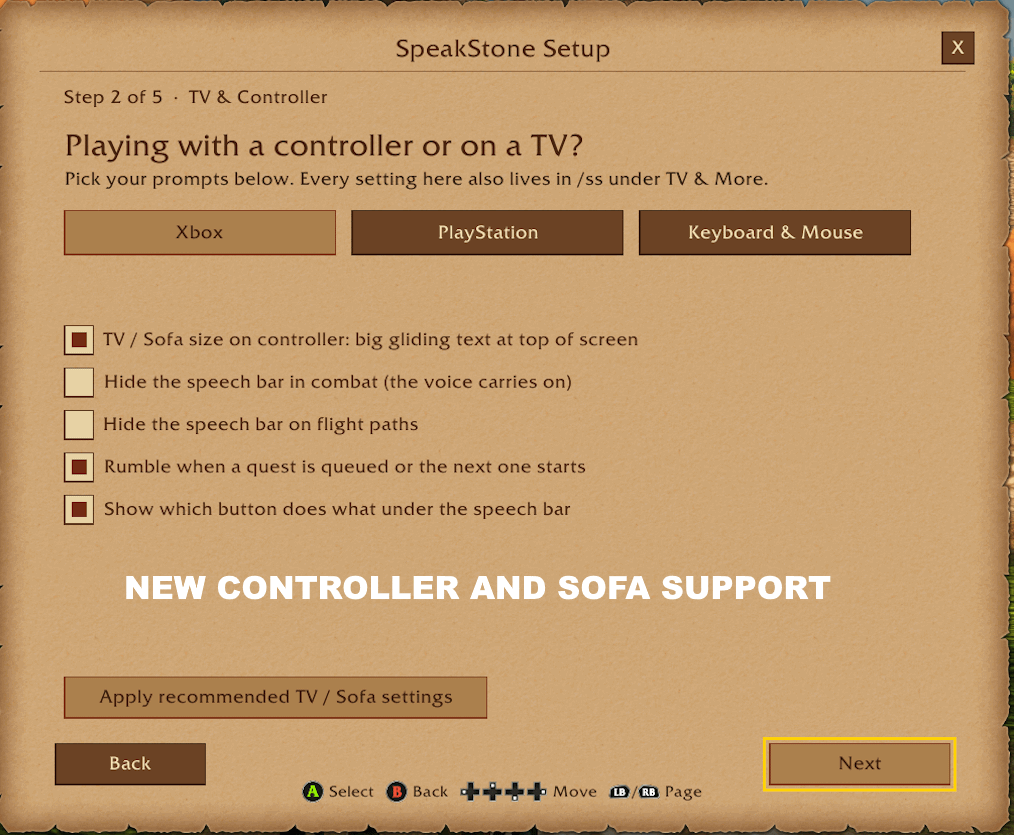
Xbox and PlayStation button prompts, big gliding text for playing from the sofa, and a rumble when a quest is queued.
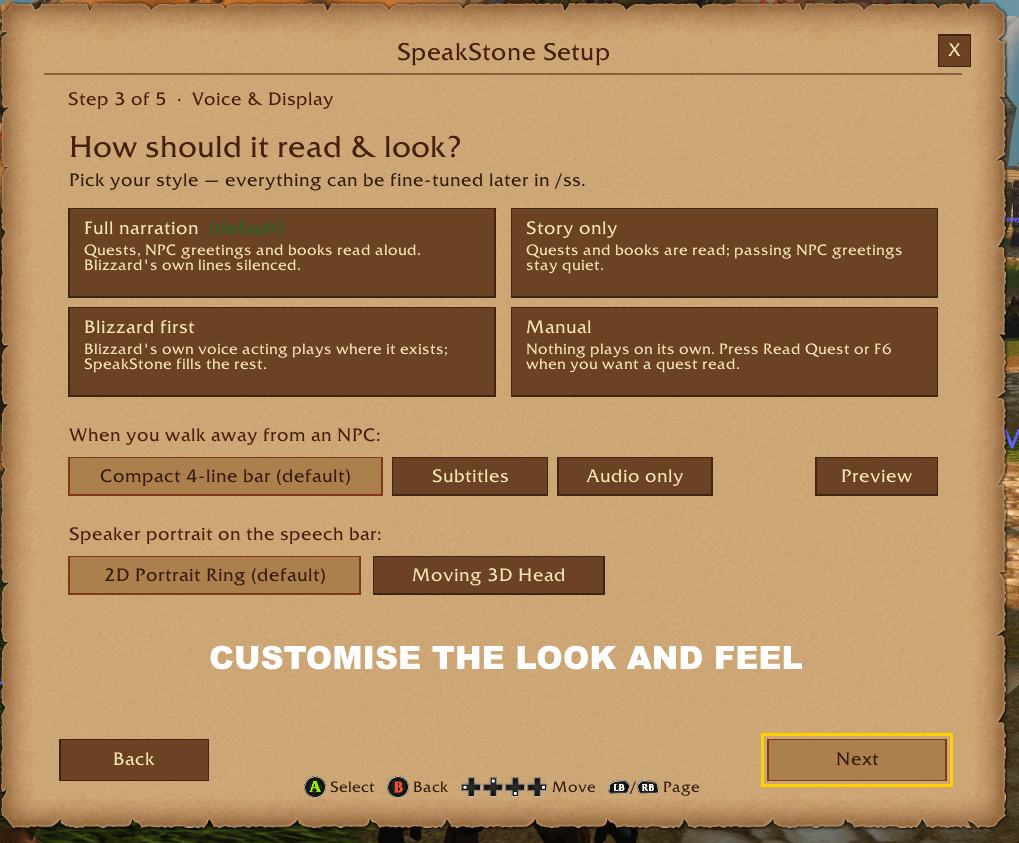
Full narration, story only, Blizzard's own voice acting first, or manual. Pick a compact speech bar, subtitles or audio only, and a portrait or a moving 3D head.
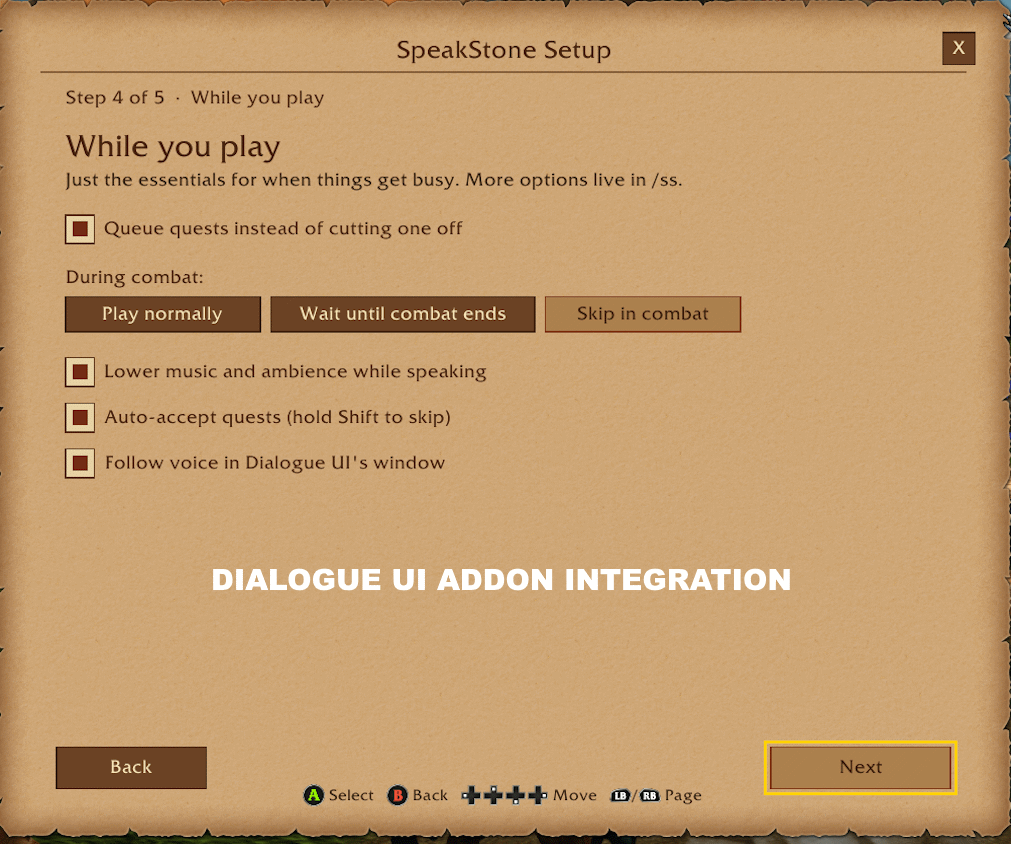
Queue quests instead of cutting one off, wait or skip in combat, lower the music while someone speaks, and follow the voice in Dialogue UI's window.
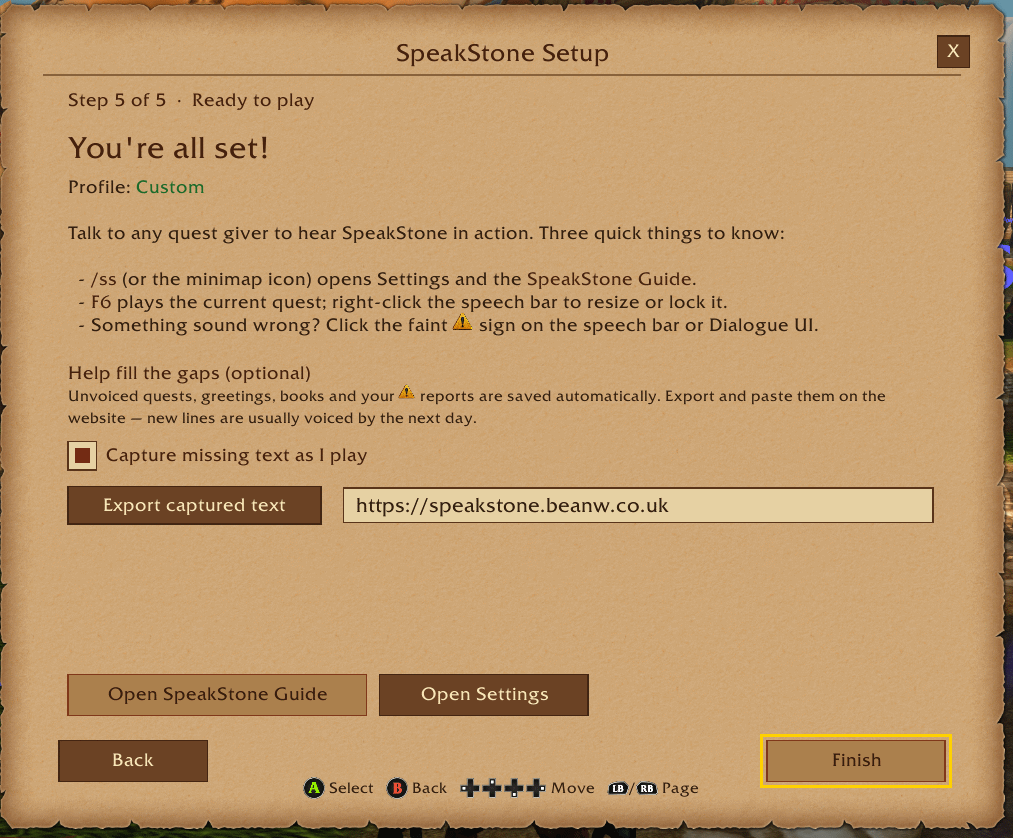
Quests, greetings and books that have no voice yet are saved as you play. Export them and paste them on the website; new lines are usually voiced by the next day.
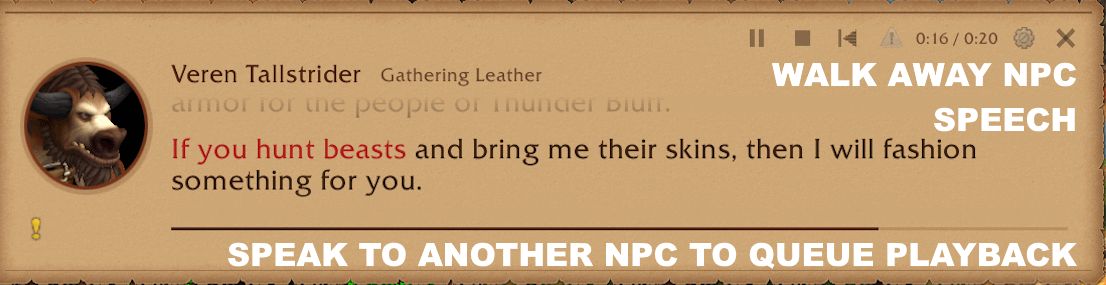
The speech bar carries on after you leave the NPC. Talk to another NPC and their line waits its turn.
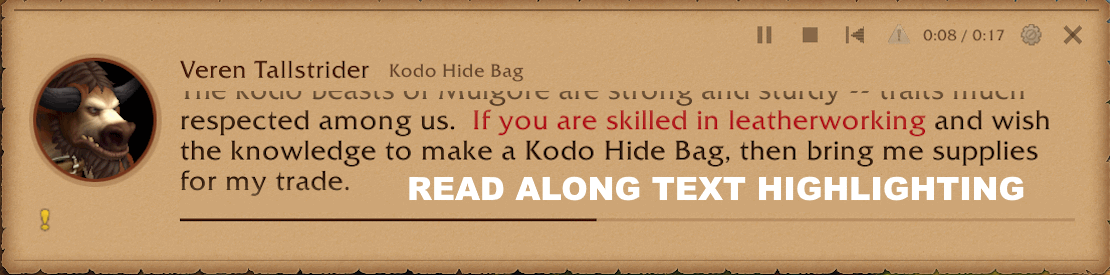
The words being spoken are highlighted as the voice reads them.
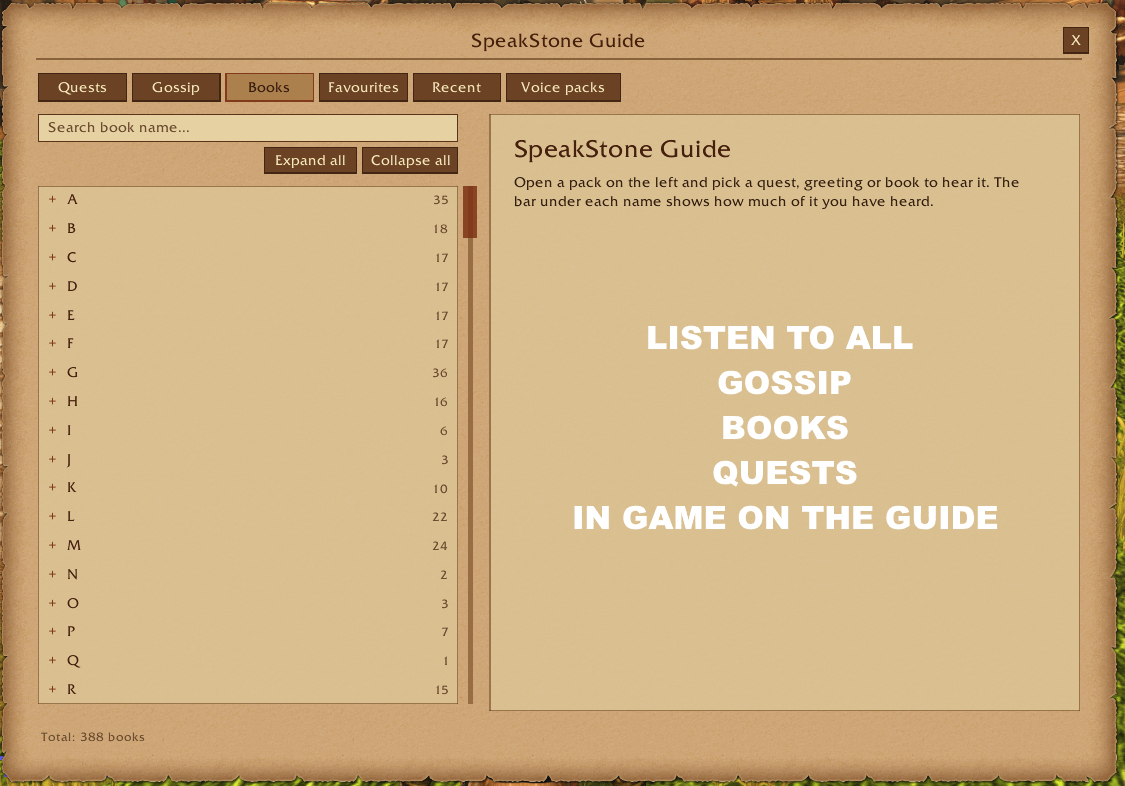
Browse and play every voiced quest, greeting and book in game.
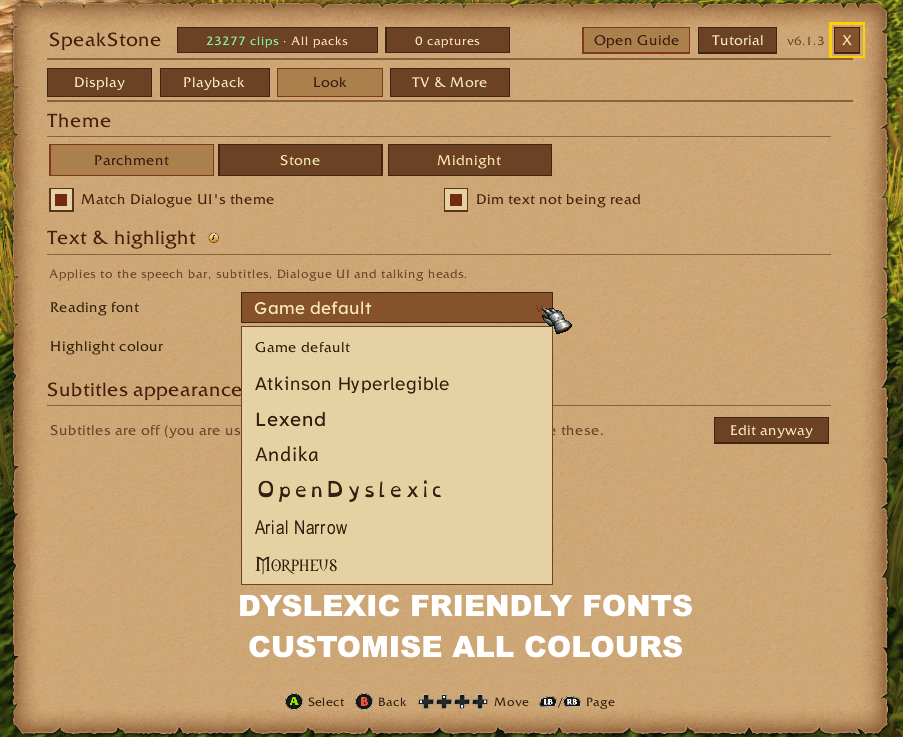
Atkinson Hyperlegible, Lexend, Andika, OpenDyslexic and more for the speech bar, subtitles, Dialogue UI and talking heads. Parchment, Stone and Midnight themes.

Left-click opens Settings; right-click exports the text you have captured.

Type /ss to open Settings and the Guide.
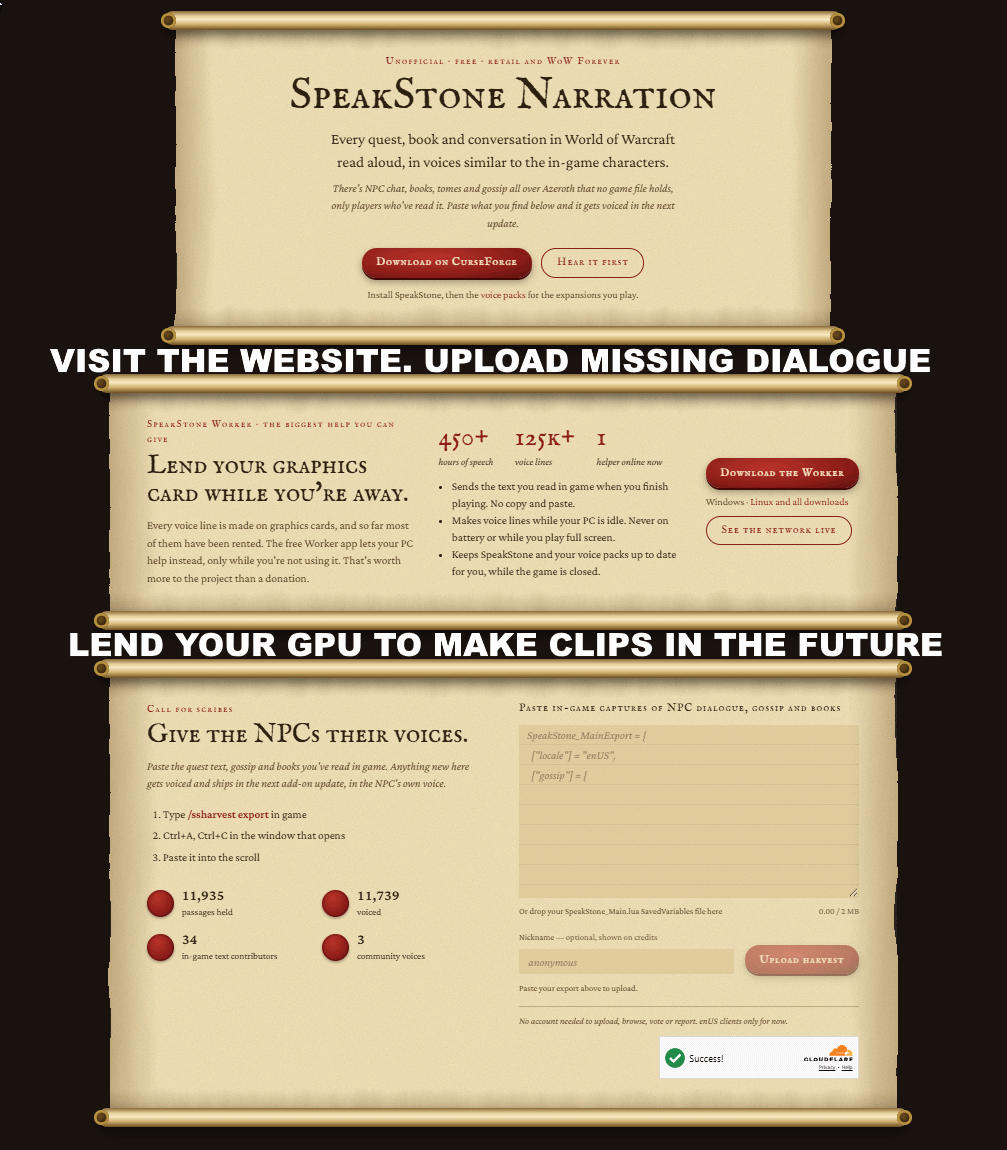
speakstone.beanw.co.uk: paste the text you have read in game so it gets a voice, hear samples, and get the free Worker app.
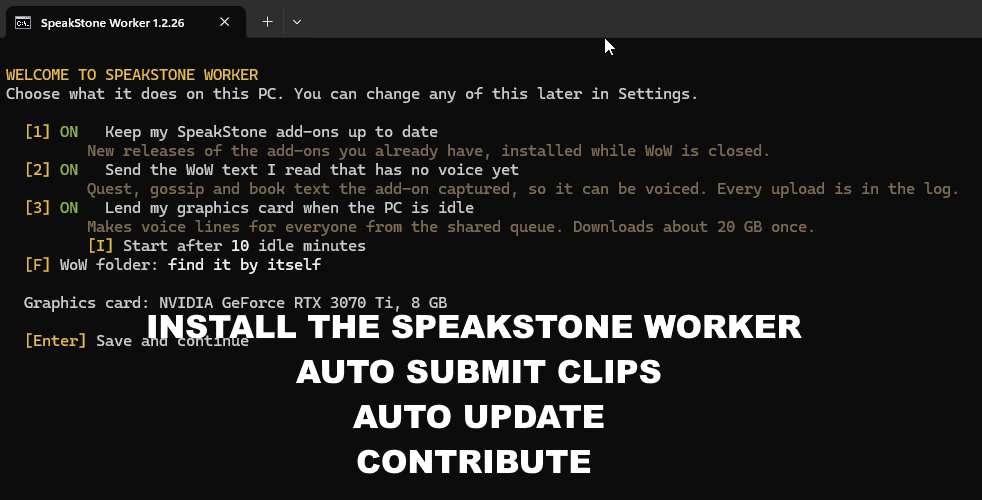
A free app for Windows and Linux. It keeps your SpeakStone add-ons up to date, sends the text you capture, and can lend your graphics card to make new lines while the PC is idle.
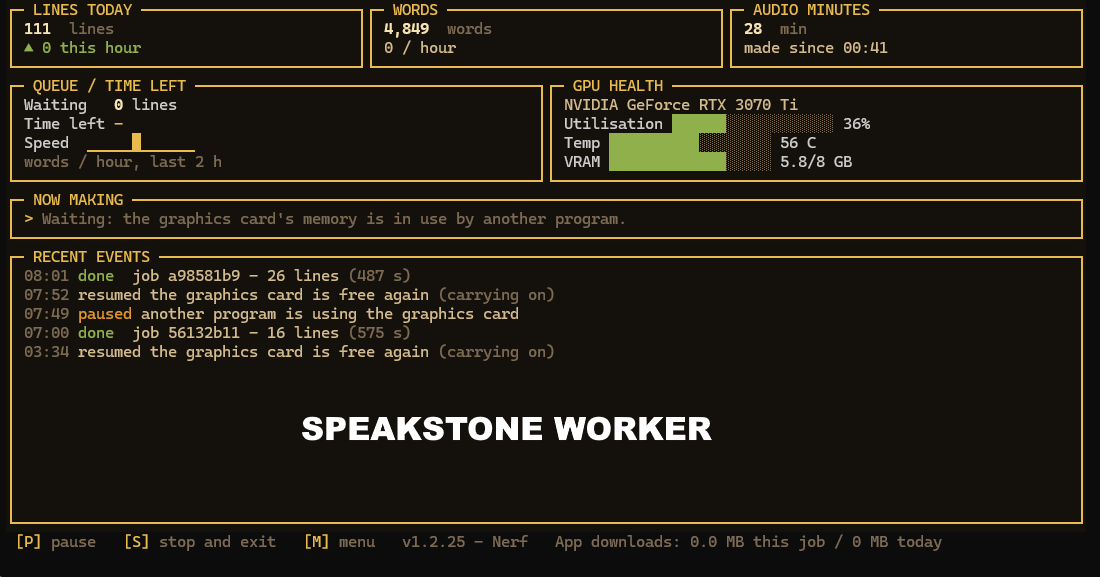
Lines made today, the shared queue and the graphics card's health. It steps aside whenever another program needs the card.
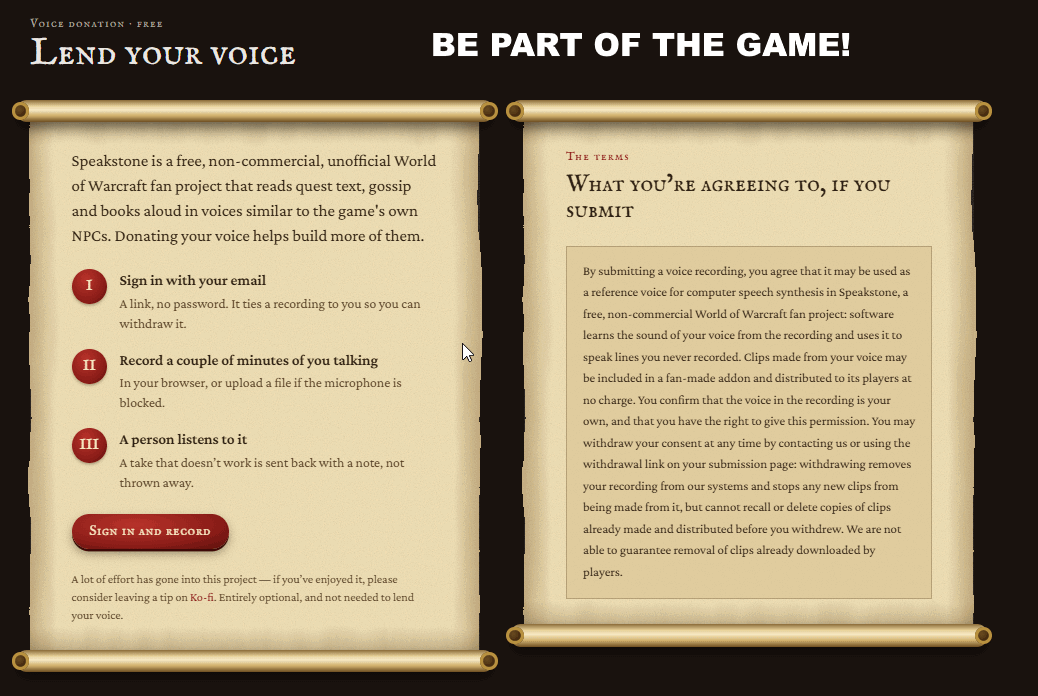
Record a couple of minutes on the website and your voice can be used for characters in SpeakStone. Free, a person listens to every take, and you can withdraw at any time.