SpeakEasy: Emote Wheel, Quick Chat & Roleplay Lines
An emote and quick chat wheel on one key, plus scenes of lines said at random from one button or set off by triggers.
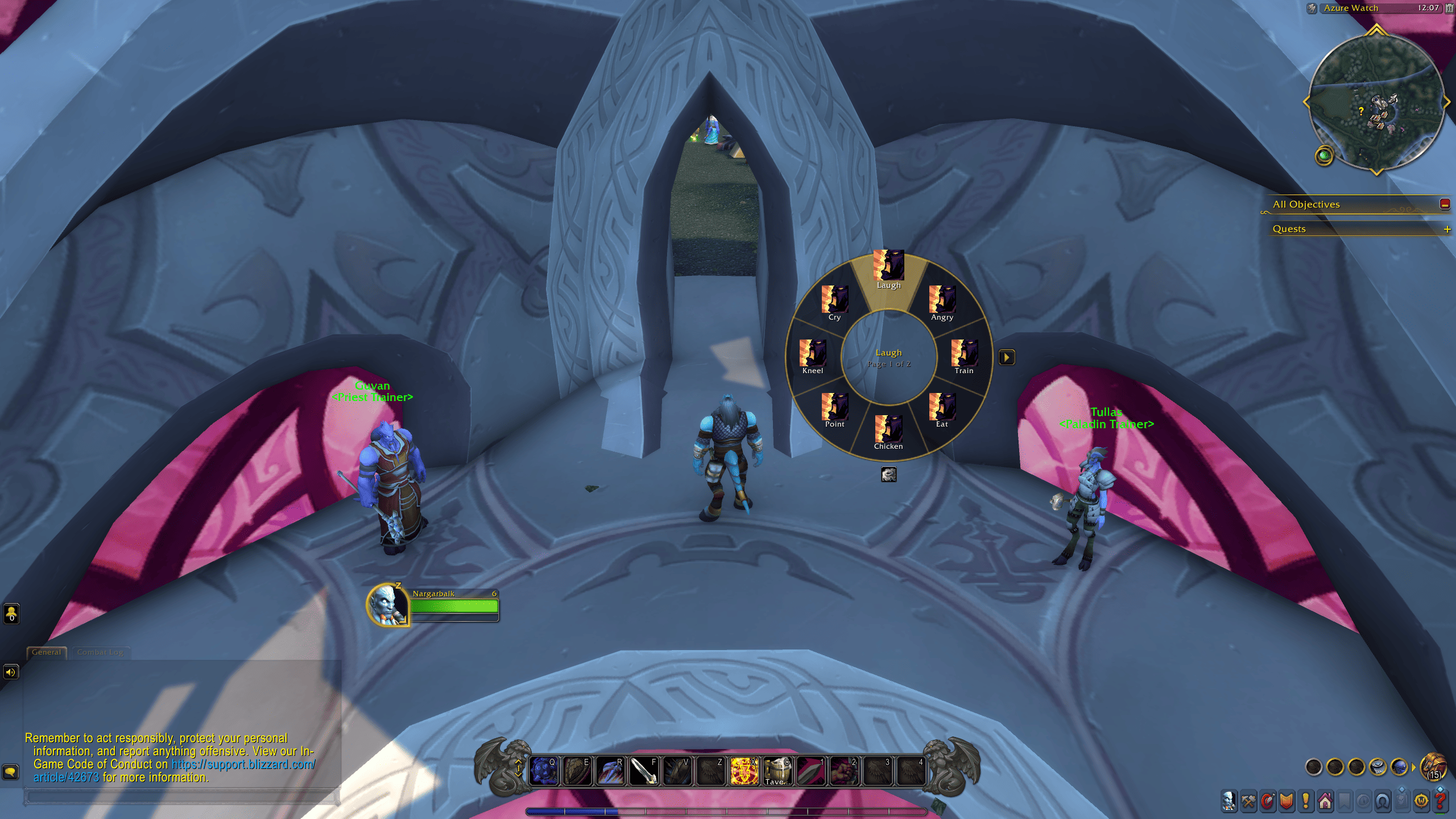
Emote Wheel
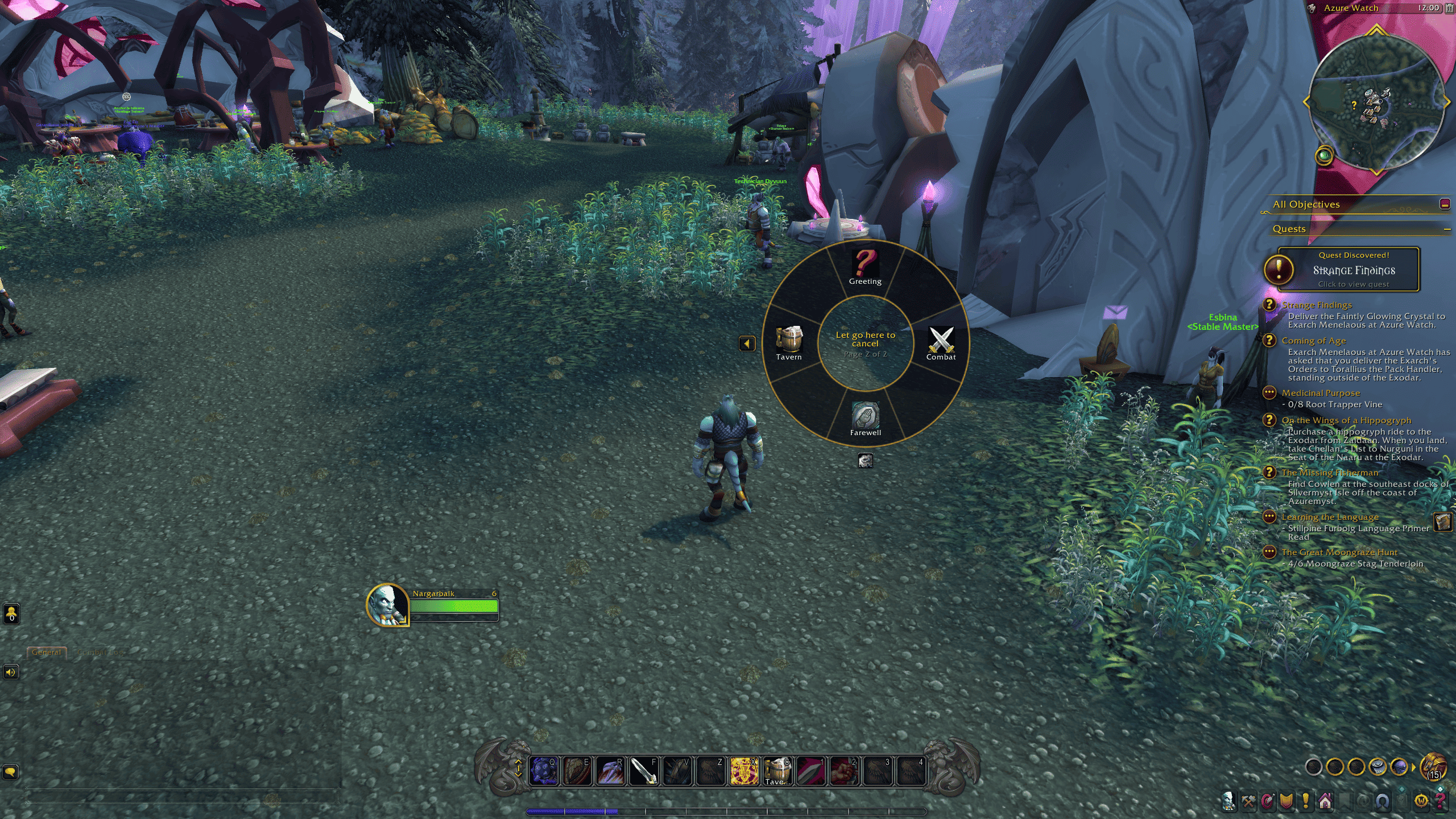
Wheel Scenes
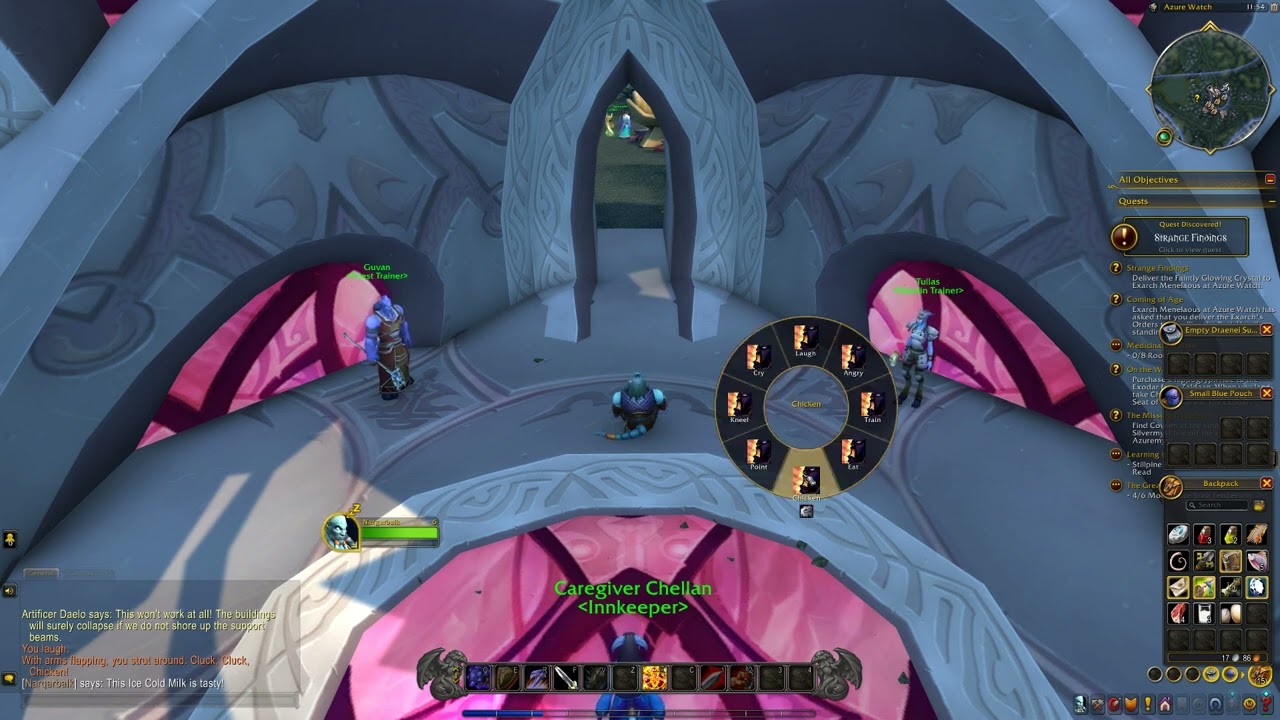
Description
SpeakEasy: Emote Wheel, Quick Chat & Roleplay Lines
SpeakEasy is a World of Warcraft addon that brings your character to life. Hold a key to open a wheel of emotes and messages around your cursor, point at one and let go. Or drag a scene onto your action bar, and each press says a different line you've written for it.
📺 See SpeakEasy in action
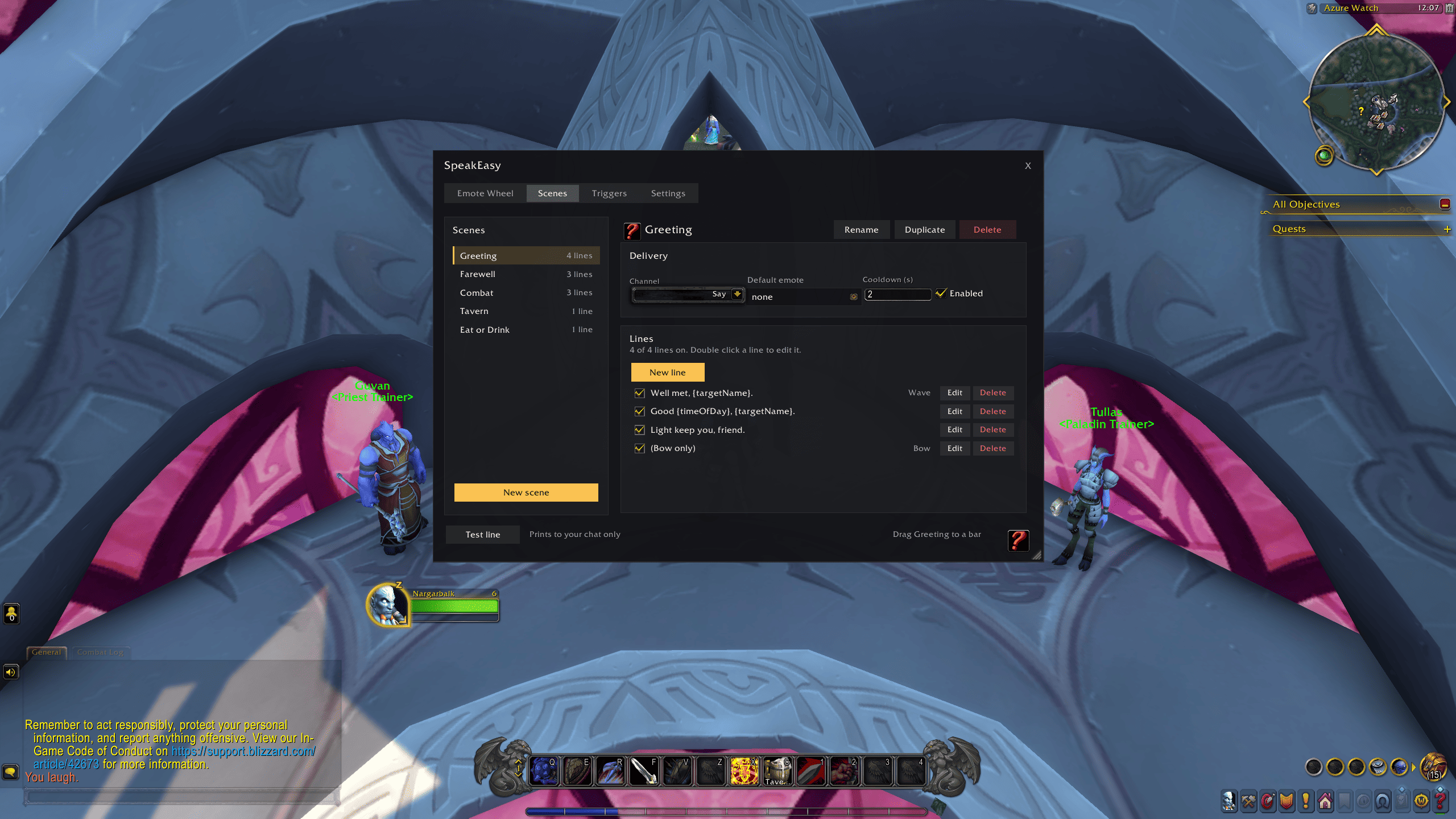
Who it's for
- Roleplayers: give your character a voice of their own, with lines for every situation that never come out the same twice in a row, and reactions when you enter combat, cast a spell or sit down to eat.
- Groups and guilds: put your callouts on one wheel instead of five macros. "Pulling in 3", "Interrupt next", "Need mana" are a flick of the mouse away, sent to party, raid or instance chat.
- Everyone else: wave at a passing player, cheer a friend or start a train without typing a thing. A few lines in a dungeon go a long way to making a run feel alive.
What it does
- Emote wheel: hold a key, point at a slot and let go. Each slot holds a scene or a single emote, and you can have up to 9 pages of 8.
- Scenes: write a pool of lines for a situation, like Greeting, Combat, Tavern or your group's callouts, and choose the channel: Say, Yell, Emote, Party, Raid, Instance, or Auto.
- Lines that don't repeat: every line in a scene gets said once before any comes round again, and never the same one twice in a row.
- Bar buttons: drag a scene onto your action bar and pick any icon for it. Each press says the next line.
- Variables: drop in your target's name, the zone, the time of day and more from a menu while you write.
- Triggers: play a scene when you enter combat, cast a spell, eat or drink, mount up, die, reach an inn or city, or target an NPC.
- Emotes with lines: give a line its own emote, or a scene a default one, so your character waves as they say hello.
Getting started
- Type
/speakeasyor click the minimap button. - Look through the four starter scenes, then edit them or write your own.
- On the Emote Wheel tab, set a key for the wheel and fill its slots.
- On the Scenes tab, drag a scene's icon from the bottom right onto your action bar.
Questions
Which versions of WoW does it work on?
It's built for Retail, Classic Era, Mists of Pandaria Classic, Anniversary and WoW Forever, but so far it has only been tested on Retail. If you play on one of the others, I'd really appreciate hearing whether it works for you.
Can I use it for quick callouts in dungeons and raids?
Yes. Make a scene with one line, set its channel to Party, Raid, Instance or Auto, and put it on the wheel. Auto picks your group's chat for you.
Can my character speak automatically in combat?
Yes, with triggers. Emote, party, raid and instance lines go out straight away. Outside instances, the game only lets Say and Yell go out from a key press, so those lines wait and go out with your next key press, usually your next ability.
Why didn't my trigger say anything?
Each trigger has a chance and a cooldown, and only one trigger line plays every few seconds. Type /speakeasy debug and chat will tell you why each trigger did or didn't play.
Can I put plain emotes on the wheel, without any lines?
Yes. Any slot can hold a single emote, like /dance or /bow.
Why is there no low health trigger on Retail?
Retail keeps your health hidden from addons, so it can't tell when you're low. The trigger is there on Classic and Forever.
Commands
- /speakeasy: open the window
- /speakeasy <scene>: say the next line of a scene
- /speakeasy mute: pause every trigger, handy for raids
- /speakeasy debug: show why triggers do or don't fire
Install
Install it with the CurseForge app, or download SpeakEasy.zip from the Releases page of this repository and put the SpeakEasy folder in World of Warcraft\_retail_\Interface\AddOns, or the matching folder for your version, such as _classic_era_.
Ideas and bug reports are welcome, so let me know what you'd like it to do.
Licence
MIT. Copyright (c) 2026 Finlay McKinnon. See LICENSE.
SpeakEasy: Emote Wheel, Quick Chat & Roleplay Lines Team