Sparky | Forever Companion
- By
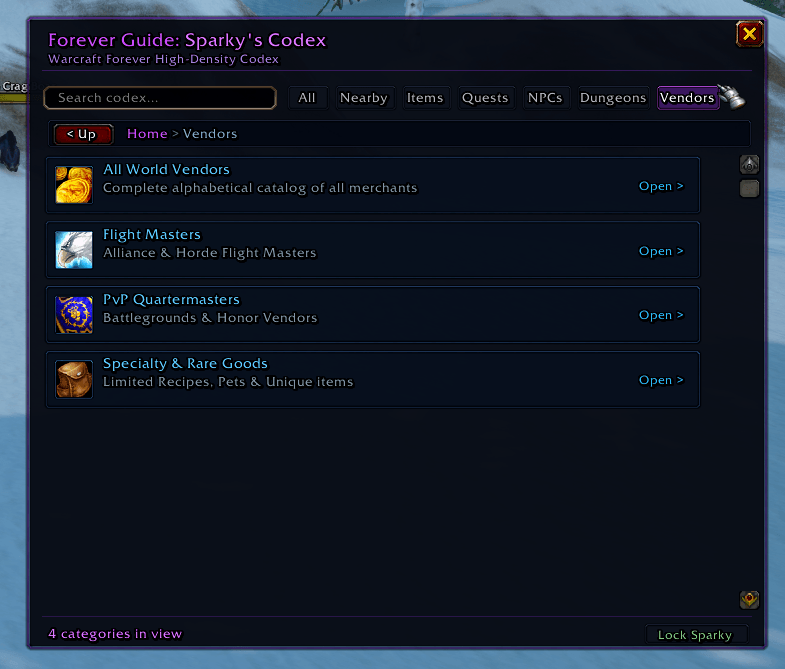
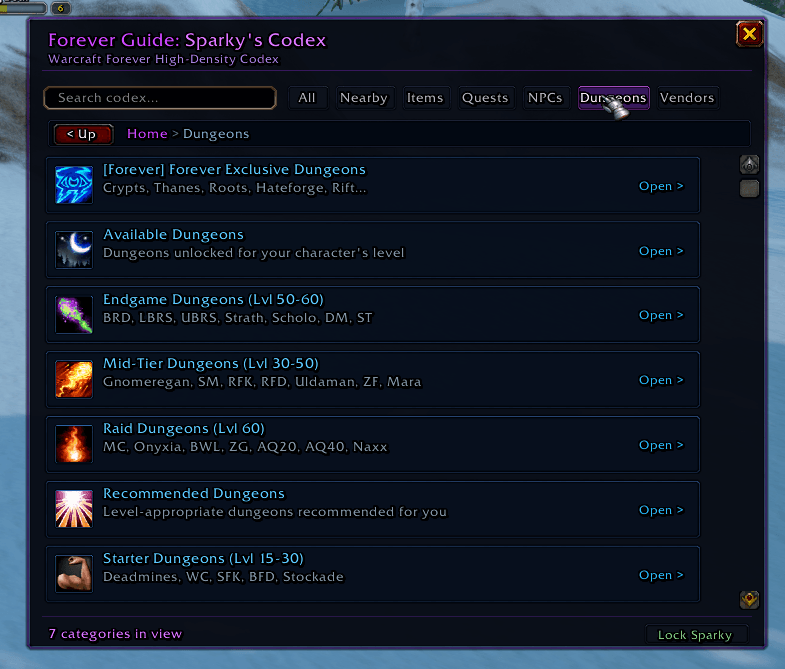
Sparky the Cloud Wisp & Forever Codex: In-game database, live zone radar, and 120 FPS animated wisp companion for 40,000+ items, quests, NPCs, & dungeons. Fast virtual scrolling with accurate drop rates and map coords. 100% Blizzard AddOn Policy compliant.
Screenshot_20261106_145917.png
Screenshot_20261106_145822.png
Screenshot_20261106_145557.png
Screenshot_20261106_145554.png
Description
# ✨ Forever Guide: The Blue Spark
**Forever Guide** is a lightweight, responsive in-game companion and database codex designed for **Warcraft Forever**, **Classic Era (1.14 / 1.15)**, **Hardcore**, and **Anniversary** realms.
Themed after the cinematic trailer's ethereal **Blue Spark**, this companion hovers dynamically alongside your UI to illuminate your journey across Azeroth—offering instant item lookup, dungeon tactics, drop tables, and zone progression without ever needing to Alt-Tab.
---
### 🌟 Key Features
#### 🔮 1. The Blue Spark Companion (Floating Widget)
* **Living Celestial Aura:** A gentle, pulsing celestial spark that hovers gracefully beside your interface.
* **Fully Draggable & Lockable:** Drag it to your preferred screen anchor, or lock it down with `/spark lock`.
* **Dynamic Zone Wayfarer:** Pulses with a subtle shimmer when crossing into new territories, immediately displaying:
* Zone level brackets & suggested quest hubs.
* Flight master locations & faction hubs.
* Local dungeon entrances and instance level caps.
* **Smart Combat Auto-Fade:** Smoothly dims to 15% opacity or hides entirely during combat so your raid frames and unit frames always take priority.
#### 📖 2. In-Game Forever Codex (`/spark` or `/fg`)
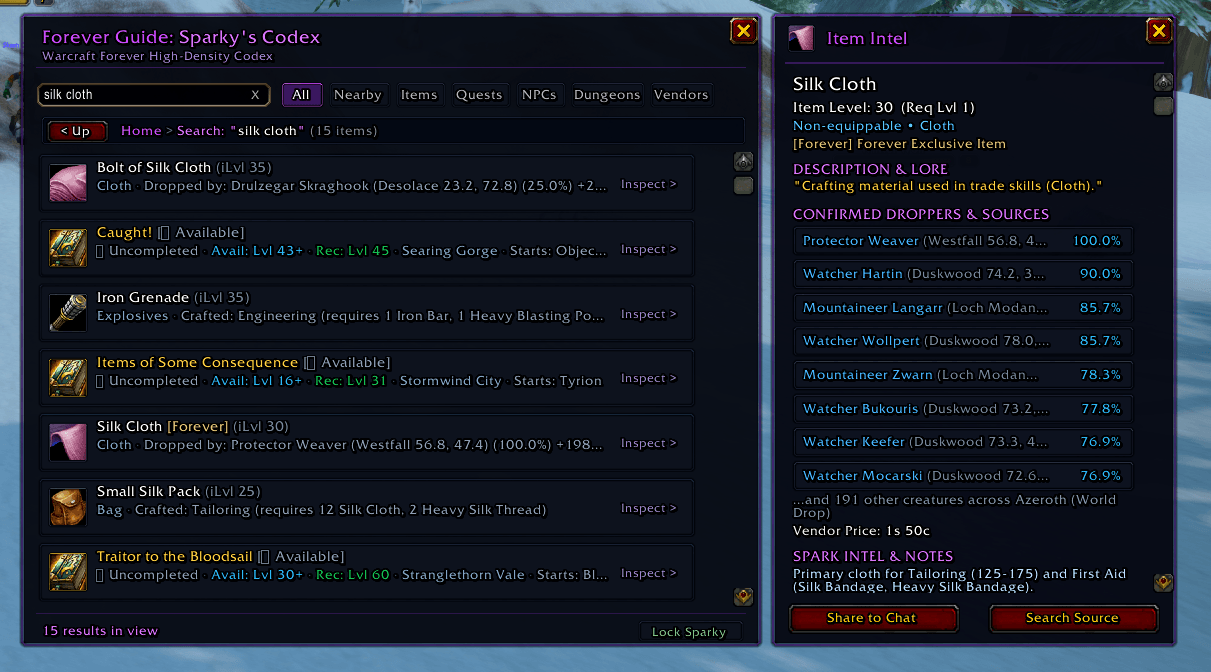
* **Instant Offline Search:** Search thousands of items, dungeons, bosses, and class progression data in real-time.
* **Native Blizzard Tooltips:** Hover over any item or boss to view authentic Blizzard stat cards, required levels, and drop rates.
* **1-Click Chat Linking:** Shift-click or left-click any item or ability in the Codex to link it directly into **Guild**, **Party**, or **Raid** chat.
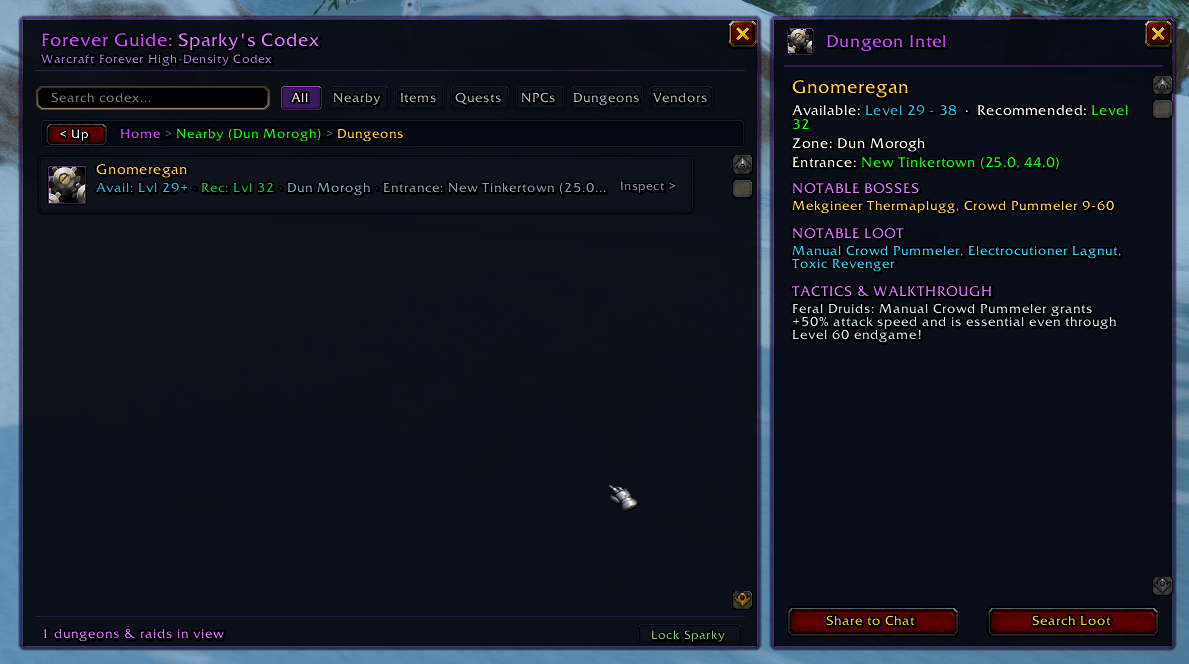
* **Dungeon & Raid Docket:** Full catalog of all 46 classic dungeons and raids with entrance coordinates, minimum level requirements, and key mechanics.
#### 📍 3. Minimap Beacon & Keybindings
* **Orbital Minimap Icon:** Smoothly draggable around your minimap rim.
* **Left-Click:** Open / Close the Forever Codex search window.
* **Right-Click:** Summon / Dismiss the Blue Spark companion.
* **Game Menu Keybinds:** Fully integrated into standard Blizzard Keybindings (`ESC` ➔ `Keybindings` ➔ `Forever Guide`).
---
### ⚡ 100% Lightweight & Lag-Free
* **Zero Frame Drops:** Built strictly with native Blizzard frame templates and optimized event listeners.
* **Completely Offline:** All database queries are resolved locally from pre-compiled tables. Never sends outbound web requests or pauses the client thread.
* **Low Memory Footprint:** Consumes under **2 MB of RAM** at runtime.
---
### 🎮 Slash Commands
| Command | Action |
| :--- | :--- |
| `/spark` or `/fg` | Toggle the Forever Codex search window |
| `/spark where` or `/spark zone` | Display recommended hubs and level bracket for your current zone |
| `/spark find <query>` | Quickly search items, bosses, or dungeon loot tables |
| `/spark lock` | Lock or unlock the Blue Spark widget position |
| `/spark toggle` | Summon or dismiss the floating Blue Spark |
| `/spark reset` | Reset the Blue Spark widget to the center of your screen |
---
### 📥 Installation Guide
#### Via CurseForge App (Recommended):
1. Open the **CurseForge App**.
2. Select **World of Warcraft (Classic)**.
3. Search for **Forever Guide**.
4. Click **Install**.
#### Manual Installation:
1. Download the latest release `.zip`.
2. Extract the `ForeverGuide` folder into your WoW AddOns directory:
* **Windows:** `C:\Program Files (x86)\World of Warcraft\_classic_era_\Interface\AddOns\`
* **macOS:** `/Applications/World of Warcraft/_classic_era_/Interface/AddOns/`
3. Launch World of Warcraft and make sure **Forever Guide** is enabled in your **AddOns** list at the character select screen.
---
[](https://curseforge.com/wow/addons/forever-guide)
[](https://github.com/ForeverbotDev/foreverbot)
[](https://opensource.org/licenses/MIT)
### ⚖️ Blizzard AddOn Policy Compliance
*Forever Guide* strictly adheres to Blizzard Entertainment’s [World of Warcraft UI and Add-on Development Policy](https://blizzard.com):
* **100% Free & Open Source:** Distributed under the MIT license. No paywalls, paid subscriptions, or donation nagging.
* **Zero Out-of-Game Communication:** Does not read or write outside the WoW sandbox, and executes zero external network calls during gameplay.
* **Purely Informational:** Contains no combat automation, macros, or botting utilities.
Sparky | Forever Companion Team