Sound Deck Mixer
- By
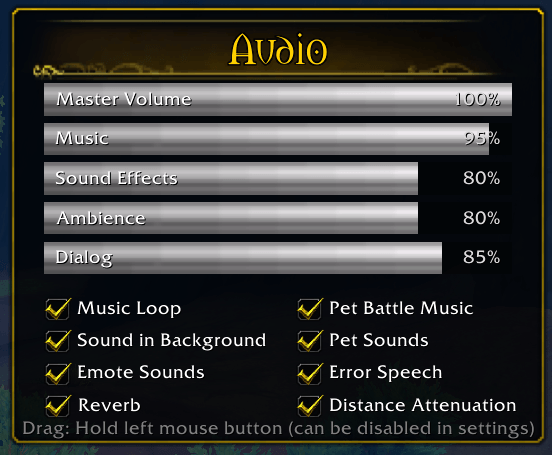
Audio hotkeys with customizable HUD, profiles, and automation. Works great with hardware hotkey devices like the Stream Deck+.
Screenshot 2026-02-12 235334.png
Description
Sound Deck Mixer gives you full control over World of Warcraft’s audio system using hotkeys, a customizable HUD, and sound profiles.
You can configure the key bindings via: ESC → Options → Keybindings → SoundDeckMixer
The addon settings are available under: ESC → Options → AddOns → Sound Deck Mixer
━━━━━━━━━━━━━━━━━━━━━━━━━━━━━━━━━━
FEATURES
━━━━━━━━━━━━━━━━━━━━━━━━━━━━━━━━━━
• Control Master Volume, Music, Sound Effects, Ambience, Dialog, Gameplay Sounds, Voicechat, Voicechat-Ducking, and Microphone Sensitivity
• Customizable in-game HUD with visual audio feedback
• Save and load up to 5 sound profiles
• Automation via event-based triggers
• Lightweight and performance-friendly design
The Sound Deck Mixer Team