SoulForge UI
- By
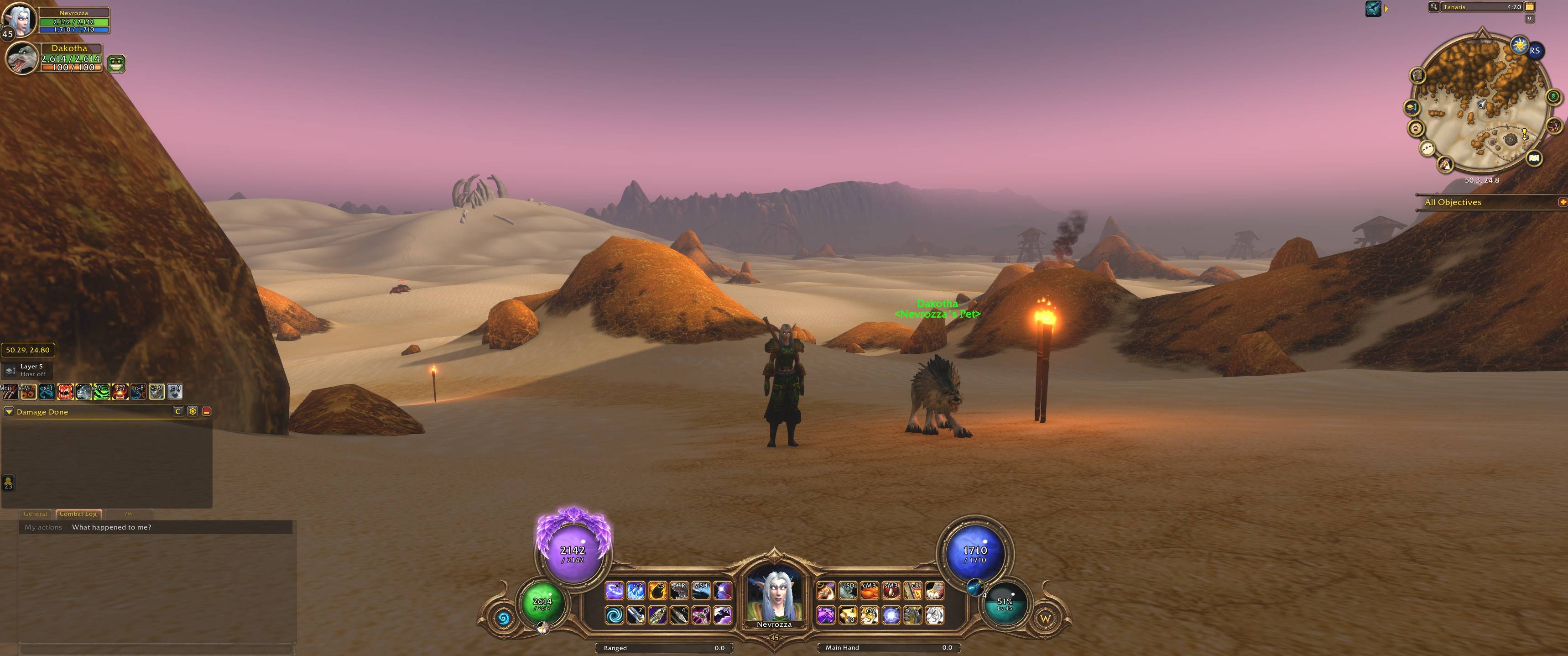
in game.jpg
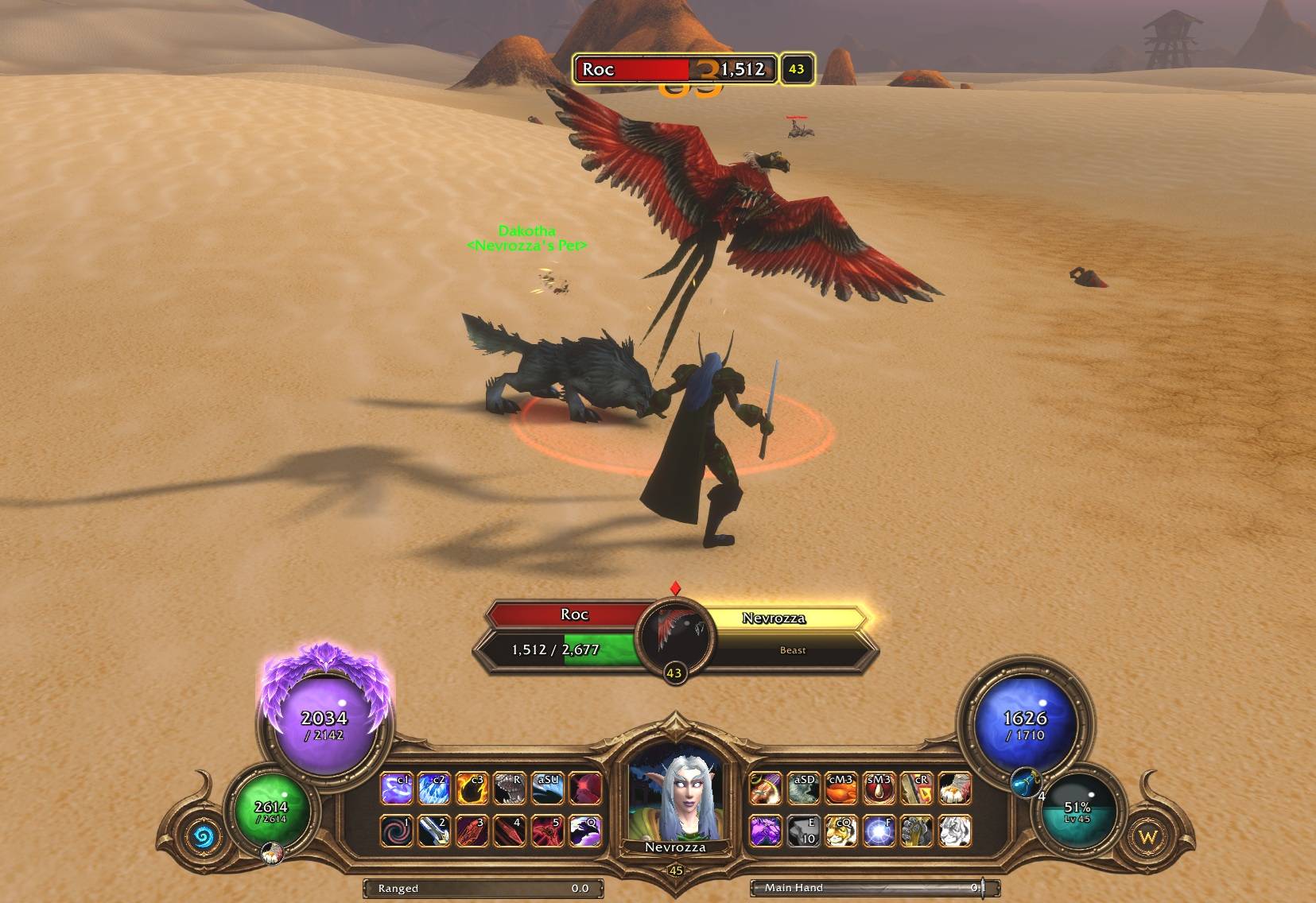
target of target.jpg
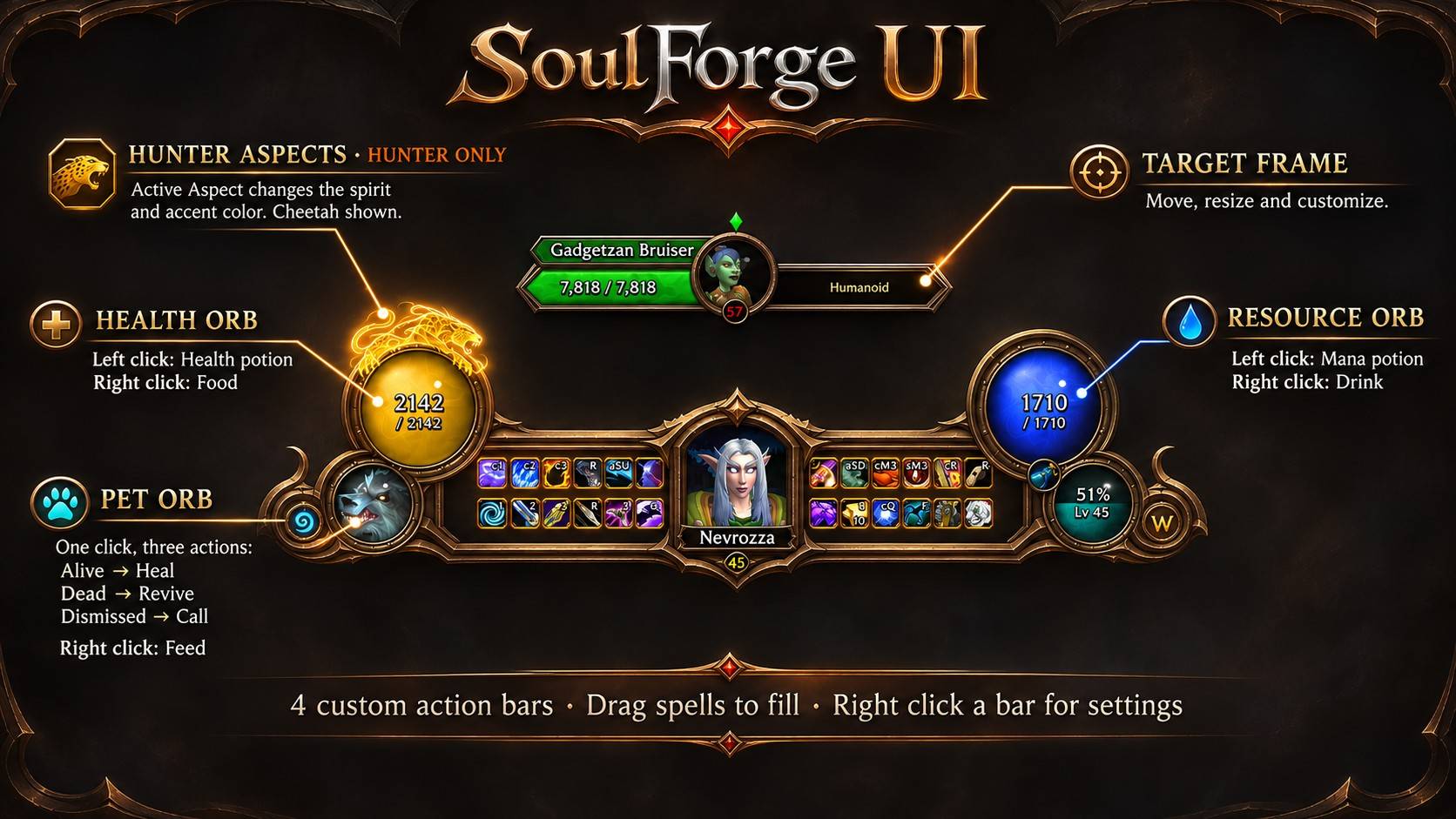
UiPresentation Legend.jpg
Description
SoulForge UI
A complete Diablo-inspired HUD for World of Warcraft
SoulForge UI transforms your World of Warcraft interface into a unified, Diablo-inspired HUD, combining an ornate bronze frame, glowing resource orbs, custom action bars, and live 3D character portraits.
Designed for WoW Forever, SoulForge UI brings your essential combat information together in one compact, customizable interface without sacrificing functionality.
Features
Unified HUD
Custom fantasy-themed frame: A single bronze frame that integrates your character portrait, action bars, resource orbs, and utility buttons.
Live 3D character portrait: Displays your character with a race-specific background, nameplate, and level indicator.
Dynamic health and resource orbs: Automatically adapts to your class and resource type, including Mana, Energy, Rage, Fury, and Focus.
Two configurable secondary orbs: Choose between Pet Health, Experience/Reputation, and Threat.
Hearthstone shortcut: Dedicated medallion displaying your Hearthstone cooldown.
Expandable Micro Menu: A compact menu featuring 11 custom Hearthstone-inspired icons.
Custom Action Bars
Four fully customizable action bars with Diablo-inspired button artwork.
Adjustable button count, size, spacing, and positioning.
Live cooldowns, charges, proc highlights, and ability availability indicators.
Range and usability feedback.
Quick Keybind Mode: Assign keys or mouse buttons by hovering over abilities, without navigating Blizzard's keybinding menus.
Potions and Hunter Features
Clickable resource orbs: Use your best available health or mana potion directly from the HUD, or configure a preferred potion.
Hunter Aspect Spirits: Display your active Hunter Aspect through animated, fantasy-themed spirit artwork around the health orb.
Enhanced Target Frame
Custom target frame matching the main HUD's design.
Live 3D target portrait.
Health and resource bars.
Buff and debuff tracking.
Cast bar and target-of-target display.
Threat-based colouring.
Defensive Ability Alerts: Important defensive abilities appear directly over the target portrait, including countdown timers.
Customization and Setup
Seven settings categories: Orbs, Potions, Target, Defensives, Spirits, HUD, and Bars.
Per-character settings.
First-login setup guide.
Optional automatic Edit Mode layout import, with the ability to undo changes.
Minimap shortcut for settings and Quick Keybind Mode.
Built for Gameplay
SoulForge UI is designed to keep important information visible while reducing unnecessary screen clutter.
Whether you're leveling, exploring, running dungeons, or fighting challenging enemies, the goal is simple: less time looking around your interface, more time focusing on the game.
Compatibility
Game: World of Warcraft
Client: WoW Forever
Configuration: Per-character saved settings
Installation: Install through CurseForge or place the addon in your AddOns folder.
SoulForge UI is an independently developed addon and is not affiliated with or endorsed by Blizzard Entertainment.
SoulForge UI Team