Soul Ledger - TBC
- By
Screenshot 2026-10-12 215014.png
Screenshot 2026-10-12 215057.png
Screenshot 2026-10-12 215126.png
Screenshot 2026-10-12 215149.png
Screenshot 2026-10-12 215211.png
Description
Soul Ledger - Warlock Tools for TBC Anniversary
Soul Ledger brings your most-used Warlock preparation and group-support tools together in one compact, configurable window. Soul Ledger was created via Codex AI
Soul Shard and stone tracking
-
See how many Soul Shard bag slots are occupied, alongside the combined capacity of your equipped Soul Shard bags. The capacity is a guide rather than a hard limit: shards in other bags still count.
-
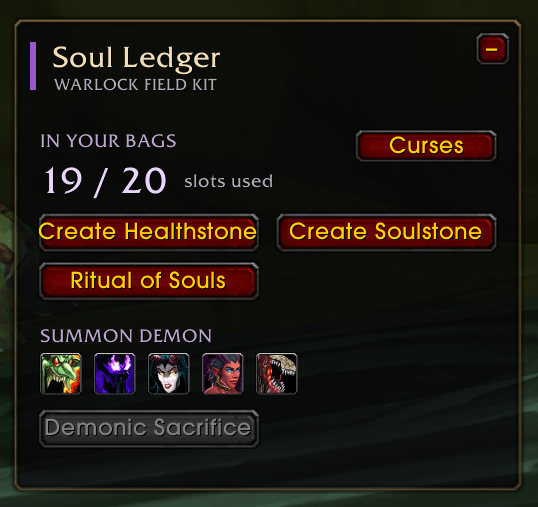
Create Healthstone and Create Soulstone buttons update to reflect your inventory. They are disabled when you have no Soul Shards; Create Healthstone is also disabled if you already carry a Healthstone matching your Improved Healthstone talent rank, and Create Soulstone is disabled while you carry a Soulstone.
-
Soulstone use checks your bags and cooldown. When it is on cooldown, the button shows the remaining time; in compact mode, the countdown appears in its hover tooltip.
-
When learned, Ritual of Souls appears as a shard-aware button for creating a Soulwell.
Demon summoning
-
Summon buttons appear as you learn the spells, ordered by the level they become available: Imp, Voidwalker, Succubus or Incubus, Felhunter, and the talent-based Felguard.
-
Shift-click a demon button to use Fel Domination before summoning when it is available. If Fel Domination is unavailable or on cooldown, the demon summon proceeds normally.
-
Demonic Sacrifice appears when learned and is disabled unless you have a living summoned pet.
Party and raid Soulstones
-
Choose a party or raid member from the Soulstone target menu, then use the single Use Soulstone button.
-
View group members with an active Soulstone Resurrection. Soul Ledger displays the caster when it can identify them through game aura data or Soul Ledger reports; otherwise, the caster is shown as unknown.
Curse setup and raid assignments
-
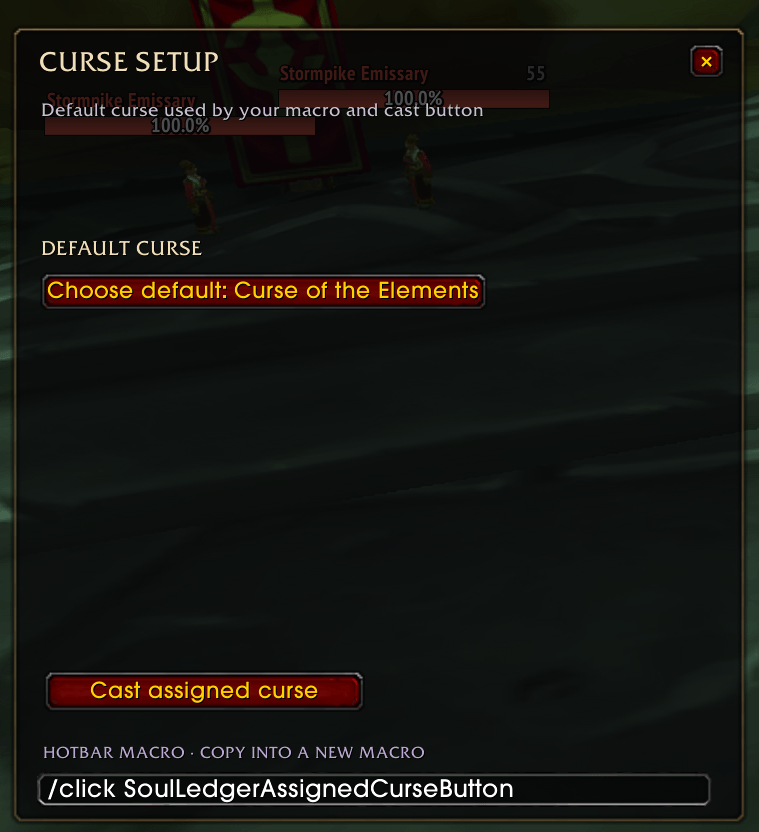
Choose a personal default curse in solo, party, or raid play. The default is Curse of Agony, and the selection is saved for your character.
-
The TBC curse selector includes Curse of Agony, Curse of the Elements, Curse of Recklessness, Curse of Tongues, Curse of Weakness, Curse of Doom, and Curse of Exhaustion when learned.
-
In raids, an addon user can become the curse controller and request worker approval. Warlocks using Soul Ledger can opt in once for that raid; the controller can then assign Curse of Recklessness, Curse of the Elements, Curse of Tongues, and Curse of Weakness to eligible Warlocks, including themselves.
-
Workers see their assignment and can use the backup cast button or copy the provided
/click SoulLedgerAssignedCurseButtonmacro to their action bar. Soul Ledger does not edit your macros. -
Assignments and approvals reset when you leave the raid. Without a raid assignment, your personal default remains available.
Compact, movable interface
-
The window opens when the addon loads. Use the Soulstone minimap icon to show or hide it, toggle resize mode, or open settings.
-
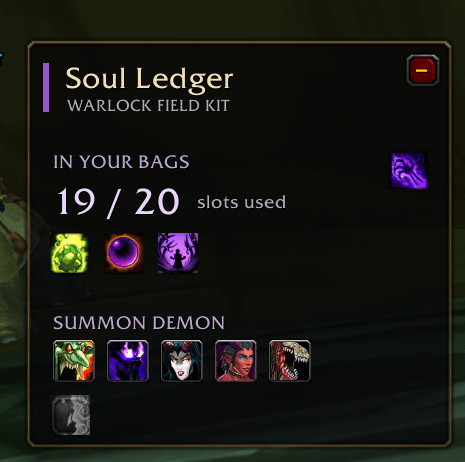
Enable compact mode to replace the main action buttons with 24×24 spell icons and hover tooltips.
-
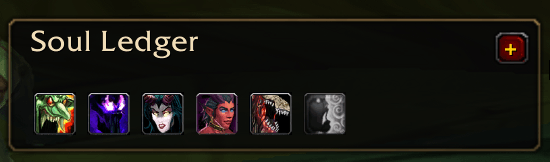
Minimize the window to a small bar showing the addon name and known demon buttons, plus Demonic Sacrifice when learned.
-
Drag the window by its header and resize it between 50% and its original size. The size and compact-mode preference are saved.
Ritual of Summoning messages
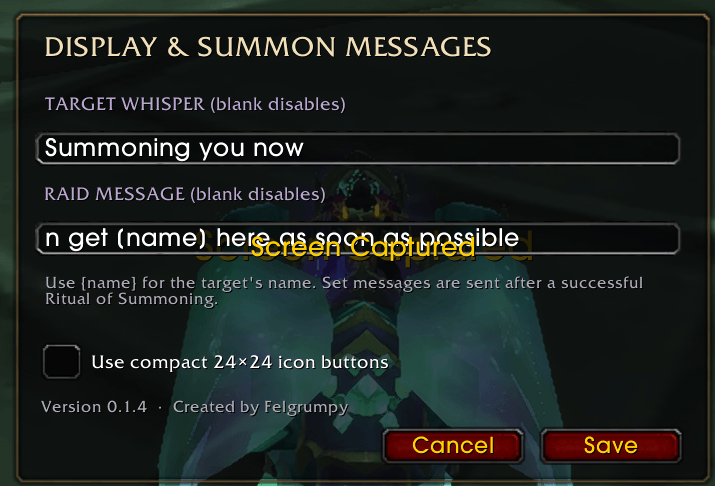
Configure an optional target whisper and group message in settings. Use {name} to include the Ritual of Summoning target. After a successful ritual, Soul Ledger sends the configured whisper and posts the group message to raid chat or party chat as appropriate. Messages are blank by default.
This TBC edition does not include the summon-request queue or chat triggers; use meeting stones to coordinate group summons.
Controls
-
/sledger- show or hide the Soul Ledger window. -
/sledger settings- open the summon-message settings. -
Minimap left-click - show or hide the window.
-
Minimap Shift-left-click - toggle resize mode.
-
Minimap right-click - open settings.
Soul Ledger - TBC Team