Solo Compass
- By
Find your next adventure: personalized ideas for quests, collections, housing, and more, based on your interests and available playtime.
Screenshot 2026-10-16 123308.png
Screenshot 2026-10-16 123326.png
Screenshot 2026-10-16 123549.png
Description
Solo Compass
Just logged in… now what?
World of Warcraft has plenty to do. Choosing where to start can be the hard part.
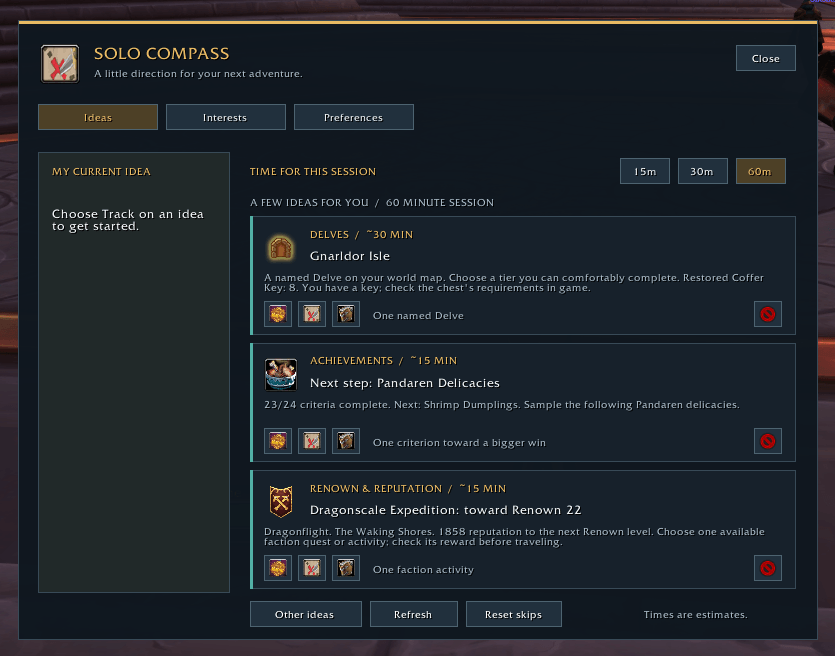
Solo Compass helps you find one satisfying thing to work on, based on your character, your interests, and the time you have. Pick a 15, 30, or 60-minute session and get a short list of ideas instead of another enormous checklist.
Choose what sounds fun
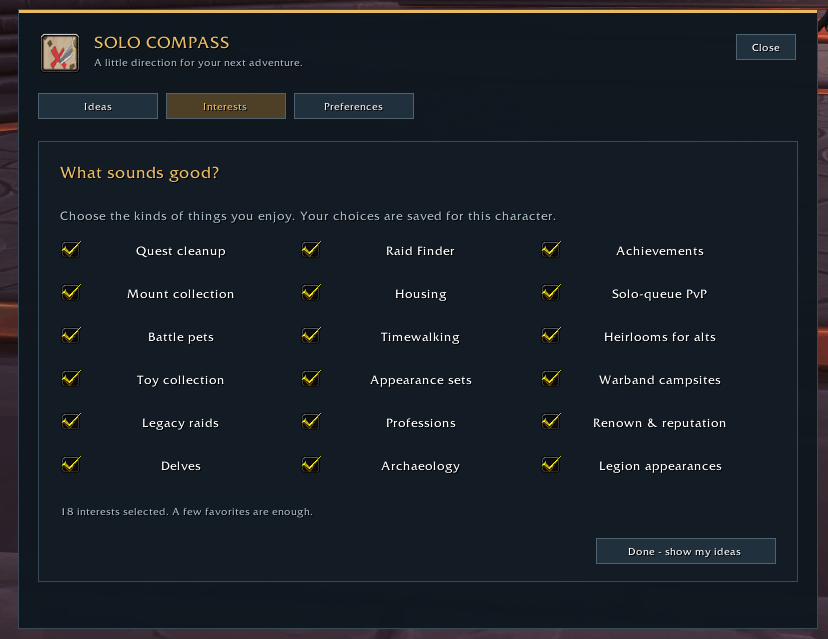
On your first visit with a character, Solo Compass guides you to Interests. Choose a few favorites, click Done, and start exploring your Ideas. Change your interests whenever you like; each character keeps their own choices.
Suggestions include:
- Quest cleanup: rediscover quests already in your log, including forgotten turn-ins.
- Collections: investigate missing mounts and toys, collect battle pets, or help an owned pet gain a level.
- Transmog: find unfinished appearance sets and work toward another missing piece.
- Raid outings: revisit 51 raids from Classic through Dragonflight for appearances, collectibles, and other personal goals.
- Delves: discover named entrances, currently Bountiful map markers, and your Restored Coffer Key count.
- Housing: spot houses ready for an upgrade, work on a Neighborhood Endeavor task, or choose a small decorating goal.
- Professions: work toward skill milestones, including Cooking, Fishing, and older expansion skills; investigate known decor recipes and lumber preparation.
- More adventures: Archaeology, achievements, Renown and older reputations, heirlooms, Warband campsites, Legion artifact appearances, Raid Finder, Timewalking, and solo-queue PvP.
Turn an idea into your next adventure
Each suggestion has small buttons with tooltips:
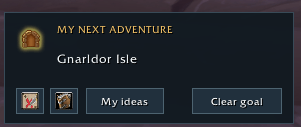
- Track saves your current goal to a movable tracker. Supported goals show live objectives or progress, and your selection survives reloads.
- Navigate opens the relevant map or places a destination pin when reliable location data is available.
- Details opens the relevant quest, collection, profession, or activity panel.
- Dismiss hides an idea for this session, 24 hours, or until you restore it.
Use Other ideas for a different shortlist or Refresh to check updated progress. Tracking a reputation also selects it for the game's watched reputation bar.
Make it comfortable
In Preferences, choose whether Solo Compass opens when you log in, show or hide the minimap button and compact tracker, reset the tracker position, or restore hidden ideas.
Commands
| Command | Action |
|---|---|
/sc or /solocompass |
Open or close Solo Compass. |
/sc settings or /solocompass settings |
Open Preferences. |
You can also left-click the minimap button to open Solo Compass or right-click for Preferences.
A nudge, not a checklist
Solo Compass uses the progress and collection information available from the game. Some ideas are a small preparation step; others are an outing or a measurable milestone. Times are estimates, and travel, queues, costs, drop luck, and encounter mechanics can change what fits your session.
Older raids are not guaranteed solo clears. Raid Finder, Timewalking, and solo-queue PvP involve playing with other people. Some activity data loads after opening its game panel; Refresh can help. Toy discovery resets Toy Box filters when it first scans and when you explicitly Refresh.
Choose what you enjoy. One goal is enough.
Solo Compass Team