S.N.E.K
- By
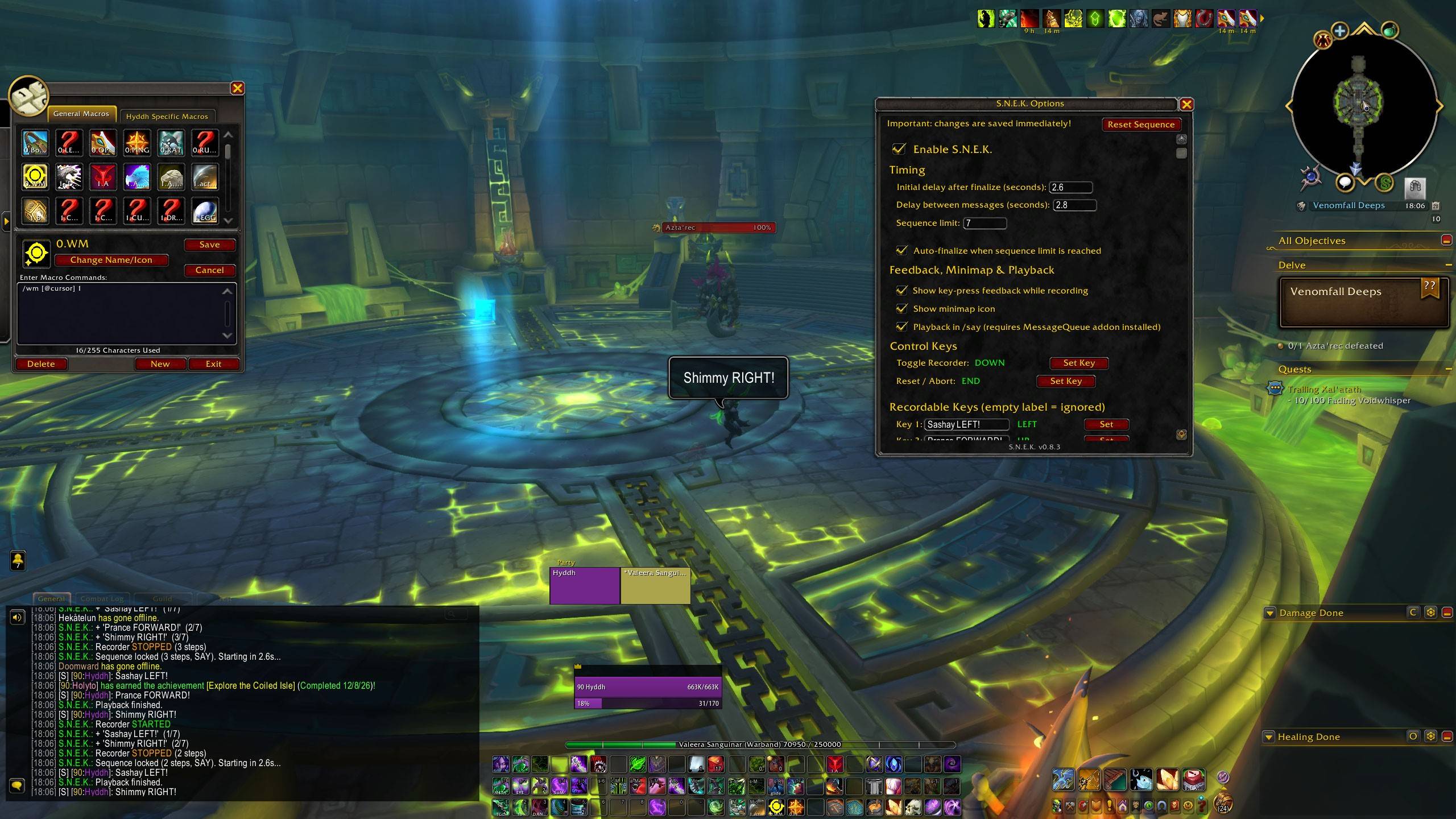
Sequence Next Enqueued Key. Record key sequences and replay them with custom delays to help you beat Simon-Says style challenges such as Azta'rec Nemesis boss.
screenshot_01_full.jpg
screenshot_02_options.jpg
screenshot_04_keybindings.jpg
screenshot_03_addons.jpg
Description
S.N.E.K.
Sequence Next Enqueued Key
Record key sequences and replay them with custom delays to help you beat Simon-Says style challenges.
Best Used With World Markers
This addon works especially well together with World of Warcraft’s World Marker feature.
- Place a world marker of your choice on the starting position.
- Press the Toggle Recorder key of S.N.E.K. to begin recording your sequence.
- Once the sequence is recorded and finalized, go to the starting position and replay.
You can quickly place a world marker at your cursor with this macro:
/wm [@cursor] 1This places world marker type 1 at the location under your cursor.
Note: WoW does not support automatically placing a world marker at the player’s position ([@player] does not work).
How to Use
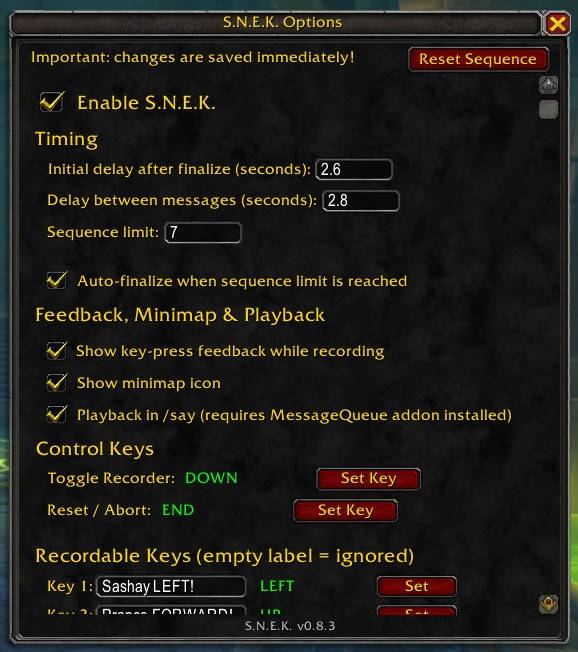
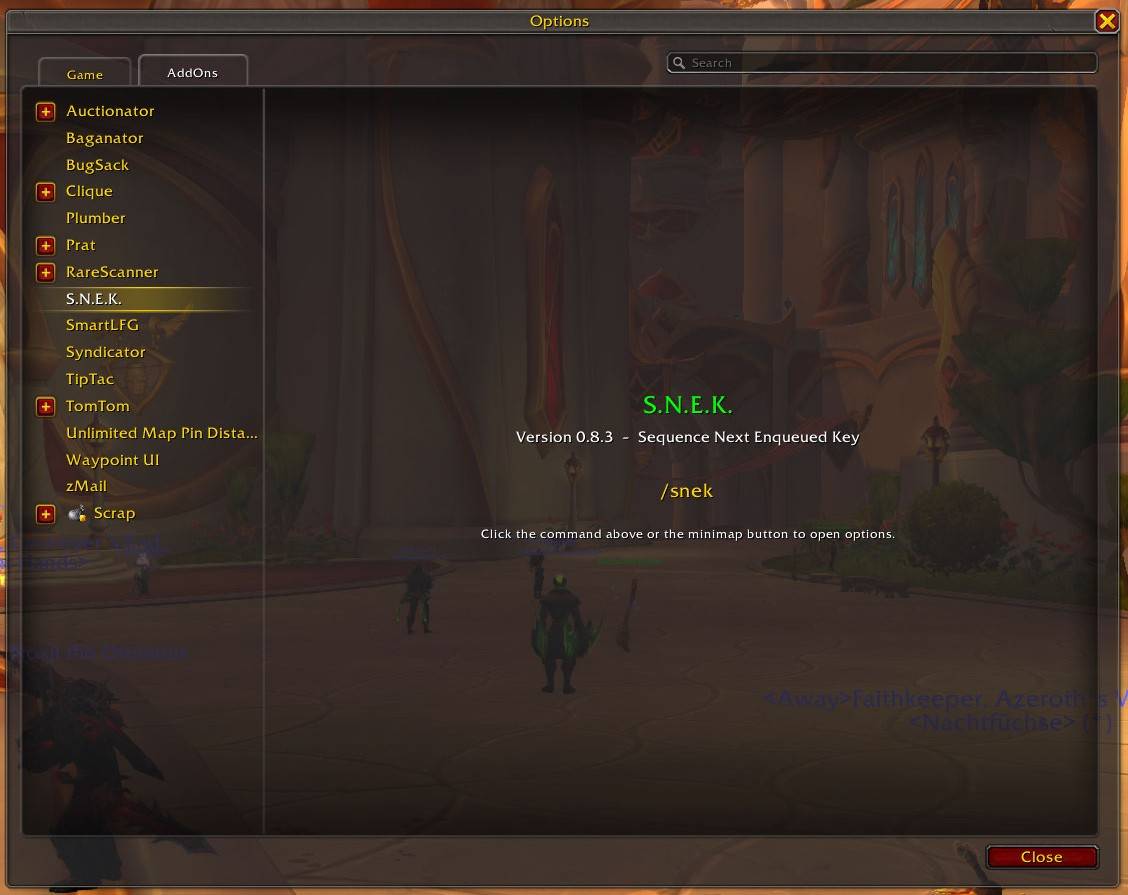
- Open the options panel (
/snek optionsor the minimap button). - Enable the addon.
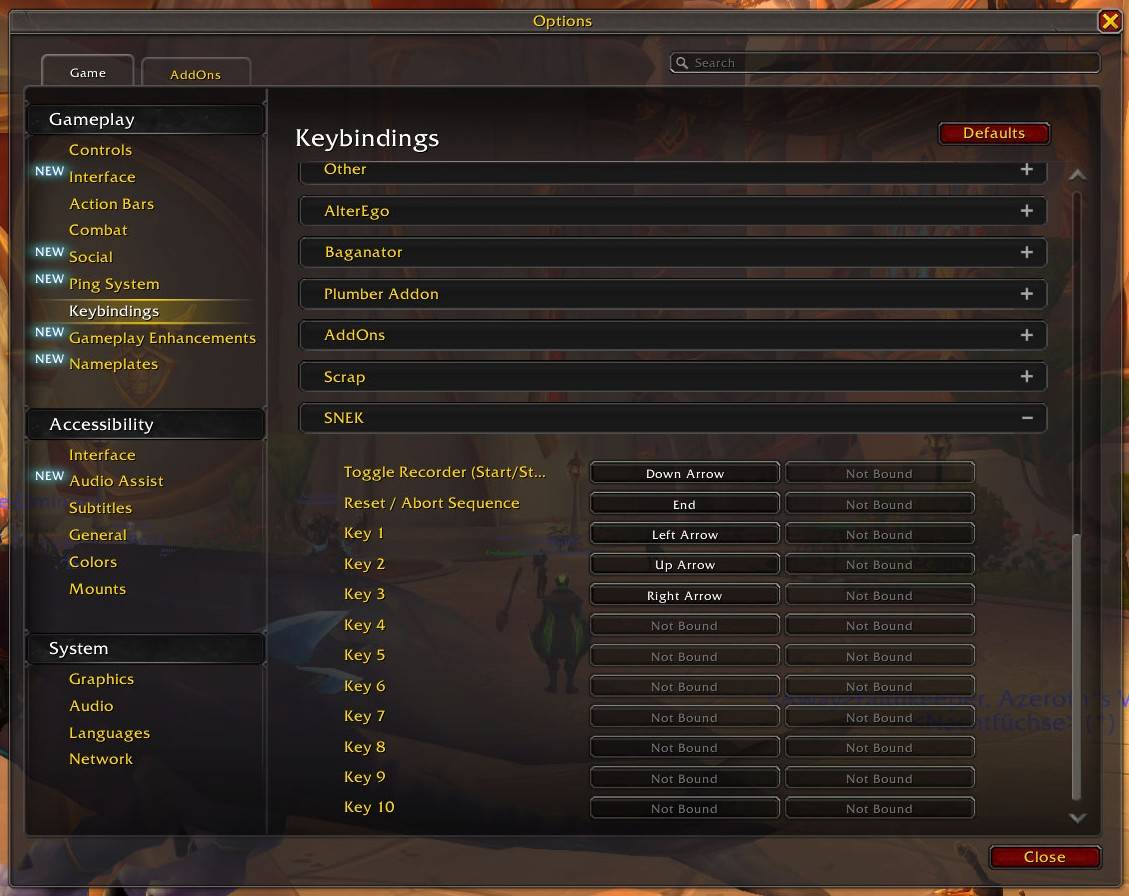
- Bind your preferred keys:
- Toggle Recorder – starts recording; pressing it again stops recording and starts playback
- Reset / Abort – clears the current sequence
- Key 1–Key 10 – the keys that can be recorded
- Assign a text label to each key you want to use.
- (Optional) Enable “Playback in /say (requires MessageQueue addon installed)” if you have MessageQueue installed.
- Place a world marker on the starting position (recommended).
- Press the Toggle Recorder key, enter your sequence, then press Toggle Recorder again to stop and automatically start playback (or reach the sequence limit with auto-finalize enabled).
Features
- Sequence Recorder – Start and stop recording with a dedicated toggle key. Stopping the recorder automatically starts playback (when the sequence is not empty).
- Up to 10 Custom Keys – Bind any keys you want (Key 1–Key 10). Each key can have its own custom text label. Empty labels are ignored.
- Configurable Delays – Set an initial delay after finalizing a sequence, plus a separate delay between each step.
- Sequence Limit – Default limit of 7 steps (fully configurable). Choose whether reaching the limit simply stops recording or automatically starts playback.
- Playback Output – Choose between local chat print (default) or
/sayannouncements./sayrequires the optional MessageQueue addon. - Enable / Disable – The addon starts disabled by default. Toggle it on only when you need it.
- Minimap Button – Optional minimap icon for quick access to the options panel.
- In-game Options Panel – Scrollable configuration window. Changes are saved automatically.
Slash Commands
| Command | Description |
|---|---|
/snek options |
Opens the options panel |
/snek minimap |
Toggles the minimap icon |
/snek on |
Enables the addon |
/snek off |
Disables the addon and clears any active sequence |
/snek reset |
Clears the current sequence without disabling the addon |
/snek help |
Shows available commands |
/snek version |
Prints the current version |
Notes
- The addon is disabled by default. Enable it only when you intend to use it.
- Keybindings can also be set through the normal WoW Key Bindings menu under the SNEK category.
- Changes in the options panel are saved automatically.
- MessageQueue is an optional dependency. Without it, playback always uses local print. With it, you can choose
/sayoutput.
S.N.E.K Team