SnapPost Forever
- By
**SnapPost Forever** maps classic profession materials across your Forever characters and helps you mail the right stacks from the mailbox with safe delays.
06-options-addons.jpg
05-mapper-current-ui.jpg
04-mail-prompt-current.jpg
Description
SnapPost Forever maps classic profession materials across your Forever characters and helps you mail the right stacks from the mailbox with safe delays.
Built only for World of Warcraft: Forever (Interface 16001). It does not replace Retail SnapPost.
Features
- Character scan — save each alt’s professions (
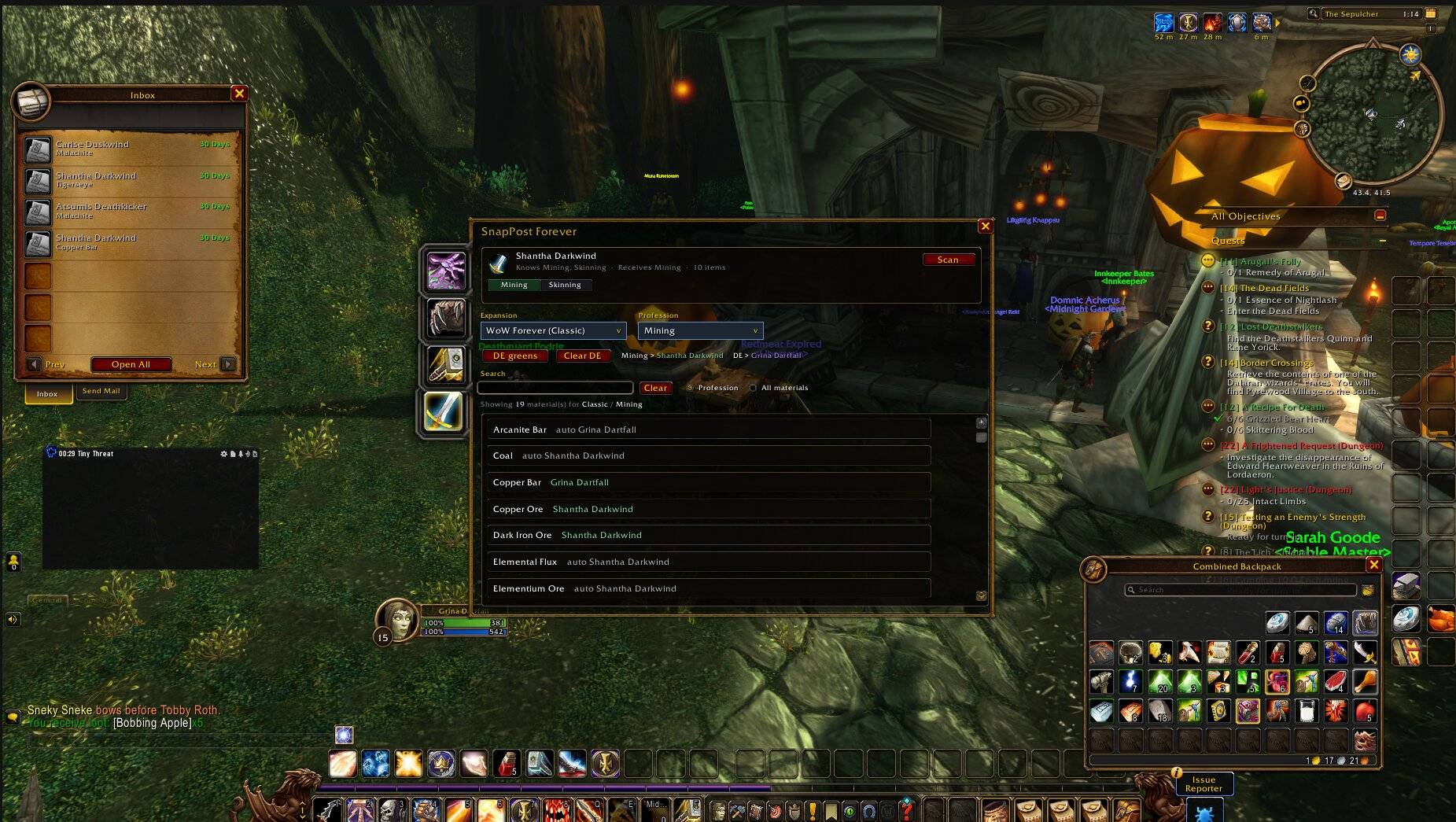
/spostf scan). - Mapper UI — SpellBook-style character tabs, profession chips, search, and All-materials view.
- Per-item maps — left-click a material to assign it to the selected alt; right-click to clear.
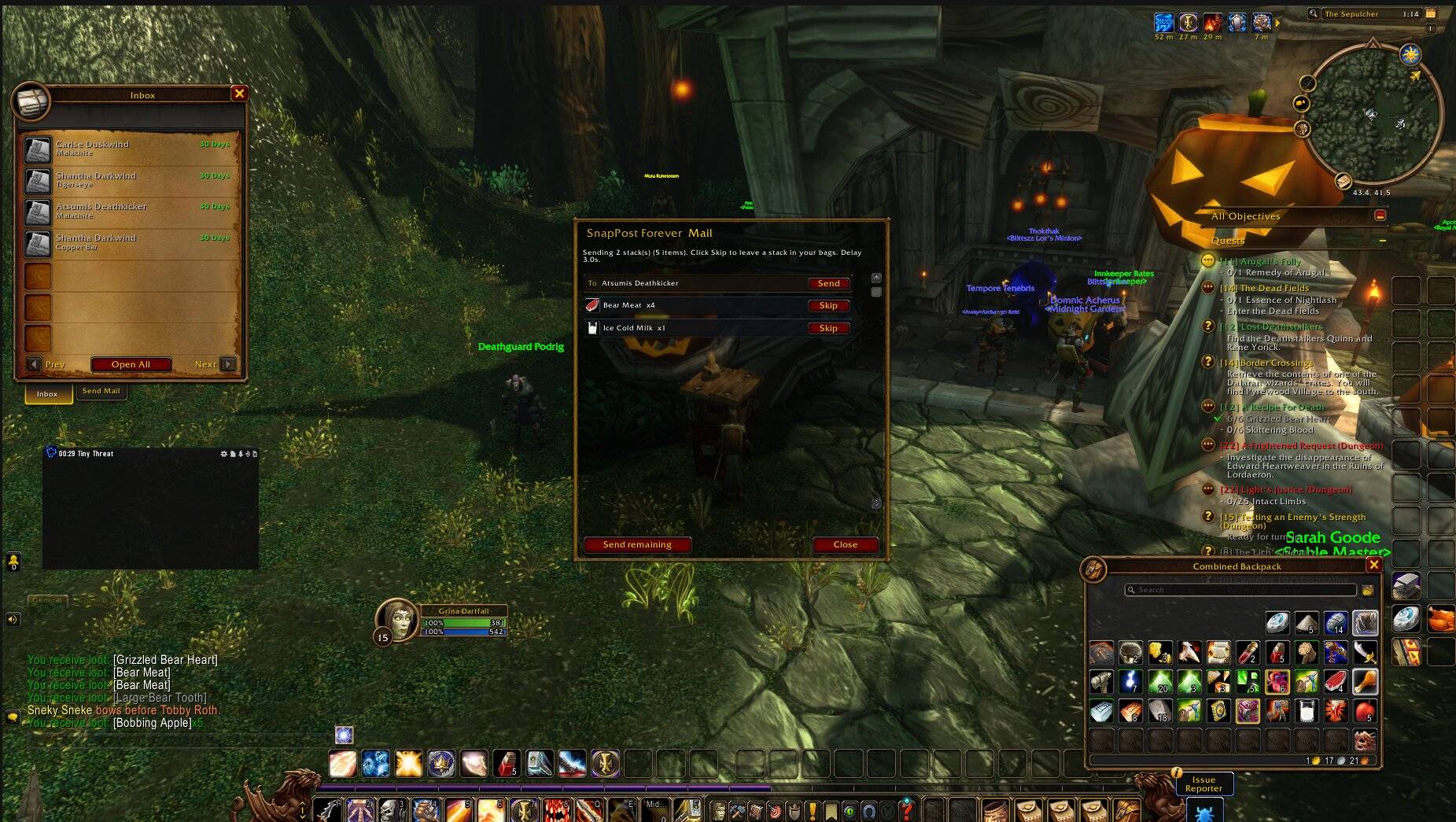
- Mailbox prompt — when the mailbox is open, see stacks with icons, skip items, and send one recipient or bulk-send with a configurable delay.
- DE greens — optionally mail low-value Uncommon armor/weapons to your enchanter (level / vendor / Auctionator AH caps).
- First-time guide — short tour the first time you open the mapper on a character; skip anytime or disable under Options.
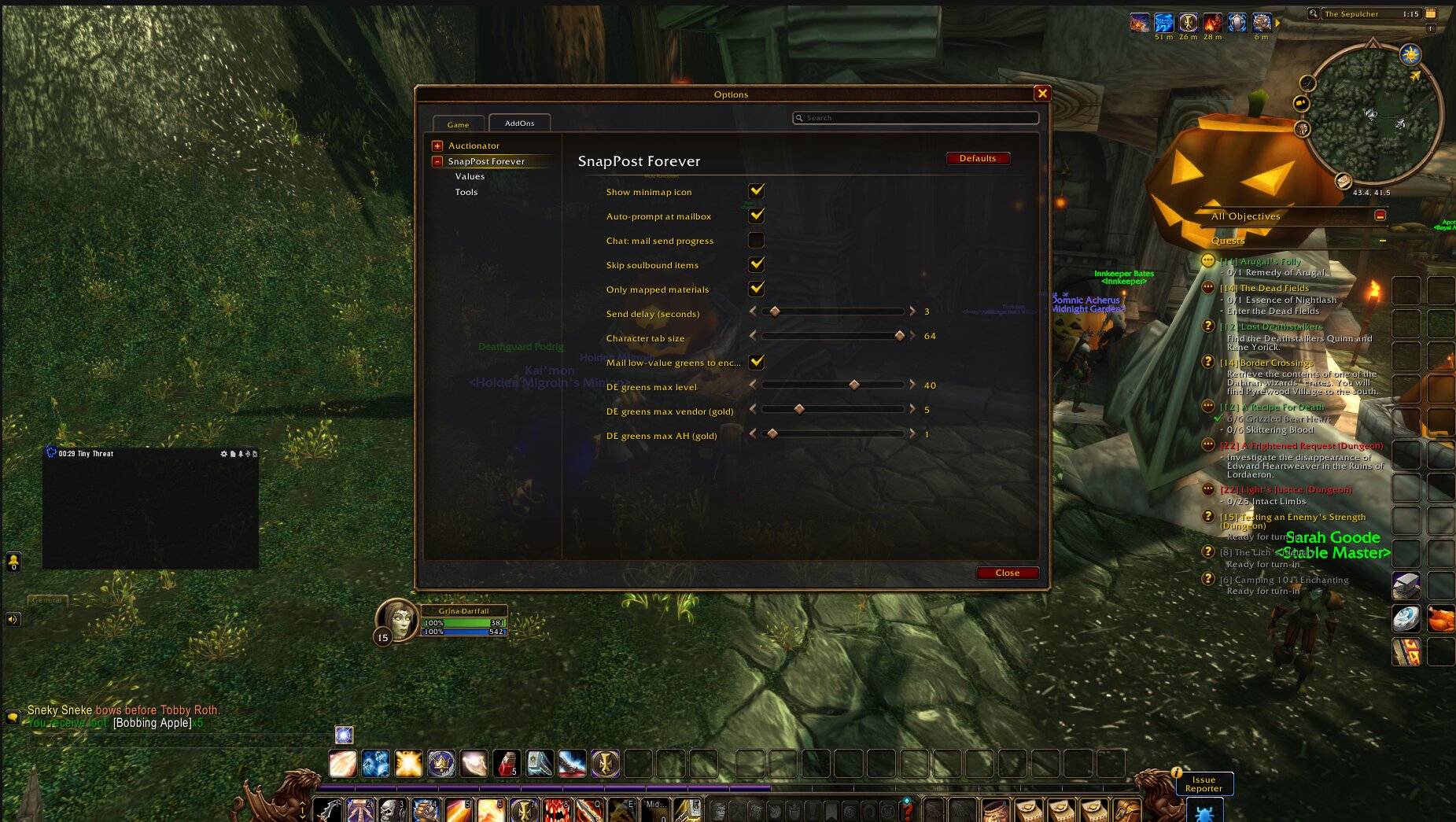
- Options — Esc → Options → AddOns → SnapPost Forever (mail delay, chat progress, character tab size, skip guide, tools).
- Minimap button — left-click mapper, right-click options.
Quick start
- Log each crafting alt and run
/spostf scan. - Open
/spostf, pick an alt tab, toggle profession chips (or map individual materials). - Gather on farm toons, open a mailbox, and use the SnapPost Forever Mail prompt.
Commands
/spostf— mapper/spostf options— settings/spostf bags— mail plan (mailbox open to send)/spostf delay N— seconds between sends/spostf de <Char-Realm>— DE greens target
Notes
- Forever uses full character names (first + surname) for keys and mail To.
- Not affiliated with Blizzard Entertainment.
- Source and license: see the files inside the addon zip (
README.md,LICENSE).
SnapPost Forever Team