SnakeSays - Azta'rec Boss Mod
- By
Aztarec Helper Simon Says-style HUD to use during Delve Nemesis Azta'rec encounter to help with its memory mini-game.
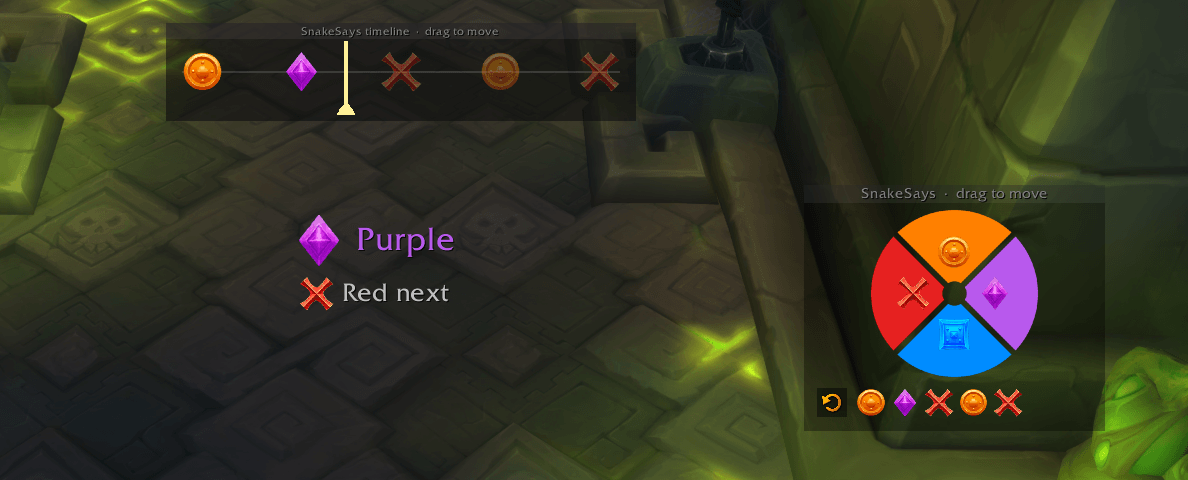
UI Elements
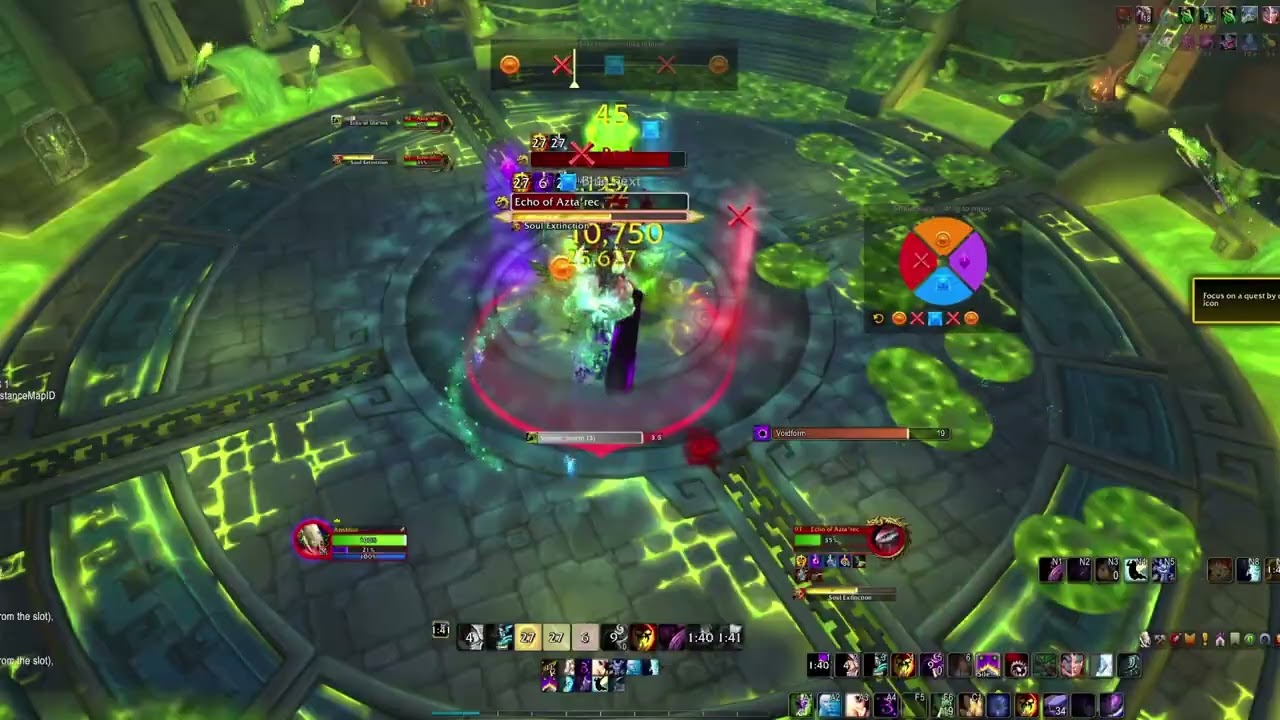
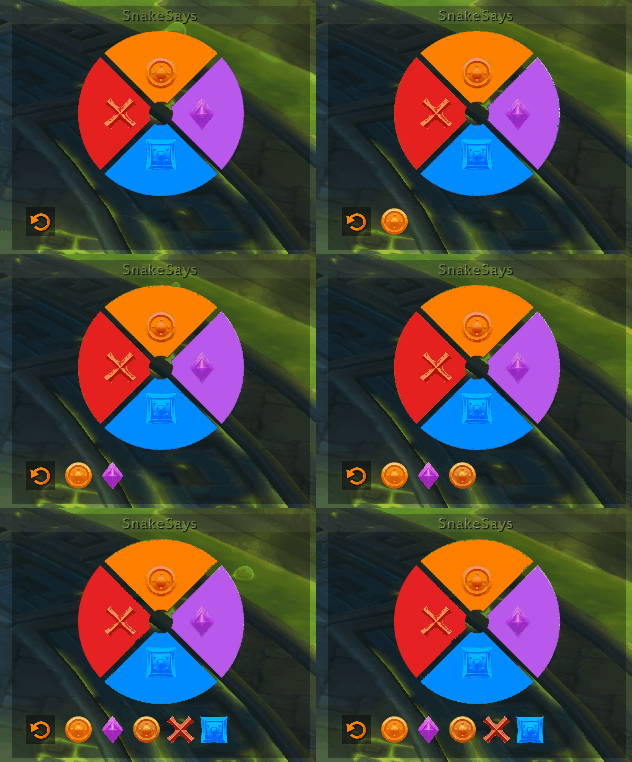
Addon recording the sequence
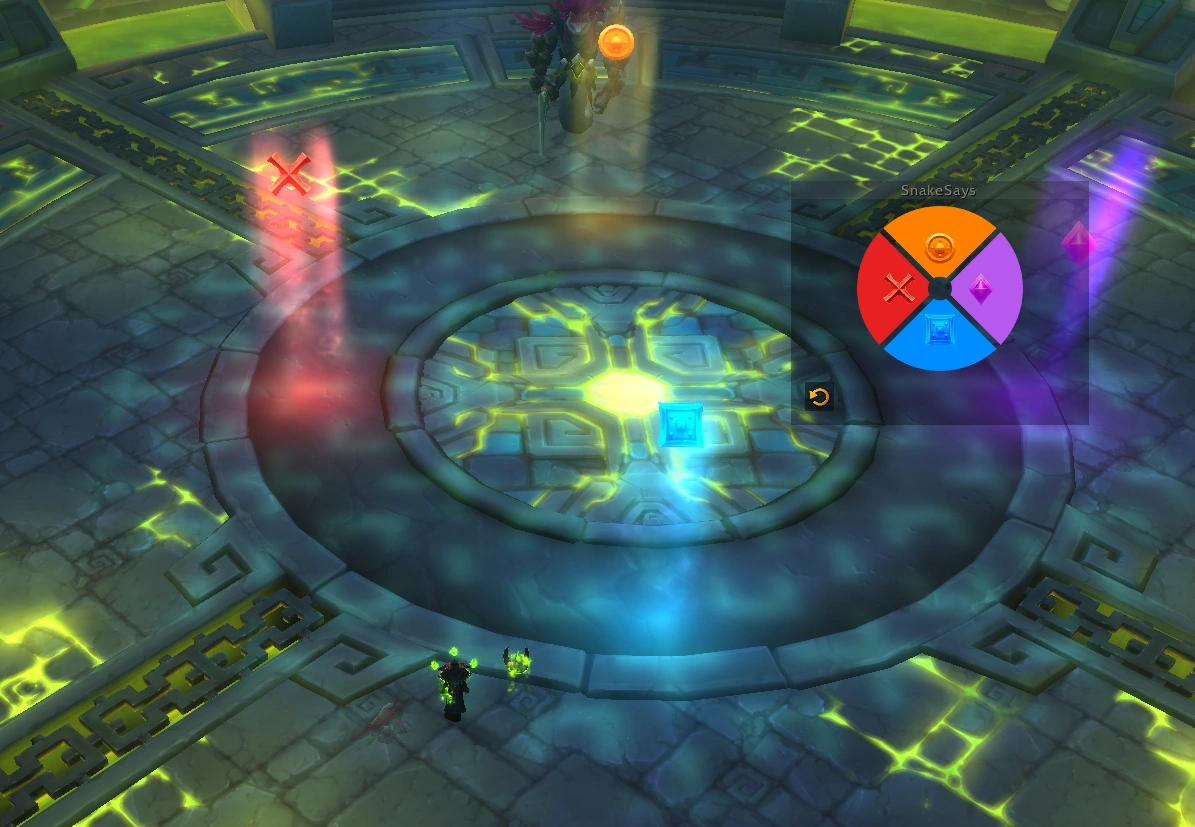
Suggested way to place markers in the arena to help in the fight.
Description
SnakeSays
A Simon-Says HUD for World of Warcraft, built for the memory game from Azta'rec, the Delve Nemesis from Midnight Season 2. Azta'rec divides the room into four quadrants during its intermission, sends a run of waves through them (one safe quadrant each time), then repeats the same sequence without visual warnings. Your goal is to memorise the sequence and run to the safe quadrant each time.

You tap the quadrants on the board as the waves are shown. SnakeSays works out the fight's timing and calls the run back to you during the silent repeat, by voice and on screen. In a group you can use Leader Mode to have only one person input the sequence.
The memory game runs three times per pull, with an extra icon per repetition. ?? difficulty gets 5 waves at 90%, 6 at 60% and 7 at 30%, while ? gets 3, 4, and 5 waves at the same percentages. Each phase is recorded and replayed on its own; the previous one is cleared when the next channel starts.
It records and displays only. It never moves your character, targets, or places world markers, so there is nothing protected here: every button and keybind works in combat.
How the Fight Works
There are two halves to each memory game, and SnakeSays splits the work the same way:
| Half | What happens | Who does what |
|---|---|---|
| Showing | waves cross the room, one safe quadrant each | you press each quadrant on the board or by keybind |
| Repeat | the boss replays the run with no visual warning | SnakeSays calls each wave out loud and on screen |
Remembering the sequence in the middle of the fight is the hard part, and it's the part SnakeSays does for you.
The HUD
A circle split by an X into four cardinal wedges.
Each wedge shows a raid marker and is tinted to that marker's colour. The defaults are:
| Quadrant | Marker | Colour |
|---|---|---|
| North | Circle | Orange |
| East | Diamond | Purple |
| South | Square | Blue |
| West | Cross | Red |
The sequence renders as a row of marker icons beneath the circle, and a reset button sits at the left of that row. Wedges flash as each wave goes on.
The Timeline
A separate window, at the top of the screen by default shows the sequence being pressed. Once the replay starts, it swaps for being an indicator of the current chain of events, so you can plan accordingly.
During the Replay
When the boss starts repeating the run, SnakeSays calls each wave three ways:
- Voice: one word per wave, the safe colour ("Red") or the marker's name ("Cross"), your choice.
- On-screen call: the current quadrant large, with the next one beneath it so you can start moving early. Drag it anywhere; unlock the HUD to grab it.
- Timeline: the scanning bar above, which is the one that tells you how long you have rather than just where to be.
Simulate the Addon
/ss sim makes up a run anywhere in the world, shows it going onto the board,
then calls it back with the real voice and popup. It prints the run it's about
to play, so you can check the calls against it. /ss sim stop ends it.
It runs a 5-wave phase by default; /ss sim 6 or /ss sim 7 practises the
longer ones. It exists to check the announcements and to place the windows.
This simulation is useful to show you all components of the addon working together, use it to calibrate your settings before the encounter.
Leader Mode
Running with a group? SnakeSays supports Leader Mode.
The party leader is the leader. Everyone else just watches.
Setup, for the leader only:
- Run
/ss macroout of combat. It creates five macros —SS North,SS East,SS South,SS WestandSS Reset. - Drag them onto your action bars and use those instead of the board or your normal keybinds. The macros are what share the run; clicking the board does nothing for the group.
- Run
/ss macroagain if you change which marker a quadrant uses.
What followers get: the run appears on their timeline as marker icons, in order, and the scanning bar runs across them so they can see which wave is being called. Due to addon restrictions, there are no voice callouts and no on-screen call for other group members.
/ss sync off opts out of watching the leader's run.
Something Broken?
/ss status prints what the addon currently believes: whether it thinks it's in
the delve, which windows are up, the encounter state, the wave timing it's
working from, how many TTS voices are installed, and whose board you're on.
If a round goes by with nothing pressed and nothing read off chat, you'll get No input detected during setup. in chat when the showing half ends. That's the addon saying it worked and had nothing to work with — as opposed to silence, which would mean it never saw the round at all. The two look identical without that line, so it's the first thing to check when a pull produces no calls.
Settings
/ss (or Esc → Options → AddOns → SnakeSays) opens the options page:
- Per-quadrant marker - click one of the eight markers to assign it. Markers are unique across quadrants: choosing one that's already in use swaps the two, so you never end up with a duplicate.
- Keybinds - one per quadrant, plus Reset. Click a key box and press the combo (Esc cancels, right-click clears). These are real game bindings, set from this page.
- Show HUD / Lock HUD - one lock for every window. Unlock to drag the board, the on-screen call and the timeline; lock again when they're placed.
- Auto-reset - clears the sequence a set number of seconds after the first press (30–60s, default 40s). The timer is anchored to the first press and doesn't slide forward as you add to the sequence.
- Only show inside the Delve Nemesis map - on by default. Untick it to place the windows out in the world.
- Share the sequence with my group - on by default. Watches for the leader's run in party chat. See Leader Mode.
- During the replay - call things by colour or by marker, voice volume, let calls overlap, on-screen call on/off, next-up line on/off, timeline on/off.
- Window size - one slider each for the board, the on-screen call and the
timeline, 50% to 200%. They're separate on purpose: the board is a click
target, the call is read head-on, and the timeline is read from the corner of
your eye, so one size for all three is usually wrong for two of them. Resizing
also scales the window's offset from whatever it's anchored to, so it can shift
a little as it grows - nudge it back, or
/ss recenter.
Slash commands
| Command | Effect |
|---|---|
/ss |
open the options window |
/ss sim |
demo run anywhere; /ss sim 7 for a 7-wave phase, /ss sim stop ends it |
/ss status |
report what the addon currently sees |
/ss sound |
test the voice and say what the client did with it |
/ss debug |
step-by-step detection output in chat |
/ss show · /ss hide · /ss toggle |
show / hide the HUD |
/ss lock · /ss unlock |
lock / unlock for dragging |
/ss reset |
clear the recorded sequence |
/ss sync |
share the sequence with your group (on / off to be explicit) |
/ss macro |
make (or update) the macros that share your board with the group |
/ss timeline |
toggle the timeline (on / off to be explicit) |
/ss recenter |
move every window back to its default place |
(/snakesays is a long alias for /ss.)
SnakeSays - Azta'rec Boss Mod Team


Owner