SmartCDReminder
- By
1.png
2.png
3.png
4.png
5.png
Description
🚀 SmartCDReminder Update: The Post-Fight Analysis Update!
We are incredibly excited to bring you one of our biggest updates yet. Managing your cooldowns during a boss fight is only half the battle; knowing how you actually performed is the key to getting the kill.
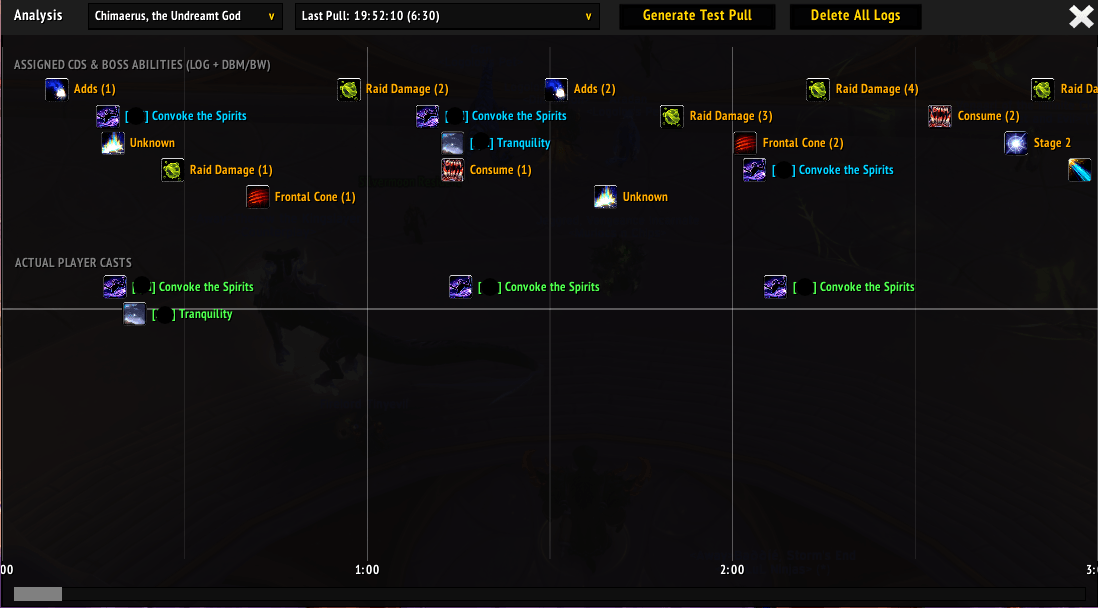
🔍 Introducing the Post-Fight Analysis Tool (/scdranalysis) or open in menue tap
This brand-new, interactive timeline lets you visually review every pull. We’ve split the timeline into two tracks:
- Top Track → Shows exactly what was assigned (alongside DBM/BigWigs boss abilities)
- Bottom Track → Shows exactly when you actually pressed those buttons
With a built-in precision hover-line, comparing your planned cooldowns to your actual execution has never been easier.
⚙️ Additional Improvements
On top of the new Analysis Tool:
- 🔄 Completely overhauled spell cast tracking for pixel-perfect accuracy
- 🛠️ Deployed a critical fix for a Blizzard "secret string" UI taint error
Happy raiding!
========================================================
SmartCDReminder – Basic Usage Guide
Opening the Interface
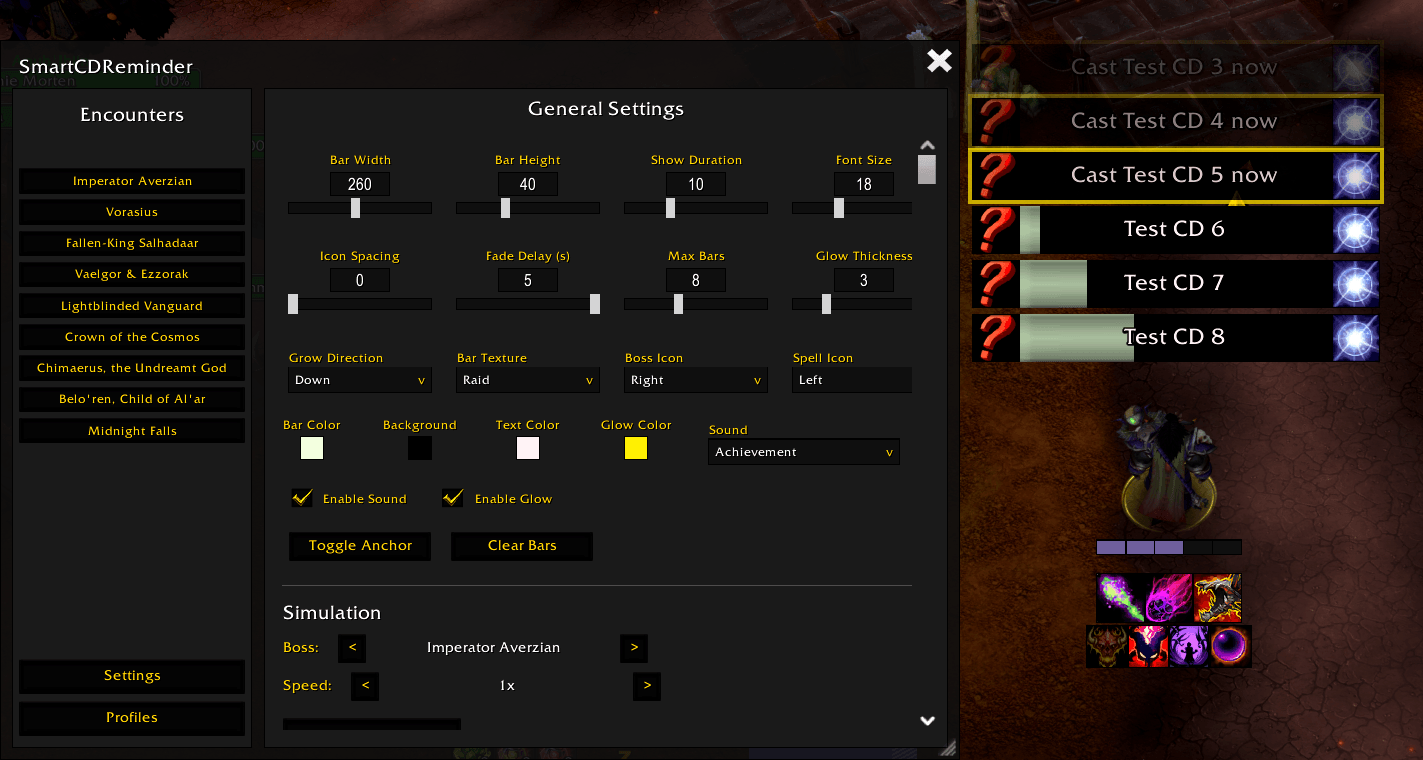
Type /scdr or /smartcd in your chat to open the main configuration window.
Positioning Your Bars
- Navigate to the Settings tab.
- Click Toggle Anchor to reveal the drag-box.
- Move it to your desired position on the screen.
- Click the button again to lock it in place.
- Adjust the Grow Direction (Up or Down) via the dropdown.
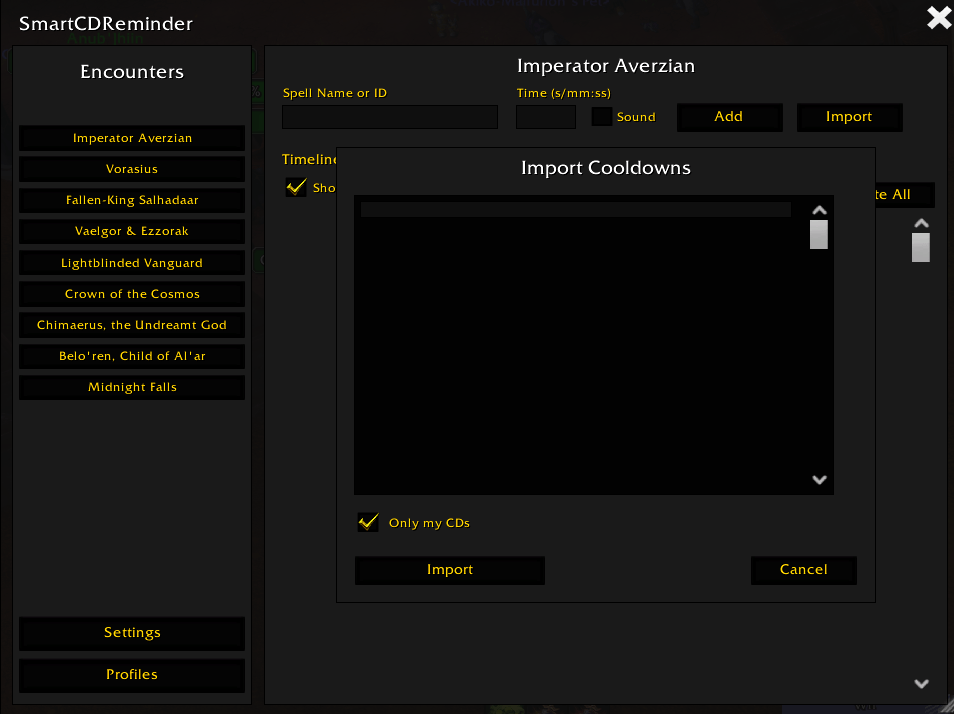
Importing Cooldown Assignments
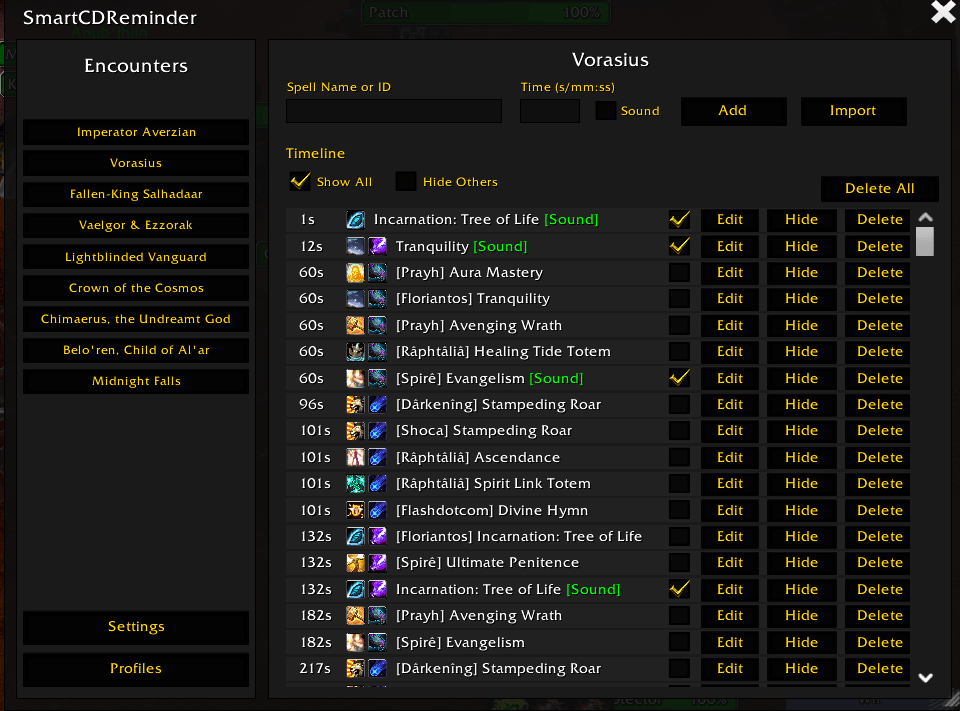
- Go to the Encounters section (left-hand boss list).
- Select your target boss.
- Click the Import button at the bottom of the timeline.
- Paste your Viserio or Lorrgs export string.
- (Optional) Enable Only my CDs to filter assignments.
- Click Import.
Customizing the Look and Feel
In the Settings tab, adjust:
- Bar Width
- Bar Height
- Icon Spacing
- Font Size
You can also customize:
- Bar textures and colors
- Glow color and thickness
- Fade delays
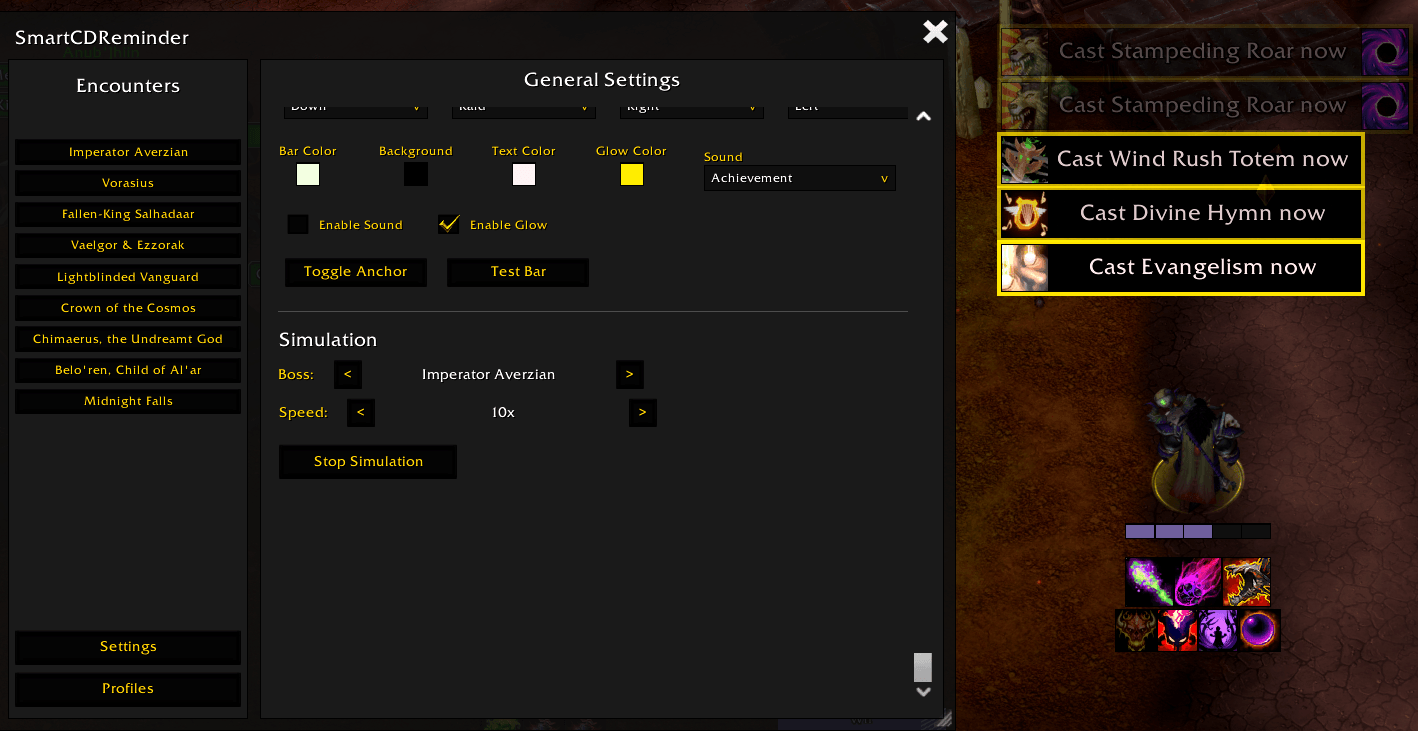
To enable sound alerts:
- Select a sound from the dropdown
- Check Enable Sound
- A sound will play when a cooldown reaches zero
Managing Profiles
- Go to the Profiles tab.
- Enter a name under New Profile Name.
- Click Save.
- Use Export to generate a Base64 string for sharing.
Testing Your Setup
Simulation Mode
- Go to the Settings tab.
- Select a boss and playback speed.
- Click Start Simulation.
Quick Test
Click Test Bar to spawn dummy cooldown bars.
SmartCDReminder Team