SlickUI
- By
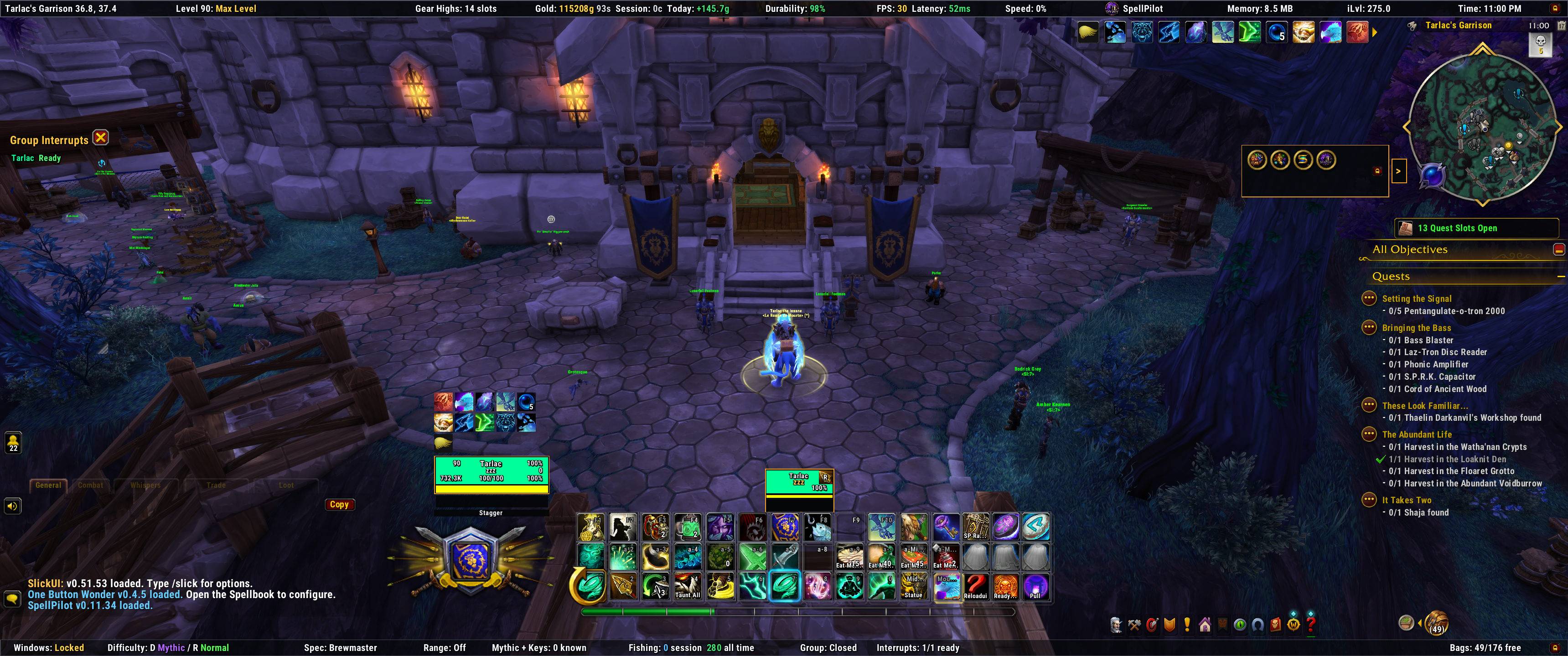
SlickUI is a customizable World of Warcraft interface suite designed to bring essential UI tools together in one clean, coordinated addon.
Slick1.jpg
Slick6.png
Slick5.jpg
Slick4.jpg
Slick3.png
Description
SlickUI
SlickUI is a customizable World of Warcraft interface suite designed to bring essential UI tools together in one clean, coordinated addon.
It provides streamlined unit frames, action bars, nameplates, bags, quest tracking, information bars, movable interface elements, group tools, alerts, and several quality-of-life features—all styled to work as one unified interface.
Main features
- Custom player, target, focus, pet, party, and raid frames
- Configurable action bars with sizing, spacing, and slot controls
- Custom enemy and friendly nameplates
- Scrollable quest tracker with:
- Campaign and regular quest sections
- Optional zone grouping
- Quest-item buttons
- Collapsible display
- Adjustable size, scale, fonts, border, and background
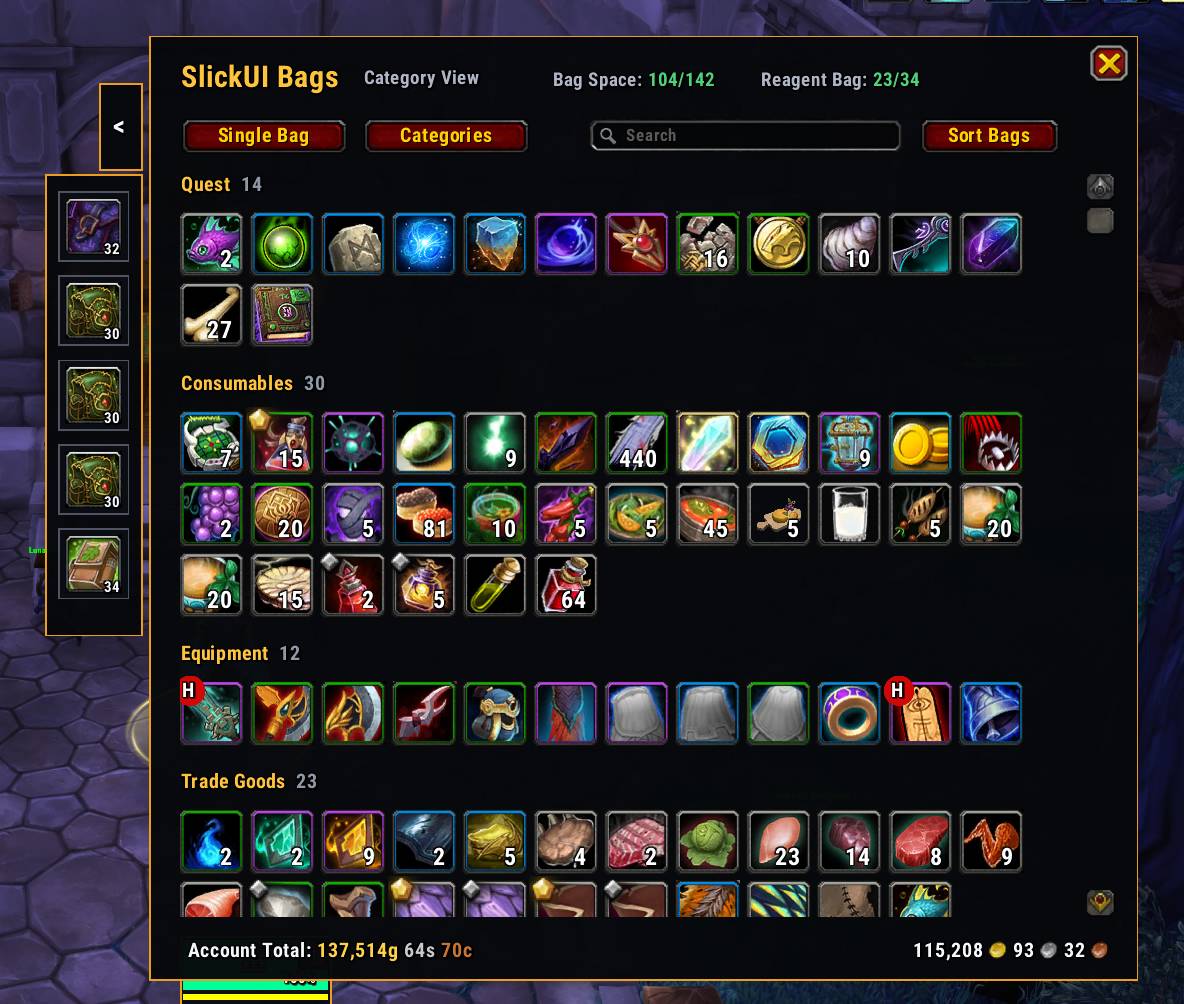
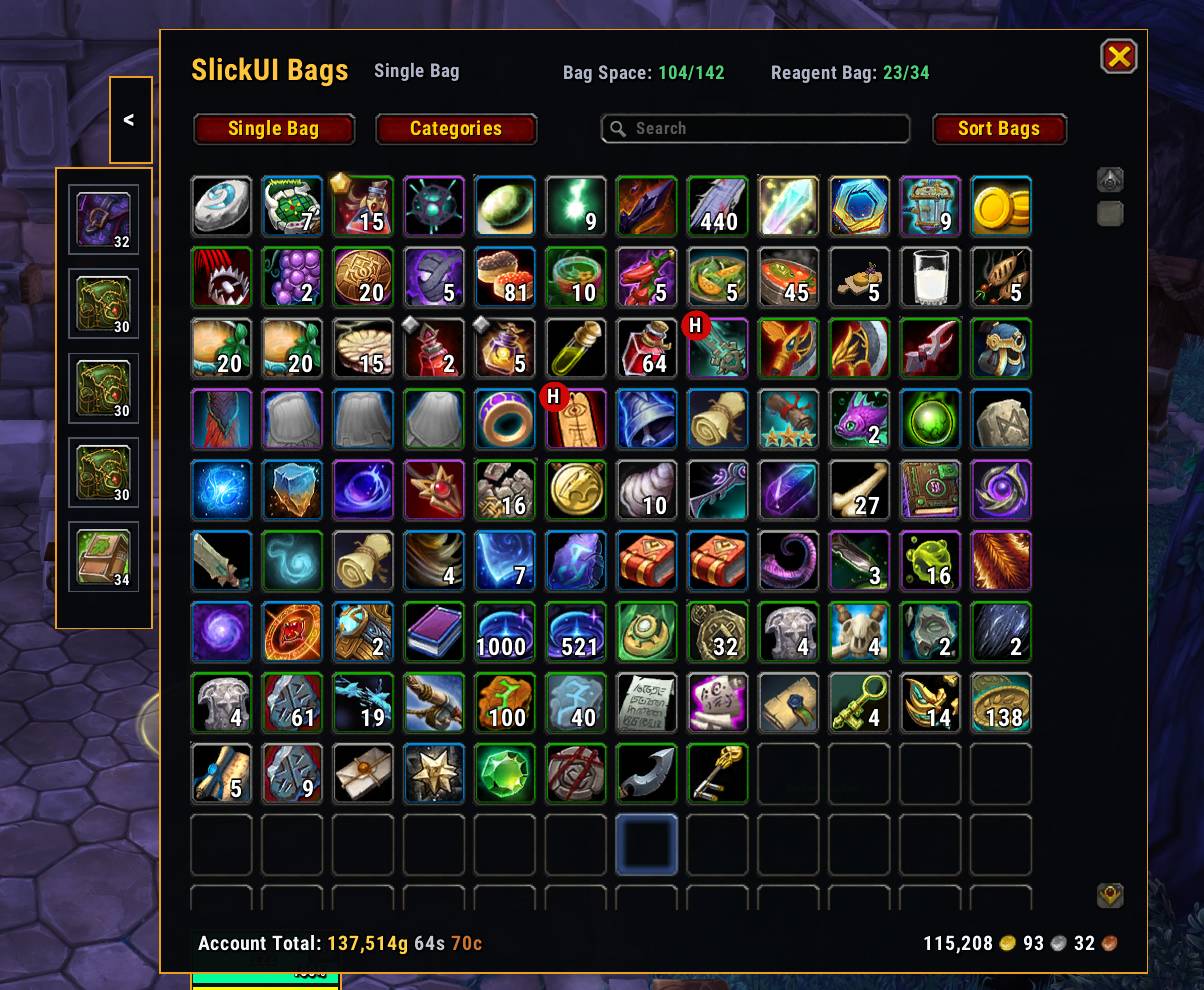
- Single-bag and category-based inventory views
- Reagent bag and bank support
- New-item highlighting
- Bag-space counters and expandable equipped-bag display
- Custom minimap styling and collapsible minimap-button tray
- Movable interface-frame system with saved positions
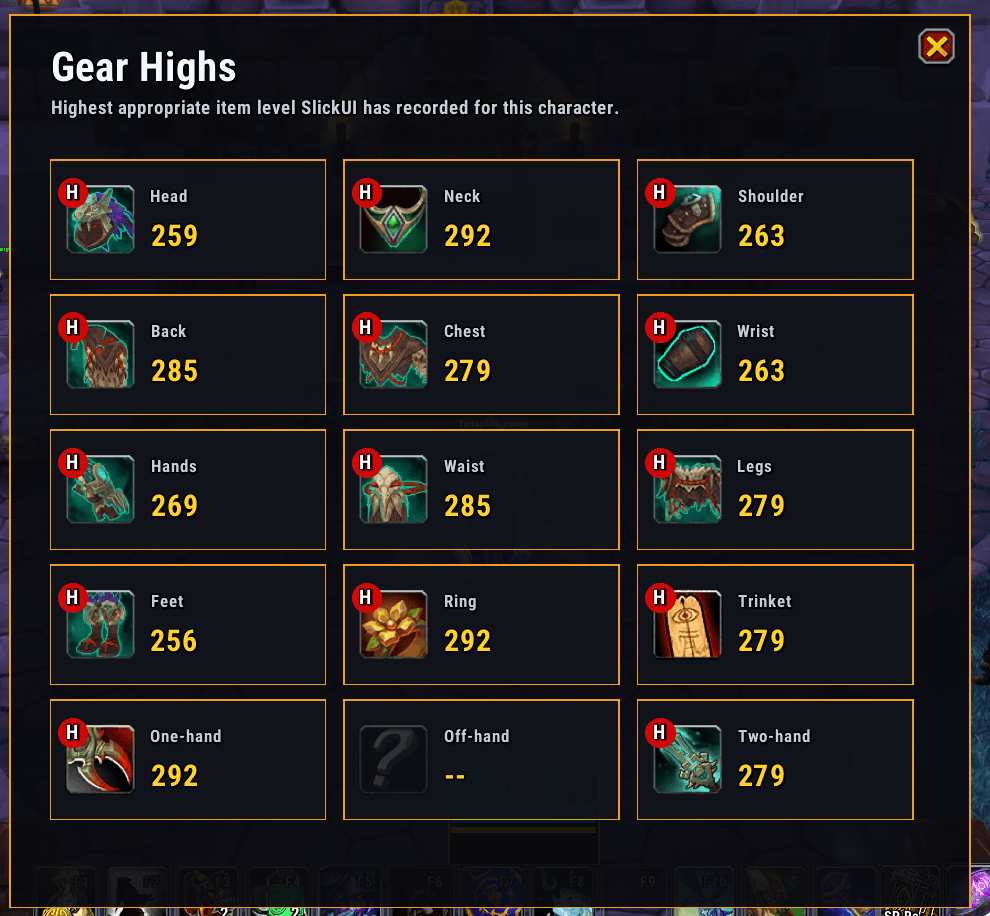
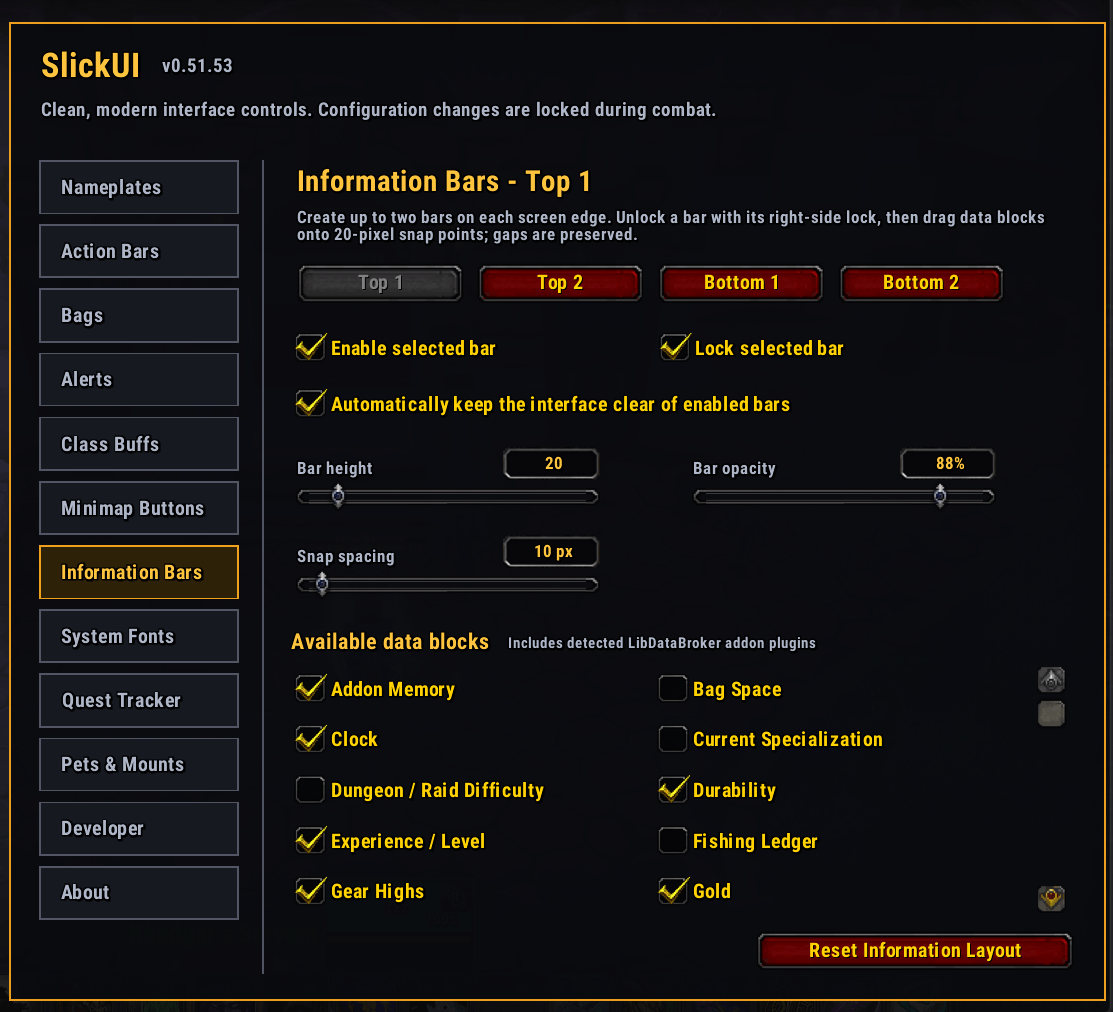
- Information bars for performance, durability, gold, time, group status, addon memory, and more
- Damage and healing meter displays
- Buff, debuff, class-buff, and personal-healing indicators
- Group command panel with ready checks, pull timers, raid markers, and world markers
- Configurable clock and alarm timer
- Flight-path timer and estimated travel-time support
- Gold ledger for tracking income and expenses
- Built-in Lua error catcher with copyable reports
- Extensive configuration through
/slick
Optional load-on-demand modules
The download includes two optional modules that load only when their features are needed:
SlickUI Crafting
- Crafting queue
- Required sub-craft tracking
- Material shopping list
- Vendor and Auction House sourcing information
- Purchased-material tracking
- Optional vendor purchase assistance
SlickUI Fishing
- Fishing ledger by character, zone, session, and lifetime
- Catch totals and fishing-time tracking
- Item-quality coloring and item tooltips
- Fishing-lure detection and recommendations
- Quick access to the Fishing Journal
The SlickUI core works normally if either optional module is not installed.
Getting started
Type /slick to open the configuration panel.
Use the Windows: Locked/Move information-bar widget to manage movable frames:
- Left-click toggles SlickUI move mode.
- Right-click opens the mover controls.
SlickUI also provides access to Blizzard Edit Mode for frames that remain managed by the default interface.
Installation
-
Exit World of Warcraft.
-
Extract the download into:
World of Warcraft/_retail_/Interface/AddOns -
Confirm that these folders are directly inside
AddOns:SlickUISlickUI_CraftingSlickUI_Fishing
-
Start the game and enable the addons from the character-selection screen.
Initial release notes — version 0.47.0
- Initial public release of SlickUI
- Introduced the complete unified interface suite
- Added optional load-on-demand Crafting and Fishing modules
- Updated compatibility for World of Warcraft 12.1
- Hardened aura handling for the latest protected and secret-value restrictions
- Improved edit-mode performance and reduced mover overlay overhead
- Synchronized module versions and prepared the suite for public distribution
Feedback and bug reports
SlickUI is in active development. If you encounter a Lua error, please include:
- The complete SlickUI Error Catcher report
- What you were doing when the error occurred
- Whether the problem happened during combat, a reload, a specialization change, or Edit Mode
- A screenshot when the issue is visual
Constructive feedback and feature suggestions are welcome.
SlickUI Team