SlangSight
- By
galery1.png
Description
SlangSight — Understand chat. Find your way.
For WoW Forever only. Compatibility with Retail, official Classic or other clients is not supported.
New to WoW, returning after a break, or lost in a chat full of abbreviations? SlangSight helps you understand what players mean without leaving the game.
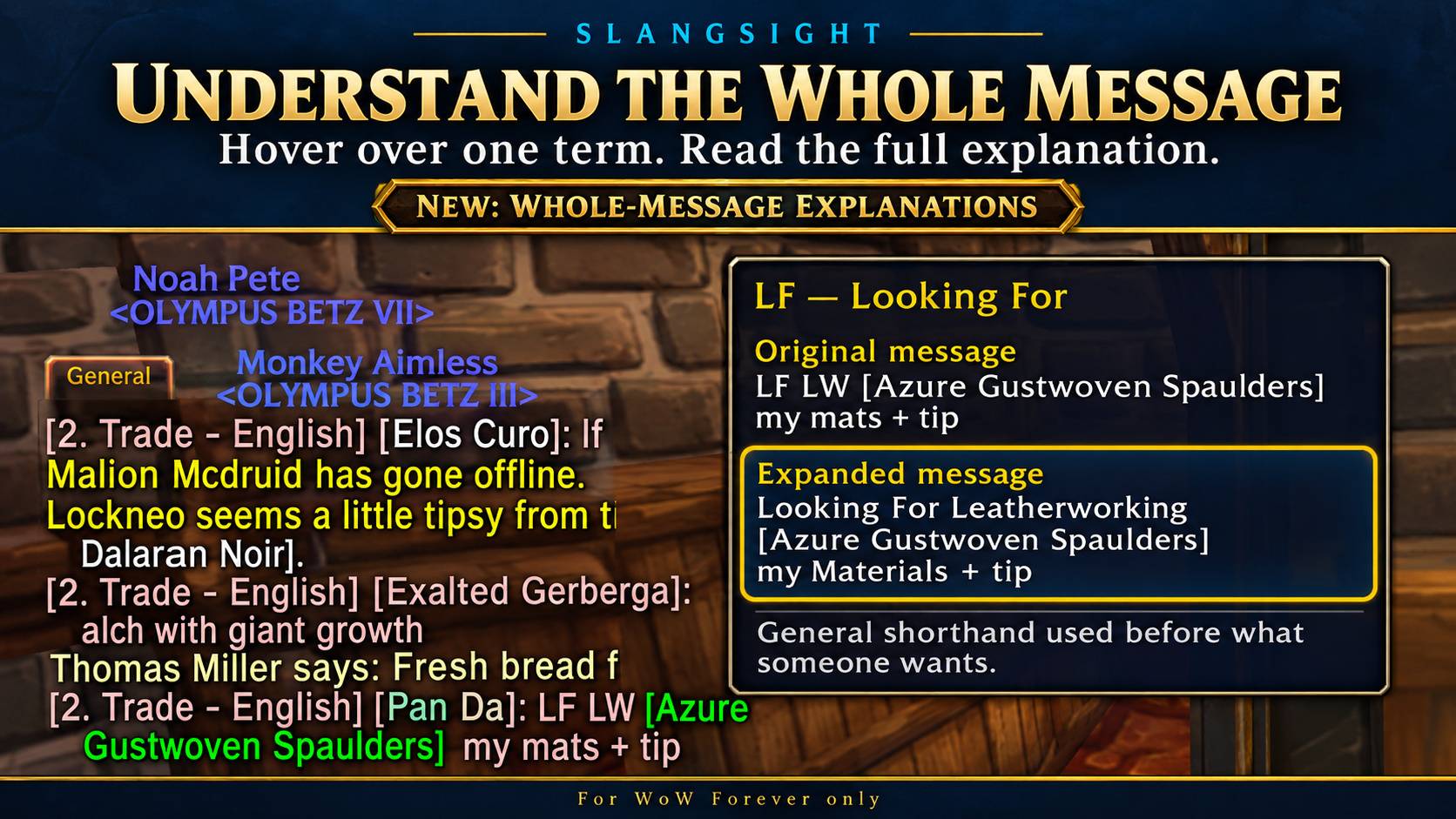
Hover over a supported term in chat to see its meaning, an expanded version of the message and helpful details. For example:
LFM BRD, need DD, trinket HR, PST
Looking for more players for Blackrock Depths. Need a damage dealer. A trinket is reserved for a specified player. Whisper if interested.
From chat to map
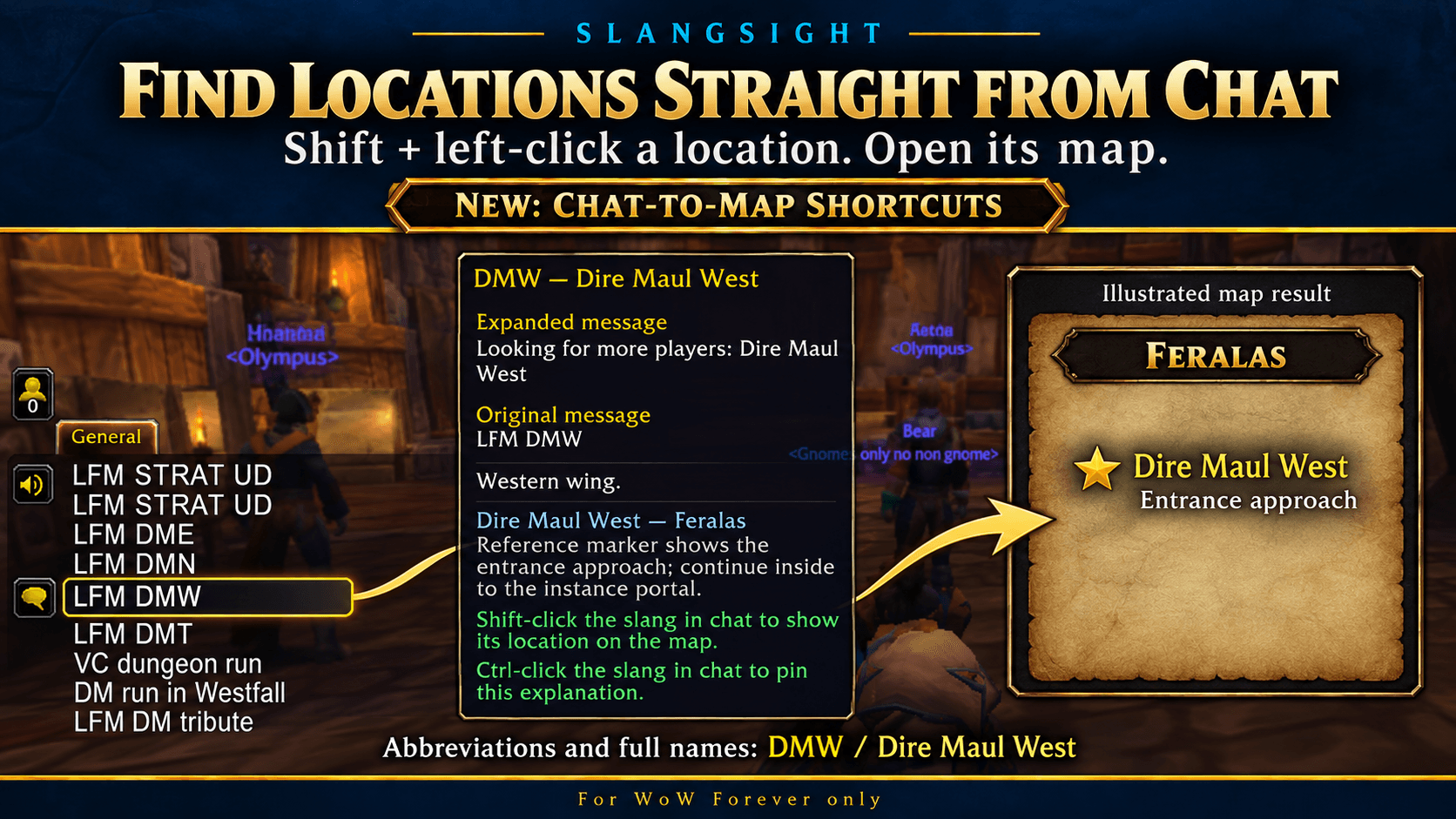
Shift-left-click a supported location in chat to open its map. This works with abbreviations such as BRD, SM and DMW, and full names such as Blackrock Depths, Scarlet Monastery and Dire Maul West.
Supported dungeon locations show an entrance marker or approach reference. Cities and zones open an overview. Coverage includes 45 destinations across dungeons, wings, cities and zones, with more planned through player feedback.
Read at your own pace
Ctrl-left-click a supported term to pin its explanation. The window stays open while you read and can be moved or scrolled. If the message contains supported locations, use its Show map buttons to open them.
Pin another term to replace the explanation. Close it with X, Escape or /slangsight unpin. Pins reset when you reload or log out.
A glossary built for beginners
- 567 glossary entries covering groups, dungeons, loot, classes, professions and more.
- 203 usage examples, where available.
- 62 additional full-location-name aliases for direct lookup and map shortcuts.
- Whole-message expansion, with the expanded text shown before the original.
- Context clues to suggest meanings for ambiguous abbreviations, while keeping alternatives visible when unclear.
Explanations use a built-in glossary and local rules. Context suggestions are helpful clues and can still be wrong; SlangSight does not use an online AI service or send your chat elsewhere.
Controls and options
- Hover: read the meaning and expanded message.
- Shift-left-click: open a supported location map.
- Ctrl-left-click: pin an explanation.
- Options > AddOns > SlangSight: toggle the addon, try local test messages, reopen What's New and prepare suggestions.
/slangsight TERM: look up a term directly./slangsight settings: open the options page./slangsight whatsnew: reopen the update guide.
Help shape SlangSight
I created SlangSight because, as a first-time WoW player, I often struggled to understand chat. The project is still in beta, and feedback helps decide which terms, meanings and features come next.
Found a missing term, confusing meaning or bug? Leave a CurseForge comment with the term and an example of how it was used. The Add slang / suggest form prepares text you can copy and post yourself; it does not submit automatically or instantly add terms to the glossary.
Map notes: not every location is supported. Some markers show an entrance approach rather than the portal itself. Hall of Thanes currently opens Ironforge without an exact entrance marker. Map matching currently expects English zone names, and map navigation is blocked during combat.
SlangSight Team