SkyNodeHUD
- By
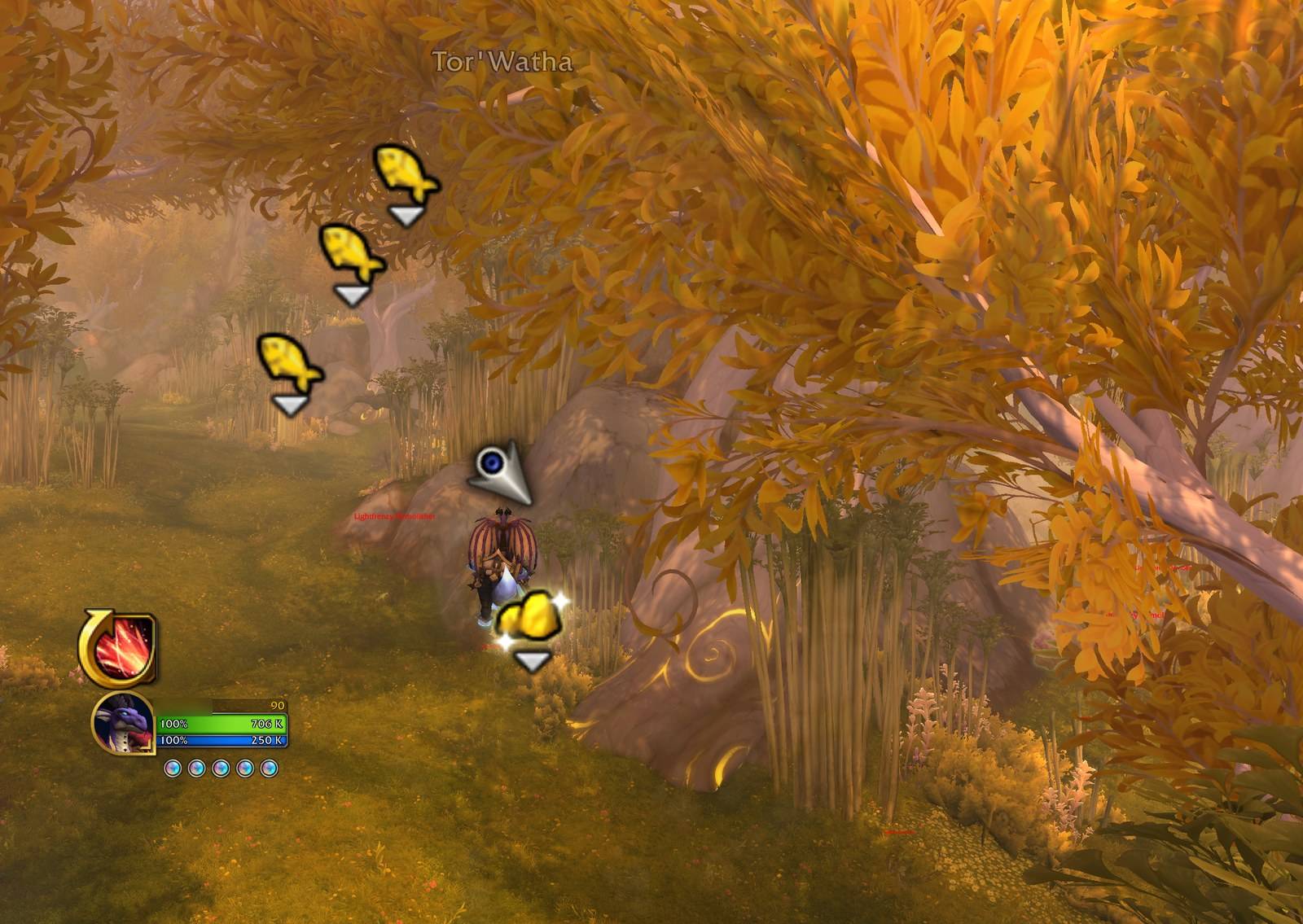
Flying through Eversong Woods with nodes only on. The map is faded out, so the fishing pools and the ore vein float over the world with no terrain scrolling past. A real in-game capture, cropped.
Description
Just the nodes. No map scrolling under you.
Most gathering HUDs put a big see-through minimap in the middle of your screen. SkyNodeHUD fades the map itself out and keeps only the herb, ore and treasure blips, so you see where the nodes are without terrain sliding past underneath. If a centred minimap has ever made you motion sick, this is the one to try.
Mount up and your nodes appear in the middle of the screen. Land and your minimap goes back exactly how it was.
What it does
- Shows your gathering nodes large and centred while you're mounted, or in Druid Travel, Aquatic or Flight Form.
- Fades the map to 10% by default: the terrain disappears, the blips stay.
- Hides minimap buttons and the compass ring while you fly, and puts them back when you land.
- Never takes mouse clicks, so camera and character control work exactly as normal.
- Shows whatever your minimap shows: Find Herbs, Find Minerals, GatherMate2, HandyNotes. Pins stay in the right place because it scales the real minimap instead of resizing it.
- Never changes your normal minimap setup. Everything is restored on dismount and on logout.
- No libraries, no dependencies.
Settings
Left click the minimap button to turn it on or off, right click for options. Three switches (Enabled, Nodes only, Move whole minimap) and three adjusters (Map size, Map opacity, HUD scale).
Commands
/skynodehudturn it on or off/skynodehud configopen the options/skynodehud nodesswitch nodes only on or off/skynodehud testshow the HUD without mounting, so you can adjust it/skynodehud resetput the minimap back if anything ever looks wrong/skynodehud statusshow the current settings
How this addon was made
SkyNodeHUD was written with AI assistance. I directed the design, tested every version in game, and made every call about how it should behave. Claude (Anthropic) wrote the code and the tests. The minimap button icon was AI generated and then converted to a game texture.
No code, text or design was copied from any other addon. Two existing addons were read while building this, GatherMate2 and Leatrix_Plus, to work out how the current minimap API behaves in practice. What came from them is factual knowledge about the API, not code.
MIT licensed.
SkyNodeHUD Team