


Skinner’s Eye
- By
Effect.jpg
Options.jpg
Tooltip.jpg
Description
Skinner's Eye
Point at a beast and know right away if you can skin it, what you will most likely get, and what you might get if luck is on your side. Then find the corpses worth skinning without running around reading names.
We made it for WoW Forever because we were tired of alt-tabbing to a guide in the middle of a farming session.
It works on its own. You don't need any other addon or library installed.
WHAT IT DOES
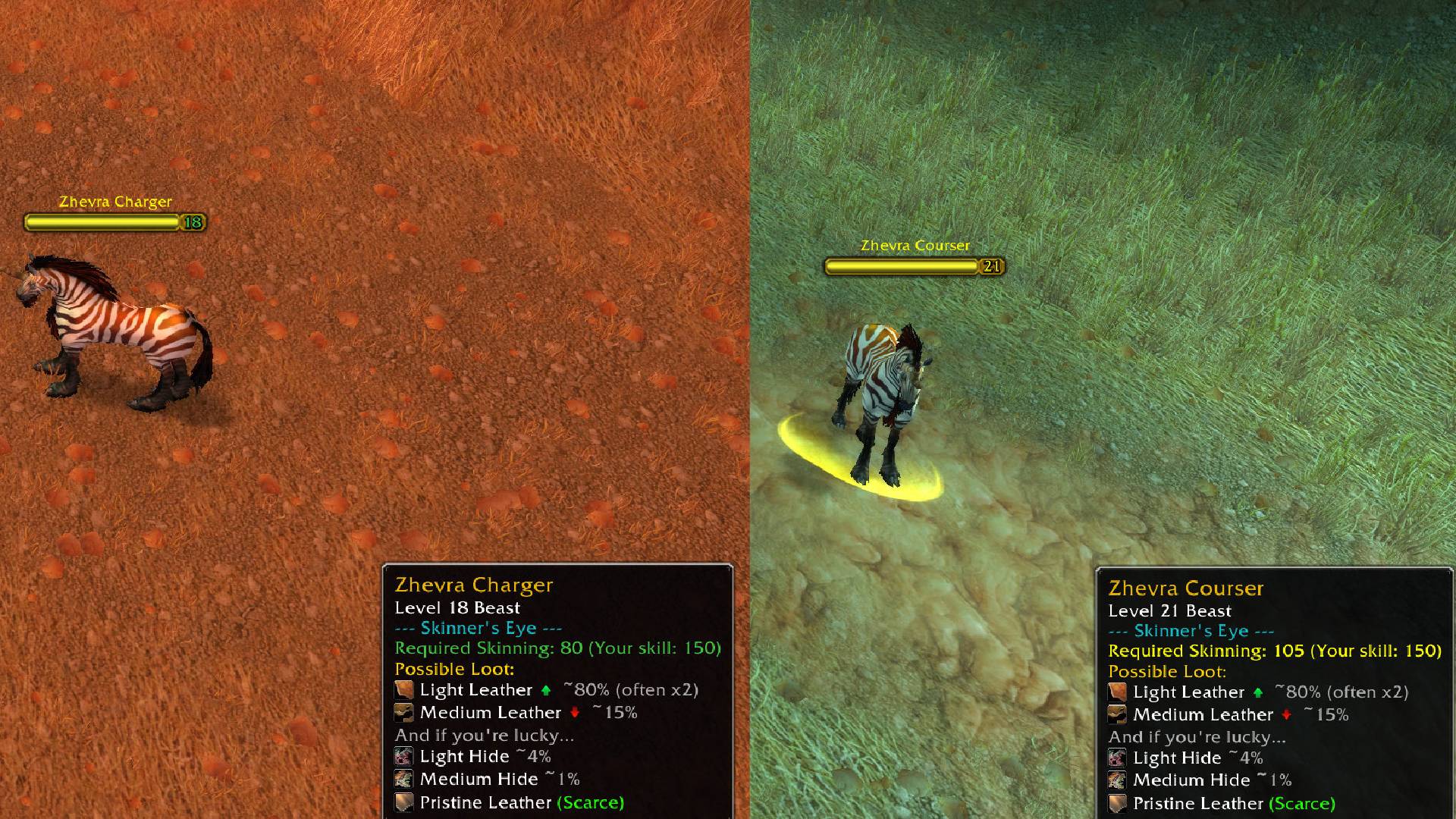
Tooltip
- The Skinning skill the creature requires, next to your own, colored by difficulty (orange, yellow, green, gray).
- The leathers it can drop, with a green arrow on the likeliest ones and a red arrow on the least likely.
- Drop chances where there is real data behind them, for example ~63%, plus a note when a leather often drops in stacks of two.
- Special drops tied to specific creatures, like Chimera Leather, Devilsaur Leather or the Shiny Fish Scales from Frenzy fish.
- Dungeon loot: some dungeons have their own drop chances, because their creatures give more than open world ones of the same level.
- An "And if you're lucky..." section for hides and scarce materials such as Pristine Leather.
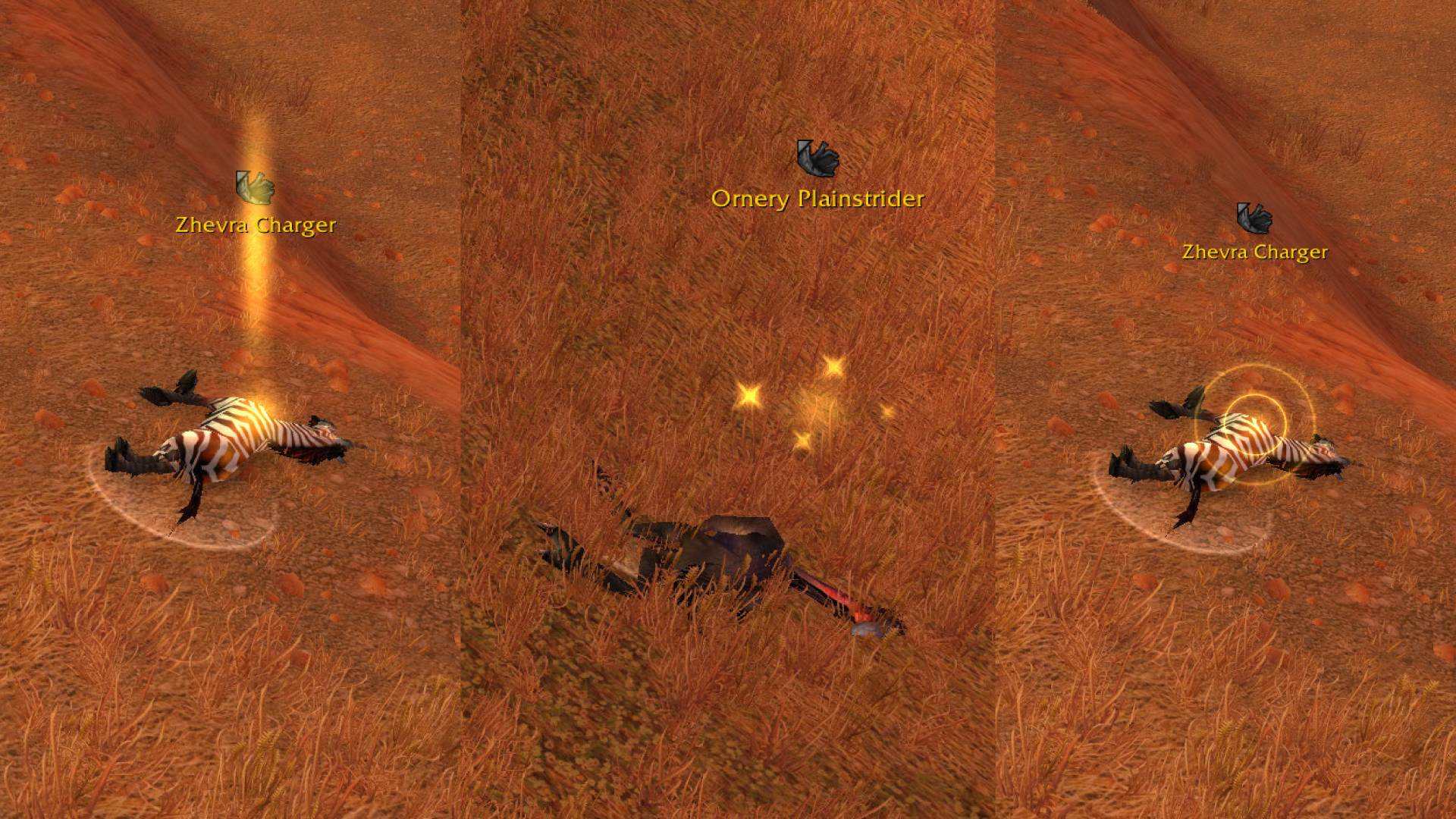
Glow on skinnable corpses
- Corpses you can skin light up, with the name and a skinning icon above them.
- Pick the style, color, size, height and an optional sound.
- Glow only the corpses your skill can handle, or show the ones that are too hard in red.
- Option to hide the glow while you are in combat.
Also
- A skinning log that records what each skinning gave you. It stays on your computer. Type /skstats for a summary or /skstats export for text you can copy.
- A minimap button. Left click opens the options, right click turns the glow on or off.
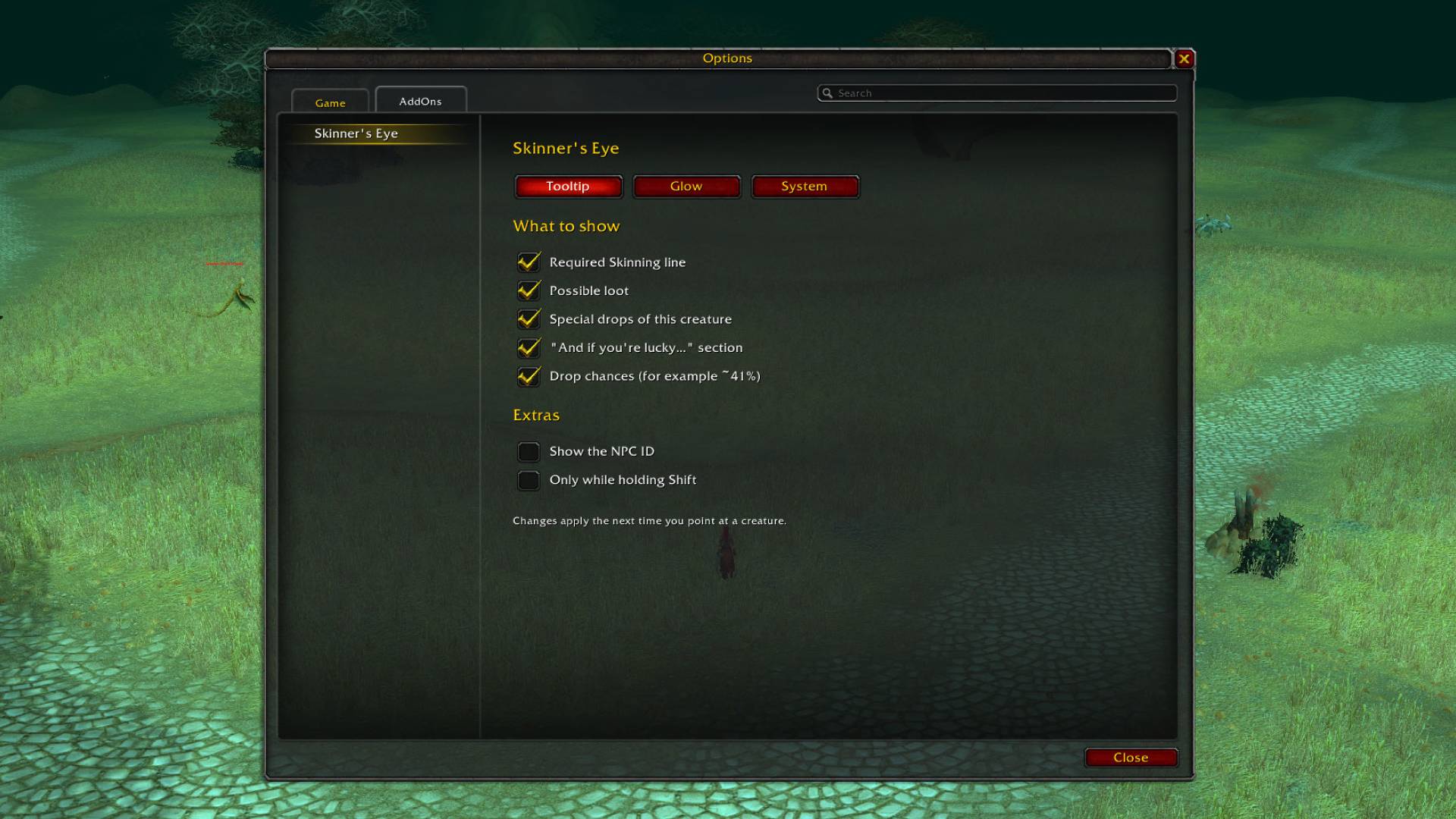
- An options window with three tabs. You can make the tooltip appear only while holding Shift.
- Available in English, Spanish, Portuguese, French and German. It follows your game language, and item names come straight from the game.
Commands: /skeye (glow on or off, /skeye options for the window) and /skstats.
ABOUT THE DATA
WoW Forever is brand new, so nobody has complete drop tables yet. This is what you can trust and what you can't, yet:
- Levels 1 to 55 use real data taken from a sample of skinnings we logged while building the addon, and it will keep being updated over time. The tooltip says "Possible Loot:".
- Levels 56 and up are estimates based on community guides about which leather shows up at which level. The tooltip says "Possible Loot (estimated):" and shows no percentages.
- Some dungeons use their own drop chances, because the creatures there give better loot than open world ones. The rest use the normal level tables for now.
- Where the data is thin, we would rather tell you less than invent numbers.
We will replace the estimates with real numbers as more skinnings get logged.
DUNGEONS
Inside dungeons the game hides most creature data from addons. The glow keeps working. The tooltip appears on skinnable corpses only, and it can't show creature-specific special drops there, because those need the creature ID. The skinning log still records level and creature ID for what you skin.
FEEDBACK
Found a wrong drop, a bug, or a creature that should be skinnable and isn't? Tell us in the comments. It helps a lot if you turn on "Show the NPC ID" in the Tooltip tab and include the creature's level and what it dropped.
Want to help with the data? Type /skstats export in game, copy the text and send it through this form: https://forms.gle/XJF1XeQ8GJfVbeM98 It only contains creature levels, creature IDs and what each skinning dropped. It doesn't include your character name or realm.
Skinner’s Eye Team
