SkillsItemsGuide
- By
Offline material lookup, recipe breakdown and class skill levels for WoW Forever. 材料用途反查、配方拆解與職業技能等級查詢(離線資料)。
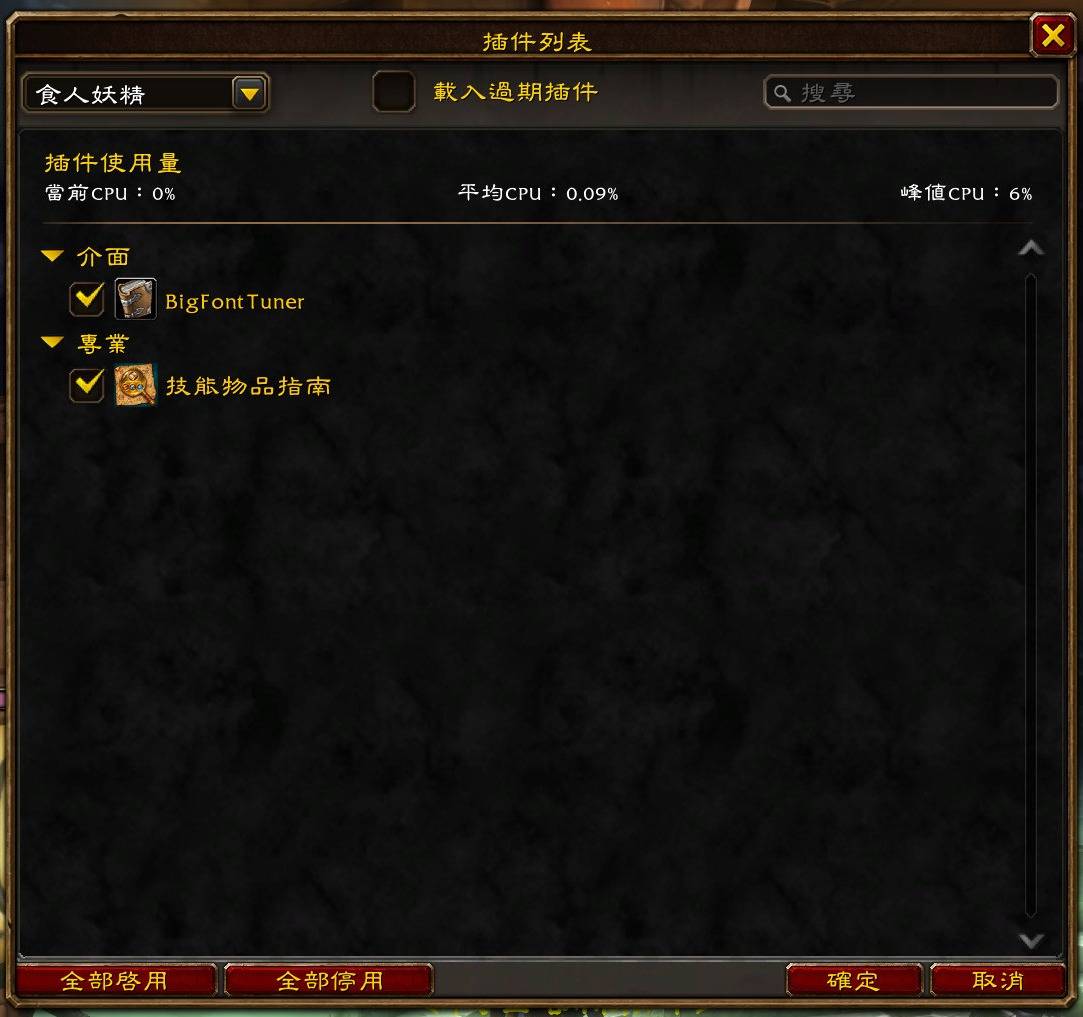
01-addon-list.jpg
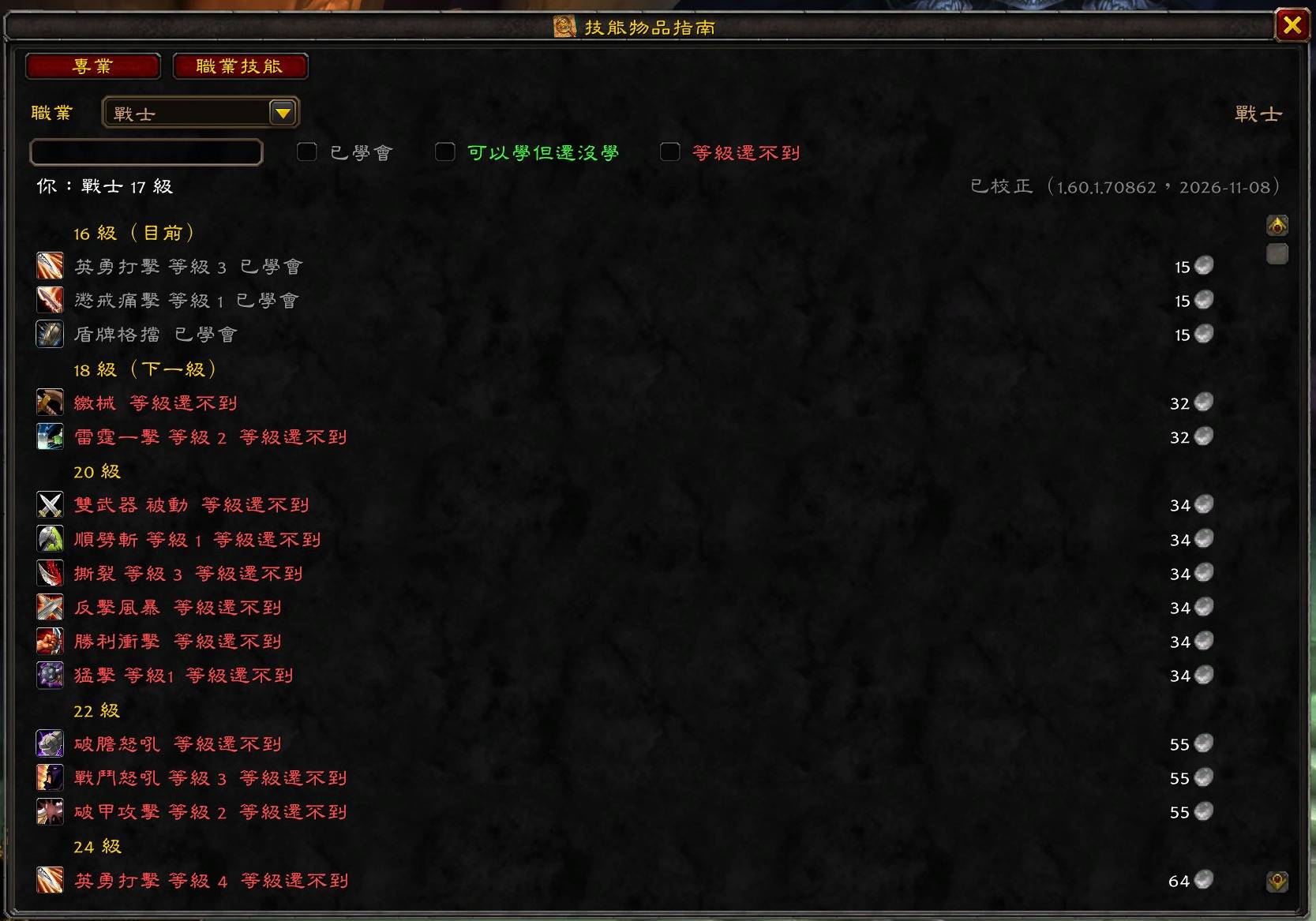
04-window-class-skills-v2.jpg
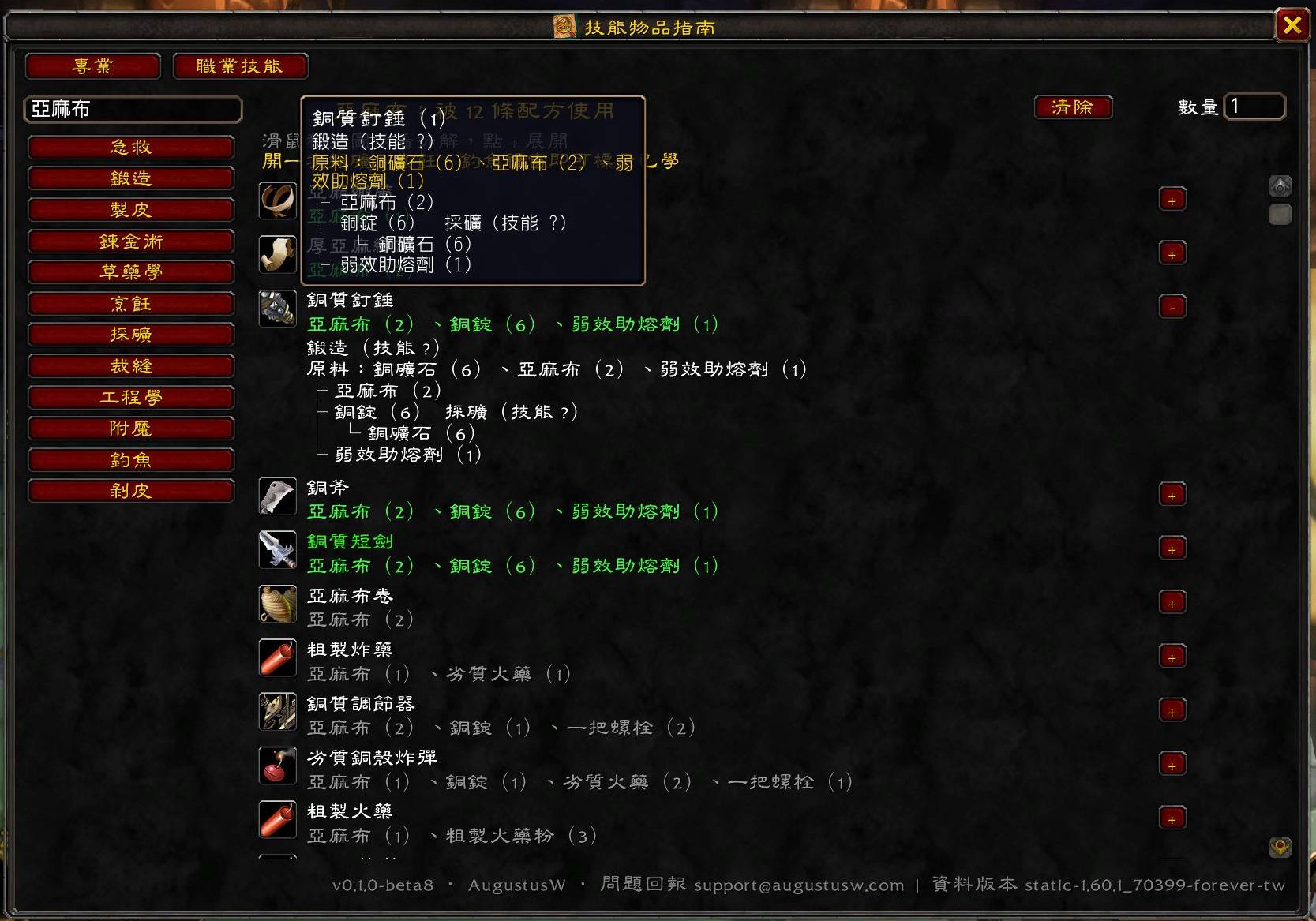
03-window-professions.jpg
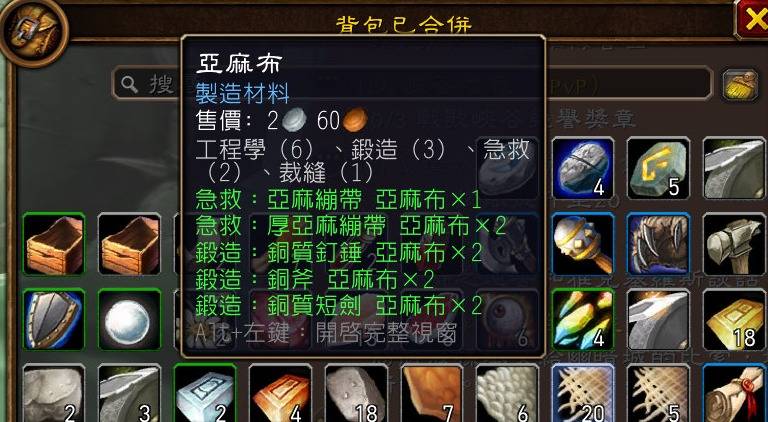
02-bag-tooltip-shift.jpg
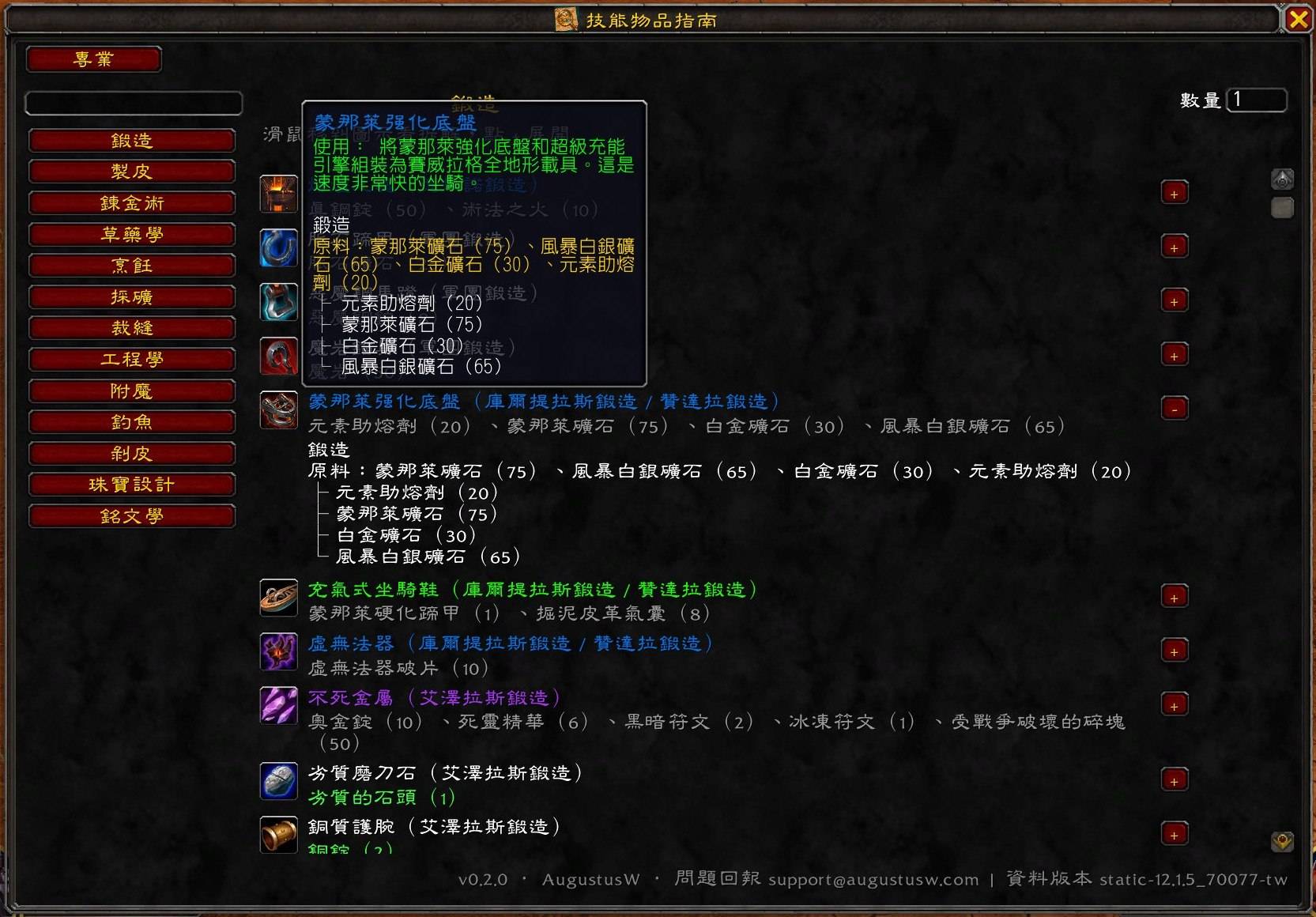
photo_2026-11-09_06-59-56.jpg
Description
English
A lookup addon for World of Warcraft: Forever (Interface 16001). Know what a material in your bags is used for, and at what level a skill is learned — without alt-tabbing or going back to town.
Features
- Material tooltip: every item shows which professions use it, e.g. "Engineering (6), Blacksmithing (3), First Aid (2)".
- Hold Shift: recipes from your own professions that use it. Green = learned; grey-white = not learned, or unknown because you have not opened that profession window yet (the last line tells you which one). Green here is not item quality.
- Alt+left-click an item in your bags: opens the full window with every recipe that uses it.
- Recipe breakdown: hover a recipe icon for the full tree and total raw materials; intermediate crafts show profession and skill; materials with cooldowns (transmutes, mooncloth) show how many cooldowns you need. Know exactly what to bring before asking someone to craft for you.
- Class skills: pick any class from the dropdown to see skills by level with training cost. For your own class, filter by learned / can learn / level too low.
- Shift+click an icon to link the item.
/sigor/skillsitemsguidetoggles the window.
Where the data comes from Bundled with the addon (works offline):
- Professions, recipes and reagents: Blizzard Game Data API (Forever 1.60.1)
- Class skill levels, recipe spells and cooldowns: Forever 1.60.1 client data tables
- Training costs for some classes: collected at trainers by the author
Improved while you play (once each):
- Open each of your profession windows once → learned recipes are marked
- Open your class trainer once → training costs and verified levels
- Open a profession trainer once → skill requirements for trainer-taught recipes
- A login message reminds you which profession windows you have not opened yet.
Commands
/sig,/skillsitemsguide— toggle the window/sigcheck— check how many learned recipes match the bundled data
Support: support@augustusw.com
中文
魔獸世界:永恆(Interface 16001)用的查詢插件。不用切出遊戲、不用回主城,就知道背包裡的材料有什麼用、某個技能幾級學。
功能
- 材料用途 tooltip:滑鼠移到任何物品,多一行「工程學(6)、鍛造(3)、急救(2)」。
- 按住 Shift:列出你有學的專業裡用到它的配方。綠色=已學會;灰白=還沒學,或還不知道(該專業視窗還沒打開過,最後一行會提示是哪個)。這裡的綠色不是物品品質。
- 背包物品 Alt+左鍵:開完整視窗,列出所有用到它的配方。
- 配方拆解:滑鼠移到配方圖示,看完整樹狀拆解與原料總數;中間產物標專業與技能點數;有冷卻的材料(轉化、月布等)會提醒總次數。找人代工前就知道要準備多少原料。
- 職業技能查詢:下拉選任何職業,依等級列出技能與學費;自己的職業可篩選「已學會/可以學但還沒學/等級還不到」。
- Shift+點圖示貼物品連結;
/sig或/skillsitemsguide開關視窗。
資料從哪裡來 打包在插件裡(離線可用):
- 專業配方、材料、產物:暴雪官方 Game Data API(永恆 1.60.1)
- 職業技能等級、配方對應的法術、冷卻時間:永恆 1.60.1 客戶端資料表
- 部分職業的學費:作者實際走訪訓練師收集
遊戲中會自動補強(各做一次):
- 打開自己的每個專業視窗一次 → 標示哪些配方已學
- 打開職業訓練師視窗一次 → 學費與實際需求等級
- 打開專業訓練師視窗一次 → 訓練師教的配方需要幾點技能
- 登入時會提醒還沒打開過的專業視窗。
指令
/sig、/skillsitemsguide:開關視窗/sigcheck:檢查已學配方與資料對應情況
SkillsItemsGuide Team