


Sisyphus
- By
Sisyphus is a lightweight, easy-to-use addon for creating and tracking character-specific to-do lists.
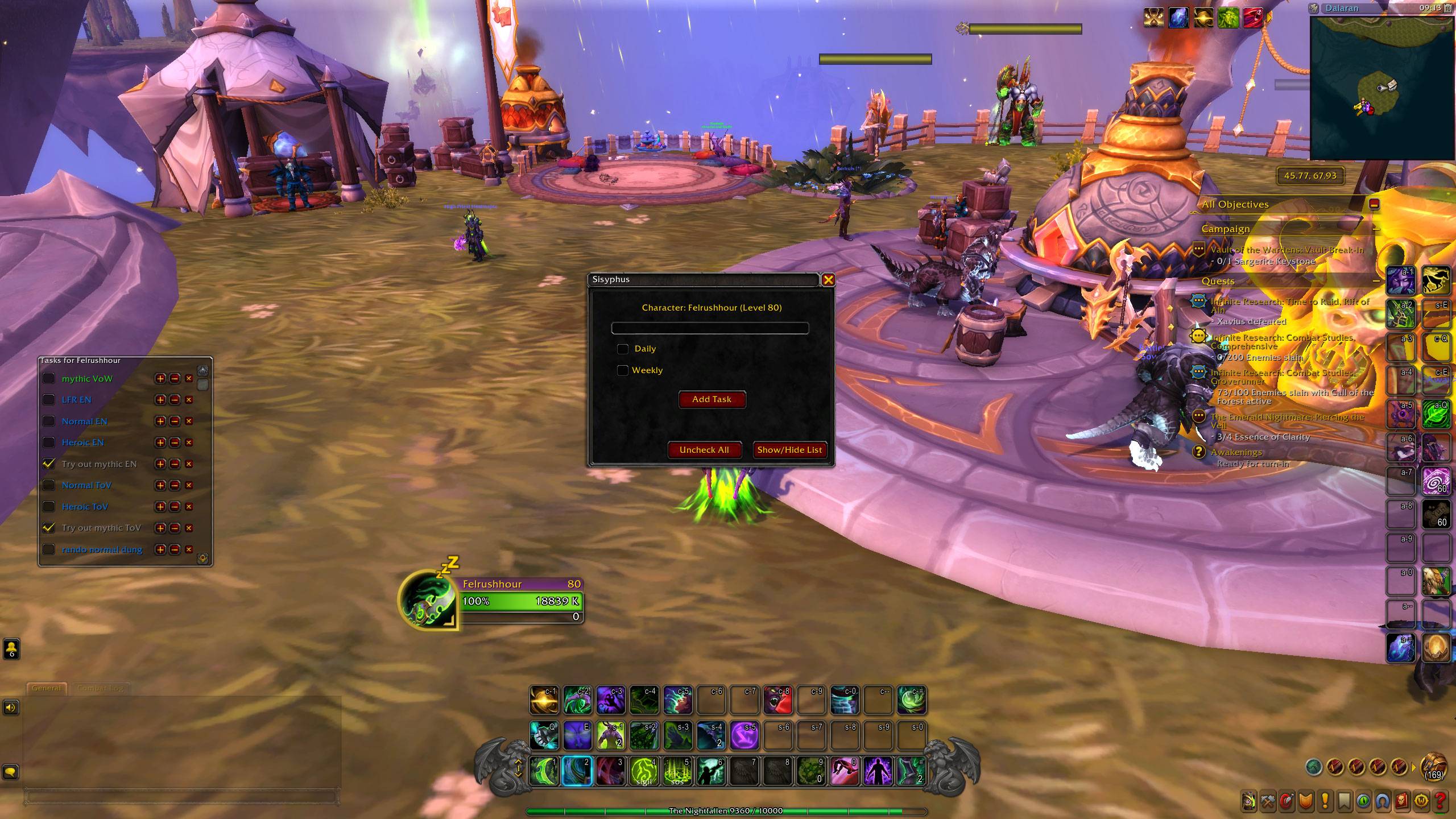
WoWScrnShot_101625_091320.jpg
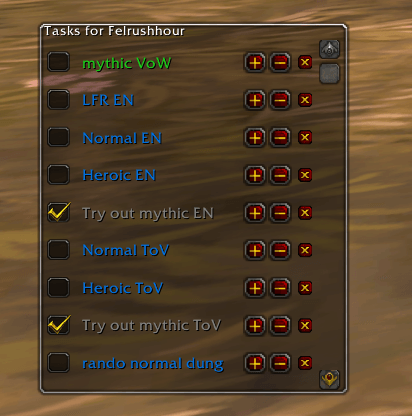
image.png
Description
Sisyphus
A simple, lightweight, per-character task list addon for World of Warcraft.
by CeedTheMediocre
Are you tired of endlessly pushing the boulder of your daily and weekly tasks up the hill of your memory? Sisyphus is here to help you keep track of that boulder. This addon provides a clean, movable, and easy-to-use to-do list for each of your characters.
Features
- Per-Character Lists: Keep separate task lists for each of your characters.
- Task Types: Create one-time, daily, or weekly tasks.
- Automatic Resets: Dailies and weeklies automatically uncheck themselves after the corresponding server reset time for your region (NA/EU). No more manual unchecking!
- Because of gameplay and resource reasons, the addon won't check for the daily reset until you enter a loading screen.
- Simple UI: A clean, draggable list that fades when you're not mousing over it, keeping your screen clear.
- Easy Management: Quickly add, delete, and reorder your tasks.
- Color-Coded: Tasks are colored for at-a-glance recognition:
- One-Time Tasks are green.
- Daily Tasks are blue.
- Weekly Tasks are purple.
- Completed tasks are greyed out.
How to Use
Installation
- Download the latest version from the releases page, or from Curse.
- Unzip the folder.
- Copy the
Sisyphusfolder into yourWorld of Warcraft\_retail_\Interface\AddOnsdirectory. - Restart World of Warcraft.
Slash Commands
The addon is primarily controlled through slash commands.
| Command | Alias | Description |
|---|---|---|
/Sisyphus |
/sis |
Toggles the main Sisyphus window to add new tasks. |
/sis show |
Shows the task list display. | |
/sis hide |
Hides the task list display. | |
/sis reset |
Deletes all tasks for the current character. | |
/sis help |
Prints the list of available commands. |
Adding and Managing Tasks
- Type
/sisto open the main window. - In the text box, type the task you want to add (e.g., "Complete TWW Weekly").
- Check the "Daily" or "Weekly" box if applicable. You can only choose one. If neither is checked, the task will be a one-time task.
- Click the "Add Task" button.
Your new task will appear on the list display. From the list, you can:
- Check the box to mark a task as complete.
- Use the
+and-buttons to move a task up or down the list. - Click the
Xbutton to permanently delete a task.
The list display frame is movable—just drag it wherever you like!
A Note on Data
Please be aware that Sisyphus currently saves tasks on a per-character basis. Tasks you create on one character will not be visible on your alts. An account-wide list is on the future development roadmap!
Future Plans (TODO)
- Larger number of characters allowed for a task (currently set to 15)
- Implement an optional account-wide task list.
- Add an option for completed tasks to automatically move to the bottom of the list.
- Allow the list frames to be resizable.
- Category support for better organization.
Find me on:
- Twitch: https://twitch.tv/CeedTheMediocre
- GitHub: https://github.com/phillip-alter
The Sisyphus Team
