SimpleRoutes for GatherMate2
- By
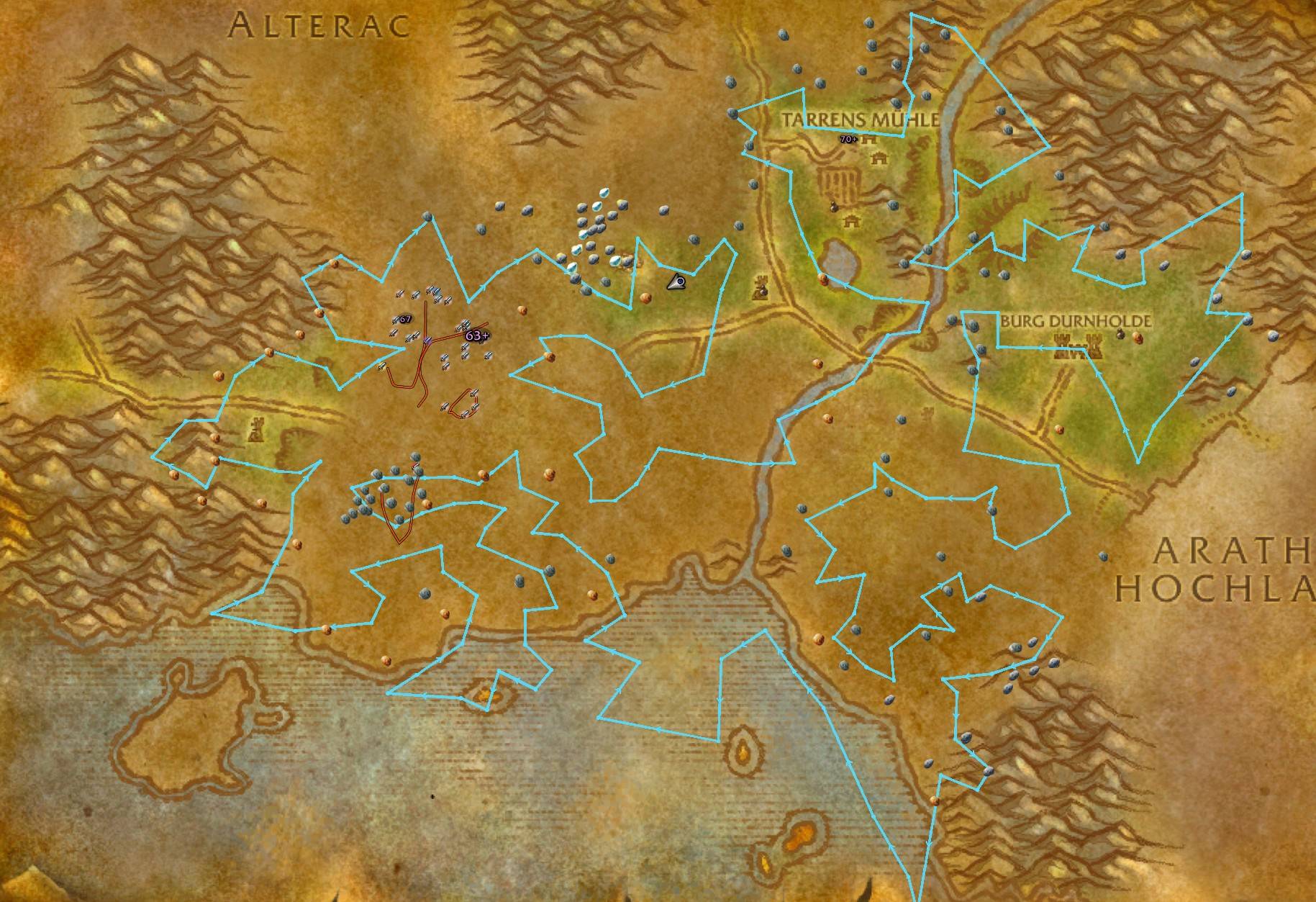
normale map.jpg
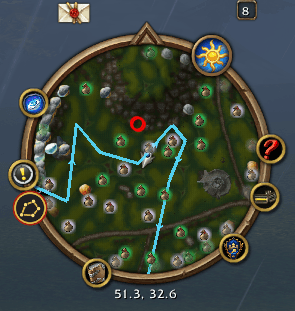
minimap.png
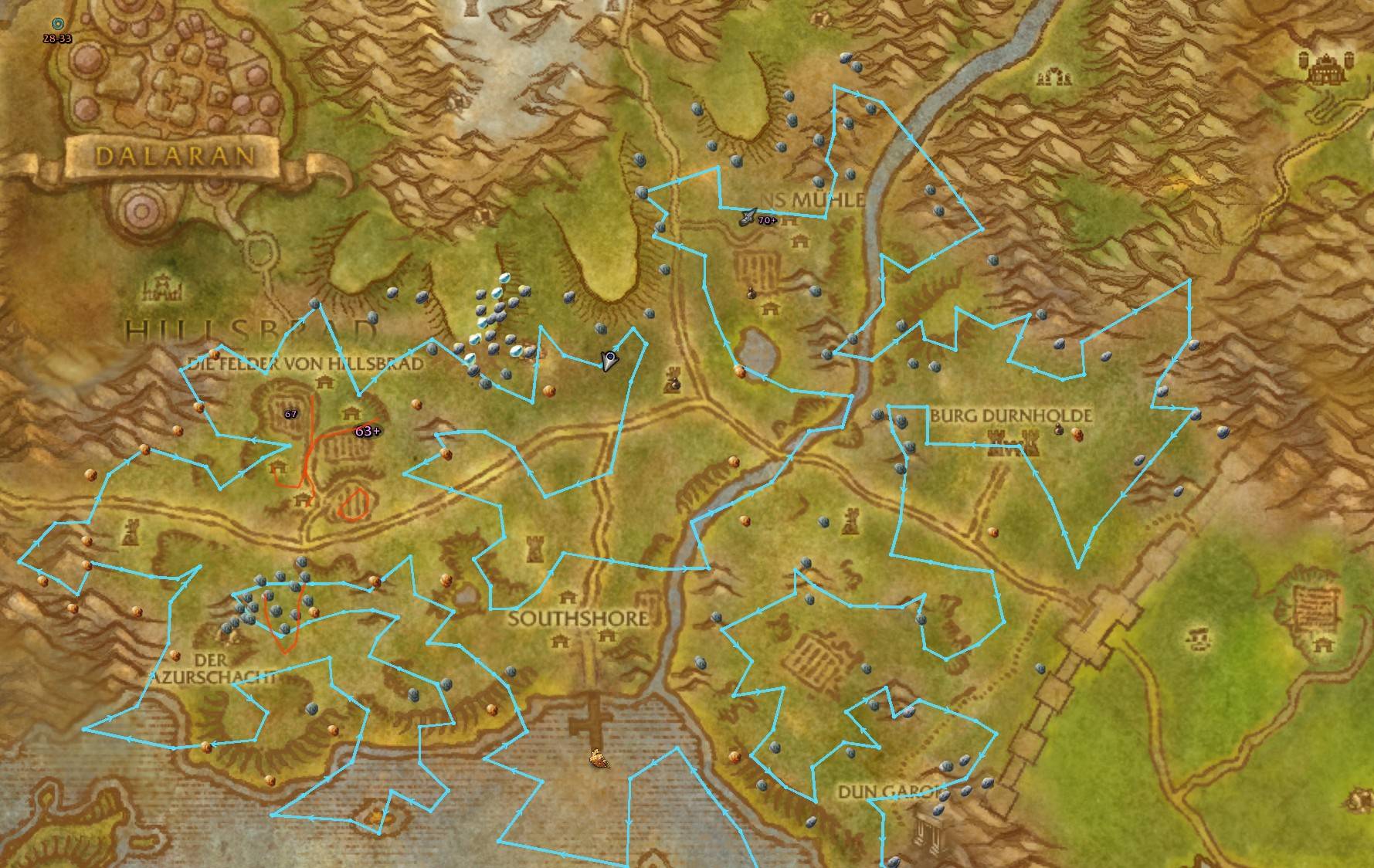
OpenMap .jpg
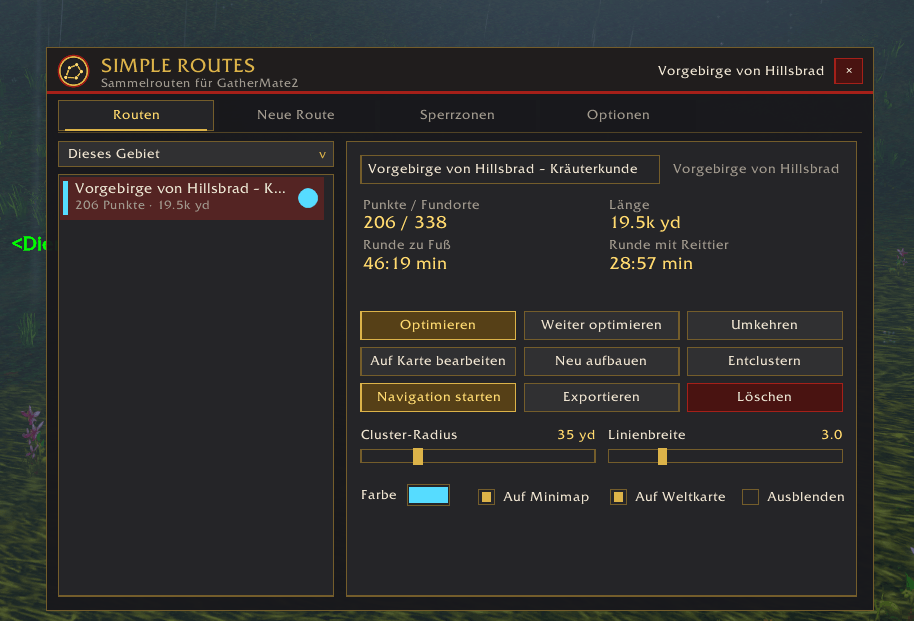
settings1.png
settings2.png
Description
Simple Routes for GatherMate2
Simple Routes for GatherMate2 turns the herb, ore, fishing and treasure nodes recorded by GatherMate2 into optimized gathering loops. It draws them on your world map, your minimap and a farm HUD, guides you from node to node and tells you how much gold per hour you are making. It was built for WoW Forever, where the classic route addons no longer load.
Requires: GatherMate2 · Optional: TomTom, OpenMap, Auctionator
Features
Create routes from your GatherMate2 data
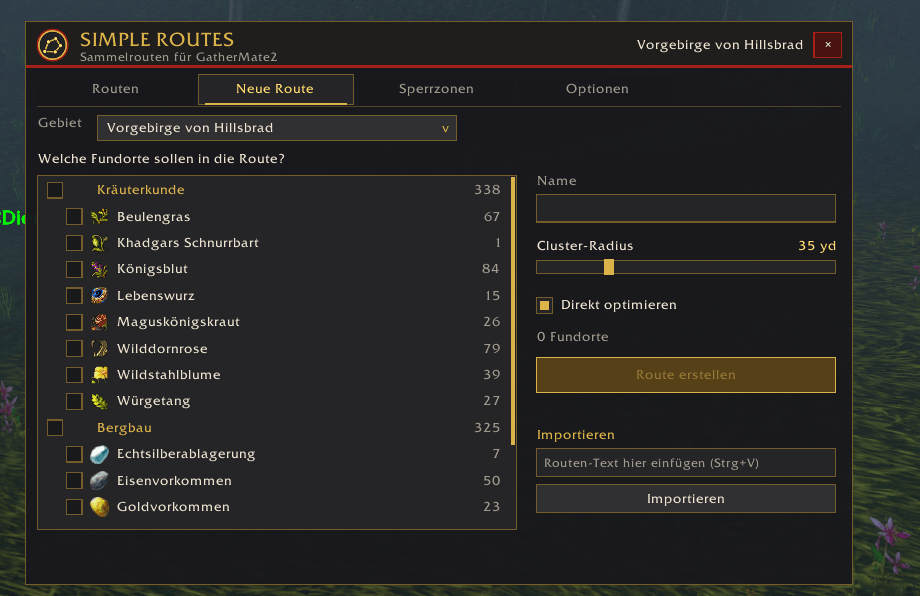
- Pick a zone and the node types you want (for example all herbs, or just two kinds of ore). You see how many nodes GatherMate2 knows for each one.
- "Only what I can gather" hides nodes above your current herbalism or mining skill and shows the required skill for each node.
- Nodes that sit close together are merged into one waypoint (adjustable cluster radius), so you don't run to the same rock face three times.
- One click calculates the shortest loop through all waypoints. "Keep optimizing" spends a few more seconds trying variations and keeps only shorter ones.
- Every route shows its number of points and nodes, its length in yards and an estimated lap time on foot and mounted.
- Too long? Shorten any route to a target lap time (on foot or mounted) – a compact new route is built from the densest waypoints.
Map and minimap
- Routes are drawn on the world map and the minimap, with direction arrows and small gaps around node icons so GatherMate2's icons stay visible.
- Color, line width and visibility (minimap and/or world map) can be set per route, plus optional display on the continent map.
- Works with round, square and rotating minimaps.
Editing and taboo zones
- Edit a route right on the world map: left-click inserts a waypoint, right-click removes one.
- Newly found nodes are added to matching routes automatically, so your loops get better as you play.
- Draw taboo zones on the map, such as elite camps or PvP hotspots. Nodes inside are ignored, and routes are recalculated to go around them.
- Rebuild a route from your current GatherMate2 data at any time.
Navigation
- A compact arrow guides you to the next waypoint and shows the distance, "Point 3 / 24" and your current lap time.
- Navigation starts at the waypoint nearest to you. Waypoints count as reached within an adjustable radius; nodes you just harvested are skipped automatically.
- The part of the loop you have already run is dimmed, and your next target pulses on the minimap.
- Skip a point or reverse direction at any time. Optional sounds for reached waypoints and nearby nodes.
- Lap statistics per route: number of laps, average and best time, nodes per lap.
- You can use the TomTom arrow instead of the built-in one.
Farm HUD
- A transparent radar on your screen shows the GatherMate2 nodes around you, your route and the next target (with distance), so you never have to squint at the minimap while farming.
- Its own look: dark vignette, gold bezel with compass scale, compass letters, node plates and a target diamond. An optional radar sweep is included.
- Size from 100 to 1000 px, adjustable range, rotates with your character (optional), shows coordinates and range.
- Can be moved anywhere on screen, fades while you are moving (adjustable), dims nodes you just harvested, follows GatherMate2's own display filters and can hide itself in combat and in instances.
Farm session & gold per hour
- Counts the materials you gather and their value using Auctionator prices (vendor price as fallback) and shows your gold per hour in a small, movable panel. Hover it for a breakdown per item.
- Starts automatically with your first gather; pause or restart whenever you like.
Sharing
- Export any route as a short text string and import routes from others. Paste them into Discord, a guide or a video description.
Integration
- OpenMap: routes, taboo zones and map editing work on OpenMap's seamless world map, and OpenMap's menu gets a "Show gathering routes" toggle.
- Optional minimap button and addon compartment entry, plus key bindings (Key Bindings → AddOns → Simple Routes for GatherMate2).
- Lightweight: nodes are looked up through a spatial grid and the display only redraws what changes.
- Interface in English and German.
Getting started
- Install GatherMate2 and Simple Routes, then fully restart the game. A
/reloadis not enough for a newly installed addon. - Gather as usual so GatherMate2 records nodes, or use data you already have.
- Type
/sroutesor click the minimap button, open New route, select node types and click Create route. - Click Start navigation and follow the arrow – or turn on the farm HUD with a middle-click on the minimap button.
Commands
/sroutes– open the window/sroutes nav– toggle navigation ·/sroutes skip– skip the current point/sroutes hud– toggle the farm HUD ·/sroutes hud+/hud-– zoom ·/sroutes hud move– move the HUD/sroutes session– toggle the gold-per-hour panel/sroutes reset– reset window positions
Notes
- Simple Routes only reads GatherMate2's data and never changes it. A recorded node means "something spawned here before", not "something is here right now".
- Simple Routes is an independent addon written from scratch. It was inspired by the classic Routes addon but shares no code with it.
Feedback
Found a bug or missing a feature? Please leave a comment or open an issue. Including the error message from BugSack makes fixing it much faster.
SimpleRoutes for GatherMate2 Team