SimpleTransmogAssistant
- By
Identify collected transmog appearances in item tooltips and at vendors, while tracking supported Midnight packs & pouches account-wide.
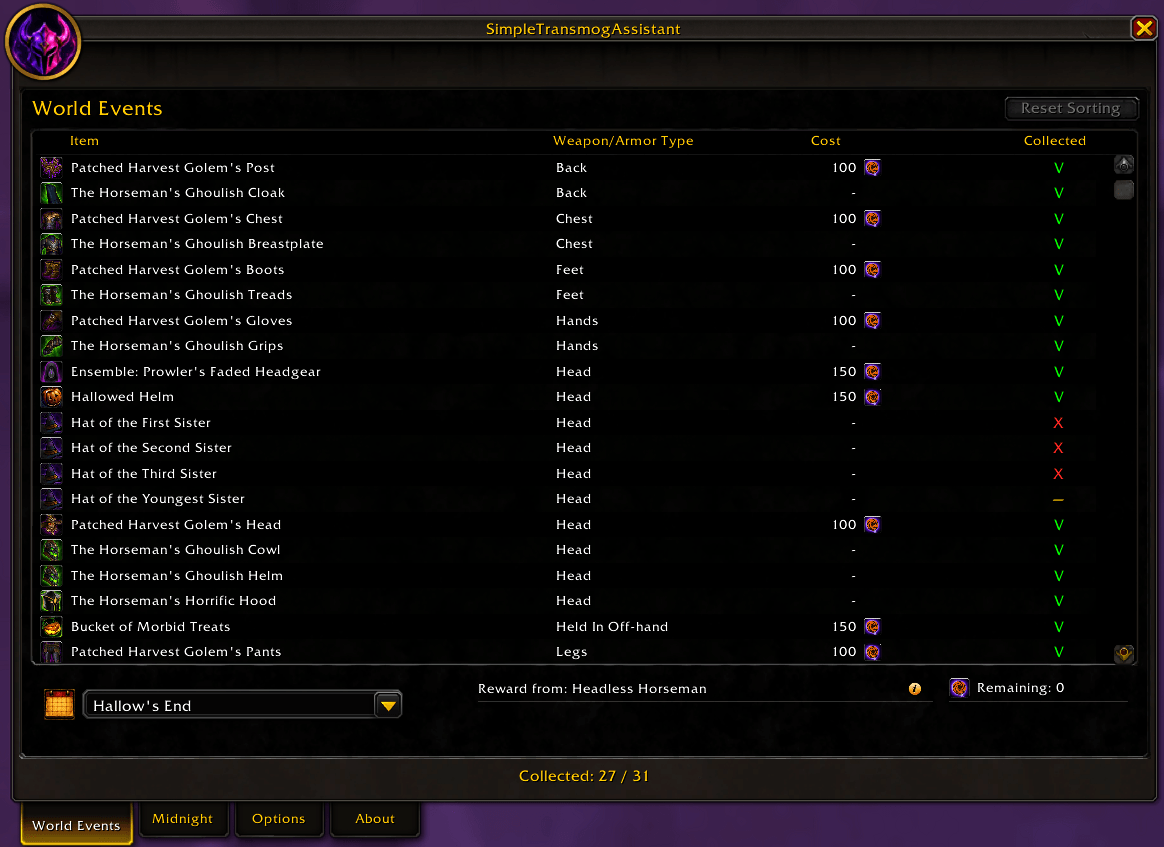
World Events
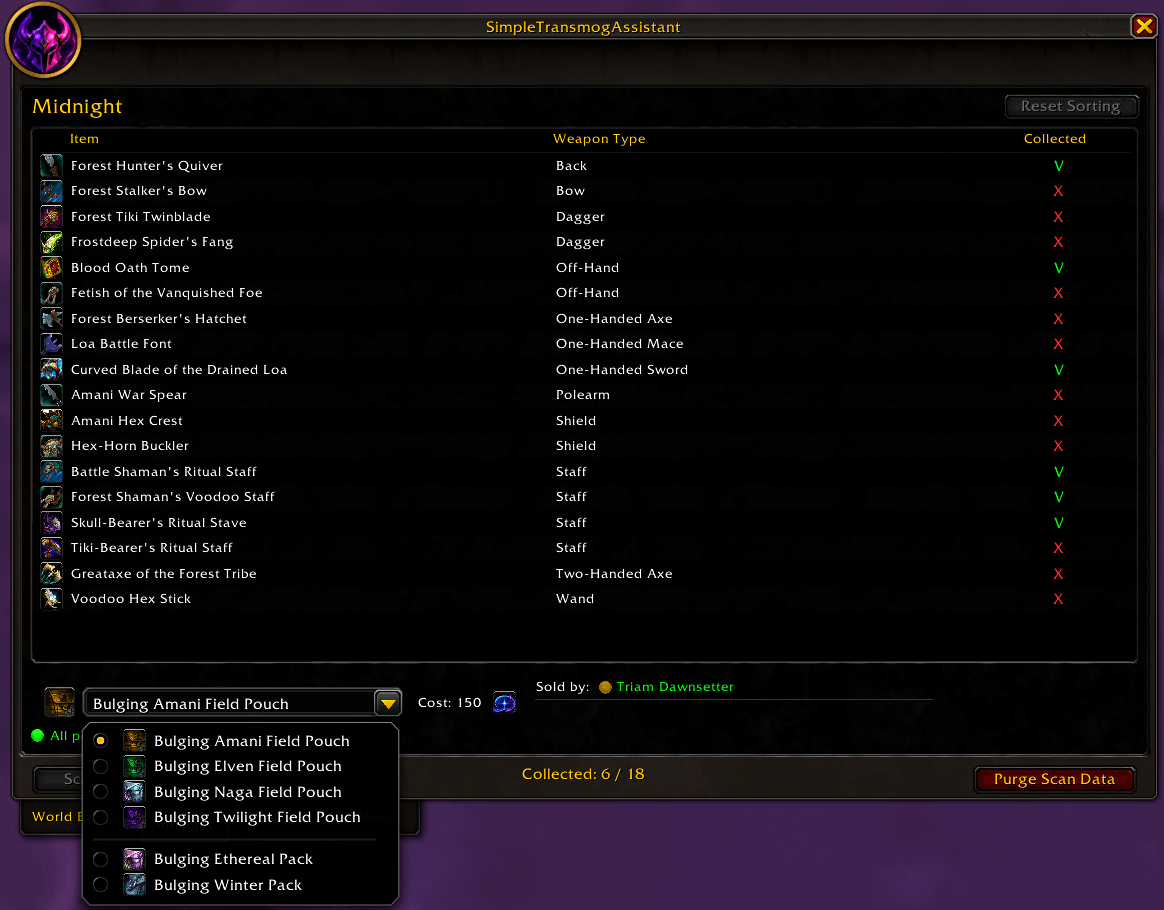
Midnight Packs & Pouches (All scanned)
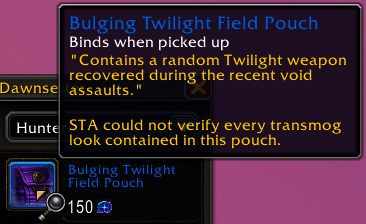
Tooltip (Unscanned)
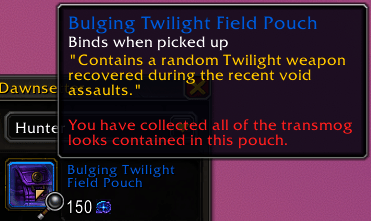
Tooltip (Scanned)
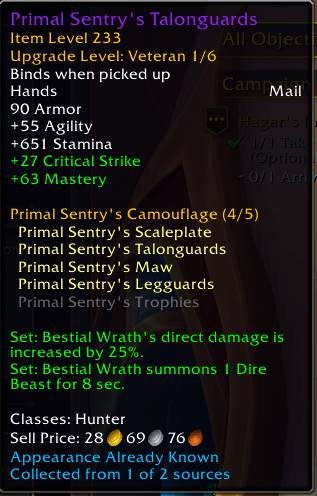
Item Tooltip
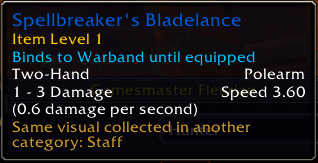
Item Tooltip (Known visual in other category)
Description
SimpleTransmogAssistant helps you recognize collected transmog appearances in supported item tooltips and at vendors, while tracking selected World Events appearances and Midnight packs & pouches. It shows confirmed collection information, useful acquisition details, and clear unresolved results when Blizzard does not provide enough evidence to decide.
Support & Feedback
Thank you for using SimpleTransmogAssistant! Please join the Simple-AddOns Discord for bug reports, suggestions, support, and news from the Simple AddOns family.
When reporting an issue, please include your WoW version, what happened, and any relevant screenshots or full Lua error text.
Highlights
- Collected appearance information — Adds an "Appearance Already Known" line to supported tooltips, with optional collected-source details and related category information.
- Vendor checkmarks — Marks vendor items whose appearances are confirmed as collected, with configurable indicator size.
- World Events collection tracker — Check supported appearances from Brewfest, Hallow's End, Day of the Dead, and WoW Anniversary, including acquisition information and event-currency costs.
- Event currency and reminders — See optional remaining currency totals for confirmed missing vendor appearances and configure supported active-event reminders.
- Midnight packs & pouches — Track supported Midnight container appearances account-wide, with scan results, sorting, vendor sources, and map waypoints where available.
- Useful tooltip contexts — Supports item tooltips in bags, banks, the Auction House, Great Vault, and supported quest rewards, including DialogueUI when installed.
- Dressing Room and item interactions — Preview supported Midnight items with your normal Dress Up modifier, send their item links to active chat, or place their names into the Auction House search field.
World Events
STA currently tracks curated transmog appearances from Brewfest, Hallow's End, Day of the Dead, and WoW Anniversary. The checklist shows collected, missing, or unresolved states, with item types, source details, prices, sorting, and acquisition tooltips.
Anniversary entries reflect documented historical vendor and boss appearances. The 2026 Anniversary inventory and boss loot have not yet been fully verified, and the catalog is not intended to cover every event reward, toy, pet, or mount.
Midnight
The Midnight tab tracks six supported packs & pouches: Bulging Amani Field Pouch, Bulging Elven Field Pouch, Bulging Naga Field Pouch, Bulging Twilight Field Pouch, Bulging Ethereal Pack, and Bulging Winter Pack. Collection results are shared account-wide. Completed scans, unresolved scans, sorting, and vendor-location details help you identify what is still missing.
Compatibility
SimpleTransmogAssistant is intended for modern Retail World of Warcraft. It respects Blizzard's protected and Secret Value restrictions, and leaves uncertain transmog results unresolved rather than guessing.
DialogueUI quest-reward tooltip integration is optional. STA does not require another transmog addon to run.
Commands & Access
/staor/sta help— Show the command list./sta openor/sta show— Open the Midnight tab./sta optionsor/sta settings— Open the Options tab./sta reset— Reset the STA window position.
STA is also available through Blizzard Settings → AddOns, an optional minimap button, and LibDataBroker/Titan Panel.
Part of the Simple-AddOns family — focused World of Warcraft addons designed to solve specific problems while staying lightweight, predictable, and close to Blizzard's native UI.
Created and maintained by Zaryx-Aszune (EU).
SimpleTransmogAssistant Team