Simple Guild Exporter
- By
Export your guild roster to plain text, CSV, or Markdown with a single click.
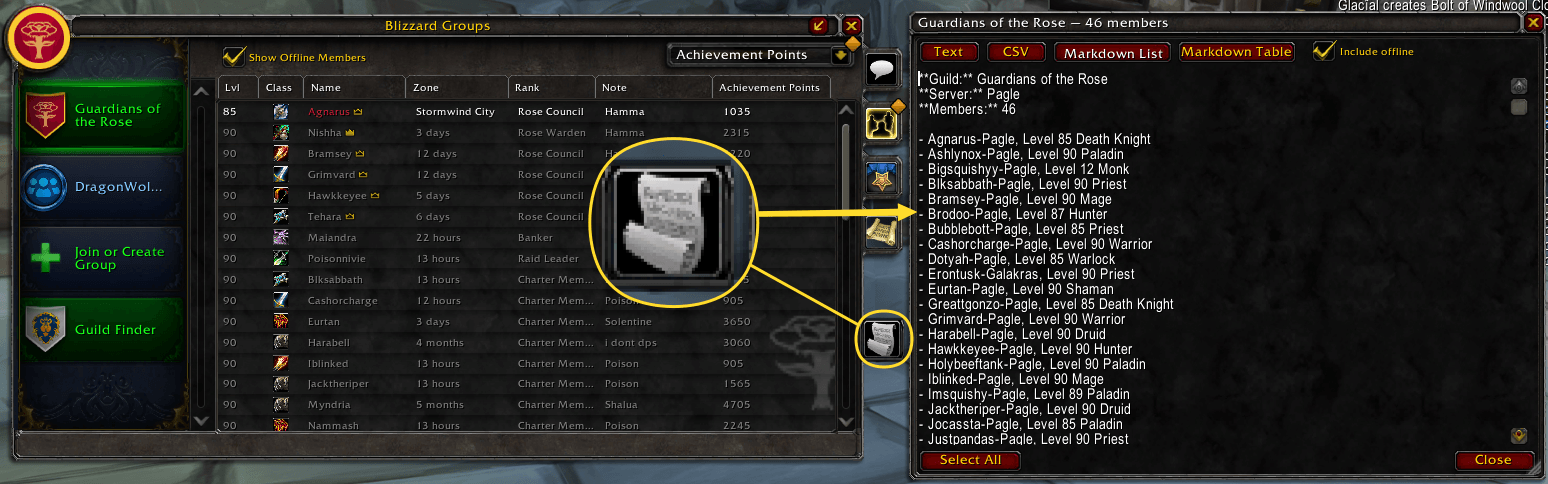
In MoP you can use the slash commands, or click the export button on the guild screen
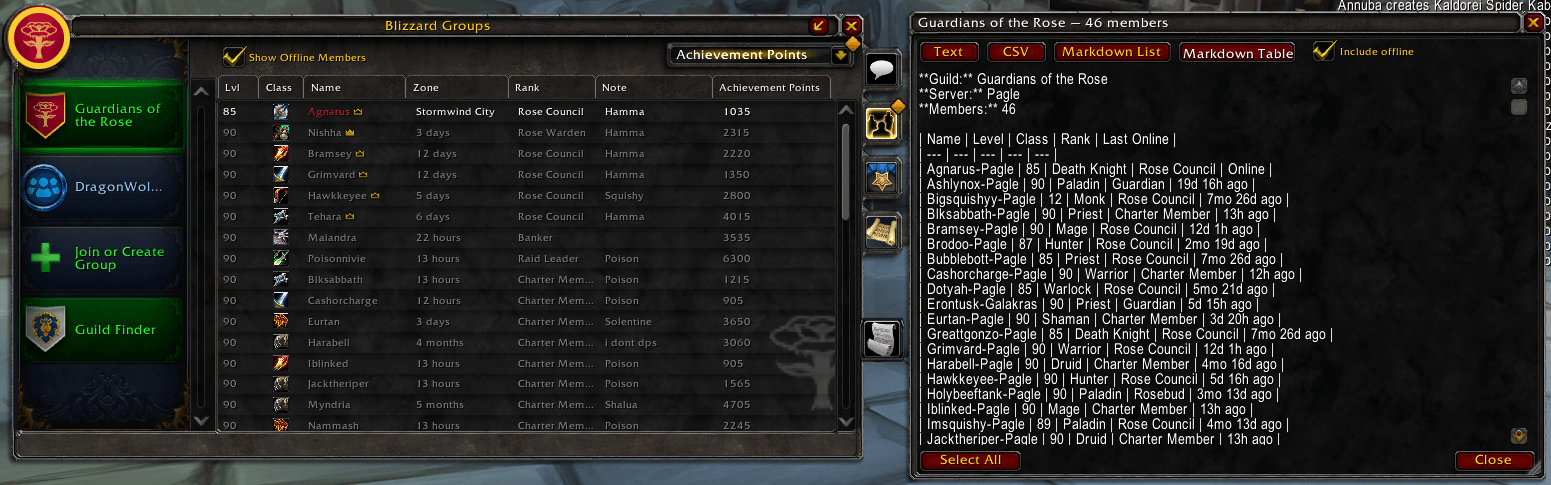
In MoP you can use the slash commands, or click the export button on the guild screen
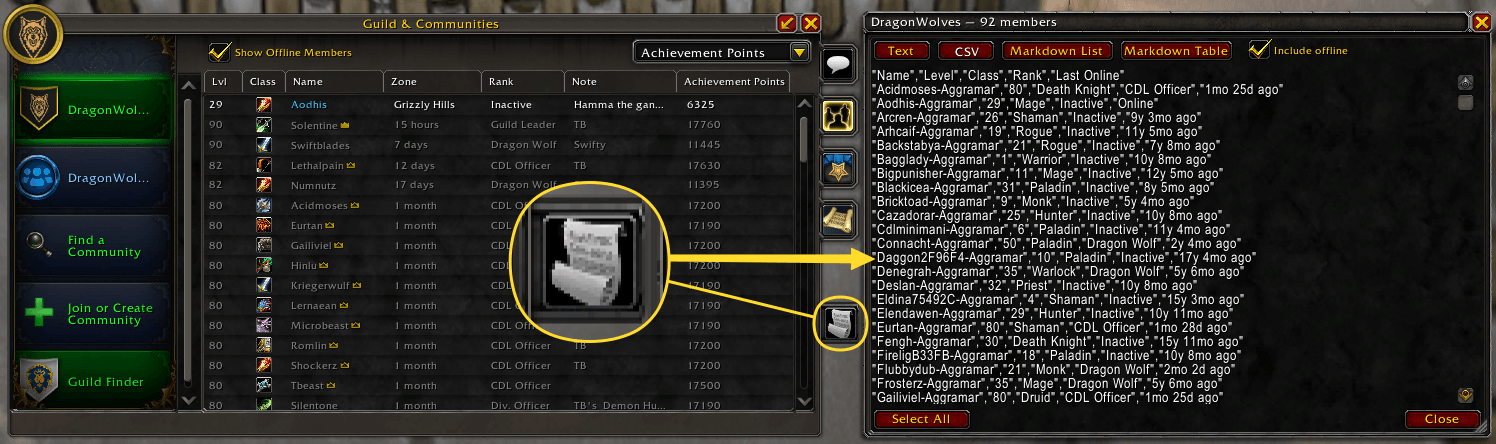
In Retail you can use the slash commands, or click the export button on the guild screen
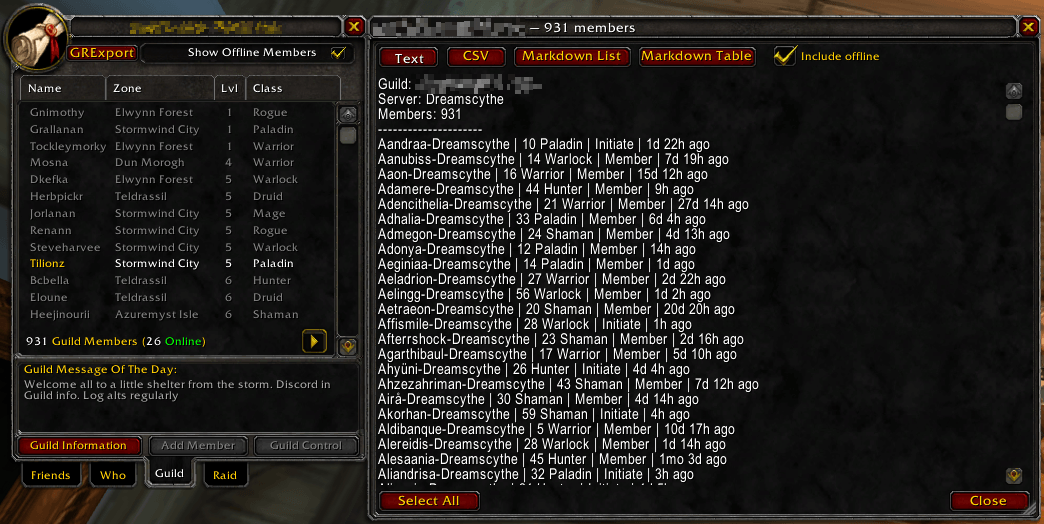
In TBC you can use the slash commands, or click the export button on the guild screen
Description
Overview
Simple Guild Roster Exporter allows you to export your guild roster to plain text, CSV, Markdown list, or Markdown table format. Part of the SimpleWowExporters collection of addons.
Supported Versions
- Retail (Midnight)
- WoW Forever
- Mists of Pandaria Classic
- Cataclysm Classic
- Wrath of the Lich King Classic
- The Burning Crusade Classic (Anniversary)
- Classic Era (Vanilla)
Usage
Open the guild frame, then either use /grexport or click the export button. On classic clients (Vanilla through Cataclysm) this is a GRExport button in the title bar. On MoP Classic, Retail, and WoW Forever, it appears as an icon tab on the right side panel of the guild frame.
The export window opens with format controls built in — switch between Text, CSV, Markdown List, and Markdown Table without reopening.
Use the Select All button or CTRL-A, then CTRL-C to copy the output and paste it wherever you need it.
Slash Commands
| Command | Output |
|---|---|
/grexport |
Plain text — all members |
/grexport csv |
CSV — all members |
/grexport markdown list |
Markdown list — name, level, class |
/grexport markdown table |
Markdown table — all fields |
/grexport help |
Show available commands |
Simple Guild Exporter Team