Simple Cast Bar Forever
- By
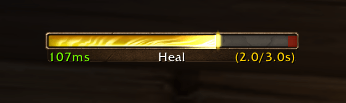
The default options showing latency as text and as an overlay on the cast bar, with optional spell timing shown.
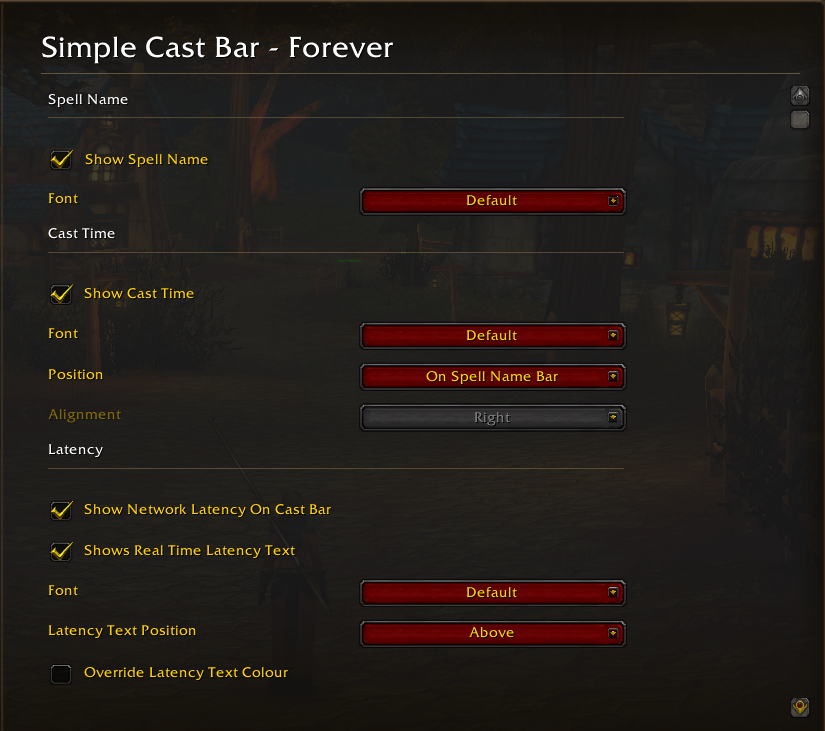
The Simple Cast Bar options page.
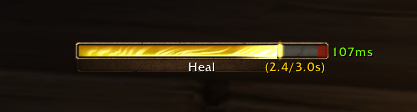
Optional settings for latency shown on the right side of the bar.
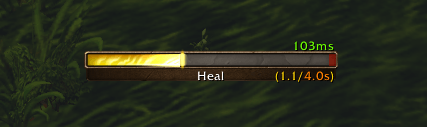
Minor spell pushback of less than 1.0 second shown in Orange.
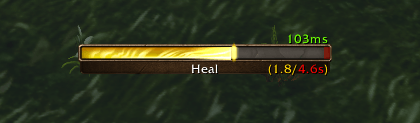
Severe spell pushback of more than 1.0 second shown in Red.
Description
Want a little more information from your cast bar without installing and configuring a complex unit-frame or cast-bar addon?
Simple Cast Bar Forever enhances Blizzard’s default cast bars with useful information and customisation options, while preserving their familiar look and feel.
Keep your spells flowing
When the cast’s progress reaches the red latency section of the bar, it signifies that Blizzard's servers have recognised that your spell has completed. That's your cue to cast your next spell so the game can queue it as the current cast finishes.
Reducing gaps between casts can help you deal more damage or deliver more healing over time.
Features
- Cast timers: Display elapsed and total cast time, or remaining time for channelling spells.
- Spell pushback: See damage-induced delays reflected in the total spell duration, or show separately.
- Flexible timer placement: Position the timer directly on the cast bar or alongside the spell name.
- Network latency: Display an estimated latency section on the cast bar, along with your current network delay in milliseconds.
- Text customisation: Choose your preferred fonts and show or hide spell names.
Type /scbf to open the addon’s settings, or access them through the standard options page.
- "No replacement cast bars, no complicated setup. Just a little more information where you need it."
Simple Cast Bar Forever Team