
Simple and unique UI
character.png
settings.png
bar.png
Description
PlayerUIWoW - Modern, Flat UI Overhaul PlayerUIWoW is a lightweight, hyper-modern user interface overhaul for World of Warcraft. It strips away the bulky, 20-year-old classic fantasy art (scrolls, parchment, griffins, and thick borders) and replaces it with a sleek, minimalist, and highly customizable flat design.
Designed for players who want a clean, modern aesthetic without the overwhelming complexity of full-suite UI replacements like ElvUI, PlayerUIWoW focuses on essential visual upgrades while letting the core game shine through.
✨ Key Features
- Complete Action Bar Minimalism
Stripped away the default Blizzard action bar art, including the massive griffins and background panels. Action buttons have been overhauled with clean, sharp 1px borders, removing the bulky default borders. The Micro Menu and Bag Menu frames have been completely hidden to free up bottom-screen real estate. Customizable: You can independently scale the size of your action bars directly from the settings panel. 2. Modern Player HUD Overhaul
The traditional 3D/2D player portrait frame has been removed and replaced with a sharp, bold Class Icon. The Health and Power bars have been flattened, utilizing clean, status-bar textures with a sleek backdrop. Level tracking and nameplate texts have been repositioned for a cleaner readout. 3. Advanced Custom Cast Bars
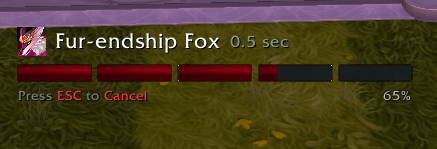
Replaces the default Blizzard cast bar with your choice of two modern styles: Flat (Default): A sleek, horizontal cast bar with a sharp border and exact cast-time readouts. Circular (Modern): A dynamic, sweeping circle cast bar that wraps around an un-intrusive center ring, inspired by modern action RPGs. Customizable: Fully draggable! Unlock the cast bar in the settings, move it exactly where you want it on your screen, adjust the text color, and lock it back into place. 4. The "Sleek Screen" XP & Reputation Bar
The bulky, separated default XP bars have been removed. Replaced by a hyper-minimalist, continuous, ultra-thin flat line that sits elegantly at the very bottom edge of your screen, maintaining awareness without clutter. 5. Overhauled Character & Stats Frame
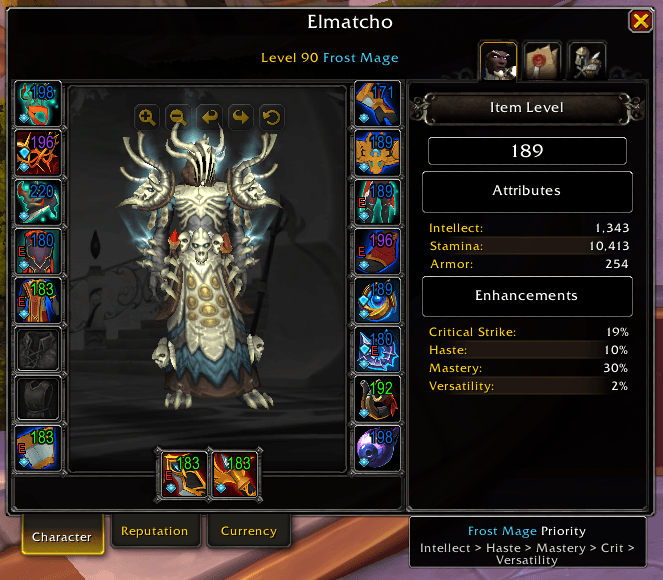
The entire Character (C) menu has been reskinned. All the old Blizzard parchment backgrounds, intricate scroll headers, and thick borders have been stripped out. The main character model viewer, equipment slots, and the detailed Stats Pane (Item Level, Attributes, Enhancements) now sit on perfectly flat, dark background panels with modern, thin borders. Customizable: The background and border colors of the Character Frame can be customized independently from the rest of the UI. 6. Dynamic Stat Priority Assistant
A custom informational box has been built directly into the bottom-right of the Character Stats pane. It actively detects your Current Class and Specialization (e.g., Frost Mage vs. Arcane Mage). It queries an internal database and displays your exact, optimal Stat Priority (e.g., Intellect > Haste > Mastery > Crit > Versatility) based on current Season 1 meta weights. The header is beautifully formatted in your exact Class Color, and updates instantly if you swap specializations. 7. Deep Native Settings Menu
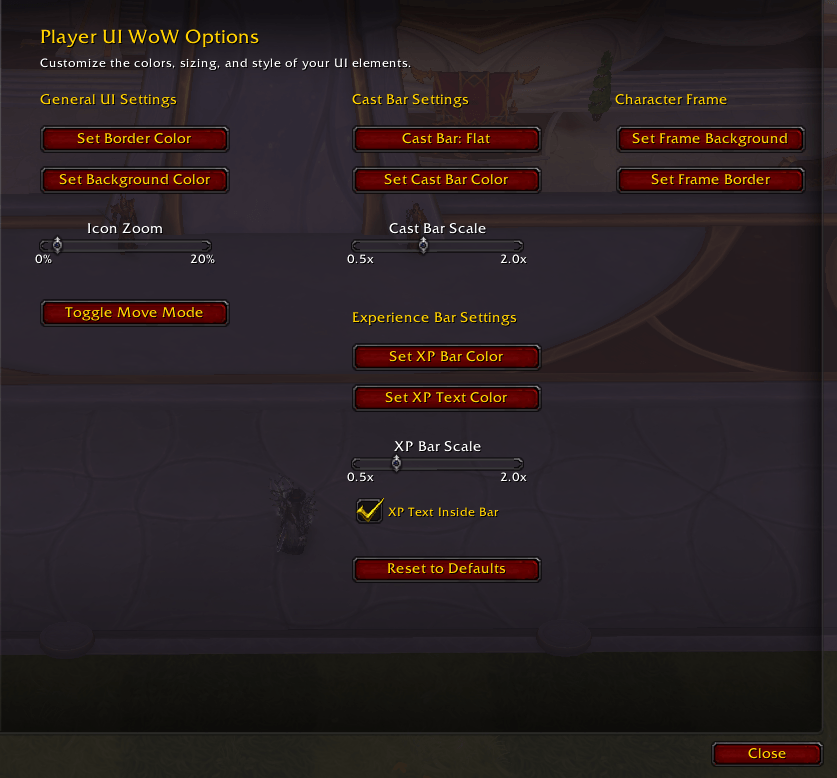
PlayerUIWoW flawlessly integrates into the default WoW Options > Addons menu. Features an easy-to-use control panel with interactive Color Pickers, allowing you to globally change the color theme (Backgrounds, Borders, Cast bars) in real-time. Includes a "Reset to Defaults" button if you ever want to revert back to the original dark-steel aesthetics. Design Philosophy: Write less code, do more. PlayerUIWoW stays lightweight by hooking directly into existing Blizzard frames and simply telling them to look better, rather than creating hundreds of redundant custom frames. It's built to look native, fast, and gorgeous.
Simple and unique UI Team
